8 min read
Comparing Rancher, OpenShift and Tanzu for enterprise Kubernetes
A comparison of Rancher, OpenShift and Tanzu covering updates, security, certifications, support and team skills to help choose an enterprise Kubernetes platform.
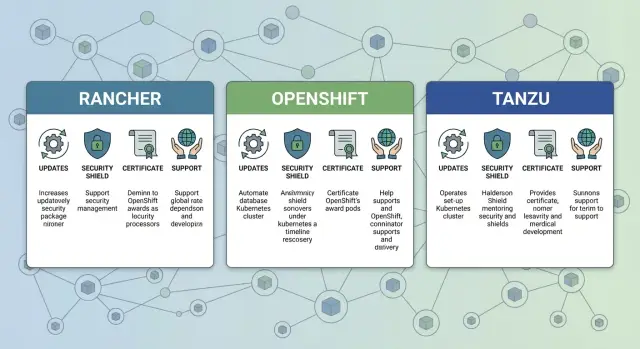
Task: choose a platform, not “just another Kubernetes"
In enterprise environments Kubernetes is rarely chosen for Kubernetes itself. You can deploy a cluster in many ways. The real task is to pick a platform that makes operations predictable: who and how updates clusters, how vulnerabilities are addressed, how security requirements are met, and what happens when something breaks at night.
Usually the pain is not "how to create a cluster", but how to live with it for years: Kubernetes and addon versions, security risks, lack of people, different maturity levels across teams and processes.
So “just Kubernetes” and a “platform” are different things. A platform reduces routine work and lowers the chance of mistakes. It defines rules, tools and boundaries: what is allowed in a cluster, how it is validated, and how to roll back quickly if an update goes wrong.
When you read “Rancher vs OpenShift vs Tanzu” materials, mentally switch off the brands and ask the same questions for each option: how is the lifecycle organized, what security is included by default, which documents and artifacts will your auditors require, and what level of support do you get.
Simple example: if you run a critical service for a government agency or a bank, downtime costs more than a license. Then what matters is not “more features” but clear update windows, a transparent incident investigation process and predictable SLA-based support. In such projects a systems integrator (for example, GSE.kz) helps assess not only the platform but also the readiness of processes and the team to operate it.
Briefly about Rancher, OpenShift and Tanzu without extra jargon
If simplified, all three answer the same question: how to manage Kubernetes in a company so clusters are updated on schedule, access is controlled, and support does not depend on one person.
Rancher is often chosen as a control plane for multiple clusters. It helps create, attach and operate clusters across environments, grant team access, enable policies and monitor state. Around it you typically assemble registry, CI/CD, monitoring and other tools from familiar solutions or what you already have.
OpenShift is usually perceived as a more integrated platform: Kubernetes plus a set of built-in practices and components that set the rules. Out of the box you get stricter controls over how apps run, how rights are organized and how the platform lifecycle is managed. That’s convenient when unified standards and predictability are important.
Tanzu makes sense if you’re heavily invested in VMware and want Kubernetes to fit the same infrastructure management model. Then clusters, access and updates are easier to integrate into existing processes.
Remember: a platform rarely covers everything. Even with a "full set" you still must decide on backups, logging, secrets storage, image management and rollout rules.
Before choosing, clarify in advance:
- where clusters will run: on-prem, cloud or hybrid
- whether you need environment and team isolation (multi-tenancy)
- whether you must operate without Internet (air-gapped)
- which security and audit checks are mandatory (especially for government and finance)
- who will own the platform: platform team, infrastructure/DevOps or product teams
How to compare correctly: criteria and weights
Comparing Rancher, OpenShift and Tanzu is easiest when treated as a product selection: first fix what you actually need, then look at names and "features." Otherwise you can end up with a platform that looks great in a demo but is inconvenient day to day.
Start with a short but precise frame: regulatory requirements (for government or finance), time-to-market and system criticality. At the same time determine scale: how many clusters in a year, how many teams and environments (dev/test/prod), any regions or separate sites.
A simple process helps:
- Gather requirements in one table: must-have, nice-to-have, "later".
- Choose criteria and assign weights (for example, updates 25%, security 30%, support 25%, team skills 20%).
- Agree on "red lines" before the pilot so you don’t argue at the end.
- Decide who owns the platform and who approves changes.
- Run a short pilot for one scenario (one service, one cluster, one update process) and score using the same criteria.
Frame "red lines" as prohibitions: no 24/7 support, inability to quickly fix CVEs, lack of access policy control, updates requiring too many manual steps.
If you run critical services in healthcare or government, weight security and support higher than interface convenience. If the team is small, the decisive criterion becomes how many people are needed to operate the platform.
If you implement via an integrator, clarify in advance who will support it after launch and how it’s represented in the SLA. In Kazakhstan this is especially important when infrastructure is distributed across regions and on-site support is needed.
Updates and lifecycle: how manageable is it?
In enterprise platforms updates are not "press a button and done." Each ecosystem has its own release cadence, supported versions and compatibility rules between Kubernetes, networking components, ingress, storage, monitoring and security policies. So compare updates by asking how predictably you can live for 2–3 years.
The main trade-off is simple: do you prefer faster access to new versions or a highly stable, pre-validated update path. Banks and government typically favor predictability and a clear lifecycle; product teams may prefer speed if it doesn't break processes.
Practical approach: separate updates into two parts — the cluster and the surrounding components. Even if Kubernetes updates cleanly, addons often cause delays. For example, a security policy might require updating image scanning or network controls before the cluster itself.
When evaluating, ask for a step-by-step update demo and explicit responsibility split: what the platform performs and what remains your team’s task. Good indicators:
- is there a clear rollback and what actually gets reverted
- how many manual steps are needed: one planned flow or a chain of "fix here, adjust there"
- are downtime windows required and how control plane and worker nodes are updated
- how automated are checks: pre-checks, post-checks, test runs
- is there a compatibility matrix (Kubernetes, OS, runtime, CNI, CSI, ingress)
A positive sign is when you receive two artifacts: a compatibility matrix and an annual update plan (at least by quarter), plus a separate test environment. For a cluster with critical healthcare services this lets you lock the sequence: test, fallback environment, then production with fixed dates and rollback criteria.
For comparisons, ask for a real update scenario: how many hours, who participates, what are the risks, and what logs and reports you receive after.
Security: from access to image control and policies
Security in Kubernetes is not a single setting but a set of rules that must work together. In platform comparisons you should care less about claims and more about how typical risks are actually mitigated: excess privileges, unsafe images, misconfigured network access and lack of audit.
Start with basic access hygiene. Check how the platform helps configure RBAC (roles and permissions), manage secrets (passwords, keys, tokens), enable action audit and restrict communication between services with network policies. The difference is often not whether something is possible, but how easy it is to apply the same setup across clusters and maintain it for years.
To keep the assessment practical, ask for the minimal secure baseline for one team and one application:
- separate roles for devs, admins and CI/CD
- isolation of dev, test and prod with clear boundaries
- network rules: who can talk to whom by default
- secrets management without storing credentials in plain text
- audit: who changed permissions, deployed, opened access
Supply-chain protection is a separate block. Ask not only about image scanning but also about controlling what is allowed to run: "only from a trusted registry", signature verification (if used), and blocking images with critical vulnerabilities. Clarify how rules are applied (project, namespace or cluster) and what happens on violation (block, warn or approve by exception).
Tenant isolation (different teams, contractors, external services) is also critical. A common scenario: one organization runs multiple systems, prod access is restricted, but on-call support and audit remain. For government, medical and financial projects this is usually mandatory.
Don’t forget security of observability: who can access logs, how long they are retained, and whether one team’s visibility can be separated from another’s. Also check permissions to view cluster events: sometimes these leak infrastructure details.
Questions to ask vendors and integrators:
- which security policies are enabled "by default" and why
- how unsafe images are controlled and how exceptions are handled
- how audit is organized: what is logged, where stored, who reads it
- how dev/test/prod and different teams are separated without manual work
- what skills your team needs to maintain this level for years
Certifications and compliance: what to verify in practice
In compliance discussions "certificate" often means different things: vendor process compliance (e.g., ISO procedures), certification of specific components (security modules, cryptography, registry) and your organization’s internal requirements (access policies, log retention, update rules). Separate these levels from the start.
Auditors rarely accept only a vendor PDF. They typically request evidence of how you actually manage the platform: who gets access, how changes are approved, how events are recorded and what happens during an incident.
On practice you will most often be checked for three things:
- update policy and lifecycle: who approves updates, how you test and rollback
- access control: roles, least privilege, MFA/SSO, service account management
- logging: which logs are collected (cluster, apps, access), retention periods, immutability
To assess readiness for your sector (government, finance, healthcare), request these documents and artifacts in advance:
- a security feature matrix (what’s included out of the box, what must be added)
- change and patch management procedures
- description of role model and IAM/SSO integrations
- logging policy and an example export of audit logs
- list of supported versions and the support window
Main pitfall: a “product certificate” is not the same as a “certified process.” Auditors care more that your deployment, operation and control processes work and are supported by records.
Support and SLA: who will help at 3 AM
When a cluster fails at 3 AM, what matters is not which platform is objectively better but who will actually take the incident and restore service. This is often underestimated, although it determines downtime and team stress.
Start with support mode. 8/5 is fine for development and non-critical systems. For production with customer-facing systems you usually need 24/7 with clear P1 response times and agreed definitions of P1, P2, P3.
Next, check responsibility boundaries. “Platform-only” support won’t save you if the issue is OS, a network plugin, storage, DNS, certificates or backups. The most dangerous place is the grey zone between components where vendors say "that's not our problem."
Ask questions that quickly clarify responsibilities:
- what is covered: Kubernetes, control panel, node OS, network, storage, backups, registry, security policies
- how escalation works: a single contact or you coordinate multiple vendors
- who applies security patches and in what timeframes for critical CVEs
- how maintenance windows are agreed and who handles regression after updates
- does support include help with root cause analysis and postmortems
Require measurable SLA metrics and a clear reporting format:
- MTTR and targets for P1 incidents
- availability of management platform and critical components
- response time and time to workaround
- frequency and length of maintenance windows
- proportion of incidents resolved without handoff to another supplier
Example: a hospital’s pods stop starting at night due to storage issues. If support only covers the Kubernetes platform, the on-call engineer will chase SAN, CSI driver and access policies. If there is a single integrator with 24/7 coverage and pre-defined escalation, recovery is usually faster. GSE.kz, for example, offers 24/7 technical support and system integration, which helps when you need to cover the entire infrastructure chain, not just the platform.
Team skills: who you need and what to train
Kubernetes does not manage itself. In practice you buy not only licenses but ongoing team work: updates, policies, access, observability, incident analysis. When comparing platforms, immediately estimate which roles you already have and which you need to hire or train.
A minimal team often includes:
- a platform engineer responsible for clusters, templates and core services
- an SRE/DevOps for operations, CI/CD, releases and incidents
- a security specialist (RBAC, secrets, policies, image control)
- a network engineer (DNS, load balancing, segmentation, ingress)
- a storage specialist (persistent storage, backups, recovery)
Essential skills include: solid Linux, networking basics (routing, NAT, DNS), TLS and certificates, and Kubernetes fundamentals (Pods, Services, Ingress, RBAC, namespaces). Without that, any platform will feel hard.
Next are operational tasks that consume the most time. Decide what you will actually use in the first quarter: a single approach to manifest rollout (for example, GitOps), compliance policies, observability (metrics, logs, traces and alerts), image management, and update/rollback procedures.
To estimate "skill ownership cost" run a short pilot on 2–3 typical services: an internal portal, an API and a background worker. Track time spent on access setup, certificate issuance, storage attachment, log collection and the first cluster upgrade.
Training works best as pilot + on-the-job mentoring + short runbooks. If an integrator helps with deployment and support, agree in advance which knowledge stays in your team after the pilot and what remains under external support.
Example choice: critical services and control requirements
Imagine a government agency or a bank where most systems run on-prem, updates are allowed only in narrow windows and every incident is audited. Here “just install Kubernetes” is insufficient: you need a platform that provides manageability and auditable control.
Requirements should be specified not as "we want OpenShift/Rancher/Tanzu" but as verifiable rules: strict network segmentation between teams and environments, centralized logging of admin and app actions, least-privilege roles, and a mandatory change process (who requested, who approved, what changed, how to rollback).
To keep comparisons fair, use the same scenario and evaluate it against your criteria table. Rows are what matters to you (updates, access policy, image control, user directory integration, auditability), columns are platforms. Add a "risk" column to note functions that exist but require many manual steps and discipline.
What a pilot should look like and success criteria
A good pilot lasts 2–4 weeks and tests operational scenarios, not just cluster creation:
- deploy a test cluster to the security standard within 1–2 days
- upgrade versions with no downtime for a critical service or with a defined window
- run an exercise incident: who did what, where are logs, how fast was the root cause found
- rollback a change and recover from failure
Estimate operational costs in advance: how many people for 24/7, required roles (platform team, security, network, storage), support costs and realistic SLA boundaries.
If infrastructure is your responsibility (servers, network, storage), include it in the pilot: test on the actual racks and servers you will procure and maintain. In Kazakhstan such pilots are often done locally with an integrator to validate the full cycle: hardware, platform, security and support.
Quick pre-decision check: a 10-minute checklist
Before vendor meetings or a pilot, run a short reality check. It won’t replace in-depth comparison but will quickly show risk areas.
First agree what you are choosing: a production-ready Kubernetes operations platform, not just a user-friendly interface. Then go through these points and record answers, even if they are "unknown."
- Updates and rollback: is there a yearly version plan, a separate test environment and a clear rollback procedure (who does it, how long, what happens to apps and network)?
- Security by default: are access policies enabled, is action audit on, is image control (scanning and blocking) present and is there a secrets management scheme without passwords in chats?
- Compliance in practice: can you show documents and artifacts auditors will check (log exports and retention, change approval processes, who approves exceptions)?
- Support and escalation: what does the SLA say, where are responsibility boundaries (platform, OS, network, registry, backups) and what is the night-time escalation path?
- Team and skills: how many people are needed, who can handle incidents and is there a training and on-call plan for the first 3–6 months?
If you run a critical service (payments or patient registration) a plan like "we’ll update manually every six months" usually ends in a night outage. The key question is not "how to manage nicely" but "how to update safely and rollback quickly."
If you plan implementation in Kazakhstan, clarify who will handle local support and integration near your team. A systems integrator like GSE.kz can cover parts of operation, change processes and 24/7 support, but define responsibility boundaries before platform selection.
Common mistakes in selection and rollout
The most common error is treating Rancher, OpenShift and Tanzu like a boxed product: focus on feature lists and price but ignore operational life. The platform is chosen, then surprises appear: updates are postponed, access rights proliferate, and responsibility floats between teams.
What usually breaks projects
Frequent problems:
- picking based on demo and promises without checking daily tasks: updates, rollback, secrets, audit
- expecting automatic updates: without a test environment and rehearsals downtime risk rises
- deferring image and access security until later, which becomes manual exceptions and shared accounts
- unclear boundaries between platform and infrastructure (network, storage, load balancers, DNS, backups), causing finger-pointing during incidents
- a pilot with no migration or rollback plan: if the pilot fails there is no clear way back
Typical scenario: a pilot runs on one cluster, while production plans three. The pilot didn’t test storage recovery or certificate rotation. When scaling, processes are undocumented and temporary access granted becomes permanent.
Avoid this trap by agreeing on pilot success criteria: update duration, who verifies security, what rollback looks like and who is on-call.
Next steps: pilot, rollout plan and support
To make the comparison actionable, collect requirements and pick 2–3 candidates for pilots. Use the same business-relevant scenario: a customer-facing service with availability, logging and access control needs.
Practical steps:
- fix must-haves: regions, environment isolation, security requirements, update windows, platform admins
- choose a workload for testing (API + database or batch processing)
- decide pilot location: separate cluster or a dedicated segment
- agree success metrics: update time, recovery time, number of manual steps
- assign owners: business, IT ops, security
Treat the pilot as a set of stress tests: deploy the cluster, upgrade Kubernetes and the platform, simulate a node failure, check audit logs, and restore from backup. This reveals where the platform helps and where operation relies on a few experts.
Discuss the support model before choosing: who to call at night, required SLAs and what first-line support actually resolves.
Then lock a roadmap: timelines, training, runbooks (updates, access, backups, incident response). If you need help with design, integration, infrastructure and 24/7 support, this can be fulfilled by GSE.kz — especially when local accountability and onsite support are important.
Frequently asked questions
How is an "Kubernetes platform" different from "just Kubernetes" in enterprise?
Choose a platform if you need predictable cluster operation for years: scheduled updates, access control, audit logs, security policies and reliable incident support. “Just Kubernetes” solves deployment, but does not cover day-to-day operations and responsibility for surrounding concerns — network, storage, image registry, backups and change processes.
How to compare Rancher, OpenShift and Tanzu correctly so you don't pick based on a demo?
Start by listing must-have requirements: service criticality, maintenance windows, regulatory needs, air-gapped operation, multi-tenancy and audit requirements. Then weight criteria (updates, security, support, team skills) and score all candidates using the same table instead of relying on demo impressions.
What must be checked in a platform pilot before purchase?
Run a pilot on a real scenario and validate operational tasks, not only installation. At minimum: deploy following your security standard, perform a planned update with pre/post checks, test rollback on failure, and run an exercise incident with logs and a clear report.
What questions to ask about updates and lifecycle to avoid night-time outages?
Ask to demonstrate the update step‑by‑step and agree upfront who owns each step: the platform, your team or an integrator. Important points: is there a practical rollback, how many manual steps are required, are downtimes needed, and how is compatibility between Kubernetes and key components (networking, ingress, storage) verified.
What does "security by default" mean for a Kubernetes platform in practice?
Look not at promises but at how easily you can achieve the same secure configuration across clusters: RBAC, action audit, secrets management, and network restrictions between services. A good test is to ask for a minimal secure baseline for one team and verify it can be maintained without constant manual adjustments.
What to check if a cluster must run in a closed network without Internet?
First confirm whether the stack supports installation and updates without direct internet access and how patches and images are delivered into an air-gapped environment. Then verify local image registry setup, certificate management and regular CVE closure so security doesn't depend on a few people's manual actions.
Which documents and artifacts do auditors typically ask for?
Auditors usually want evidence of processes, not just vendor certificates: who was granted access, who approved changes, what was changed and which events were recorded. Request sample artifacts in advance: audit exports, log retention policy, patch management procedure and the supported versions list with support windows.
How to evaluate support and SLA so someone helps at 3 AM?
For production with high criticality the standard is 24/7 support with clear incident levels and measurable response and recovery times. Crucially, remove the "grey zone" by defining who is responsible for not only Kubernetes but also node OS, network, storage, DNS, certificates and backups — otherwise responsibility will be shuffled at night.
Which roles and skills are needed for a team to "live with the platform" for years?
Plan for at least a platform owner (platform engineer), operational SRE/DevOps for releases and incidents, a security specialist (access, secrets, policies), plus network and storage expertise. If headcount is small, choose an option that minimizes manual operations and decide upfront what you keep in-house and what you outsource so the platform doesn't run on the enthusiasm of a few people.
When does it make sense to look at Rancher, OpenShift or Tanzu without getting into marketing?
If your environment is already built around VMware management and processes, Tanzu often fits more naturally. If you need strict, consistent standards out of the box, OpenShift tends to offer a more opinionated approach. If you want a convenient centralized control plane for multiple clusters and prefer assembling other tools yourself, Rancher is often the practical choice.
