8 min read
Compare Server Proposals: a One‑Page Method
Step‑by‑step method to compare server proposals by performance, scalability, service and delivery times so you choose without mistakes.
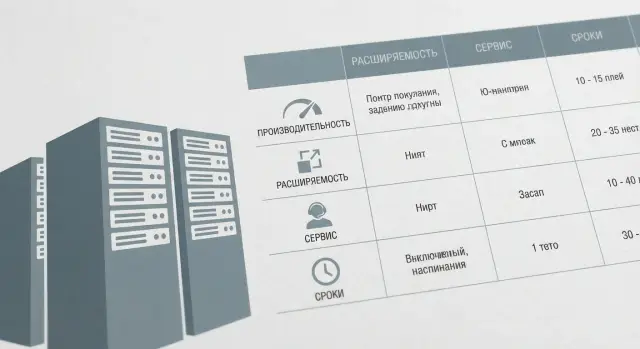
Why a single comparison method is needed
When you compare several server proposals, they often look like “the same”: similar processors, the same gigabytes of RAM, identical form factor. But the differences usually hide in the details. Because of them two “identical” servers can behave differently under load, be upgraded differently after a year, and cost different amounts to operate.
The problem is that a well‑presented proposal highlights strengths and may omit inconvenient facts. For example, the price may lack required network cards or licenses. The specification may list memory of the wrong speed. The support may be limited to business hours with no on‑site service. Delivery times are often written as “2–3 weeks” without confirmation of availability or clear replacement conditions.
A single method is needed to reduce proposals to the same criteria and quickly separate strong options from weak ones. This saves time in approvals and reduces the risk of overpaying for “numbers in a spec” that won’t benefit your scenario.
It usually helps several roles at once:
- IT — to ensure the server will handle the load and has a growth path.
- Procurement — to standardize proposals and remove ambiguous items.
- Finance — to estimate not only purchase price but support and downtime costs.
- Management — to understand schedule risks and responsibilities.
A simple example: one supplier is “cheaper” but delivery time is uncertain and warranty is repair‑in‑service only (no swap). Another is slightly more expensive but fixes configuration, timelines and SLA. Without a common method this looks like “overpaying”; with the method it becomes risk reduction.
If you work in Kazakhstan, add a practical question: who is responsible for the full lifecycle — delivery, commissioning and local support. Companies that combine manufacturing and integration usually describe this more clearly and it’s easier to verify in documents.
What to fix before requesting proposals
For correct comparison, first fix the baseline requirements. Otherwise suppliers will estimate differently: some will include a safety margin “just in case”, while others offer a minimal configuration that will quickly hit limits.
Describe the task in simple terms: which services will run (for example, 1C, file server, virtualization, databases), peak active users, and which load types matter most (high I/O ops, heavy computations, large storage). Separately note expected growth over 12–36 months: users, data, number of VMs.
Next, record physical and infrastructure constraints. Often these break a good configuration: the server doesn’t fit the rack, exceeds power limits or needs different cooling.
A short set to include in the request:
- Form factor and placement: rack (how many U), cabinet depth, available slots.
- Power: available power, number of circuits, redundancy requirements.
- Cooling and noise: acceptable temperature and conditions in the server room.
- Network and storage: number of ports, speeds, disk types, need for RAID, required capacities.
If you have internal security or compliance rules, list them in advance: logging, encryption, access separation, update procedures.
Finally, the implementation window. State the go‑live date, acceptable downtime, what can be staged and what must work immediately. This will immediately rule out unrealistic schedules and help assess support and risks more accurately.
How to bring proposals to the same format
You should compare parameters and commitments, not “presentation style.” For this all proposals must answer the same set of questions.
Start with a simple form you send to all suppliers. Let each fill identical fields with no free interpretation. Usually a 1–2 page table is enough.
Minimum every proposal should include:
- Full bill‑of‑materials (CPU, RAM, drives, RAID/controller, network, PSUs, rails).
- Server role (primary, standby, test) and expected load scenario.
- Warranty and support terms (what’s included, reaction times, service locations).
- Delivery times and factors that affect them (availability, manufacturing, logistics).
- Assumptions and exclusions (what is not included in the price).
Then align costs to a single structure. Be wary of proposals that contain mixed lines like “turnkey server” with details only appearing in later invoices.
Split total cost into clear parts: hardware, licenses, deployment and configuration, delivery and rack installation, extended support. If a supplier cannot separate these, it’s a budget risk.
Check you compare the same roles. A common mistake: one bidder quotes only the primary server while another includes a standby, spare drives or a second PSU. This must be visible in the table.
Also mark what is mandatory and what is desirable. Mandatory items are non‑negotiable (for example, dual PSUs, a certain RAM amount, 24/7 support). Desirables can be scored. This prevents the “cheaper is better” trap when the configuration or service is actually unsuitable.
Performance: how to compare without complex benchmarks
Without a lab it’s easier to compare not the “server as a whole” but four components that most often limit performance: CPU, memory, drives and network.
Start with CPU. Core count alone is not enough: model and generation, number of sockets, base frequency and turbo behavior matter (sometimes turbo only holds on 1–2 cores). A typical trap: same core count but an older generation and lower clocks give noticeably lower real‑world performance.
Then memory. Look at type and speed as well as capacity and how many slots are used and remain. A 128 GB configuration built as 8×16 (slots nearly full) is different from 4×32 (room for growth). For virtualization and databases that becomes money fast.
For drives clarify what “SSD” actually means. Interface (SATA, SAS, NVMe), RAID scheme and write endurance (TBW or DWPD) are often more important than raw capacity. A cheap SSD without guaranteed write endurance can quickly become a problem under DB logs and heavy writes.
Compare network by fact: how many ports and which speeds are included by default and what requires a separate adapter. Also ask if redundancy is provided via dual ports or dual adapters.
To make suppliers’ answers comparable, ask them briefly in writing:
- For what load is the configuration sized (VMs, DBs, file server).
- Which metrics are expected (number of VMs, IOPS, throughput, growth over 1–2 years).
- What will be the first bottleneck and how it scales without replacing the platform.
- What assumptions were made about RAID, cache size, network speed.
- Which parameters are guaranteed in delivery and which are optional.
This lets you compare suitability for the task, not the pretty “total” in a spec.
Scalability and reliability: not only “for today”
If you only look at price and the current configuration, problems often appear later: in 6–12 months there’s not enough RAM, you need a second CPU, drive bays run out, and upgrade suddenly becomes impossible or nearly as expensive as a new server.
Start with the platform’s maximum capabilities, not what was put in the proposal. It’s important to know the maximum supported CPUs, memory and drives and which drive types are supported (SATA/SAS/NVMe). Then check the realism of expansion: are there free PCIe slots, spare drive bays, space for a second CPU and extra RAM slots.
Reliability can’t be judged by the word “warranty” alone. Clarify fault‑tolerance options: dual PSUs, redundant fans, hot‑swap drives, and whether these modules are available as spare parts. If the server cannot be stopped, it’s critical that replacements can be performed without downtime.
Management is a separate topic. Ask whether a remote console is available: can you power on and reboot remotely, view sensors and event logs. This saves hours if the server is in another city or a locked room.
Mini checklist for proposals:
- What can be added in 1–3 years (CPU/RAM/drives) and are those options priced now.
- Which slots and bays will remain free in the proposed build.
- What is redundant (power, cooling) and what can be hot‑swapped.
- How the server is managed remotely and which events are logged.
- Platform support lifetime and availability of compatible components.
Example: today the organization needs 128 GB RAM but expects DB growth. A proposal with all memory slots filled looks cheaper until you learn expansion requires replacing all modules. It’s better to see this before purchase and plan the upgrade path.
Service and support: what to ask besides “is there a warranty”
Two identical servers often differ not by hardware but by how fast someone helps when something goes wrong. Before comparing proposals decide how long the business can live without the server and who will be responsible for downtime.
Start with the warranty. Ask for a written description: what’s covered, what are exceptions (consumables or signs of misuse), and where/how repairs are processed. It’s important to know if repair is “bring‑in” or “we come to you,” and who pays logistics.
Break SLA into simple numbers. Clarify reaction time (when an incident is accepted) and recovery time (when the system is restored). SLA should state support hours, incident severity levels and a clear way to record requests (phone, portal, email).
Another frequent failure is spare parts. If the needed module is stored in another city or country, promised times may fail. Ask where typical spares are located and how long delivery to your city takes, including weekends and holidays.
Commissioning should also be in the proposal: who installs, configures, updates firmware, runs basic tests and signs acceptance. Without this the server may be “delivered” on paper but not actually operational.
To standardize answers, ask all suppliers the same questions:
- What are exact reaction and recovery times for a critical incident?
- How is 24/7 support organized: contact channel and escalation order?
- Where are spare parts stored and what is real delivery time to our city?
- How is an engineer visit arranged and what is included in the work?
- Who performs commissioning and which handover documents will you receive?
For branch networks having an engineer on call and local spare parts is often more valuable than extra performance percent. So compare service by SLA numbers and wording, not general phrases.
Delivery times: how to assess realism and risks
Delivery in a proposal often looks like a single number: “4 weeks” or “60 days.” But different stages and risks can hide behind it. Ask suppliers to break the term into parts and indicate what is confirmed and what is still planned.
It’s convenient to split total time into at least four blocks: procurement/manufacturing, shipment, rack mounting and connection, and acceptance (including tests and paperwork). If stages aren’t named, you won’t know where delays may occur and who is responsible.
What usually breaks timelines
Reasons repeat: shortage of components (especially drives and network cards), customs delays, seasonal logistics (year‑end, holidays), and substitutions of parts “with an equivalent” without your agreement. The last point is especially dangerous: formally timelines are met but the configuration becomes worse in memory, drives or upgradeability.
To assess realism, ask in writing:
- What is already in stock and what will be manufactured or ordered for the project?
- Which components are long‑lead and can be replaced only with your approval?
- What date will the supplier commit to in the contract?
- How will acceptance proceed: which tests, documents and how many days are allocated?
- Is staged delivery possible (e.g., 2 servers first for a pilot, then the rest)?
A supplier with local production or a local warehouse usually reduces logistics and customs risks: basic configurations can arrive faster than supplies crossing several borders.
Also check contract wording: prefer a specific date or a clear calendar term and a definition of when the term is fulfilled (delivery to your address, rack installation, signed acceptance).
One‑page method: steps and a simple scoring table
Create a one‑page summary where all proposals become the same numbers and short comments. Then the winner is not the prettiest document but the one that best meets your needs.
5 steps
-
List 10–15 criteria important to you: task performance, scalability, reliability, service (SLA), delivery times and conditions.
-
Assign weights to blocks. A common split: 40% performance, 25% scalability and reliability, 20% service, 15% delivery. For critical systems increase the weight of service.
-
Score each proposal 1–5 on each criterion and add a one‑line comment explaining the score.
-
Calculate the final score (score × weight) and separately note any “red flags” that scores don’t cover.
-
Ask final clarifying questions to suppliers and re‑verify the bill‑of‑materials (often rails, cables, licenses or spare PSUs disappear).
Below is an example simple table enough for comparison without complex math.
| Block | Weight | Score (1–5) | Points | Comment (1 line) |
|---|---|---|---|---|
| Performance | 40% | CPU/RAM/drives for your load | ||
| Scalability & reliability | 25% | Slots, drives, PSUs, parts warranty | ||
| Service & support | 20% | SLA, reaction time, spares, 24/7 | ||
| Delivery & risks | 15% | Realistic term, confirmed availability | ||
| Total | 100% |
Separately record “red flags” so you don’t fall for a low price trap:
- No exact component models (only “equivalent”).
- SLA described in general terms without reaction and recovery times.
- Delivery “2–3 weeks” without availability confirmation or logistics plan.
- Unclear who is responsible for on‑site support and where spares are located.
Example: comparing three proposals for an organization
A regional hospital is upgrading a server for its medical system and file storage. Even a few hours of downtime disrupts admissions and lab results, so minimal downtime, 20–30% annual data growth and redundant power and disks matter.
Imagine the hospital received three proposals and compares them by risk rather than price.
Proposal A (cheapest). Strong CPU and plenty of RAM, but storage is a 4×HDD array with no IOPS margin and no clear expansion path. Delivery 8–10 weeks, no local spares, support only in business hours.
Proposal B (mid price). Faster drives (SSD for the system), room for expansion, but a single PSU. Any failure causes downtime until repair. Delivery 4 weeks, support described in general terms.
Proposal C (a bit more expensive). Dual PSUs, RAID with hot‑swap drives, spare bays and slots for growth, clear maintenance windows. 24/7 support with fixed reaction times, delivery in 2 weeks.
To see the picture quickly the hospital scores four criteria:
| Criterion | A | B | C |
|---|---|---|---|
| Performance under load (especially storage) | 2 | 3 | 4 |
| Scalability and fault tolerance | 2 | 3 | 5 |
| Service, SLA, spare‑parts availability | 1 | 2 | 5 |
| Delivery time and risk of delay | 1 | 3 | 5 |
The method immediately highlights Proposal A’s main risks: storage bottleneck and weak SLA that easily negate the saving. The final choice falls on Proposal C: not the cheapest but the best balance and more predictable commissioning.
Typical mistakes when comparing server proposals
A common reason for a poor choice is comparing “brand impression” instead of concrete parameters. Focus on what really affects operation and total cost of ownership.
Mistake 1: comparing only “server model”
The same model in proposals can mean very different things. Performance and reliability hide in details: CPU generation and frequency, RAM type and speed, controller, RAID level, drive types and the absence of required options in the base delivery.
Example: two proposals look equal in price, but one uses SATA drives without controller cache while the other has SSDs and a cached controller. For databases this is a difference in responsiveness and downtime risk.
Mistake 2: not planning for expansion
If all drive bays are full, PCIe slots nearly gone and memory is at its limit, an upgrade next year becomes expensive and inconvenient.
What is often forgotten:
- Are there spare drive bays and supported formats (2.5/3.5)?
- How many RAM slots remain and what is the maximum supported capacity?
- Free PCIe for 10/25/100G, HBA or GPU?
- Power and cooling margin (second PSU, fans)?
- Compatibility of future upgrades with the chosen platform?
Mistake 3: trusting timelines without stages and confirmations
“Delivery 2–3 weeks” means nothing without stages: stock, reserve, assembly, test, shipment, commissioning. Ask to confirm what is in stock and what will be ordered.
Mistake 4: mixing service levels in one price
One supplier includes 24/7 and on‑site within specific times, another only “hardware warranty.” Calling the latter “cheaper” ignores different SLAs. Clarify reaction and recovery times, spare parts availability and escalation paths.
Mistake 5: not fixing post‑delivery responsibilities
Often nothing specifies who does commissioning, firmware updates, load tests and acceptance. If you need turnkey integration and ongoing support, record it in the proposal as separate lines.
Short checklist and next steps
To compare server proposals without disputes, require the same set of items from every bidder.
- Performance: CPU model (generation and clock), RAM capacity and spare slots.
- Storage and network: drive type (NVMe/SATA/SAS), RAID and cache, network speed and port count.
- Redundancy and reliability: dual PSUs, hot‑swap drives/fans, controllers, component warranties.
- Service: SLA and reaction time, who and where performs repairs, spare‑parts availability.
- Timelines and “all inclusive”: realistic delivery date, commissioning/acceptance, total cost of ownership (service, spares, downtime).
Before the final decision ask all suppliers the same questions. Those answers usually reveal who will be accountable for results and who only delivers hardware.
- What does support include: reaction and recovery times, 24/7 availability, and how engineer visits are arranged?
- What are the delivery risks: what is in stock, what is on order, and how are terms confirmed?
- What is the upgrade path in 12–24 months: how to expand RAM/drives/network and at what cost, and whether a platform replacement will be required?
To prepare a procurement decision and a one‑page summary for management, consolidate options into a single table: “requirements match,” “risks,” “timelines,” “service,” “3‑year TCO,” and give a recommendation with a short explanation (2–3 reasons).
If local support and a transparent lifecycle (delivery, commissioning, support) matter, consider requesting a comparable proposal from a local manufacturer and integrator. For example, GSE.kz in addition to servers offers system integration and 24/7 technical support across the country — such commitments are convenient to verify by SLA and contract using the same criteria as other suppliers.
Frequently asked questions
Where to start if you have 3–5 different server proposals?
Start by bringing all proposals into a single template: identical fields for CPU, RAM, drives, RAID/controller, network, PSUs, rails, licenses, commissioning, SLA and delivery times. Then split the price into the same blocks (hardware, licenses, deployment, delivery/installation, support) so you compare composition, not just the total. Finally mark the “red flags” — items you cannot compensate for with a discount.
What data must be fixed before requesting proposals?
At minimum — document the workload and requirements: which services will run, peak concurrent users, what matters most (CPU, storage, network) and a growth forecast for 12–36 months. Add rack constraints (U, depth), power, cooling, network ports and security/compliance requirements. The more precise the inputs, the less chance you'll get a "pretty" but unsuitable configuration.
Why can't you compare proposals only by the line “turnkey server” and the total price?
Because “turnkey server” often hides exclusions: rails, extra network cards, a second PSU, licenses, commissioning or extended support. Compare not the line label but the concrete items and commitments. Ask suppliers to break down costs into clear parts and list what is not included.
How to quickly compare performance without benchmarks or a lab?
Look at the CPU model and generation, number of sockets and clock rates, not just core count. For memory check type/speed and how many slots remain free. For drives ask for interface (SATA/SAS/NVMe), RAID scheme and write endurance — the word “SSD” alone guarantees nothing.
How to know a server can be reasonably expanded in 1–2 years?
Check the platform’s maximum capabilities and the actual spare capacity in the offered build: free RAM slots, free drive bays, space for a second CPU, free PCIe slots for network/HBA/GPU. Important: upgrades should be done by adding modules, not by replacing half the server. Ask what can be purchased in 1–3 years and whether it will remain compatible.
What signs of good fault tolerance should be listed in a proposal?
For systems that cannot tolerate downtime, the baseline is two power supplies, hot-swap drives and availability of typical replacement modules. Ask what exactly is redundant (power, cooling) and whether components can be replaced without stopping the server. If the RFP only states this in general terms, request specifics on configuration and replacement conditions.
What exactly to ask about support and SLA besides “there is a warranty”?
Split SLA into two numbers: reaction time and recovery time, and clarify support hours and escalation procedures. Ask where spare parts are located and the realistic delivery time to your city including weekends and holidays. Also confirm whether engineer visits are included and who pays logistics if repair must be done in a service center.
How to check that declared delivery times are realistic?
Ask suppliers to break the delivery into stages: procurement/manufacturing, shipment, rack mounting and cabling, and acceptance testing and documentation. Record what is already in stock and what is planned, and forbid substitution of components with an “equivalent” without your approval. In the contract prefer a specific date or a clear calendar-term and define when delivery is considered complete (delivered to your address, installed in rack, signed acceptance).
What are the most common mistakes when comparing server proposals?
An identical server model can hide a different controller, different memory speed, different drives or missing options in the base delivery. Also often future growth is ignored, so a year later the upgrade becomes a full replacement. Another mistake is comparing different service levels as if they were the same without normalizing SLA figures.
What does a one‑page method look like to quickly justify a choice to management and procurement?
Create a short one‑page table with 4 blocks: performance, scalability/reliability, service, delivery. Assign weights, score each proposal 1–5 with a one-line comment why, and list “red flags” such as no exact spec, no SLA numbers, unclear composition or floating delivery times. If on-site responsibility in Kazakhstan matters, ask who provides commissioning and 24/7 support nationwide, including spare-parts availability and service network.
