8 min read
Data Center Colocation Agreement: Access, Security, Incidents
How to review a data center colocation contract: personnel access, physical security, maintenance windows, incident response times and escalation.
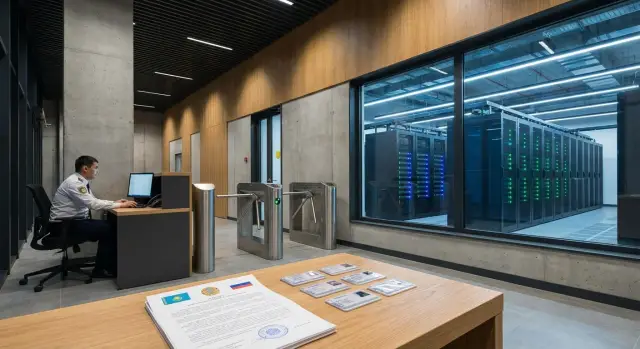
Why these points matter specifically for business systems
Business systems differ from test stands because downtime has a direct price: sales stop, accounting breaks, online services become unavailable, and the risk of fines and reputational damage grows. Therefore, the contract should contain not vague promises but clear rules: who can enter the hall, what counts as an incident, when work is allowed, and how quickly each party must respond.
If you don't embed clear conditions in a colocation contract, problems usually look like this: a critical employee can't reach the equipment because they're not on the "right" list or lack a power of attorney; access is granted "when possible" and you can't prove a breach; planned work falls on peak hours and notice arrives too late; an incident is "accepted for work" but it's unclear when recovery will happen and what result is owed; a debate begins over the responsibility boundary: where the data center service ends and the client's duties begin.
Sections on access and physical security mitigate basic risks: unauthorized entry, contractor actions, handling of media, visitor escort procedures, and front-desk level control. For business systems this is also important because many sectors (public sector, finance, healthcare) require demonstrable access regimes and clear visitation records.
Maintenance windows and notification procedures protect you from surprises. If you don’t specify when power switches, network schema changes, or in-hall work are permitted, you can end up with downtime during business hours and a dispute about who is at fault.
The most dangerous contract language is vague phrases like "when possible" or "within a reasonable time." They sound soft but during an incident provide neither measurable response times nor clear outcomes: who and when must open a ticket, arrive on site, grant access, or restore the service to a defined state.
Terms and responsibility boundaries: to avoid disputes later
In colocation contracts people usually argue not about penalties but over words. The same term can be understood differently by security, the duty shift, and contractors. It's useful to fix responsibilities and what exactly counts as "access" in advance.
Start by listing the parties and participants. Beyond the client and the DC operator, security services (often a separate company) and contractors (installers, service engineers, cleaners, carriers) usually take part. If contractors are allowed on site, explicitly state who issues their access and who bears the risk for their actions.
Responsibility boundaries
Clearly draw the line from the facility down to the hardware. It’s convenient to present this as a short zone map with the responsible party and the handover procedure.
- Facility and engineering infrastructure of the DC (power, cooling, fire suppression) — usually the operator’s zone.
- Rack or dedicated area (doors, locks, sensors, seals) — specify who services these and who holds the keys.
- Client equipment (servers, storage, switches) — usually the client’s responsibility unless a hands service is ordered.
- Cables and cross-connects — predefine who labels them, who changes patch cords and who is responsible for "accidentally pulled" connections.
What counts as "access"
Break down the term "access" into levels. Physical entry to the building, passage into the machine hall, approach to the rack and opening the rack door are different risks and require different rules.
Also describe bringing in and taking out media and equipment: who signs the act, how serial numbers are checked, whether dual control by security and a client representative is required. Use consistent role names across the contract: administrator (approves lists and changes), engineer (performs work), escort (DC representative who guides on site), duty shift (accepts tickets 24/7 and records events). If an urgent overnight engineer visit is needed, the contract should clearly say who authorizes access, who escorts, and who is responsible if the work goes beyond the agreed scope.
How to agree sections on access and incidents: step by step
For a colocation contract to work in practice, combine the access and incident sections into a single clear scheme: who may reach the equipment, when they may do it, and what happens in case of a failure. Otherwise, at the worst moment you’ll find that "access exists" but only on weekdays, or that an incident is "accepted" but no one is obliged to act.
Start with a short preparation on both sides:
- Create a list of systems and assess criticality: 24/7 (payments), business hours only (office services), test stands. This affects access approvals and response times.
- Define categories of people and access levels: full-time engineers, contractors, security, couriers. For each category specify whether they need hall access, rack access, media handling or console access.
- Agree on maintenance windows and acceptable interruptions. If downtime is unacceptable, state this clearly and tie planned work to redundancy and fallback scenarios.
- Fix an incident matrix: who detects, who notifies, who acts, and the deadlines for confirmation, start of work and recovery. Specify communication channels and escalation procedure for nights and holidays.
- Describe how you gain access in urgent cases: who gives one-time approval, how identity is confirmed and how long the admission process takes.
To avoid disputes later, fix what records remain after work and incidents: visit logs and an action list (who, when, to which rack), incident reports with times and causes, acts of completed planned work, confirmations of replacements and movements of equipment and media.
Example: a clinic’s patient registration server fails at night. If the contract only allows "access by request" but lacks round-the-clock confirmation and response times, an engineer might wait until morning. With clear rules the DC records the incident, initiates the admission procedure, and you receive a report with a timeline and the outcome.
Access to the data center: who, when and under what conditions
If entry rules are vague, even a small task (replace a disk, connect to a console, take readings) easily becomes downtime for business systems. So include a clear access regime and exception procedure in the colocation contract.
Start with the regime: 24/7 access or scheduled hours. Define how weekends and holidays are counted, whether there are reduced hours, and what happens in an emergency outside working time. Specify who decides on emergency admission and how many minutes or hours it must be arranged within.
Then set the entry procedure: request (ticket or email), verification against the authorized list and pass issuance. To avoid disputes at security, predefine which data is mandatory and who on the client side is authorized to send it.
Key items to lock in the contract:
- access regime and rules for holidays and non-working hours;
- method of submitting requests and minimum notice time;
- authorized-person list and how quickly it’s updated;
- escort rules and areas allowed without escort;
- ID and checkpoint verification requirements.
Escort is often a bottleneck. State when it’s mandatory (guest visits and contractors), who escorts (security or duty engineer), and what to do if the escort is unavailable.
Contractors deserve a separate policy: require prior approval, state the purpose and timing of work, and assign responsibility. Often the DC will request that a contractor arrives only with a client representative.
A small example: at 2:00 a.m. a server is unresponsive and the console needs a reboot. If the contract doesn’t describe emergency admission and a duty contact, hours are lost to approvals. If it does, the duty person accepts the ticket, verifies identity by ID, issues a one-time pass and escorts the engineer to the rack under a clear protocol.
Access rights management and visit records
To prevent access chaos, specify who may add people to the authorized list and how quickly the provider must apply changes. Usually appoint 1–2 client contacts (for example, security officer and operations manager) and state that changes are accepted only from them.
Set deadlines for issuing and revoking access. For business systems it’s critical that a new engineer can enter without a week-long wait, and even more important that an ex-employee’s access is revoked immediately. Good practice is measurable windows (issuance within N hours during working time, revocation effective immediately after request) and a fallback procedure for evenings and weekends.
Visit records must be auditable. Logs typically contain at least:
- full name and organization, ID number;
- entry and exit time;
- purpose and zone (hall, row, rack);
- who escorted (if required);
- ticket or approval number.
Specify retention time for logs (for example, 12–24 months) and how the client receives extracts: format, response time and who may request them.
Remote emergency access requests (e.g., to replace a disk) should follow predefined channels: service desk, duty email, phone with a codeword. State who approves such requests and how identity is confirmed.
If a pass is lost or a suspicious entry is attempted, define immediate actions: block access, notify responsible persons, conduct an internal check and issue temporary access only under enhanced verification. If an urgent access to an S200-level rack is needed at night, the duty DC staff should verify the ticket and identity, open only the required zone, and record the events in the log.
Physical security: from perimeter to rack and media
Physical security in the contract is as important as power and connectivity. If a business system is down because of "someone else’s hands" in the server room, the dispute usually focuses on details: who had access, where cameras were placed, how equipment was removed.
Start by describing the perimeter and zones. At minimum there are three levels: public areas (entrance, reception), technical zones (corridors, machine halls) and client boundaries (row, cage, rack). For each zone state who may enter, which documents are required and whether escort is needed.
Specify video surveillance precisely: which zones are recorded, how long recordings are stored, and how you access clips (by request, via an act, within what timeframe). Agree that recordings will be usable for investigations and not treated as "impossible to provide."
Rack-level protection is often overlooked. Include how your rack is secured: lock, seal, separate keys, where keys are stored and who holds them, how issuance and return are documented. Also state whether DC staff may work in your rack without your presence and under what conditions.
Simple rules for importing and exporting equipment:
- inventory and an act with serial numbers;
- "two-person" rule on handover (your representative and DC staff);
- check seals and packaging integrity;
- emergency procedure outside working hours;
- storage rules for temporarily removed components (disks, PSUs).
Media and documents require separate handling. If you replace disks after an incident, agree where old drives are stored before removal, who can access them, how chain-of-custody is recorded, and how destruction is documented. Example: a server failed at night and a disk must be replaced. Without storage rules you risk losing data or evidence of the root cause.
Maintenance windows and planned changes: how to write them without surprises
A maintenance window is a pre-agreed period when the DC operator performs planned maintenance and you carry out planned changes to your racks. In the contract it’s useful to state that work splits into two groups: operator work (engineering systems, networks, hall access) and your changes (server installation, recabling, component replacement). These groups often have different rules and deadlines.
The most painful area is notifications. Specify a minimum notice period (for example, 5–10 business days for planned works) and separate rules for urgent work with risk of failure. Fix both the channel and the format: an email can be lost, and a service-desk ticket without contacts is useless.
Require specifics in notifications so you can assess the risk to business systems:
- start and end date/time with timezone;
- what exactly will be done and where (hall, row, racks, network node);
- possible impact (outage, degradation, denial of access);
- rollback plan and completion criteria;
- duty contacts on the operator side.
Define explicitly what counts as service impact: A/B power switch, power restrictions, network topology changes, port shutdowns, temporary ban on hall entry, or limits on "remote hands."
The approval process must be unambiguous: who on your side confirms windows (by role or title), how the decision is recorded (ticket, numbered email, protocol) and what to do if there's no response. For critical systems avoid "silence equals consent."
If a window is violated (work starts early, runs over time, or causes more impact), define actions: immediate notification, prioritized recovery, a root-cause report and compensations if the SLA provides them. If the operator planned a "no-downtime" power switch but one power feed dropped and some racks were left on a single supply, treat that as an incident, not "planned work."
Incident response: classification, deadlines and outcomes
The incident section of the colocation contract is not a formality. It defines what is a problem, how fast the operator must respond and what you receive afterward if a failure happens at night or on a holiday.
Start with definitions. "Incident" — any deviation from normal service. "Outage" — a failure causing complete stop or critical business risk. "Degradation" — service works but is noticeably worse (e.g., high latency or reduced throughput). "Security threat" — suspected unauthorized access, loss of media, rack tampering, or attempts to attach foreign devices.
Next, set a clear priority scale and tie it to response and recovery times (RTO). A convenient scheme:
- P1: critical — business system stopped or data leak risk. Response: minutes, recovery: within hours.
- P2: major impact but workaround exists. Response: within an hour, recovery: same day.
- P3: partial degradation without urgent damage. Response: during business hours, recovery: per plan.
- P4: information request, consultation or minor configuration. Response: per request handling rules.
Define what "response" means: confirmation of ticket receipt, start of diagnostics, remote actions, and if necessary, dispatch of an on-site engineer to the rack.
Allocate duties clearly: who collects logs and metrics, who provides access to systems and accounts, who decides on service shutdowns, reboots or switching to backup.
After incident closure require measurable results: timeline of events, what was done, supporting evidence (logs, access records, ticket numbers), root cause, mitigation measures to prevent recurrence, and a list of remaining risks.
Example scenario: emergency access and an incident outside working hours
Imagine a rack hosts a system that handles payments or patient records. Only two client engineers and one provider representative are authorized to enter the hall; all others must be escorted. At 02:10 the system becomes unresponsive and monitoring shows disk errors.
What matters is not heroics but the procedure. The duty engineer contacts the listed DC contacts and opens an "urgent" ticket. The provider must know who can confirm a night dispatch: the IT manager or a duty manager with a pre-agreed codeword. If confirmation isn’t received within the specified time, the contract should provide a clear alternative (second contact, backup channel, or ticketing of the attempt).
On incident detection the provider notifies per the escalation matrix: who gets notified immediately, who after 15 minutes, and what marks the start of SLA timing. Then admission is arranged: identity check, temporary pass issuance and escort to the rack. If rack opening or media replacement is required, the contract must predefine who is authorized to perform these actions and to what extent.
Record every step: arrival time, actions taken, items touched. Helpful artifacts are the work log, access control timestamps, video of the rack area and a final act listing operations and equipment state.
In such night incidents the following contract items usually save the day:
- list of authorized people and emergency addition to the "white list" procedure;
- who confirms unscheduled access and how long confirmation may take;
- escort rules, rack and seal handling, and media policies;
- incident classification and SLA timelines for notification, response and recovery;
- acceptable confirmation formats: logs, video, signed act and who signs it.
If you use an integrator who assumes infrastructure and support, these rules must extend to their engineers. For example, GSE.kz (gse.kz) as a manufacturer and systems integrator works on infrastructure projects and 24/7 support, and in such setups it’s especially important to fix rights, responsibilities and recording procedures in advance.
Common mistakes and ambiguous phrases in colocation contracts
Problems usually start with wording, not hardware. Contracts often contain seemingly clear phrases that leave too much room for interpretation.
The first mistake is mixing concepts. "Incident response" and "service recovery" are not the same. A response may mean accepting the ticket and beginning triage, while recovery means the business system is running again. Likewise, "access to the DC" (entry to the building or zone) and "escort" (pass issuance, guiding, rack access, tools) should be described separately. Otherwise you may find that "entry is allowed" but no one can actually perform work.
The second common issue is lack of requirements for record-keeping and retention. If the contract doesn’t specify visit logs, pass issuance logs, rack work registration and video retention times, there will be nothing to prove facts in a dispute. At minimum, specify which logs are kept and how long they are available on request.
Third, maintenance windows drafted as "as convenient for the operator." Problematic formulations: planned works without notification, promises to "notify if possible," or notification without the customer’s right to reschedule. For business systems set notice deadlines, acceptable durations, what counts as impact and how postponement is agreed.
Fourth, contractors and temporary staff. If access rules cover only the client’s permanent staff, real-life delays occur: ad hoc access procedures are unclear, identity checks are undefined and responsibility for contractor actions is uncertain.
Often missing is a scenario for disputed situations: who decides (duty officer, shift manager, security), how disagreements are recorded, and which document is the final record (act, ticket entry, protocol). A simple rule — who decides and how it’s confirmed — saves hours of downtime and both parties’ nerves.
Short checklist before signing and next steps
Before signing a colocation contract check that the wording matches your team’s real processes. It’s important not only what is promised but how it will work on a Friday evening or at night.
The text should clearly answer five practical questions:
- Who is allowed inside (by roles and by name), how fast a new person is added and how quickly access is revoked after termination or contractor change. Where entries and exits are recorded, who can see the logs and how long recordings (including video) are kept.
- How import/export of equipment and media is handled: who approves requests, which documents are required, how devices are labeled and what to do with temporarily removed drives and backups.
- What maintenance windows exist and how they are notified: deadlines, channels, what counts as planned work vs emergency, and who on the customer side can approve changes.
- Which incident matrix applies: severity levels, response and recovery times, escalation conditions, and the format and timing of final reports.
- What counts as proof of obligation fulfillment: logs, tickets, reports, photos or video, signed acts. Without this, a dispute easily becomes "word against word."
Then move to actions so the contract is not just paperwork:
- Draft concise requirements: duty contacts, which systems are critical, and which risks are unacceptable (for example, removal of media without dual control).
- Compare your requirements with the DC’s regulations and insert concrete deadlines, roles and contact channels into the contract.
- Run a "paper drill": emergency night access, disk replacement, power failure — who does what by the minute.
- Appoint responsible persons on both sides and agree templates for notifications and reports.
- If procurement includes infrastructure and turnkey operation, discuss these requirements with the systems integrator (for example, GSE.kz) so access, security and incident response align with architecture and support.
Frequently asked questions
Do we need 24/7 access in the contract if we rarely go to the data center at night?
For business systems it’s safer to include 24/7 access at least for emergency visits; otherwise a night incident can easily cause downtime until morning. If constant round-the-clock entry is unnecessary, define an "emergency access" procedure: who approves the visit, how quickly a pass is issued and who escorts the visitor to the rack.
What exactly should be considered "access" in a data center and why is it important to specify?
Ask to break down "access" into levels: entry to the building, entry to the machine hall, approach to your cage/rack and opening the rack. Each level should have its own rules: who is allowed, whether escort is required and how actions are recorded. This reduces the chance that you are formally "allowed in" but practically cannot reach the equipment.
How to properly maintain the list of authorized persons and its updates?
Appoint 1–2 responsible people on the client side whose requests the data center will accept, and forbid changes "by verbal request." It’s better to specify measurable times: adding a new person within a stated number of hours during working time, and revoking access immediately after a termination request. Also include a fallback procedure for evenings, weekends and holidays.
How to specify access for contractors and one-time visitors?
Allow contractors only by prior agreement: scope, time, list of works and who is responsible. Specify who issues their passes, whether escort is required, and that the contractor must not go beyond the agreed task. This reduces the risk of "accidental" actions at the rack and disputes about responsibility.
Which logs and visitor records should be required from the data center?
At minimum — a log with entry and exit times, access zone, purpose of visit, ticket number and indication of the escort. Fix the retention period for these records in the contract and how you receive extracts on request. Then in a dispute you have verifiable facts rather than memories.
How to organize emergency access to a rack at night or on holidays?
Describe the process as a chain of steps: contact channel, who confirms urgency, how identity is checked and how quickly entry must be arranged. It’s useful to add an alternate contact in case the primary one is unavailable and to define when SLA timing starts. The fewer gray zones, the less time lost at security and for approvals.
How to formalize bringing in and taking out equipment and media?
Specify import/export rules with an inventory and an act listing serial numbers, and who from the client side signs off. For disks and other media define where they are kept before removal, who can access them and the handover procedure to retain control over data. If destruction is required, fix the document that confirms it and the timelines.
What should be specified about maintenance windows and notifications to avoid surprises?
Start by setting minimum notice periods and the exact information that must be in a notification: time, work zone, possible impact and completion criteria. Then fix what counts as an impact on service so that "scheduled work" cannot hide actual downtime. For critical systems, include the right to reschedule and avoid "silence means consent" clauses.
How to describe incident response so the SLA actually works?
Begin with definitions and priorities: incident, degradation, outage, security threat, and tie them to response and recovery times. Define what "response" means: not only ticket acceptance but the start of diagnostics and actions per the procedure. After incident closure require a short report with a timeline and confirmations of the actions taken.
Which contract formulations most often lead to conflicts and how to replace them?
Avoid phrases like "as far as possible" and "within a reasonable time" — replace them with measurable deadlines and clear outcomes. Separate responsibilities by zones: infrastructure, rack, customer equipment, cables and patching, and define handover procedures. Also agree in advance which records count as proof of performance, otherwise a dispute quickly becomes a matter of "word against word."
