8 min read
Collaborative Incident Response: L1–L3, SLA and Runbook
Collaborative incident response: how to divide L1–L3 responsibilities between customer, integrator and manufacturer, and capture them in SLA and runbook.
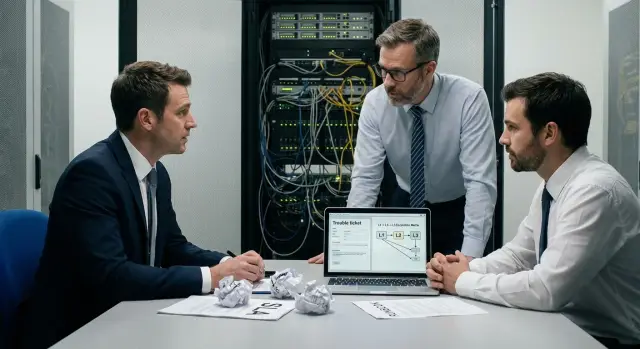
The problem with hardware incidents
When hardware fails, the technology is rarely the only thing that breaks — people and processes often fail first. The cause may be obvious, but time is lost organizing who takes the ticket, who has access to the server room, who is allowed to reboot a node, who talks to the vendor, and who signs replacement paperwork.
The worst moments happen during the incident, when every minute is costly. Operations want the service back fast. Security asks to avoid touching the system without approvals. Procurement reminds everyone about warranty. The integrator waits for customer confirmations. The manufacturer asks for logs and serial numbers. Without prior agreement, “collaborative incident response” turns into a guessing chain.
To avoid sorting this out during a night outage, agree in advance on a few items:
- who performs initial diagnostics and records symptoms
- who has physical access and authority to act on the hardware
- what data is required for escalation (logs, photos, inventory and serial numbers)
- what marks the start of response and recovery timers
- who decides on replacement, removal, or warranty repair
If these things aren’t written down, four resources are usually wasted: time (tasks bounce between chats and tickets), data (reboots or replacements happen without recording risks), accountability (no one wants to be “the last person who touched the system”), and warranty (actions may not match the manufacturer’s conditions).
This approach isn’t only for IT. Operations (on-call shifts and field visits), procurement (warranty and delivery times), security (access and audit trails), and service owners — all benefit from a clear recovery time objective.
A simple example: a PSU fails in a rack. If it’s not clear who confirms the diagnosis, who opens a case with the manufacturer, and who arranges a site visit and access to the datacenter, swapping in a spare may take half a day instead of 20 minutes.
Terms and responsibility boundaries for hardware
Confusion often starts with terminology. If terms aren’t fixed, the same event will be an “incident” for operations, a “request” for the service desk, and a “warranty repair” for the manufacturer. Time is lost and support quality becomes hard to measure.
Four basic request types:
- Incident: something is broken or degraded and interferes with users or a service.
- Request: a planned “do/issue/configure” task when nothing is broken (for example, adding a server to a rack as planned).
- Problem: a recurring root cause behind multiple incidents that needs investigation and elimination (for example, overheating caused by rack layout).
- Change: a scheduled infrastructure modification that may affect operations (firmware update, controller replacement, load migration).
For hardware, it’s better to describe L1–L3 by task types rather than by people:
- L1 records symptoms, collects basic data and checks obvious items from a checklist (power, cables, indicators, network reachability, safe reboot).
- L2 performs deeper diagnostics and localisation: iDRAC/iLO or equivalent logs, SMART, memory tests, RAID checks, correlation with known cases, safe configuration changes and standard replacements (if permitted).
- L3 is engaged when the manufacturer or engineering center is required: rare failures, firmware bugs, defect confirmation, update recommendations, and initiating warranty procedures.
It’s important to draw a boundary between support and warranty repair. Support is responsible for restoring functionality and reducing recurrence risk. Warranty repair confirms a defect and triggers replacement under warranty conditions. For example, an integrator can do diagnostics and temporarily shift the service to a standby, while the manufacturer starts RMA and ships a replacement.
Terms worth explaining plainly in the SLA and runbook:
- on-site: engineer visit to the site
- remote: remote diagnostics
- RMA: return and replacement procedure for a faulty part
- spare parts (SPARES): what is stored by the customer or integrator, what the manufacturer supplies, delivery times and compatibility responsibility
Who is responsible: customer, integrator, manufacturer
The main cause of hardware support failures is not the breakage itself but confusion: who accepts the incident, who makes decisions, who actually goes to the site, and who is responsible for spare parts. This can be resolved by role separation and by appointing one incident owner.
The customer is closest to the facts. Their responsibilities are to notice the problem and provide working conditions: monitoring, initial checks (power, cables, indicators, console messages), collecting basic logs and serial numbers, providing access and on-site escort. If a visit is needed, the customer usually arranges site access and an on-site contact.
The integrator serves well as a single entry point. They accept requests, manage communications, filter false alarms, and coordinate actions so service recovery runs alongside root cause analysis. For example, the integrator can arrange a temporary bypass (failover to a standby), prepare a remote session and keep business service owners informed.
The manufacturer is necessary where hardware expertise and warranty procedures begin: defect confirmation, repair or replacement of a unit, spare supply and RMA. If the equipment is from a domestic manufacturer, it’s important that they have processes for firmware updates, component compatibility and replacement by serial number.
An integrator may act as L2 or even L3 if they have certified engineers, a spare parts warehouse and the authority to perform warranty work. But an integrator should not “cover L3” where a manufacturer’s decision is required: engineering changes, closed diagnostic utilities, warranty disputes or non-standard part replacements.
To avoid parallel chats and mutual waiting, appoint an incident owner. This single responsible person handles outcomes and deadlines — often the integrator (if they are the first line), or less commonly the customer (if support is internal). The incident owner must have the authority to:
- decide on escalation and involve the manufacturer
- gather facts and record the timeline
- agree temporary recovery measures
- close the incident and start a post-incident review
RACI on one page: removing gray areas
Without RACI, a hardware incident quickly becomes an argument. The on-call engineer sees an alert but it’s unclear who takes the first step: the customer records the issue, the integrator checks configuration, the manufacturer replaces hardware, and site contractors are responsible for power and cooling. While boundaries are clarified, downtime increases.
RACI breaks work down by role:
- Responsible - performs the task
- Accountable - owns the result and decides
- Consulted - provides expertise
- Informed - kept updated
Keep RACI short and tied to typical incidents.
| Incident | Customer (ops) | Integrator | Manufacturer | Site contractors (electrical, HVAC, structured cabling) |
|---|---|---|---|---|
| Disk failure/RAID degradation | R (record, collect logs) / A (access and maintenance window) | C (check settings, firmware, compatibility) | R (diagnose, warranty replacement) / A (part quality) | I |
| Power/UPS failure | R (record, move to safe state) | C (check PDU, monitoring, wiring) | I (if hardware was damaged) | R / A (supply, UPS, mains) |
| Overheating/temperature alarm | R (record readings, limit load) | C (check sensors, fan profiles) | C or R (if node/firmware is at fault) | R / A (air conditioning, cold aisles) |
| Storage array outage (SAN/NAS) | R (symptoms, time, affected services) | R / A (switching, zoning, multipath) | C (if controller/server cause) | C (cabling, patch panels) |
Where to record these:
- the base RACI — in the contract or an appendix
- target response and escalation times — in the SLA
- step-by-step actions and artifacts (logs, commands, contacts) — in the runbook
Phrasing must be verifiable, not just intentions. For example:
- “Customer provides remote access within 30 minutes”
- “Integrator performs initial diagnostics up to the interface and configuration level”
- “Manufacturer confirms RMA upon receiving serial numbers, logs and an agreed maintenance window”
- “Site contractor measures input power and issues a report”
Also specify how site contractors are engaged: who calls them, who grants access, and who accepts their work. For power and cooling incidents this is the most common gray area.
How to allocate L1-L3: a step-by-step approach
To prevent incident response from becoming a game of hot potato, start with facts: which hardware you support and which services run on it.
Collect a basic dataset in one place: models and serial numbers, warranty and contract periods, location, on-call contacts, and service criticality (for example, “reception outage”, “accounting downtime”, “no service impact”). This immediately sets priorities and realistic time objectives.
Then fix the rule of “one ticket”: one intake channel, one ticket number, one action history. If the customer simultaneously messages the integrator and the manufacturer, you lose time reconciling and arguing “who was first.” Decide in advance who accepts the initial report and who opens a manufacturer case.
L1–L3 levels: actions, not labels
Describe levels as verifiable steps you can check by logs and timestamps:
- L1 (customer, on-call shift): records symptoms, checks power and cables, gathers basic logs, confirms service impact, opens a ticket.
- L2 (integrator): localizes the issue, verifies configurations, makes safe changes, organizes an on-site visit, prepares a spare from stock.
- L3 (manufacturer): analyses hardware errors, advises on firmware and compatibility, confirms a warranty case and initiates RMA or board replacement.
Escalation: by time and by symptom
Agree two triggers: escalation by timer and immediate escalation. Escalate to L2 or L3 immediately on signs like:
- repeated hardware errors in logs (ECC, RAID, BMC/IPMI)
- burning smell, power protection tripping, physical damage
- array degradation and risk of data loss
- mass failure of similar nodes
Also pre-agree maintenance windows, access to management consoles, who escorts staff on-site and how security is maintained. Run a short drill on one scenario (for example, “server fails to boot”) and update SLA and runbook while details are fresh in everyone’s minds.
What to put in an SLA so it works in practice
SLAs often look neat on paper but break during the first serious incident when it’s unclear who starts the clock, what counts as recovery, and when it’s fair to pause the timer. For collaborative hardware incident response, remove ambiguity and tie metrics to real actions.
Metrics that actually help
One reaction time number for hardware is rarely enough. Usually three metrics work well:
- response time: the accountable party acknowledged the incident and assigned an owner
- recovery time: the service returned to the agreed level (even if temporarily)
- workaround time: a safe method to continue operations until replacement or repair
Agree upfront what starts the clock: ticket registration, an automated monitoring alert, or a phone call to the on-call engineer. Also define what “recovery” means for each incident type (for example, for a clustered server it may mean cluster capacity is restored, not a single node replacement).
Priorities and timer pauses
Tie P1–P4 priorities to business impact, not the loudness of the request. Document indicators (service criticality, user count, regulatory deadlines) and channels authorized to declare P1.
Define timer pause rules so SLA does not become a battleground. Typical pause reasons:
- waiting for site access or credentials that the customer must provide
- waiting for a spare part not stored in an agreed location
- waiting for CAB approval if a change is required in production
Also describe on-site conditions: travel time, access hours, badge requirements, a list of locations and geography. If the manufacturer has 24/7 support and a nationwide service network, reflect that in the SLA along with access conditions and supported tasks.
Spare parts need concrete answers: where is the stock (customer, integrator, manufacturer), who maintains conditions and inventory, and which delivery times are acceptable.
Also include limitations: force majeure, work only in agreed windows, unsupported hardware modifications or firmware changes, and warranty exclusions. These unpleasant clauses make the SLA usable rather than decorative.
Runbook: how to write actions so they get repeated
A runbook ensures every on-call shift follows the same steps rather than “winging it.” For collaborative incident response it provides a single sequence of actions and clear escalation conditions.
Minimal structure
Keep the runbook short and practical so people actually open it at 3 a.m.:
- contacts and communication channels: customer, integrator, manufacturer, plus fallback contacts
- roles by level L1–L3: who accepts reports, who diagnoses, who decides on replacement and travel
- step-by-step actions: what to check first and in what order, with expected outcomes
- typical solutions: reboot, failover, module replacement, temporary workarounds
- templates for approvals and artifacts: downtime reports, visits, RMA, work closure
To avoid L2 and L3 wasting time on “collecting the basics,” specify what L1 must gather:
- photos of front-panel LEDs, error screens, cable and port condition
- exact error messages and codes
- model, serial and inventory number, precise installation location (rack, unit, room)
- logs and diagnostics available at L1 (for example, controller report export)
- timeline: when it started, what was changed before the incident, what has already been tried
Make handover criteria to L2 and L3 binary: “power and cables checked, photos and codes gathered, logs attached” means escalate. For L3 add a rule: escalate after symptom confirmation and agreed downtime if replacement is probable.
Store the runbook in one place with versioning: version number, owner, revision date and a short change log. Review it on a schedule (for example, quarterly) and after every major incident.
Access, data and communications without extra risk
Half of the delays in hardware incidents come from “no access,” “logs not approved,” or “unclear who may connect.” This is solved in advance: minimum necessary access, clear rules for recording actions, and a unified ticket format.
Access: the minimum that saves hours
Define in advance what access each level needs and who holds it. Typically L1 needs monitoring and a basic CMDB (device type, location, serial, warranty, contacts). L2 usually needs access to the hypervisor and system logs to distinguish hardware from software issues. L3 (manufacturer) almost always requests a remote console or out-of-band management for diagnostics without involving the OS.
Decide who issues temporary access and who approves persistent access. A practical pattern is access granted only by incident request and limited by time.
Security and recording actions
Set a rule: only the assigned role (for example, an integrator or manufacturer engineer) connects remotely, and the customer confirms the maintenance window and critical changes. All actions should be recorded: remote console sessions, commands, configuration changes and part replacements. This protects all parties, especially during disputes.
Unified ticketing and data exchange
A manufacturer will act faster if tickets are filled consistently. Required fields: priority (P1–P3), symptoms, start time, what L1–L2 already did, configuration (model, serial, firmware versions), environment (rack, power, network), attached logs and photos, and on-call contacts.
Agree in advance how to handle logs and sensitive data: which logs can be shared, how to anonymize them, who extracts and reviews them before sending. If requirements are strict, keep a minimal required set and a separate process for extended data by agreement.
Communications during P1
For P1 you need a single source of truth: one chat or call with a fixed set of participants and a lead (usually L2 at the integrator). Agree status cadence (for example, every 15–30 minutes) and which actions require explicit confirmation: reboot, drain from cluster, node replacement, site visit.
Example scenario: server failure and escalation from L1 to L3
It’s 02:10. A critical service (for example, medical registry or a payment gateway) is unavailable. A rack server running the database stops responding. The on-call team sees an alert and users are already calling support.
First 30 minutes: L1 at the customer
L1’s task is to confirm the incident, collect minimum data and avoid guessing. Within 15–30 minutes the operator records start time and impacted services, then performs basic checks: power, front-panel indicators, network reachability, recent changes, console and monitoring errors.
L1 leaves only verifiable facts in the ticket:
- what exactly is not working and for whom (service, user count, criticality)
- what was already checked (console, indicators, event log)
- current status (full outage or degraded, is there a workaround)
- on-call contact and site access availability
Localization and coordination: L2 at the integrator
L2 localizes the problem at the infrastructure level: rules out network and storage, checks the cluster, correlates alerts, and suggests a safe workaround (failover to a standby node, switch to a replica, start service on a spare server). L2 also manages communications and records the plan and timing for the next step.
Defect confirmation and replacement: L3 at the manufacturer
If symptoms point to hardware (RAID errors, memory, board, power), L2 escalates to L3 at the manufacturer. L3 confirms the hardware defect via diagnostics, identifies the FRU to replace, and starts repair or replacement under SLA terms.
The incident ends with service recovery and a short post-incident review: root cause, time spent at L1–L3, and delays encountered. Then update the runbook (what screenshots, commands, logs to collect) and refine the SLA.
Common mistakes and how to avoid them
The most common problem is: the SLA is signed but the runbook is not written. Everyone knows the response times “on paper,” but during the incident no one knows who takes the first step, what exactly to check, and which data is required for escalation.
Second mistake — no single entry point. The customer opens a service desk ticket, messages the integrator in chat, and emails the manufacturer. Three parallel requests create three versions of the truth, and time is spent reconciling rather than restoring service.
Third — unclear timer start and stop. If you don’t record when the clock starts (registration, confirmation, receipt of minimal data) and what counts as recovery (workaround or full repair), disputes replace productive work.
Technically the worst is when L1 doesn’t collect facts. Then L2 and L3 spend hours repeating basic checks: serial number, logs, power status, controller errors and what was changed on site.
Another practical problem that often breaks SLAs is spares and logistics not being accounted for, and site access and escort not agreed in advance. On regulated sites an engineer may simply not be allowed to reach the rack without pre-arranged clearance.
Checklist and next steps for implementation
Before launching collaborative incident response for hardware, verify basic agreements:
- L1–L3 roles and RACI: who accepts the report, who diagnoses, who replaces hardware, who decides on replacement
- priorities P1–P4: what is P1 and who can declare it
- a single entry point 24/7: channel, phones, fallback contacts, after-hours rules
- escalation: criteria for handing off to L2 and L3, maximum time to attempt recovery at each level
- data to start: inventory, serial numbers, warranty status, access and maintenance windows
Then check the documents “on the ground.” The SLA must explicitly state when the timer starts and stops, what on-site includes, who stores spares, exceptions, and reporting (for example, P1 reviews and monthly reports).
Keep the runbook short and testable: L1 steps with checks, criteria to escalate, ticket and report templates, document version and owner who updates it after major incidents.
If you want to close the loop so manufacturer and integrator work in a single circuit, that can be formalized: for example, in projects with GSE.kz (gse.kz) it is often convenient for one contractor to supply equipment and provide system integration and support with clear L1–L3 roles and an RMA process.
Frequently asked questions
What should I do in the first minutes of a hardware incident to avoid wasting time?
Start by recording verifiable facts: what exactly is not working, since when, and how it affects the service. Then perform safe basic checks that won’t worsen the situation, and immediately open a single ticket so the whole history and decisions are stored in one place.
What data should be collected for a hardware escalation so the manufacturer can act quickly?
The minimum that is almost always required: device model, serial and inventory numbers, exact location, symptoms and time of onset, and any available controller/management (BMC) log exports. Attaching this information up front prevents L2/L3 from repeating basic diagnostics and speeds up their response.
Who should own the incident and why is that needed?
Assign a single incident owner who keeps the timeline, decides on escalations and agrees on temporary recovery measures. In practice this is often the integrator as the single entry point, but the owner must have authority to gather facts and negotiate downtime and access.
What is the difference between an incident, a request, a problem and a change in the context of hardware?
In simple terms: an incident is something broken or degraded that affects operations; a request is a planned action when nothing is broken; a problem is the root cause behind recurring incidents; a change is a planned infrastructure modification that may affect service. Clear definitions make SLA measurement and role allocation much easier.
How to distribute L1–L3 correctly so tasks aren’t just bounced around?
Describe levels by actions, not job titles: L1 records symptoms and collects basic data, L2 localizes and performs safe standard actions, L3 engages for rare hardware cases, firmware and warranty procedures. This reduces “that’s not my level” arguments and speeds up responsibility handover.
When should the manufacturer (L3) be involved immediately instead of trying L1–L2 fixes?
Escalate to the manufacturer when defect confirmation, warranty replacement, or deep hardware/compatibility expertise is needed. If there are clear signs of hardware failure or a risk of data loss, escalate immediately rather than spending hours trying local fixes without the necessary tools.
How to define SLA start/stop timer and “recovery” to avoid disputes during a P1?
Define what starts the timer (for example, ticket registration or confirmation by the responsible party) and what counts as recovery (temporary workaround vs full restoration — specify separately per scenario). Also list pause conditions for the timer; without them SLA discussions will turn into disputes during P1 incidents.
How to organize access and security so diagnostics aren’t delayed and risks are controlled?
Agree in advance the minimum required accesses for each role and who issues temporary access during an incident. Record every action: who connected remotely, what was changed and in what time window, so security and operations don’t block each other due to lack of transparency.
How to agree on spare parts and RMA so a replacement doesn’t take half a day?
Specify where spares are stored, who is responsible for inventory and storage conditions, and what delivery times are normal for critical components. For warranty replacements, agree who initiates RMA and which artifacts are mandatory so a swap doesn’t stall due to a missing serial number or logs.
What must a hardware incident runbook contain so it’s actually used at night?
A runbook must be short and actionable: step-by-step L1 checks, binary escalation criteria, and the ticket template to fill. Update it after major incidents, otherwise it drifts from reality and stops helping night-shift responders.
