8 min read
Citrix ADC MPX checklist: SSL offload, connection limits and monitoring
Citrix ADC MPX checklist for predictable operation: SSL offload, connection limits, monitoring, basic settings and common pitfalls.
Why a checklist matters and what predictability gives you
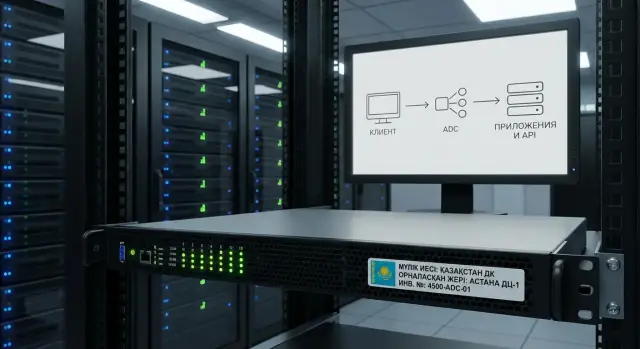
In plain terms, Citrix ADC MPX is the "front door" for your applications and APIs. Clients come to a single address (VIP); the ADC accepts connections, terminates SSL, distributes requests to servers, and ensures users only reach healthy backends.
It’s usually deployed when a simple proxy is no longer enough. ADC lets you centralize SSL offload, keep load balancing under control, improve availability with health checks, and protect the system from overload with limits and timeouts. Without these, peak load, stuck connections, or one misbehaving server can quickly turn into widespread failures.
Predictability appears when the team agrees in advance on a minimal set of settings and what is considered “normal.” Otherwise everything works "until someone touches it": a single tweak to ciphers, a timeout, or a limit can break a mobile app, a partner integration, or authentication.
A checklist is a support: what must be set before go-live and what to check after changes. It doesn’t replace design work, but it greatly reduces human error risk.
Below are four practical blocks: SSL offload (safe minimum), limits and timeouts (so peaks don’t "kill" the service), backend availability monitoring (so traffic isn’t sent to dead nodes), and operational control (metrics, alerts, and changes). A practical routine is simple: run the checklist before launch, then after each change (certificates, policies, pools, timeouts) and on a schedule—e.g., monthly or before expected peaks.
First gather source data (without this settings are guesses)
Any Citrix ADC MPX setting becomes a lottery if you don’t know what you are publishing and how it’s used. Before touching SSL offload, limits, and timeouts, collect a short set of data and record it in one document.
Start with a service inventory. One VIP often serves not just a “site” but a set of different paths and hosts: employee web, partner APIs, mobile clients, integrations with 1C or other systems. For each service understand protocols (HTTP/HTTPS, gRPC, WebSocket), typical request sizes and whether there are long operations (file uploads, reports).
Then agree on availability in plain language. You don’t need acronyms, but you should answer: how many minutes of downtime per month are acceptable, how much time to recover, and what you consider an incident (e.g., rising 5xx, a latency spike, expired certificates).
To avoid guessing limits, collect traffic numbers: average, peaks and special days (payroll, admissions, promos, quarter-end). Also assign owners: who owns the application, who manages the ADC, and who approves changes and maintenance windows.
Minimal items to collect before the first configuration change:
- Which applications and APIs are published (external and internal), and which URLs/domains are critical.
- Expected traffic: average RPS/connections, peak values, seasonality.
- Geography and access channels: internet, VPN, branches, separate networks.
- Acceptable downtime and recovery time in plain numbers.
- Contacts of owners and change approval flow.
A simple example: a partner API can tolerate 2 minutes of downtime at night but cannot tolerate interruptions to long-running requests. An internal web portal is more critical during business hours. This directly affects timeouts, health checks, and which alerts are critical.
Basic topology: VIP, networks, HA and availability expectations
First agree where the ADC sits and which boundary it protects. Citrix ADC is most often placed on the perimeter before a DMZ (for external users), in front of an application segment (for employees), or between segments (e.g., when an API must be available to multiple internal networks). This determines firewall rules, routes and who initiates connections.
Minimal addressing scheme
You need a clear IP and DNS map, otherwise diagnostics becomes guesswork. Usually three entities suffice: VIP (where clients connect), SNIP (ADC address used to reach backends) and the backend servers’ addresses.
Reserve a DNS name for the VIP (for example, api.company.local and portal.company.local) and avoid too long DNS TTLs so you don’t wait hours for cache during migrations.
HA and what counts as failure
Decide whether you run a single node or a pair in HA. A single node is simpler but any failure (power, interface, update) causes downtime. In HA, agree on expectations: what you consider a failure—complete node outage, loss of one interface, partial backend unavailability, or performance degradation.
Check basic network requirements: L2 connectivity where needed, correct routes between client and application networks, and who is the default gateway for backends (a common cause of asymmetry).
Pre-agree firewall ports: typically client -> VIP (80/443 or your application ports), ADC -> backends (80/443 and API ports), administration (22/443 only from admin network) and NTP (123 to your time server).
NTP is mandatory: without accurate time you get skewed logs, check failures and certificate problems (especially during updates and rotation).
SSL offload: minimal safe settings
SSL offload on Citrix ADC MPX centralizes encryption: certificates and security policies live in one place. Decide in advance whether TLS terminates on the ADC or on the backend.
- Termination on ADC simplifies unified settings and troubleshooting.
- End-to-end TLS (to backends) is more complex but sometimes required for sensitive systems.
The first minimum is to fix TLS versions and ciphers. For most cases keep TLS 1.2 and TLS 1.3 and disable older versions. Keep the cipher list short and modern. If regulators or internal security require specific settings, make that a documented rule rather than a one-off tweak.
Before enabling in production verify certificates:
- Full chain (including intermediates), otherwise some clients will fail.
- SAN: API and web domains must be present, either in one cert or separate certs, with no missing names.
- Validity, owner and contacts: who renews, who receives notifications, where the private key password is stored.
- Clear naming of objects on the ADC to avoid mixing certificates between VIPs.
Enable HTTP→HTTPS redirect in most cases, but be careful if you have legacy integrations or health checks over HTTP. Enable HSTS only when you are sure the service is always available via HTTPS and all subdomains are ready (otherwise users may get persistent browser errors). OCSP stapling is useful but verify chain and OCSP access first.
Plan for client compatibility. Test older OSes, terminals or embedded browsers in advance. Sometimes it’s better to keep a separate VIP with a softer policy for one critical client class than to lower security for everyone.
Connection limits and timeouts to survive peaks
Peaks usually break services not by CPU but by connection queues and stuck sessions. The basic rule: understand how your application uses connections, then set limits.
Roughly three profiles exist. Short requests (web, REST) open many short-lived connections. Long APIs (exports, reports) hold connections for minutes. WebSocket-like traffic keeps connections open for long periods and is sensitive to idle timeouts.
Keep-Alive and connection reuse usually reduce backend load: fewer TCP/SSL handshakes, fewer threads, smoother latency. But if the backend cannot handle many simultaneous keep-alive connections, load can silently accumulate. In that case limit concurrent connections per backend pool and control the queue.
Timeouts: where to start
Timeouts should reflect real client and backend behavior. Starting guidelines (tune later by logs and complaints):
- Client idle: 60–180 seconds for ordinary web; higher only if needed.
- Server idle: 60–120 seconds to free stuck sessions faster.
- Long responses (downloads/reports): 10–30 minutes, but only for specific VIPs/paths.
- WebSocket: separate profile with hours, plus a max connections control.
Limits and overload behavior
Limits exist so degradation is predictable. Better to return a clear error to some requests than to hang everyone.
Typical approach: limit max connections on the VIP and/or backend service groups, enable rate limiting for sensitive APIs (especially partner-facing), and define what the user sees on overload (429/503 or a standard error page).
Example: a partner API suddenly sends 5x more requests due to a bug. With correct limits only that channel gets affected (receives 429/503), while the internal web remains responsive.
Backend availability monitoring (health checks)
Health checks let the ADC automatically remove problematic nodes and return them only when they are truly healthy. This is fundamental for stable operation, especially for APIs where issues often look like "everything is slow."
What to check
Start simple and add complexity gradually to avoid false alarms:
- Basic TCP: service responds on the expected port.
- HTTP(S) URL: e.g.,
/healthor/readyreturning a clear status code. - Response code: expected code (often 200/204), not just any reply.
- Content: a short string to distinguish real service from a stub.
Make the check fast and avoid heavy dependencies like databases or external APIs. If the check relies on external components you will remove healthy nodes because someone else is failing. Prefer readiness-style checks: "is the instance ready to serve traffic?".
Thresholds, returning to pool and partial failures
One failed check doesn’t always mean failure: brief pauses, deploys or network spikes happen. Set clear thresholds and anti-flap:
- Mark as problematic after 2–3 consecutive failures.
- Return to the pool after 2–3 consecutive successes.
- Keep interval reasonable (often 5–10 seconds) so checks don’t add load.
Decide for single-DC/cluster scenarios whether to preserve some capacity or prioritize quality. Sometimes it’s better to leave one node in the pool; other times it’s safer to remove all and return a clear error.
Do not try to “game” thresholds during planned work. Remove nodes from the pool (disable/drain) in advance, wait for active connections to finish, then update.
Operational monitoring: metrics, logs, alerts and change control
Stable operation starts with observability. Without metrics, logs and change control any small tweak becomes a guessing game.
Metrics to check daily
These metrics quickly answer "is everything OK?" and help separate app issues from network or TLS problems:
- RPS per VIP and per service.
- Latency: average and p95 (if available).
- Share of 4xx/5xx (separately track backend 5xx).
- Active connections and new connections per second.
- TLS handshake errors (and renegotiation if enabled).
Establish a baseline: "during business hours RPS is 200–400, active connections 2–5k." Deviations become obvious.
Logs and events: what not to miss
Logs reveal TLS issues (SNI mismatch, outdated protocol, bad chain), connection resets (RST/FIN) and pool UP/DOWN events. A practical approach is to create filters/views for "TLS errors", "server down/up", and "connection resets" to avoid drowning in noise.
Alerts without noise and with clear responsibility
Use two-tier thresholds: warning and critical. For example, 5xx >1% in 5 minutes = warning; >5% = critical. Assign recipients: on-call, app owner, security team (for TLS policies). If an alert doesn’t lead to a concrete action, weaken or remove it.
Change history must answer: who changed what and how to roll back. Keep a brief log: date, what changed (VIP/policy/cipher/timeout), why, ticket number, rollback plan. This is crucial after TLS or WAF changes where effects can be delayed.
After a release or security policy change verify by checklist:
- VIP accessibility externally and from internal segments if required.
- TLS: correct certificate, chain, expected protocols/ciphers.
- Health checks: all backends UP, no flapping.
- 4xx/5xx and latency: no regression vs baseline.
- Error logs: no spike in handshake failures or resets.
A practical example: tightening TLS ciphers could break a partner API only for some clients with old libraries. With a handshake-failure alert and a quick rollback you reduce the incident to 15 minutes instead of an all-day outage.
Minimal settings for APIs and web: a starter set without extras
To deploy API and web on Citrix ADC predictably, start with a minimum and record deviations. The checklist should include only options you will maintain and check after each change.
Profiles and basic policies: usually enough
For a start you typically need three profiles on a virtual server: TCP, HTTP and SSL. The simpler and more consistent these are across similar services, the fewer surprises.
A typical starter set:
- TCP: keep-alive enabled, timeouts aligned with the application.
- HTTP: avoid unnecessary "optimizations", enable only what the backend understands.
- SSL: modern protocols and ciphers, outdated versions disabled, verified chain.
- Access: VIP restricted to necessary subnets and ports. Don’t leave internal services exposed "just in case."
Headers, proxying and "dangerous enhancements"
You usually need the real client IP for logs and for investigations. X-Forwarded-For is common, but agree which header is the source of truth. Configure the application to trust that header only from ADC addresses, not from the public internet.
Do not enable compression, caching or WAF without a clear purpose and tests. These features can improve metrics but also break API responses, authentication or uploads. Add them one at a time with measurements and a rollback plan.
Keep a one-pager per service so operations don’t depend on one engineer’s memory: VIP and DNS, ports and protocols, backend pools and addresses, certificates (expiry and chain), access restrictions, and owners.
Common mistakes and operational traps
Most painful Citrix ADC MPX incidents aren’t about complex features but small overlooked details.
Timeouts: "faster" often means "breaks more"
Too aggressive timeouts on client or server sides cause random disconnects that are hard to reproduce. This is noticeable for long-running APIs and web on slow links.
Verify client/server idle timeouts match app behavior; keep-alive is enabled where needed and not conflicting with the backend; and long operations have their own VIP/policy rather than using a one-size-fits-all setting.
Health checks: either useless or too heavy
A common mistake is checking the piece that fails first (e.g., full auth flow or a heavy DB-backed URL) and thus causing the outage. The other extreme is using TCP-only checks that claim "everything is up" when the app returns errors.
A good practice is a light HTTP(S) endpoint that confirms the app can serve traffic without heavy dependencies. For critical functions you can have separate, less frequent checks.
Certificates: "worked yesterday" but not today
Post-update issues are often chain or name problems, not the cert itself. Typical causes: missing intermediate CA, forgotten SAN, changed CN, or client-side stricter validation.
Keep three things under control: correct chain, up-to-date SANs for all VIP names, and a clear renewal process—don’t replace certificates at the last minute.
No limits and no protection from spikes
Without connection and request limits a noisy client or an integration bug can consume all resources. A common scenario: a partner API retries 500s and within minutes everything, including the internal web, suffers.
Changes without recording
When settings are changed ad-hoc and not recorded, you can’t trace cause after an incident. At minimum record who changed what, when and why. Rule: one change — one record, plus a rollback plan.
Example scenario: partner API and internal employee web
Imagine two entry points via Citrix ADC MPX: an external VIP for a partner API and an internal VIP for the employee portal. They have different risks: the API is prone to spikes and automatic retries, while the portal is sensitive to browser compatibility and session behavior.
For the API you often choose TLS termination on the ADC to centralize encryption, update certs quickly and have unified logs. In logs keep SNI/host, URI without sensitive params, response code, response time, client IP (and X-Forwarded-For), and reset reason if the connection was dropped.
Divide limits between VIP protection and per-client protection: limit concurrent connections and request rate at the VIP so one service doesn’t exhaust the ADC; limit conn/sec and req/sec per client so one partner doesn’t bring down the API with retries. Use different timeouts: shorter header/body waits for APIs, longer for the portal because pages may be heavier.
Do an application-level health check for the API: simple GET /health expecting 200 and a short timeout. Treat degradation not only as "node DOWN" but as rising 5xx, growing response times above threshold, and frequent resets even when the backend is technically responding.
Monitor TLS errors, 4xx/5xx by VIP, connection queue, triggered limits, pool health and change history in the first two days after launch. Alerts typically go to NOC/on-call and the affected service owner for degradations.
Short checklist for launch and routine checks
Before go-live (first launch)
Check the basics first so later you can distinguish between configuration errors and app issues.
- Time: NTP configured and synchronized with backends.
- DNS and names: FQDNs resolve correctly for backends (if used) and a clear VIP FQDN is provided for clients.
- Certificates: full chain present, private key matched, a responsible person assigned and a renewal plan in place.
- Health checks: a check is configured for each pool (URL, expected code, timeout) and UP truly means a working service.
- Minimal limits and timeouts: starting values recorded (idle/response timeouts, keep-alive) so peaks don’t turn into many stuck sessions.
After enabling a VIP don’t stop at “page opened.” Observe 15–30 minutes under real load.
Regular checks and changes
Follow a short routine and a consistent change process:
- Daily or after a release: review TLS handshake logs, rising 4xx/5xx and abnormal VIP latency.
- Weekly: check certificate expiry, trends for connections/new sessions, and alert noise.
- Every 2–4 weeks: compare backend load with current ADC limits.
- Before any change: record a maintenance window, rollback plan and a list of checks (VIP reachable, health checks UP, main API scenarios pass).
- Document ownership: who manages ADC, certificates and backends. Revisit the checklist after incidents.
Next steps: lock standards and support operations
If the configuration works, make it repeatable. Otherwise in a couple months no one will remember why timeouts and limits were set this way and changes will again be made by guess.
In 1–2 weeks you can usually close the basics: a list of VIPs (purpose, DNS, owners, maintenance window), certificate inventory (expiry, chains, where installed, who renews), profile and policy descriptions (what is enabled and where), a table of limits/timeouts (values and reasons) and a short HA and network dependency description.
Agree 2–3 measurable SLOs with service owners: VIP availability, p95 latency on VIP, share of 5xx. Align alert thresholds and responsibilities with these.
A simple test plan is doable without a complex lab: run a load test in a low-traffic window, simulate one backend going down, simulate certificate expiry on a test VIP, and verify HA failover according to the plan.
If you need not only configuration but also an operational standard for infrastructure, consider engaging a team to deliver hardware, integration and support. For example, GSE.kz (gse.kz) works as a manufacturer and system integrator in Kazakhstan and can assist with infrastructure, system integration and 24/7 support when required by scale or reliability demands.
Frequently asked questions
Why have a Citrix ADC MPX checklist if "it works anyway"?
The checklist gives the team a single default baseline: which TLS versions and ciphers are allowed, what timeouts are considered normal, how health checks are configured and which metrics to check after changes. This reduces the risk of breaking clients with a single change and simplifies diagnostics because there is a clear reference point.
What baseline data should be collected before the first ADC configuration?
Start with an inventory: which domains and paths the VIP serves, which clients connect (web, mobile, partners), which protocols are used (HTTP/HTTPS, WebSocket, gRPC) and whether there are any long-running operations. Then record uptime requirements and traffic peaks, and assign owners: who is responsible for the application, who manages the ADC, and who approves changes and maintenance windows.
What IP and DNS parameters are important for VIP/SNIP?
You usually need a VIP for incoming traffic, a SNIP for ADC-to-backend connections, and the backend servers' addresses, plus clear DNS names for each service. Agree on DNS TTL and routing in advance to avoid asymmetry where responses bypass the ADC and cause unexpected connection drops.
When is an HA pair necessary and when is one ADC enough?
A single node is simpler, but any reboot, update or interface failure becomes downtime. HA reduces that risk but requires agreement on what constitutes a failure, how to verify failover, and careful network and management service (e.g., NTP) configuration.
What minimal TLS/SSL offload settings should be applied first?
A common safe minimum is to allow TLS 1.2 and TLS 1.3, disable outdated versions, and keep a short list of modern ciphers. Also verify the certificate: full chain, correct SANs for all names, a clear renewal process and a responsible owner—most “sudden” outages are caused by certificate issues.
Should I enable HTTP→HTTPS redirect and HSTS immediately?
Redirects from HTTP to HTTPS are usually useful but must be checked for integrations and health checks that use HTTP. Enable HSTS only when you are sure the service is always available over HTTPS and all subdomains are ready, otherwise users might get a persistent browser error.
Which timeouts should I start with to avoid accidental disconnects?
Start with moderate idle timeouts and increase them only where clearly needed. For normal web traffic, client idle timeouts of 60–180 seconds and server idle timeouts of 60–120 seconds are common. Put long downloads and reports on a separate VIP or profile with longer timeouts so you don’t weaken settings for all services.
Which connection and request limits help during traffic spikes?
Set limits so degradation is predictable: it’s better for some requests to receive a clear 429/503 than for everything to hang. Practically, limit total concurrent connections on the VIP and also limit noisy clients by conn/sec and req/sec—this is especially important for partner APIs.
How to configure health checks to avoid false DOWN/UP events?
Use a lightweight application-level HTTP(S) check that returns a clear status code and does not depend on heavy components like external APIs. Require several consecutive failures to mark a node DOWN and several consecutive successes to return it to the pool (anti-flap). This prevents false switches.
Which metrics and logs are most important for daily ADC checks?
Monitor things that reveal the root cause quickly: RPS, active connections, share of 5xx, latency, and TLS handshake errors, plus pool UP/DOWN events. After any change keep a short checklist and a log of who changed what and how to roll back—otherwise incidents become hard to diagnose and repeat mistakes happen.
