7 min read
Cisco SMARTnet in Kazakhstan: how to choose the service level and SLA
Cisco SMARTnet in Kazakhstan: we explain service levels, replacement windows, Cisco TAC and regional logistics, and how to lock a clear SLA into your contract.
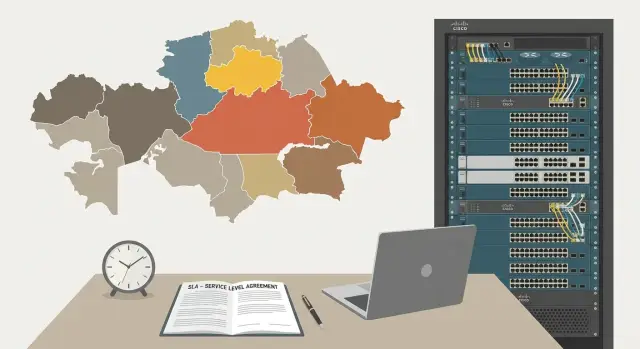
The challenge: Cisco support across regions and a clear SLA
The same support contract can work very differently in Almaty and in a small town. The reason is usually not a “bad SMARTnet,” but local conditions: how fast a spare part can be delivered, whether there is night access to the server room, who meets the engineer, and how deadlines are written in the contract. In Cisco SMARTnet in Kazakhstan these details often decide whether downtime is considered "within terms" or becomes a dispute.
If the SLA is vaguely worded, the business risks more than just downtime. Secondary losses almost always surface: front-office interruptions, payment stoppages, POS outages, downtime of medical systems or educational services, and penalties under your own contracts. The worst disputes start when parties have different ideas what "4 hours" means: time to first response, time to dispatch, time to delivery of the spare, or time to full recovery.
Before purchasing or renewing, agree on basic items and document them. Simple questions usually prevent disputes: which devices are critical and where they are located, what regime is needed (8x5xNBD or 24x7x4), which event starts the SLA clock, where spares are stored and who handles logistics, and what site access requirements exist (passes, restricted zones, night work).
Minimal service levels usually suit sites with redundancy where an outage can be tolerated. Round-the-clock coverage is justified when a failure immediately stops a service or affects safety.
Cisco SMARTnet in plain language: what you buy
Cisco SMARTnet in Kazakhstan is not just “repair on call,” but a set of rules and rights under which Cisco and your service partner support specific equipment.
Typically SMARTnet includes: access to Cisco TAC (diagnostics, recommendations, escalations), the right to RMA replacement (usually like-for-like exchange), access to software updates and fixes (including security patches if available for your model and licenses), formal response and replacement timeframes, and support tied to specific serial numbers.
It is important to separate “response time” from “recovery time.”
- Response time — when the case is accepted and diagnostics begin (remote connection, logs requested, steps provided).
- Recovery time — when the service is actually back to normal: the device is replaced, configuration restored, traffic flows.
The latter almost always depends not only on TAC but also on people on site, spares and delivery.
In practice the process is split between parties. TAC helps with diagnostics and remediation steps, but physical replacement usually depends on the partner, warehouse, courier and site access. Therefore, in Kazakhstan regions the same SMARTnet level can yield different real outcomes.
Before buying or renewing, clarify: does the contract cover your model and required modules (chassis, PSUs, supervisors), are serial numbers properly registered and who verifies them, where the replacement stock is and who delivers to your city, and what your responsibilities are (site access, a person to perform swap, maintenance window).
A simple example: if a switch in a branch in Ust-Kamenogorsk fails, TAC may start quickly, but real recovery will depend on whether a spare exists nearby and who can install it the same day.
SMARTnet service levels: how to read the labels
SMARTnet labels usually consist of two parts: the support hours and the target replacement window, for example 8x5xNBD or 24x7x4.
The regime (8x5 or 24x7) answers when you can open a case and get support.
- 8x5 — business hours on business days.
- 24x7 — around the clock, including weekends and holidays.
For critical incidents this influences not only response speed but also when replacement logistics can start.
Replacement windows are trickier. Common options:
- NBD (Next Business Day) — replacement on the next business day.
- 4 (as in 24x7x4) — target 4-hour window.
- 2 / Same Day — stricter options, availability depends on supply and region.
Important: “4 hours” is not a magic button. Deadlines depend on spare stock location, delivery time, site readiness to accept courier or engineer, passes and maintenance windows. If server room access requires passes and strict scheduling, actual replacement can be delayed.
Fast dispatch and replacement are most often needed for core network and nodes that affect the entire business (core switches, routers, key firewalls). For edge devices (access points, edge switches in small offices) it can be more economical to choose NBD and focus on fast case opening in TAC and a clear workaround plan.
Regional specifics of Kazakhstan: what affects timelines
Even with a clear response or replacement time in a contract, the real speed often hinges on logistics and site access rather than the support service itself. Kazakhstan is large, and the difference between Almaty, Astana and a remote district site can be measured not in hours but in days.
Common causes of delays
Typical causes are the same: distances and the last mile, weather and seasonal road restrictions, complex flights and transfers for engineers, access control (especially at guarded sites), and absence of a person to accept and escort the engineer.
Distinguish two concepts in advance: “delivery point” and “installation point.”
- Delivery point — where the RMA equipment will be handed over (for example, a central office in a big city or a regional warehouse).
- Installation point — where it must be installed and go live (branch server room, comms node, medical facility).
If these differ, allow separate time in the SLA for internal transport and access coordination.
Site operating regimes directly affect maintenance windows. If a site is accessible only on weekdays from 9:00 to 18:00, 24x7 on paper will not speed up replacement unless the team has permission to enter at night or on weekends.
Example: a branch in a regional center may accept replacement the next business day, while a remote site requiring pre-issued passes and an escort will need those arranged in advance. Such requirements should be recorded in the SLA as customer obligations; otherwise timelines will "float" even with the correct service level.
How to choose a service level for your infrastructure
Choosing a SMARTnet level starts not with labels like 8x5 or 24x7 but with the cost of downtime. For some systems an hour of downtime equals lost sales or halted services; for others it is an inconvenience that can be tolerated until the next business day. Therefore, select Cisco SMARTnet in Kazakhstan by criticality of each site rather than the "same for everyone" approach.
Classify your infrastructure by site type. Datacenters and core nodes usually require 24x7 support and fast replacement. Regular offices or classrooms often do with support during business hours.
Assess each site by four questions:
- What is the cost of downtime (money, safety, reputation, government service delivery)?
- Is there redundancy (a second switch, spare PSU, two providers)?
- Who is on site (is there an engineer who can swap a module or device)?
- How predictable is delivery (distance from major cities and warehouses)?
Then find a compromise. If you have spare equipment or an N+1 scheme, 8x5xNBD is often enough: you run on redundancy overnight or on weekends and get replacement the next business day. If there is no redundancy and the service is critical, 24x7x4 is typically required to avoid dependence on schedules.
Example: a head office in Almaty and a central node in Astana often choose 24x7x4 because many branches depend on them. A regional office or school may run on 8x5xNBD if a spare switch is available on site or there is an agreed workaround.
Another nuance is load on your team. If one admin opens cases for the whole country, explicitly list who can contact TAC, who confirms RMA and who physically performs replacements. This affects real recovery time even with the right service level.
How to record SLA in the contract: wording and metrics
Problems usually arise from expectations, not technology. One person thinks "4 hours" means time to replacement, another thinks it is time to first response. SLA must be written so it can be verified by ticket timestamps.
Start with metrics and precise definitions. For example:
- "response time" — when the incident was logged and confirmation received from support;
- "recovery time" — when the service returned to operational state (workaround or repair);
- "delivery time" — when the spare arrived at the site, not when it was dispatched.
A short block of mandatory parameters helps:
- response time and hours of operation (8x5 or 24x7) with time zone specified;
- recovery objective (RTO) and what counts as recovery;
- RMA and logistics timelines: origin of shipment, who accepts delivery, where spares are stored;
- geography: list of cities and sites or division into zones with different targets;
- reporting: which statuses are recorded in the ticket and who confirms closure.
Better to describe geography explicitly. A common practice is zones: zone A (major cities), zone B (regional centers), zone C (remote sites). Set different delivery and dispatch targets for each zone. A branch in Almaty and a roadside remote site cannot share the same "NBD" without access caveats.
Also list exceptions: force majeure, site inaccessibility, missing passes, maintenance windows, public holidays, and who is responsible for site access and escort.
Don’t forget channels and language: phone, email or portal, who can open tickets, the language of correspondence, and what constitutes a properly formed incident (serial, logs, photos, duty contact).
Escalations, spare parts and party responsibilities in SLA
Even with a good SMARTnet level, disputes usually concern details: who declared the incident critical, when the clock started, and who is actually responsible for replacement. For Cisco SMARTnet in Kazakhstan this is especially important because of logistics and differences in available engineers by region.
Incident and escalation: avoid wasting hours
Define who classifies incidents and by what criteria. Severity tied to business impact (branch outage, core failure, degradation without outage) and presence of a workaround is convenient.
Next — an escalation chain with timers. Specify responsible persons and channels (on-duty engineer, shift lead, service manager), and when the contractor must involve Cisco TAC and inform the customer of status.
Spares, delivery and replacement: who does what
Describe spares and RMA as strictly as response terms. Record where buffer spares are stored (city, warehouse) and how availability is confirmed, who organizes movement between regions and who bears the risk of delay, who performs on-site replacement and what access is needed, who conducts post-replacement testing and what counts as "service restored."
Example: a PSU failed in an Atyrau branch. The SLA should state whether support must deliver the part to site, or if issuing from a nearby warehouse is allowed, and who performs final verification (contractor engineer or customer IT duty officer following a checklist).
Penalties or service credits make sense only if metrics are measurable. Charge against specific indicators (response time, delivery time, recovery time) and include clearly provable exceptions (no site access, force majeure).
Step-by-step: how to set up or renew SMARTnet without surprises
To make Cisco SMARTnet in Kazakhstan predictable, start by preparing accurate data. Most problems come from incorrect serial numbers, wrong addresses and unclear roles.
Steps to complete before signing
-
Consolidate inventory into one table: model, serial number, current installation site, criticality (core, access, perimeter), site contact.
-
Divide sites into zones by real logistics: major cities, regional centers, remote sites. For each zone define what "recovery time" and "delivery" mean to you (delivery to city or to rack).
-
Choose support levels by device role. Core equipment usually needs fast RMA and 24x7 TAC, while access switches may be fine with business-hour support. Verify the chosen level applies to each model.
-
Check dates: coverage end, start date of new contract, and whether there will be a gap. Clarify renewal scenarios: renew item-by-item or align expirations so contracts end simultaneously.
-
Appoint responsible people and run a "control call": who opens a case, who confirms replacement, who accepts couriers, who may escalate. Do this before an outage, not during one.
Short example: a bank has HQ in Almaty and two regional branches. For core in Almaty choose the fastest option, and for branches set realistic SLA considering delivery and site access.
Common mistakes when choosing SMARTnet and agreeing SLA
The most frequent problem is wrong expectations. People see "4 hours" and assume everything will work in 4 hours. But in SMARTnet it usually refers to response/organization of replacement rather than guaranteed full recovery within the window.
Second mistake — promising the same timelines for all sites without checking reality. For some regions logistics, spare availability and site access are decisive. If the SLA says "24x7x4 everywhere," but the site is inaccessible at night or requires passes, that clause will almost certainly become disputed.
Often the contract lacks attachments with an exact equipment list and serial numbers. Without that it’s impossible to know what is covered by support and what can be replaced via RMA.
Another source of conflicts — maintenance windows. If you don’t state when reboots, swaps and diagnostics are allowed, downtime can be deemed an SLA breach even when work can only be performed during business hours.
Ensure SLA covers:
- what counts as response and what as recovery, and how these are measured;
- dispatch and site access conditions (passes, escort, 24x7 permissions);
- device list with serial numbers and installation addresses;
- maintenance windows and who approves downtime;
- process owner: who opens the TAC case and who drives it to closure.
Example: a regional site may operate on 8x5xNBD while the central node is on 24x7x4, but only if spares, delivery routes and access rules are documented in advance.
A short checklist before signing a contract
Before locking Cisco SMARTnet in Kazakhstan for one or three years, collect facts about your network. The more accurate the inputs, the fewer disputes later: what should be delivered where and in what time.
Check that the project folder contains an up-to-date site map. A common issue is contracts using legal addresses rather than the actual site entrance or guard post. For remote branches this can add hours or even a day.
Typical checks that save headaches:
- sites and contacts: address, access regime, duty phone, who can sign acceptance and receive replacements;
- numeric metrics: response time, delivery deadline, target recovery time, maintenance windows (night, weekends, restrictions);
- incident rules: what is critical, who opens a case, mandatory data (serial, logs, photos), when escalation begins;
- spare parts and delivery path: where ZIPP is stored, who transports to the city, how "arrived on site" is recorded;
- test before an incident: control call and trial ticket to verify contacts, access, data format and response speed.
Small example: if a branch in Atyrau operates 24/7 but server room access is via an admin available 9:00–18:00, then “4 hours” on paper may become “next business day” in reality. Reflect this in maintenance windows and access rules.
Example: a company with branches across Kazakhstan and mixed SLAs
Imagine a company with HQ in Almaty and 12 branches across regional centers and smaller towns. HQ has a server room with core switches, a firewall and provider-facing equipment. Branches have a router, access switch and a Wi‑Fi AP. The goal is to arrange SMARTnet so critical nodes are recovered quickly while avoiding paying 24x7 for the entire fleet.
Criticality depends on node role, not model. If the channel or firewall in HQ fails, services and branches stop. If an access switch fails in one branch, only some workstations are affected.
A practical scheme often looks like:
- core in server room and firewall — 24x7x4;
- border WAN devices — 24x7x4 or 24x7xNBD if there is a backup channel;
- access equipment in branches — 8x5xNBD;
- remote branches — NBD plus a local spare (pre-agreed switch or PSU with the responsible person);
- noncritical points (meeting rooms, guest Wi‑Fi) — minimal level or no extended SLA.
To split SLA by zone, predefine "service zones": Almaty (fast logistics), major cities (standard delivery), remote areas (extended times or mandatory local stock). This way you buy 24x7 only where it pays off and set honest RMA and dispatch expectations.
Contracts commonly include annexes: equipment matrix (serials, roles, chosen service level), site map (addresses, access hours, guard contacts), SLA table by zone (response, recovery, maintenance windows), escalation rules, and local spare plan.
After signing: how to start support and monitor SLA
SLA starts working not at signature but when a clear process is set. Define who can open cases to Cisco TAC, who confirms severity and who communicates with contractors and internal teams.
Keep incident history in one place: case number, opening time, request, actions taken, recovery time. If you have a Service Desk, require internal ticket registration before TAC is contacted so details and timelines are preserved.
Minimum rules without which SLA will “float”
Delays are more often caused by access and acceptance than by the support itself. Ensure these points are written down and actually enforced: site access times (who and how fast admits the engineer), 24/7 contacts, procedure for accepting spares and RMA (who signs, where stored), basic post-replacement testing and recovery criteria, and allowed windows for maintenance (reboots, switching).
Example: a spare arrived to a Taraz branch on time but was not accepted on a weekend, so replacement moved to Monday. Formally it looks like an SLA failure though the cause was organizational. Such scenarios should be closed in advance.
How to control quality
Request a monthly report on cases: actual response and recovery times, reasons for delays, incident recurrence and measures to reduce risk (local spare, moving some sites to 24x7).
Review service levels every 6–12 months: networks grow, site criticality changes, new risks appear.
If you need help linking SLA to architecture, regional logistics and operational processes, it’s often easier to do together with a system integrator. For example, GSE.kz (gse.kz) works in Kazakhstan as a manufacturer and IT integrator and can help build support and responsibilities so contract times match real site operations.
Frequently asked questions
What is Cisco SMARTnet in simple terms and what exactly am I buying?
Cisco SMARTnet is the rules for supporting specific equipment by serial number: access to Cisco TAC engineers for diagnostics, the right to RMA replacement, and access to updates and fixes if they are available for your model and licenses. It is not a guaranteed "on-site repair within X hours," but a combination of remote diagnostics and an organized hardware replacement process through a partner and logistics.
What is the difference between "response time" and "recovery time" and why does it matter?
Response time is the moment the case is registered and work begins: logs requested, remote connection made, steps given, and an action plan confirmed. Recovery time is when the service has actually returned to normal, including delivery, physical replacement and verification. In regions, recovery usually depends on site access and delivery, not TAC response speed.
What do 8x5 and 24x7 mean in SMARTnet labels?
8x5 means you get support and case handling during business hours on business days. 24x7 means around the clock, including weekends and holidays. For critical incidents the difference affects not only how fast you get a reply but also when the logistics for replacement can start: under 8x5 a weekend may simply not count as working time, even if the business is down.
Does "24x7x4" really mean everything will be restored in 4 hours?
This is a target window for replacement/delivery, but it only works if conditions are met: the required spare is available, physical delivery is possible, and the site is ready to receive an engineer or courier. If server room access is only by passes or strictly scheduled, "4 hours" on paper can easily turn into waiting for the next maintenance window.
Why can the same SMARTnet work differently across Kazakhstan regions?
Deadlines are most often stretched by distances and the last mile, seasonal road or flight restrictions, and organizational barriers on the site: access control, lack of a person to accept equipment, or bans on night work. The same support level can produce different results in Almaty and on a remote site, so reality should be fixed in the SLA taking geography and access into account.
How should you distinguish between "delivery point" and "installation point" in the SLA?
"Delivery point" is where you are supposed to receive the RMA part or device. "Installation point" is where it has to be installed and brought online so the service works. If these points differ, add separate time and responsibility for internal transport and site access in the SLA, otherwise recovery will regularly "slip" without a clear accountable party.
How to choose SMARTnet level for different sites and devices?
Start from the role (criticality), not the model: core, border nodes and security usually need 24x7 and fast replacement targets; peripheral devices often tolerate NBD. If you have redundancy and a clear workaround, 8x5xNBD is often enough. If there is no redundancy and downtime immediately halts service, 24x7x4 is usually justified.
Which wording and metrics must be included in the SLA to avoid disputes later?
Define measurable terms so they can be checked by ticket timestamps: when the clock starts, what counts as response, what counts as recovery, and what "delivery" means. Add measurable parameters: time zone, hours of operation, delivery and recovery targets, geography (cities or zones), and customer obligations (e.g., site access and a 24/7 contact).
How to set up escalations so you don't lose time on approvals?
Predefine who may open cases and who classifies incident severity, and link criticality to business impact (branch outage, core failure, degraded but working service) and availability of a workaround. In the SLA it helps to describe escalation chains with timers, responsible persons and communication channels so hours are not wasted during an incident.
What mistakes are most often made when choosing SMARTnet and agreeing SLA?
The biggest mistake is assuming "4 hours" equals guaranteed full recovery — without site access and readiness to accept a replacement this is impossible. Another common error is promising the same timelines for all cities without zoning by logistics. And disputes often start when the contract lacks an accurate list of equipment with serial numbers and installation addresses, so it is unclear what is actually covered.
