7 min read
Cisco Catalyst 9800 WLC: choosing the right controller for enterprise Wi‑Fi
Cisco Catalyst 9800 WLC: how to choose a model by AP count, security requirements and how to quickly test roaming and guest access.
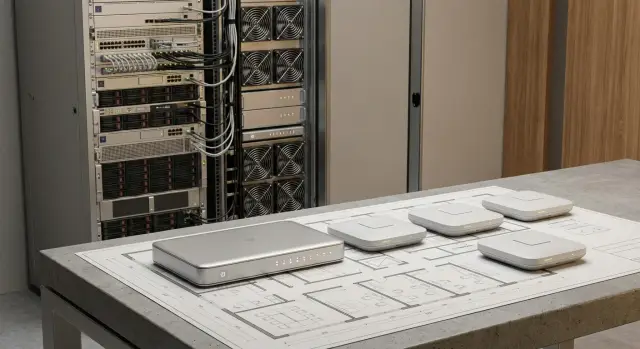
Why you need a WLC for enterprise Wi‑Fi
WLC (Wireless LAN Controller) is the central “brain” for your access points. It stores configurations, distributes policies, monitors network health and helps maintain consistent rules across dozens or hundreds of devices. With a controller, the Wi‑Fi is managed as a single system, not a collection of independent APs.
If the network is small and simple (a couple of APs in a small office, no guest access and no strict security requirements), you might get by without a controller. But once you have different user groups, multiple sites, logging and segmentation requirements, and the need for stable roaming, manual management quickly becomes a series of constant "fires".
A controller is especially useful when predictable network behavior matters: identical SSIDs and policies, controlled updates, fast troubleshooting—without guessing what changed on a specific AP.
A WLC typically handles:
- Centralized SSID, VLAN/segment, access policy and QoS configuration.
- Unified security control (authentication, encryption, device restrictions).
- Radio management (channels and power so APs don’t interfere with each other).
- Roaming support so calls and video don’t drop when moving between areas.
- Guest Wi‑Fi with isolation from internal resources.
For example, in a clinic or university building people move constantly: Wi‑Fi phones, tablets, terminals. Without a controller, handoffs between APs cause delays and access policies can differ by floor. With a controller you set rules once and get consistent behavior everywhere.
Cisco Catalyst 9800 WLC models are built for this: unified management, security and reliable Wi‑Fi where mistakes are costly—from employee downtime to data access risks.
What data to collect before choosing a model
Before comparing Cisco Catalyst 9800 WLC models, record a few key numbers and rules. Without them it’s easy to buy a controller that’s either overkill or will hit limits within a year.
Start with APs and growth. It’s important to plan not only for “how many now” but also a realistic 1–3 year plan: new floors, warehouses, campuses, meeting rooms with high density. Count growth both as a percentage and in absolute APs.
Next—clients and peaks. How many devices connect simultaneously on a typical day, and where are the spikes: morning arrival, shift changes, exams, events. Consider device types: laptops behave differently than phones, and IoT devices may keep connections for days.
Useful data to collect in one place:
- Current number of APs and planned count for 12–36 months, with high‑density zones flagged separately.
- Peak concurrent clients per site.
- Number of sites and the quality of links between them (bandwidth, latency, stability) and whether you need a single management domain.
- List of SSIDs that are actually required (staff, guests, IoT, separate groups with different rules).
- Availability requirements: acceptable downtime window, need for a backup controller, how quickly services must recover.
Remember project boundaries. An office for 400 people may have only 40 APs but up to 1200 concurrent clients in peaks due to phones, guests and personal devices. If a branch has a weak link, architecture requirements will differ from a single‑site deployment.
Finally check: do you need a separate guest Wi‑Fi with a portal, will there be devices without certificates (often IoT), and must Wi‑Fi survive updates and reboots without noticeable downtime.
Cisco Catalyst 9800 variants and key differences
Cisco Catalyst 9800 WLC comes in three main formats. The difference is often not in “Wi‑Fi quality” but in where you host the controller and how you provide redundancy.
Appliance, virtual and embedded controllers
Hardware controllers (the 9800 Appliance series, e.g. 9800‑L/40/80) are rack‑mounted devices. They’re chosen when you need a dedicated appliance with predictable performance and a clear lifecycle: buy it, plug it in, manage it as a separate node.
The virtual controller (9800‑CL) is deployed in your virtualization or private cloud. It’s convenient if you have a data center with redundancy, fast backups and mature operations. Scaling is also simpler: add platform resources rather than swap hardware.
There’s also an embedded controller on some Catalyst 9000 switches. It’s suitable for small sites where you want fewer devices and a simpler topology, but check limitations and supported scenarios beforehand.
Single site vs. branch networks
For a single site simplicity often wins: a single management point, minimal dependencies, clear update workflow. For branch networks a “central controller + APs in branches” model can be beneficial if links are stable and you need unified security and guest policies.
If branches must function autonomously (weak links or strict local requirements), place controllers closer to the sites so loss of connectivity to the center doesn’t disrupt users.
Quick guidance:
- If you need maximum predictability and a separate operational domain, choose a hardware controller.
- If you have a strong data center and mature virtualization, 9800‑CL is often logical.
- For a small site aiming to reduce device count, consider the embedded option.
- Many branches with unified policies are easiest to manage centrally.
Plan redundancy from the start. A practical minimum is a 1+1 pair where failure of one node shouldn’t interrupt management or, where possible, active sessions. Decide in advance where both nodes will reside, how you’ll update them, and what happens when links between them fail.
How to choose a model by AP count and load
Model selection usually starts with AP count. In a real network “load” is driven by clients, traffic types and enabled features. So estimate capacity first, then apply adjustments.
Quick estimate without complex calculations
If you lack detailed stats, start with two numbers: APs at launch and expected peak active clients. Offices commonly use a guideline of 25–40 active clients per AP (if there’s lots of video/voice, aim toward the lower end). Lecture halls and waiting areas can have much higher and more variable loads.
Ask yourself:
- How many concurrent clients at peak—not total registered users?
- What is most critical: video calls, voice, terminal sessions, file exchange?
- Are there high‑density zones (meeting rooms, classrooms, lobbies)?
- Do you need full controller redundancy?
- How many sites and is centralized management required?
Why features change CPU/memory needs
Two networks with the same AP count can require different controllers. The reason: the more checks and services run at the Wi‑Fi level, the higher the CPU, memory and session load. Extended security (802.1X, segmentation, frequent re‑auth), guest portals, telemetry and analytics consume significant resources.
Example: 150 APs and “only” 2000 clients. For basic office access requirements are one thing; for a hospital or financial institution with strict policies, guest networks and constant roaming you should choose a controller with headroom and plan for an HA pair from the start.
Growth, headroom and licensing
Plan for 20–30% performance headroom and separately allow AP/client growth over 2–3 years. Also check licensing so expansion doesn’t hit AP or feature limits.
Clarify how critical Wi‑Fi is for the business: will it be the only access to services, acceptable downtime, and which scenarios are unacceptable to lose (voice, medical systems, POS).
Security features to prioritize
Wi‑Fi security often fails not because of cryptography but because everyone gets the same access. The first step when choosing Cisco Catalyst 9800 WLC is to understand how many user/device types will be on the network and what rules each needs.
Access and authentication
You typically have at least three levels: staff, contractors and guests. A fourth—"devices" (printers, terminals, TVs, IoT)—often needs different handling.
For staff, choose WPA2‑Enterprise or WPA3‑Enterprise with 802.1X. If you have a corporate PKI, EAP‑TLS with certificates is the most secure option: lower phishing risk and simpler revocation when someone leaves. Contractors often get separate credentials with stricter time/resource limits.
Before a pilot check:
- Whether you have separate policies for staff, contractors, guests and devices.
- If your chosen 802.1X method is supported (password EAP or EAP‑TLS).
- How re‑authentication on roaming is handled and how frequently it will occur.
- Who issues access and who controls it (IT, security, reception).
Segmentation and integrations
Segmentation is needed beyond guest separation. Often you must separate finance, admin users and generic devices so an issue on one laptop doesn’t affect the whole segment.
Verify required integrations in advance:
- User directory (groups and roles).
- NAC (device posture checks).
- SIEM (centralized event logs).
- MDM/UEM (if access depends on device management).
In government and finance sectors, separate access zones, detailed authentication logs and clear admin activity records are often mandatory. Collect these requirements as a short matrix "role – access – logging" to avoid redesign later.
Example: a bank’s staff use 802.1X with certificates, contractors log in with separate accounts restricted by subnets, and guests get Internet‑only access with time and issuance point recorded.
Guest Wi‑Fi: options and commonly forgotten requirements
Guest Wi‑Fi often appears late in a project yet creates many risks: leaks into the internal network or conflicts with corporate policies. Decide early which guest access scenario you need and how it will be managed on the Cisco Catalyst 9800 WLC.
Common guest connection models: shared password, voucher (one‑time code) or a portal where users accept terms and enter details. Fully open access is rarely justified.
Key principle: guests must not see corporate resources. This requires not only blocking internal subnets but careful setup of Internet egress: where filtering takes place, which DNS is used and which protocols are allowed. A common mistake is giving guests the same path as staff and then trying to patch it with deny lists.
Discuss basic rules that are hard to change once users are used to them:
- Session lifetime (hour, day, visit length).
- Speed and device limits per guest.
- Is binding to phone/email required and who issues access.
- Logging requirements: what we log, retention period, and who can access logs.
- The terms of use text and the display language.
Integrations with SMS or email usually become small projects: providers, message templates, error handling and abuse protection. Plan time for this, especially in regulated organizations.
To keep guest Wi‑Fi from undermining internal policies, verify in the pilot:
- Guests cannot see internal addresses, printers, file shares or admin panels.
- Guest traffic doesn’t inherit corporate policies or routes.
- The portal works on iOS/Android/Windows and across major browsers.
- Reception and meeting room areas maintain stable connectivity during roaming.
- When the Internet fails guests see a clear error, not a stalled authorization screen.
Roaming: how to enable and test in practice
Roaming is when a client (phone, laptop, terminal) moves between APs without a noticeable connection break. For email this may be barely visible, but for voice, video, warehouse terminals and medical devices it quickly becomes user complaints: “the call drops in the corridor.”
Roaming quality is usually determined more by radio planning—consistent coverage, a clear channel plan and appropriate transmit power—than by a magic controller setting. If one AP is “too loud” a client will cling to it and switch late. Poor channel planning increases retries and latency—making handoffs painful.
Cisco Catalyst 9800 WLC deployments commonly use 802.11k (neighbor reports), 802.11v (BSS transition management) and 802.11r Fast Transition (faster re‑auth). Ultimately the client decides. Devices of one model may roam perfectly while others ignore suggestions.
How to test roaming live
Test movement scenarios, not just stationary pings. For example: an employee with a softphone walks from a meeting room through a lobby into the open space and continues the call.
- Choose 2–3 typical clients: a corporate laptop, a common phone model and one specialized terminal.
- Walk a preselected route (corridor, elevator lobby, turn, high‑density area).
- Generate real load: a call, a video meeting or a critical app session.
- Repeat tests during peak times when the RF and controller are under load.
What to watch in metrics and how to tell radio issues from authentication
Measure not just whether a client switched but the cost of switching:
- Latency and jitter during the handoff (important for voice).
- Packet loss and brief session drops.
- Number of reassociations or connection attempts.
- Time for re‑authentication if using 802.1X.
- Frequency of ping‑pong transitions between two APs.
If losses and retries increase during a handoff but authentication completes quickly, the radio (coverage, power, channels, noise) is usually to blame. If the RF looks fine but the handoff stalls for seconds with repeated AAA/RADIUS requests, the issue is likely access policy: 802.1X, certificates, AAA latency or 802.11r incompatibility with some clients. To separate radio from AAA, repeat the route with simplified authentication.
Step‑by‑step algorithm to choose a controller for your scenario
Step 1: record goals and constraints. Note what matters most: strict security (802.1X), a convenient guest experience, branch support, regulatory requirements, installation space and link limitations. This filters out unsuitable options.
Step 2: estimate scale with headroom. Count APs and the realistic peak number of clients (consider BYOD) and 2–3 year growth. Even 200 employees can mean 400–600 devices because many carry 2–3 gadgets.
Step 3: pick deployment type. For Catalyst 9800 WLC this usually means virtual (faster launch, easier scaling) vs. hardware (chosen for placement and predictable resources). The decision depends on your virtualization readiness and who is responsible for availability.
Step 4: define redundancy. Decide if Wi‑Fi can be down when a node fails and how you’ll provide backup: a second controller, clustering or geographic redundancy. Also check guest network behavior during failures.
Step 5: align licensing and support to required features. Verify which functions you need: guest portal, NAC integration, segmentation, reports and analytics. Also decide what you will enable in year one to avoid overspending or lacking crucial features.
Step 6: prepare a pilot and acceptance criteria. Before procurement agree what you will test and how you’ll record results. For example:
- Roaming for voice/video passes without noticeable drops.
- Guest Wi‑Fi is delivered by the chosen method and isolated from the corporate network.
- Access policies work consistently across floors and (if needed) branches.
- Clear logs are available for incident investigation.
- Admins have enough monitoring to see APs, clients and root causes.
If multiple site types exist (office + warehouse + branch), run the pilot on two representative locations.
Common mistakes during selection and deployment of Catalyst 9800
The first mistake is picking a controller only by AP count, then discovering you need additional features: strict authentication, segmentation, guest portal, reports and integrations. The model may match AP numbers but fail security or guest requirements.
Second pain point—peak loads. On paper it’s fine: 600 daily users. In reality events cause hundreds of devices to connect at once, many updating and joining calls. Plan for the worst realistic hour, not the average. Compare not only AP limits but client counts, throughput and enabled services.
Third mistake—merging guest and corporate networks “for simplicity.” It’s only simpler on day one. Without clear segmentation you get data leak risks, complex incident investigations and constant policy exceptions. Guests need separate logic: allowed destinations, session duration and re‑entry behavior.
People also underestimate redundancy and updates. The controller shouldn’t be a single point of failure, and updates shouldn’t become a nightly surprise. Decide in advance how you’ll achieve HA and validate new versions in a pilot.
Roaming is often tested in one zone on one phone by one person, then complaints come from medical staff with tablets, POS terminals in retail and laptops in meetings. Add device and scenario diversity.
Agree on quality criteria before launch to avoid arguments about “good or bad”:
- acceptable reconnection time when moving between APs
- success rate and time for authentication
- minimum signal level in work areas
- latency and loss thresholds for voice and video
- guest access rules (duration, limits, isolation)
Quick checklist before a pilot and next steps
Before the pilot agree what you will test and how you’ll know the result is good. Catalyst 9800 WLC can be configured in many ways and without clear criteria you may spend time on settings that don’t solve your problem.
What to collect before the pilot
These items save days of back‑and‑forth. Keep it concise but specific.
- Pilot zone: floor/area plan, wall materials, estimated number of people.
- List of SSIDs and the purpose of each: corporate, guest, IoT/terminals, service devices.
- Client types: laptop and phone models, share of older devices, scanners, VoWiFi, video calls.
- Business requirements: where seamless roaming is needed, which apps are critical, whether guest identification is required, log retention periods.
- Constraints: Internet access, internal system access, segmentation requirements, maintenance windows.
Pre‑start checks and acceptance criteria
Pick one route and device set and repeat tests consistently so results are comparable after changes.
- Guest access: guest isolation enabled, chosen scenario configured (portal/voucher/password), session lifetime set, limits applied and logging enabled.
- Roaming: agreed test route (corridors, meeting rooms, elevator lobby), 2–3 device types selected, quality thresholds set, and tests repeated several times including peak hours.
- Security: 802.1X for corporate SSID, clear role‑based profiles, segmentation (staff, contractors, devices), upgrade plan for controllers and APs, and config backup before changes.
- Load: measure during peak time, check concurrent connections, and stability under noise (many guests, active Bluetooth, neighbor networks).
- Operations: who accepts incidents, how results are recorded, where final configuration and change notes are stored.
Next step: a short requirements audit and a pilot in a small but representative area. After that, finalize model and licensing choices based on facts, not assumptions.
If you need a partner to cover design, integration and ongoing support, consider GSE.kz (gse.kz): the team has experience implementing enterprise infrastructure and offers 24/7 technical support.
Frequently asked questions
Why does a company need a WLC for Wi-Fi?
A WLC centrally manages access points, SSIDs, security policies, and radio settings. It is especially useful when there are many access points, guests, branch offices, different user groups, or requirements for stable roaming.
Can you manage without a controller?
For a small network with a few access points, no guest access, and no complex rules, a controller may not be necessary. Once you have dozens of access points, several areas, or strict authentication, centralized management makes operations much easier.
How do you choose the capacity of a Catalyst 9800?
First, count your access points now and project 2-3 years ahead, then estimate the peak number of connected devices. Add 20-30% headroom and account for guest access, 802.1X, segmentation, telemetry, and redundancy.
How does a hardware Catalyst 9800 differ from the 9800-CL?
A hardware controller is installed as a separate rack-mounted node when you need predictable performance and a dedicated operational environment. The 9800-CL runs in a virtual environment and suits organizations with reliable virtualization infrastructure. The embedded option on some Catalyst 9000 models is convenient for smaller sites.
Do you need a standby controller?
Yes, if Wi-Fi is needed for employee work, telephony, terminals, or critical services. A 1+1 design with a standby controller reduces the risk of downtime if one node fails, but it should be tested during a pilot and when updating.
How do you secure corporate Wi-Fi?
For employees, WPA2-Enterprise or WPA3-Enterprise with 802.1X is typically used. If you have a corporate certificate infrastructure, EAP-TLS helps eliminate reliance on passwords and makes it easier to revoke access for former employees.
How do you configure guest Wi-Fi correctly?
Give guests a separate SSID and a separate segment with no access to internal subnets, printers, or administrative systems. Define the sign-in method, session duration, speed limits, and logging rules in advance.
Does a WLC guarantee seamless roaming?
No. The controller helps manage transitions, but the client decides when to switch access points. Roaming is most affected by coverage, overlap between coverage areas, channels, access point power, and client-device compatibility with 802.11k, 802.11v, and 802.11r.
How do you test roaming before launching the network?
Make a real call, join a video meeting, or use a terminal while moving along a route between coverage areas. Test several device types, repeat checks during peak hours, and monitor latency, packet loss, reconnections, and authentication time.
What should you prepare before a Catalyst 9800 pilot?
Prepare a site plan, a list of SSIDs, client device types, the peak user count, guest and 802.1X requirements, and constraints on segmentation and downtime. Then agree on measurable criteria: successful sign-ins, call quality, guest isolation, and log availability.
