8 min read
Cisco Catalyst 9300 licensing: how to choose without overpaying
Cisco Catalyst 9300 licensing: a practical guide to choosing features for QoS, NAC readiness and telemetry so you don’t overpay or hit limits a year later.
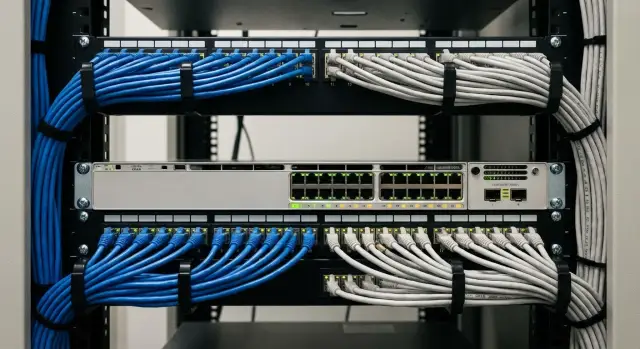
The practical problem when choosing Catalyst 9300
People often overpay for Catalyst 9300 not because they want expensive options, but because they are afraid of underbuying. A switch is bought for 5–7 years, while requirements change every 6–12 months: 802.1X appears, voice and video grow, new offices are added, security asks for more controls, and management wants clearer network visibility. In that environment, licenses and feature bundles look like a minefield, and it’s tempting to buy “for extra capacity” to avoid rework later.
The second reason is confusion between what the switch can do “in principle” and what will actually be used. Many capabilities bring value only together with processes and external systems: access policies, centralized management, monitoring, QoS rules, regular incident analysis. Without those, extra payments become a toolbox nobody uses.
Limitations, on the other hand, don’t always surface immediately. A typical story: the network runs “as before,” and six months later new tasks reveal three missing things:
- port security (guest access, device accounting, readiness for NAC/802.1X)
- visibility (telemetry, clear reports, user problem diagnostics)
- manageability (consistent settings, change control, quick templated rollouts)
By “extra” below we won’t mean “bad” features, but those that won’t work without mature operations. For example, buying advanced analytics when there’s no basic monitoring and no one to analyze it is usually pointless. Or building complex policies when the organization hasn’t decided who issues device access.
The goal is simple: pick the minimal set that covers today’s needs (stability, QoS, basic security) but won’t hit a ceiling when you start deploying NAC, require more telemetry, or move toward more centralized management.
First, requirements: what to resolve before choosing licenses
Most overspend starts when teams pick “the fullest package” without agreeing internally what kind of network they are building and how it will be operated over the next year. Licenses and features should map to concrete scenarios, not to a fear of “what if.”
First fix the environment type. The same switch on an office floor, in an educational building, and in a hospital will serve different traffic and access requirements. In a mixed campus you typically have Wi‑Fi, telephony, workstations and IoT (cameras, turnstiles, sensors), and that mix sets the baseline.
Next, honestly describe load and services. Voice and video are sensitive to delay and loss, VDI and heavy apps create spikes, cameras add constant background load. Without this understanding it’s hard to decide which priorities are real and which will remain “on paper.”
Check the port “physics”: access speeds (1G, 10G, multigig), uplinks, stacking plan, and PoE power and budget. Errors here are costlier than any license: if Wi‑Fi 6/6E APs or new cameras arrive in six months, you may lack power or ports.
Before choosing a license tier, answer a few questions:
- Will there be L3 at the access (switch routing and ACLs) or is L2 to the core enough?
- Do you need readiness for 802.1X and segmentation for different user and device groups?
- What uplinks are needed now and what port growth is expected in 12 months?
- Which services are latency‑sensitive (voice, video, VDI)?
Example: a two‑building campus runs on 1G and telephony today, and will add 80 cameras and Wi‑Fi 6 in a year. If this is known, PoE, uplink and access policy requirements are defined up front. That makes the choice sensible, not “just in case.” In integration projects (including with GSE.kz) such a survey often saves more budget than negotiating price.
Licensing model in simple terms: who is responsible for what
It helps to split Catalyst 9300 licensing into three layers: hardware, network functionality, and management subscription. Mixing these layers often causes overpaying or the risk of hitting limits after a year.
The first layer is the device itself — you buy the hardware once and it remains yours.
The second is basic network capabilities, set by the network license level (commonly Network Essentials vs Network Advantage). This covers VLANs, routing, ACLs and similar features. These are usually independent of analytics subscriptions and remain available.
The third is the Cisco DNA subscription (for example Cisco DNA Essentials or a higher tier). This is not about whether the switch forwards traffic, but about how you manage it: centralized policies, automation, advanced telemetry, analytics and reports.
Important timing note: if a subscription expires and you don’t renew, the network typically continues to operate at the purchased network level. But features tied to Cisco DNA and the management platform lose value or become unavailable. Also remember Smart Licensing: even if everything technically works, you must comply with purchased entitlements.
To avoid confusion, choose by scenarios rather than “the top license.” Ask:
- Do you need routing and which protocols will be used?
- Will centralized management and automation be implemented within a year?
- Is advanced telemetry required for monitoring and incident analysis?
- Is NAC and 802.1X planned and how fast?
- What subscription length do you want: 1, 3 or 5 years?
For procurement, a good phrase is: “switch with persistent network functionality at level X and a management subscription at level Y for N years, with renewal option.” That reduces interpretation disputes, especially when an integrator handles procurement and deployment.
QoS on the 9300: which features are actually needed
In a campus network QoS is not needed “in general,” but for specific traffic classes. Usually cover three groups: voice (IP telephony), video (conferencing) and a few critical services (VDI, ERP, terminal apps). Everything else can be best effort, otherwise policies expand and everything becomes “high priority.”
Practically, build QoS around two questions: where do you trust markings (DSCP/CoS) and where do you actually manage queues.
Where to place priority
Policies work only if applied at the right points:
- On access: classify and mark user and phone traffic so it carries correct markings through the network.
- On access uplinks: manage queues and protect against micro‑loss during bursts.
- On the WAN edge: shaping and priorities for the real link speed, because queues overflow most often there.
Remember: a license doesn’t replace QoS design discipline. Problems usually arise because QoS was enabled “somewhere,” but no one agreed who marks traffic and where.
Traffic classification: practical steps
Start with a small set of classes and clear rules in the campus:
- Voice: trust only from the IP phone or the voice VLAN, otherwise users will quickly “create” priority for themselves.
- Video: a separate class but limited so it doesn’t push out voice.
- Wi‑Fi infrastructure (controller, CAPWAP) and infrastructure services: a small stable priority.
- Business apps: by agreed ports/addresses, not “all corporate apps.”
A common pitfall is trusting the wrong source. For example, you trust DSCP on an access port where a PC is attached; the PC marks traffic EF and floods the priority queue. Agree with telephony and Wi‑Fi teams which DSCP values they set, where trust is allowed, and which flows must survive congestion (voice first, video usually second).
NAC readiness: what to provision even if NAC comes later
NAC readiness means the network can place devices into different access levels: some into the corporate network, some into a separate segment, some blocked. Even if you deploy NAC (for example Cisco ISE or another) later, switches should support basic access control mechanisms. Otherwise you’ll redesign the access later.
Typical campus device types: corporate PC, printer, IP phone, camera, guest. PCs usually need 802.1X with a role assigned. Devices without 802.1X (printers, cameras, sometimes phones) commonly use MAB (MAC-based authentication) as a temporary measure. Guests need a separate segment so they can’t reach internal resources.
What to lay in Catalyst 9300 from the start, regardless of license level:
- 802.1X and MAB on access ports, so one port can work with different device types.
- Separate VLANs/segments for guests and for “unknown” devices.
- Basic segmentation by device groups so it’s easier to apply role-based policies later.
- A plan for identity: where accounts live and how to tell “ours” from “foreign” devices.
BYOD, old devices and strict zoning requirements complicate projects. BYOD requires rapidly changing rules without manual exceptions. Old devices often lack 802.1X; decide in advance which will be allowed via MAB and which will go into an isolated segment.
If NAC will arrive later but you build the network now, define how many device types and roles you expect, whether guest access is needed, which zones must be strictly separated (e.g., workstations and cameras), and which ports must support phone+PC. With these answers the integrator can pick features that won’t hit limits as requirements grow.
Telemetry and monitoring: what to enable to make it useful
Start monitoring from the question: what answers do you need daily? Typically four topics: who consumes bandwidth, where are losses and errors, where is a loop or storm, and where performance is degrading (increased latency or micro‑loss).
The immediate useful minimum: correct logs, SNMP, Syslog, alerts and a simple inventory. This covers most everyday incidents: “port went down,” “CRC errors,” “broadcast storm,” “device rebooted.” Don’t just collect data — set thresholds and clear alerts, otherwise events drown in noise.
Advanced visibility is justified when teams argue “is it the network or the app,” or when sensitive services exist: video conferencing, virtual desktops, medical systems, POS devices. Then flow visibility, application metrics and near‑real‑time telemetry help pinpoint, for example, that “the internet is slow” only for a branch where backup is saturating the uplink during business hours.
Centralized management and analytics pay off if you have many switches, frequent changes, multiple sites and need a single view of users and policies. For small networks a well‑tuned NMS with clear dashboards and alerts is often enough.
To avoid “collecting everything and using nothing,” pick 5–7 metrics and decide actions for each alert:
- Uplink utilization and top talkers.
- Port errors (CRC, drops) and rising discards.
- Storm control and broadcast/multicast spikes.
- Link state changes and frequent flaps.
- Latency and jitter for critical segments (if you measure them).
- MAC table anomalies (sudden surge of new MACs as a sign of a loop).
- Temperature and power (PoE budget, overheating as cause of degradation).
Features often forgotten and later regretted
People focus on “big” items like telemetry or NAC but stumble over simpler things: power, uplinks, redundancy and how hard it is to operate later. These choices rarely shine in a spec, but they become constraints within 6–12 months.
Stacking and redundancy: useful but not always free of complexity
StackWise is often added “just in case,” but later you find the rack is cramped, stack cables weren’t planned, and updates require discipline. Stacking is justified when access‑level high availability and unified management of multiple switches matter. For a small node with simple ops, separate switches and a clear replacement plan can be easier.
VLAN, ACL and policy scale: operations matter more than datasheet maxima
A common mistake is designing access “as it comes” and living a year with hundreds of ACLs and exceptions. A 9300 can handle it, but the cost is time to troubleshoot “why that office can’t print.” Agree on rules up front: how many VLANs you really need, where local exceptions end, and naming conventions for SVIs, ACLs and QoS classes.
Uplinks are often neglected. Today 2x10G may suffice, but tomorrow Wi‑Fi 6/6E APs and increased server traffic can make the backbone the bottleneck. Ask the team for a 12–24 month horizon for speeds and optics so you don’t swap modules and rewire the cross‑connect later.
PoE budget is classic. Teams buy to the limit and then add APs and cameras, causing power drops during peaks.
Before final selection run a short checklist:
- Is redundancy required by the business or “just in case”?
- Is there a 12–24 month plan for uplinks (speed, optics, spare ports)?
- Is PoE calculated with headroom for growth and worst‑case consumption?
- Are configuration standards agreed (templates, naming, who changes what)?
- Are manual exceptions limited so the network remains supportable?
Example: a campus adds APs and video but PoE was calculated without margin and uplinks stayed 10G. The network “can do it by license” but users see drops and latency. Fixing that is more expensive than provisioning power and backbone from the start.
Step-by-step scheme to choose licenses and features for your network
To pick Catalyst 9300 licenses without overpaying, don’t start at the price list — start from current usage and how it will evolve in a year.
Steps that give a clear result
-
Describe 3–5 scenarios the network must support without surprises. Typical ones: voice, corporate Wi‑Fi, guest access, cameras, 2–3 critical apps.
-
Break requirements into layers to avoid mixing “I want security” with “I want monitoring.” For each scenario mark what’s needed at L2/L3, what relates to access (802.1X, segmentation), what to QoS, and what to management and telemetry.
-
Define a “minimum to launch” and “growth options” with dates. Minimum is what must be in place for acceptance. Options are things planned for 6–12 months (full NAC, deeper analytics). That clarifies where basic functionality is enough and where you need headroom.
-
Check compatibility with existing systems. Two common blockers: the chosen NAC requires specific 802.1X or profiling features, and current monitoring expects particular telemetry formats. Better to verify protocols and data expectations up front than to retro‑fit after purchase.
-
Write the spec and acceptance criteria. For example: calls don’t drop under load, guest network is isolated, 802.1X works for employees, cameras have assigned priority, and monitoring shows latency, loss and port utilization.
If using an integrator, ask them to present a table “scenario → function → license/option → term.” That keeps the decision clear as requirements grow.
Example scenario: medium campus with year‑one growth
Imagine a campus: 3 buildings, ~800 staff and students/contractors, IP telephony at desks, Wi‑Fi in lecture halls and meeting rooms, frequent video calls. Access switches are Catalyst 9300s with uplinks to the core and some power and link redundancy.
At start the problem is usually service quality, not license level. If voice and video fail, users won’t wait for you to sort features.
The minimal set to lock into the project and config up front (to avoid rework):
- QoS for voice and video: marking, queues, DSCP trust only where appropriate, protection from noisy segments.
- Basic monitoring: interface counters, errors, utilization, power and stacking events.
- Redundancy: stacking where needed and a planned uplink scheme.
- Reasoned segmentation: distinct VLANs/VRFs for voice, corporate devices and guests.
After 6–12 months new needs emerge: guest access and staged device control (first “who connected,” then “what device and where can it go”). To avoid pain, bake NAC readiness in advance: 802.1X on ports, MAB for printers/phones, clear policies for unmanaged devices, and port templates (e.g., “workstation”, “phone+PC”, “meeting room”).
Where you can avoid overpaying: don’t buy everything at once if you don’t have processes. Advanced telemetry and deep automation are reasonable to buy later when you have the team and playbooks. However choose a base network level that won’t block L3 capabilities and access policies once guest access and 802.1X are mandatory.
Common mistakes and how to avoid them
The most expensive mistake is buying maximum features and then not using them. Licenses and features only deliver value with clear operations: who watches alerts, who changes policies, who owns voice and Wi‑Fi quality.
Frequent errors
-
Buying extended features “for the future” without a management platform or processes. Telemetry exists but no one reads reports; incidents are still found by user complaints.
-
Not planning PoE and uplinks. A year later you add APs, cameras and phones and the switch hits its PoE limit and uplinks become a bottleneck.
-
Deferring NAC but not preparing the network. Ports are uniformly configured, segmentation is absent, and quarantine/guest plans are missing. Enabling 802.1X later forces rework floor by floor.
-
Enabling QoS without aligning markings between telephony, Wi‑Fi and the core. Result: voice is jittery despite QoS being deployed.
-
Collecting telemetry without purpose. Lots of data but little value: missing core metrics, no thresholds, no responders.
How to avoid unnecessary purchases
Map features to concrete tasks and owners before choosing license levels.
- Fix a 12–18 month growth plan: how many PoE devices will be added and where 2.5G/10G is required.
- Build NAC readiness: port templates, roles, VLANs for guests and isolation, pilot one building.
- Align QoS end‑to‑end: who marks (phones, Wi‑Fi controller), where trust is allowed, and where re‑marking happens.
- Define 3–5 useful monitoring reports (top uplink bottlenecks, ports with errors, voice SLA) and who reviews them.
- Run a short pilot: one switch, one floor, real users — cheaper to fix mistakes there.
Simple example: QoS for IP telephony breaks because the Wi‑Fi controller marks voice differently than wired network expects. One meeting between network and telephony teams and a unified DSCP table often fixes quality without new licenses.
Short checklist and next steps
Before the final decision, document what must work every day in the campus network. Most overspend happens when people buy “just in case” features they won’t enable in year one.
Procurement checklist
Summarize answers on one page:
- Traffic scenarios: office apps, voice/video, Wi‑Fi, surveillance, printing, terminals.
- Power and ports: how many PoE/PoE+ devices, is there headroom.
- Uplinks and performance: 1/10/25G, how many backbones per switch and possible bottlenecks.
- Redundancy: two uplinks, two switches per rack, stacking and each node’s role.
- 12‑month growth plan: additional APs, move to 802.1X, new segments, increased video conferencing.
For security, plan readiness even if implementation is later: where 802.1X will be used, where MAB is allowed for printers/phones, how guest access is organized (separate VLAN/SSID, access durations, base rules). The earlier this is specified, the fewer config reworks.
For observability decide what you must see daily: uplink/stack failures, port errors, interface overloads, config changes, new devices on ports, broadcast spikes. If these events are not collected and clear, “telemetry” won’t help.
Pilot checks and next steps
In the pilot validate real risks:
- Voice/video under load (queues, priorities, latency).
- Guest access and basic policies (who can reach what).
- Resilience (uplink loss, stack node reboot).
- Upgrades and rollback (downtime, compatibility, procedure).
Then build a simple matrix “needed now / needed later” for QoS, NAC and monitoring, and translate that into licenses and specs.
If you lack time or experience, a system integrator like GSE.kz (gse.kz) can help gather requirements, prepare specifications and implement a solution so you don’t overpay for features you won’t use in the first year.
Frequently asked questions
Where to start when choosing Catalyst 9300 so you don’t overpay?
Start with scenarios for the next 12 months: voice/video, corporate and guest Wi‑Fi, cameras, critical applications and expected growth. Then separately document the physical side (ports, uplinks, PoE) and the requirements for L2/L3, security, QoS and management. This way you buy what you will actually enable and operate, not the biggest bundle “just in case”.
How to decide between Network Essentials and Network Advantage?
Network Essentials is usually enough if access is mostly L2, you need basic policies and you don’t plan complex L3 logic on access switches. Choose Network Advantage when you need L3 at access, advanced routing flexibility and extended network features to avoid hitting limits as requirements grow. The safest approach is to tie the choice to whether routing and ACLs will run on access switches or only in the core.
What happens if you don’t renew the Cisco DNA subscription?
The switch will keep operating at the purchased persistent network level (switching and basic features typically remain). But features tied to the Cisco DNA subscription and management platform (centralized policies, automation, advanced analytics) lose value or become unavailable. Also consider Smart Licensing: even if things keep working technically, you must comply with purchased entitlements legally. Plan whether you will renew the subscription and how that affects operations.
Which QoS features on the 9300 are really necessary in an office or campus?
Usually QoS is needed to reliably support voice first, then video, and after that a few truly critical business services. The practical minimum is to agree where DSCP/CoS is trusted, where you mark traffic, and where you actually manage queues (especially on uplinks and the WAN edge). If you’re not ready to maintain complex policies, keep a small set of classes and clear rules; otherwise QoS becomes a source of problems.
Where must you not enable trust for DSCP and why is that important?
Don’t trust DSCP on a port where an ordinary PC can connect — users or apps can fake priority and fill priority queues. Trust is reasonable where you control the source of markings, for example an IP phone or dedicated scenarios. If unsure, prefer a model where the switch re-marks traffic based on reliable attributes rather than trusting incoming marks.
What should be provisioned for NAC readiness, even if NAC will be added later?
Enable 802.1X and MAB on access ports so the same port can handle different device types later. Prepare separate VLANs/segments for guests and for “unknown” devices so new equipment can be safely connected. If you do this in advance, adding NAC (for example Cisco ISE or another) later becomes policy activation rather than a network redesign.
What’s the monitoring/telemetry minimum to enable on Catalyst 9300?
Start from: what you need to see every day — link downs, port errors, uplink overloads, storms, reboots and PoE issues. For that, good logs, SNMP/Syslog, thresholds and alerts plus an accurate inventory usually suffice. Add advanced telemetry when you regularly investigate “network vs application” disputes and have people who use those metrics rather than just collect them.
What limitations surface after six months and what do teams usually regret?
Commonly you hit limits in PoE budget and uplinks: today you buy to the limit, and tomorrow more Wi‑Fi APs and cameras cause outages or bottlenecks. Stacking discipline (cables, updates, failure procedures) is another underestimated area. These are not license items, but they are the things people most often regret having not planned.
What to verify in a pilot before large-scale purchase of 9300?
Pilot real risks, not just pings: voice/video under load (queues, priority, latency), guest access and isolation, resilience to uplink loss, and upgrade/rollback procedures (downtime, compatibility, process). Errors found in a single floor pilot are much cheaper to fix than after mass rollout.
How to formulate requirements and specs for purchasing Catalyst 9300?
Write the specification as “scenario → function → level → term”, separating permanent network functionality and the management subscription. Add acceptance criteria you can test: voice stability under load, guest isolation, port readiness for 802.1X, and visibility of errors and overloads in monitoring. If an integrator implements the project, this format reduces misunderstandings and helps choose the minimally sufficient set.
