8 min read
Open-source CI/CD: GitLab CE vs Gitea + Drone for teams
Open-source CI/CD: comparing GitLab CE and Gitea + Drone on scale, security, integrations, and a step-by-step repository migration that preserves history.
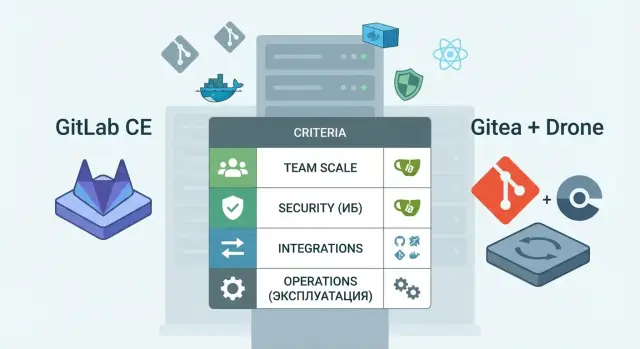
Goal: one development process, not a pile of scripts
In many teams CI/CD starts with a couple of bash scripts on a single server. That works while projects are few. Later chaos appears: builds fail “sometimes”, releases depend on one person, and access and secrets live in random places.
Usually the pain isn’t the pipeline itself but what surrounds it:
- unpredictable builds due to different environments and versions
- manual releases and rollbacks without clear history
- access granted "by trust", without roles or process
- audit: who ran a deploy and what exactly changed
- secrets stored in variables, files, and chats without control
That’s why many choose open source CI/CD, especially for on-prem. It’s easier to control where sources are stored, who has access, how auditing works, and what happens to data during updates and incidents. This matters both for small product teams and for organizations with strict security requirements (government, finance, healthcare, education).
Below are two practical approaches.
GitLab CE is an “all-in-one”: repositories, issue tracking, CI, registry, and access controls in a single system.
Gitea + Drone is a set of components: a lightweight Git server (Gitea) plus a separate CI system (Drone) and, if needed, additional services around them (artifact storage, registry, secrets manager).
This material is useful if you are choosing a solution by team size, project count, and integrations (for example LDAP/AD, notifications, artifacts), or if you need to migrate repositories without losing history and with minimal downtime.
Two approaches: all-in-one or a set of components
When building open source CI/CD you usually pick one of two paths: take a large platform that already has most features, or assemble a set of small tools under your own rules.
GitLab CE is a monolithic platform around Git and CI. In one interface you get repositories, merge requests, built-in CI, basic access policies, logging, runner management, and many small conveniences that save time at the start. The downside is clear too: upgrades and configuration can be heavier, and extra features sometimes conflict with strict security requirements.
Gitea is a lightweight Git server, and Drone is a separate CI. This setup is easier to keep minimal: each service has less functionality, isolation is simpler, and components are easier to move between environments. But you will have to “glue” things yourself: roles, single sign-on, secret storage rules, pipeline templates, and observability.
In practice the difference usually comes down to simple points:
- GitLab CE gives you a unified process faster and fewer decisions about “how to do it”
- Gitea + Drone gives more architectural freedom and isolation but requires stricter engineering discipline
- in a monolith it’s easier to train the team; with components it’s easier to swap parts
- in a monolith mistakes during upgrades are more costly; in a modular scheme there are more integration points
Whichever you choose, you’ll almost always need a few mandatory elements. Without them CI/CD quickly becomes a set of workarounds: an artifact and image registry (containers, packages, binaries), a secrets store and rotation rules (tokens, keys, passwords), monitoring and alerts for runners and queues, backups, and regular recovery tests.
For a small team that needs to launch quickly, “all-in-one” usually wins. For organizations that require isolation, a minimal set of services, and strict access control (for example government or finance), the Gitea + Drone setup is often easier to adapt to internal regulations, but it requires more time to assemble and maintain.
Choosing by team scale and number of projects
The choice between GitLab CE and Gitea + Drone usually depends not on “which is better” but on how many people and repositories you have, and how uniform rules must be across teams. The tool should grow with the team, not force you to rewrite processes every six months.
If you have one repository and 5–10 people, simplicity wins. GitLab CE is often easier to explain to newcomers: repository, issues, merge requests, and pipelines in one place. Gitea + Drone also boots up quickly, but you’ll need to agree in advance where review rules live, where secrets are kept, who maintains two systems, and how people find the right settings.
When multiple teams and dozens of projects appear, integration “edges” begin to show. In GitLab CE it’s easier to enforce shared pipeline templates, permissions, groups, and branch rules. In Gitea + Drone this is possible too but usually requires careful agreements and discipline: config templates, shared plugins, consistent naming schemes for repos and environments.
At hundreds of projects administrative load becomes an issue: managing permissions, auditing changes, runner maintenance, and the number of integrations. Here it’s important not just whether the system “can do it” but how much time it will take from those who operate it.
Rough scale guidance:
- 1–10 repositories: pick what’s fastest to deploy and easiest to teach (often GitLab CE)
- 10–100 repositories: choose a solution that makes it easy to keep unified rules and templates (often GitLab CE, but the component set also works with strong standards)
- 100+ repositories: evaluate admin workload, group settings convenience, and upgrade predictability
A simple example: a systems integrator with several teams (infrastructure, apps, support) needs speed at first. But when projects number in the dozens, predictability becomes more valuable: the same checks, clear roles, and a minimal number of “special cases.” That transition usually determines the choice.
Security requirements: access, audit, secrets, and isolation
In open source CI/CD the common mistakes are not in pipelines but in permissions, secrets, and runners. If you don’t plan these, any convenient tool becomes a risk for code and infrastructure.
Roles and permissions: who can do what
Check whether you can separately manage three things: who can see repositories, who can run pipelines, and who can merge into protected branches. In small teams these roles often overlap, but in organizations with multiple projects separation is important. For example, a contractor might have access to code and merge requests but not the right to trigger production deploys.
It’s useful to lock rules in advance: protected branches, mandatory reviews, ban direct pushes, and separate rights to change pipeline files. If anyone can edit CI config without restriction, a person might add a step that exfiltrates secrets.
Audit, secrets, isolation, and network
For investigations you need logs: who changed permissions, who added keys, who ran builds, and who edited pipeline variables. Audit should be available not only to DevOps admins but also to those responsible for compliance.
Secrets (tokens, passwords, keys) most often leak because of simple mistakes: they are put in the repo, they end up in logs, or pipelines are given overly broad rights. It’s more practical to store secrets in protected variables, grant access by environment (dev/stage/prod), and limit which branches may use them.
A key security point is runner isolation. If one shared runner builds all projects, a compromised pipeline in one repo can become an entry into others.
Minimum practices that almost always pay off:
- separate runners for trusted and untrusted projects
- forbid privileged mode where it’s not needed
- network rules: a runner can only reach the services it needs
- production deploys only from protected branches and with manual approval
- separate service accounts and keys for CI, not human admin credentials
If a pipeline has access to production, treat it like a VPN or bastion: network segmentation and least privilege matter more than convenience.
Integrations: what you will really need
Integrations often influence the choice more than runner speed. For open source CI/CD it matters not the checklist of features but how many external systems you already have and who will maintain the integrations.
Minimal set of integrations
Almost everyone needs unified accounts. The most common scenario is connecting a corporate user directory (LDAP/AD) so you don’t create people manually and can quickly revoke access on offboarding. Organizations with strict security often require SSO via SAML and clear audit: who logged in, who granted permissions, who triggered a pipeline.
Be pragmatic about trackers and chats. Usually the critical piece is linking commits and merge requests to tasks and notifying the team about build status. Other integrations are nice but rarely justify extra complexity.
A separate question is where to store container images, build artifacts, and packages. GitLab often solves this out of the box, while with Gitea + Drone you typically add separate storage. In both cases plan retention rules: how long to keep artifacts, how to delete old image tags, and who approves exceptions. Otherwise storage will run out unexpectedly.
A quick way to estimate where your team will spend time:
- Do you need SSO and directory roles (and what granularity: groups, departments, projects)?
- Which notifications are used daily (chat, email, tracker)?
- Where will images and packages live and is there a retention policy?
- How many internal systems require webhooks and APIs (CMDB, ticket portal, scanners)?
- Who will maintain integrations after launch?
Kubernetes and infrastructure as code
If you deploy to Kubernetes, convenience depends on how you store manifests and secrets and how you create environments. GitLab often provides a more integrated path (templates, environments, integrations), while Gitea + Drone requires assembling plugins and custom steps.
Example: a public-sector team stores Terraform and Ansible alongside application code and must show audit of changes. If you need unified logs, transparent permissions, and fewer custom scripts, pick the option that covers this out of the box and add custom work only for truly unique processes.
Operations: upgrades, backups, monitoring, recovery
Operations often decide the fate of CI/CD more than feature sets. GitLab CE is one large service with many built-ins (repos, CI, users, often a container registry). The Gitea + Drone combination is several separate components, easier individually but more of them to keep in sync.
About upgrades: GitLab releases regularly, and upgrades usually need attention to version compatibility and downtime. The plus is fewer upgrade points. With Gitea + Drone you schedule maintenance windows more often, but the risk of a broken chain is higher: you upgrade one component and another behaves differently.
Backups are also proportional to the number of components. With GitLab you must know how to restore not only Git repos but also the database, CI artifacts, packages, and settings. With Gitea + Drone repositories, databases, configs, secrets, cache, and artifact storage often live separately. The more services you have, the more crucial it is to test recovery regularly, not just to ensure backups are taken.
Observability: metrics, logs, and alerts must have a clear owner. If nobody is on-call and watches alerts, they might as well not exist. At minimum monitor disk usage (artifacts grow fast), runner queues, 5xx errors, web UI response time, and failed jobs.
Recovery goals should be described by two metrics. RPO — how much data you can afford to lose (for example up to 15 minutes). RTO — how quickly the service must be back (for example up to 2 hours). For a 10-person team those numbers differ from critical systems under regulation.
From day one plan:
- separate environments (prod and test for upgrades)
- a backup schedule and periodic restore tests
- storage limits for artifacts and logs
- basic alerts and clear “what to do if it fails” instructions
- runner resource accounting and growth plan (CPU, RAM, disk)
CI performance and scaling: runners and resources
The main performance question is simple: where will builds run physically. In GitLab CE this is often GitLab Runner on a separate VM or bare metal; with Gitea + Drone it’s Drone Runner (Docker or Kubernetes). The rule is the same: the less CI workload affects the Git service, the more stable everything is.
A good practice for any setup is to run jobs on separate runners. That avoids heavy builds filling disk or CPU and causing push/pull, the web UI, and API to slow down.
CI capacity usually hits parallelism limits: how many jobs can run at once and how quickly slots free up. If you see queues, first check concurrency settings and runner count, then add capacity.
Speedups almost always come from caching dependencies and artifacts, but do it carefully. Cache should be tied to dependency versions and to branch or commit, otherwise you get “accidentally green” builds.
Typical bottlenecks that appear before CPU:
- disk (many small files, unpacking, Docker layers)
- network (downloading packages, images, access to external repos)
- the service database and file store (if CI and Git live on the same machine)
- container registry (if you build and push images heavily)
Quick way to estimate resources
Without complex calculations you can start like this: take a peak hour and count how many builds need to run in parallel. For example, a 12-person team does 20–30 runs per hour, average build 10 minutes. You’d be comfortable with 4–6 parallel slots to avoid queues.
Scale by adding runners rather than beefing up a single host. If you host infrastructure on your own servers (for example in a data-center rack), it’s easier to add another node for runners than to fight for resources on one machine. This is especially important when open source CI/CD is deployed inside an environment with strict isolation requirements.
What moves without loss and what needs a separate plan
Good news: code moves almost without surprises. If you migrate a Git repository correctly you keep the full commit history, authors, dates, branches, and tags. Git LFS objects usually move too, but they’re easy to forget, so check them separately.
What lives inside Git and moves reliably: commits and full history, branches, tags, submodules (as references), and pipeline config files (for example .gitlab-ci.yml or .drone.yml). These are ordinary files in the repo and should be preserved first.
Many day-to-day items are not stored in Git. These platform and integration data need a separate migration plan or an explicit decision to leave them behind:
- Issues, merge requests, reviews, and comments
- Wiki (often a separate repo but migrated separately)
- pipeline history, run logs, and check statuses
- secrets, variables, protected branches, permissions, webhooks
- release artifacts: packages, images, and attachments
Rule number one: run a trial migration on a test project first. Take a medium-size repository, run a typical pipeline, and check: are branches and tags present, does the release tag open, did LFS objects come through, do builds start?
The rollback plan must be simple. Freeze the old repository during migration, leave it read-only for an agreed period after switching, and keep a quick path back: restore access to the old system and redo migration after fixes.
Step by step: migrate repositories while preserving history
Treat migration as a small project: know in advance what you will move, who has access, and when the team will stop changes. This reduces the risk of lost branches, tags, LFS objects, and permission issues.
Start with an inventory: list repositories, active branches, tags, whether Git LFS is used, what webhooks exist, owners, and group access. Note integrations important for CI/CD: notifications, mirroring, secrets, and pipeline triggers.
Agree on a migration window and a freeze. During migration forbid pushes (or make the repo read-only) so you don’t miss late commits.
Commands to migrate Git history
The most reliable way to preserve all history including refs is a mirror migration:
# на старом хостинге
git clone --mirror <OLD_REPO_URL>
cd <repo>.git

# на новом хостинге
git remote set-url --push origin <NEW_REPO_URL>
git push --mirror
After the push check that all branches and tags are visible in the new location. If you have push size limits, migrate during quiet hours and ensure the server won’t abort large operations.
If Git LFS is used, migrate LFS objects separately: enable LFS on the new server, move LFS objects, and test several large files (download and build).
Quick post-migration checks
Finish migration with a short checklist before lifting the freeze:
- Compare branch and tag counts and ensure no release tags are missing
- Verify commit counts (at least on the main branch) and repository size
- Check LFS: a couple of files must download without errors
- Restore access: owners, groups, push rights, and protected branches
- Update webhooks and run a test pipeline to confirm triggers and secrets are correct
If the test pipeline passes and the team sees expected branches, tags, and files, open write access and migrate the next repository using the same template.
Common mistakes in selection and migration
The worst mistake is choosing a platform “by habit” and then spending months filling gaps in permissions, audits, and integrations. Open source CI/CD works reliably when rules and responsibilities are agreed in advance.
Mistakes that surface in the first week
Often the repo moves cleanly but what was around it breaks: artifacts, access, deploys, and branch policy.
- They migrate Git history but forget Git LFS: large files are pointers and builds fail due to missing artifacts.
- They change CI systems and reuse old secrets as-is: tokens and keys differ, rights change, deploys return 401/403 or deploy to the wrong environment.
- They run a runner in a permissive network: it gains extra access to internal services and a pipeline vulnerability becomes a risk for the whole infrastructure.
- They assume review and branch protection rules will “come along”: after migration people push directly to main and quality drops because mandatory checks and code review are missing.
How to catch issues before launch
Treat migration like a small project with acceptance criteria, not just repo copying. A good approach is a control run on a representative service and taking it to a stable deploy.
- Before the first release test recovery from backup: not only Git but CI configs, secrets, environment variables, and permissions.
- Fix an access model: who can create runners, who can view logs, who manages secrets, and where audit is stored.
- Check runner environments: a runner needs minimum network and minimum rights, especially in government, finance, and healthcare.
If these items are covered in advance, migration is calmer and surprises stay in the test zone rather than in production.
Checklist, example, and next steps
When it comes to practice, the most important thing is not “what’s most popular” but what you can maintain daily without security or team surprises.
Short selection checklist
Before debating features, answer and document:
- team and projects: how many developers, repositories, release frequency, and parallel pipelines
- security and compliance: who issues access, is audit needed, secret storage requirements, runner isolation
- integrations: which are really needed (tracker, image registry, scanners, notifications) and which are “someday”
- operations: who upgrades, backs up, monitors, restores, and how much time they have
- time budget: how many weeks for rollout and how many hours per week for maintenance
For migration: repeatability and rollback beat speed.
Short migration checklist
To avoid panic keep a simple plan:
- test: a trial migration on a non-critical repo and build checks
- window: agreed time when changes to the old repo are limited
- transfer: mirror push/import, then move CI settings and secrets under the new scheme
- verification: history, tags, branches, permissions, build statuses, key pipelines
- rollback: a clear stop condition and a plan to return to the old system
Example scenario: 30 developers, multiple environments (dev, stage, prod), some critical services, need for on-prem and audit. Often a more integrated option wins because it’s easier to meet requirements for permissions and audit and to isolate runners per environment. If modularity is more important and you want fine-grained control over components, the multi-tool approach can be convenient but requires discipline in maintenance and upgrades.
Next step — pick a representative project and run a 1–2 week pilot: measure build times, runner stability, and admin workload. At the same time assess CI infrastructure needs (CPU, RAM, disk, redundancy).
If the team lacks time to deploy and operate, consider an integrator. For example, GSE.kz (gse.kz) as a vendor and systems integrator in Kazakhstan can assist with on-prem infrastructure on S200 servers and provide support organization when security and continuity are critical.
Frequently asked questions
What should I choose first: GitLab CE or Gitea + Drone?
If you need to get a single process quickly with minimal decisions about “how exactly to do it”, teams often choose GitLab CE. It combines repositories, merge requests, and CI in one place, which makes it easier to train people and bring order. If your priority is a minimal set of services, isolation, and the ability to swap components independently, the Gitea + Drone combination often fits better — but you will be responsible for standards and the “glue” between components.
How do I tell if a solution fits the team size and number of projects?
For small teams, speed of rollout and out-of-the-box rules matter most, so GitLab CE is often simpler. For teams with 10–100 repositories, managing templates, permissions, and groups becomes critical — a monolith can be convenient if you’re ready to operate it. At 100+ repositories, the deciding factor is not features on paper but the operational burden: upgrades, runners, audit, backups, and integrations.
What basic access rules should be set up in CI/CD immediately?
Start by separating three permissions: who can view repositories, who can run pipelines, and who can merge into protected branches. Even in small teams, ban direct pushes to main and require reviews. Also restrict who can change CI configuration: if anyone can edit it, someone could add a step that leaks secrets.
What is the safest way to handle secrets in pipelines?
Store secrets in protected variables and grant access by environment (dev/stage/prod), not to “all pipelines”. Limit which branches can use secrets and ensure values are not printed in logs. Plan rotation: tokens and keys should have expiry and a clear replacement process, otherwise you will lose track of where secrets are used.
Why do people emphasize runner isolation and how to do it simply?
A runner is effectively an entry point to your infrastructure, so it must be isolated. The minimum practical setup is separate runners for trusted and untrusted projects, and separate runners per environment when you have production. Do not enable privileged mode unless needed and limit network access: a runner should only reach the services required for build and deploy.
How to avoid CI performance bottlenecks and job queues?
Think of CI as two parts: the service itself (Git/web/DB) and compute (runners). It’s almost always better to run jobs on separate machines or nodes so heavy builds do not impact the Git service. If queues appear, first check concurrency limits and number of runners before adding more resources to a single node.
What transfers without loss during migration and what needs separate planning?
Commit history, branches, and tags usually migrate without surprises if you perform a mirror push. Pipeline configuration files also move because they are repository files. Typically you must plan separately for platform data: permissions, protected branches, variables, webhooks, secrets, as well as issues, merge requests, and pipeline run history.
How to avoid breaking migration when using Git LFS and large repositories?
The most common mistake is to forget Git LFS: the repo moves but large files are left as pointers and builds fail. Ensure LFS is enabled on the new server and test downloading large files. Also check push size limits and server timeouts so large transfers don’t get cut off.
What backups and restoration checks are needed for CI/CD in production?
Define simple RPO and RTO numbers: how much data you can lose and how quickly service must return. Back up not only Git repositories but also databases, settings, artifacts, and registries if present. Most importantly, perform regular restoration tests — a backup that was never verified often fails during an incident.
Which integrations and organizational issues usually surface after launch, and when should I hire an integrator?
If you already have LDAP/AD or require SSO and strict audit, include that in your choice from day one: attaching it later can be more costly than it seems. Also decide where container images and artifacts will live and how you will clean old data, otherwise disk will fill up unexpectedly. If you lack time or skills for on-prem setup and support, consider hiring a systems integrator. In Kazakhstan, GSE.kz can handle infrastructure on local S200 servers and provide 24/7 support, which is useful for organizations with strict security requirements.
