5 min read
How to choose a task orchestrator: Airflow, Prefect or Control‑M
How to choose a task orchestrator for ETL and scheduled calculations: comparison of Airflow, Prefect and Control‑M by logging, access control, reliability and maintenance.
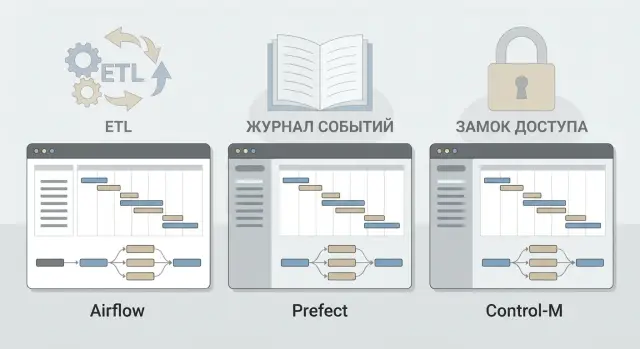
Why you need a task orchestrator
You need an orchestrator when processes no longer fit manual runs and "a spreadsheet in someone’s head." It defines the order of steps, tracks dependencies and retries, and records what happened and when.
Common pains it solves: jobs failing "silently", people running scripts manually, mismatched statuses between teams, and nobody quickly answering "why the report arrived late." Orchestration turns a set of disparate scripts into a manageable process with a clear state.
ETL and scheduled/regulatory calculations only look similar from the outside. ETL usually cares about dependency chains, reprocessing by date, data quality checks and reruns. Scheduled calculations put schedule, execution windows, predictable completion times and strict recording of "who ran what, what changed, and which result was accepted" first. When choosing an orchestrator, separate these scenarios rather than measuring everything with the same yardstick.
What business and security usually expect: predictable SLAs and clear statuses, decent logging (runs, parameters, logs, artifacts, errors), audit of actions and role-based access control, and change control (who modified a schedule or pipeline code).
Understand the boundaries. The orchestrator does not make processing faster, it does not replace storage and it is not the same as infrastructure monitoring. Its job is to manage execution and make the process transparent. Metrics, alerts and data quality usually require additional practices and tools.
A simple example: sales data loads at night, plan‑vs‑actual is calculated at 06:00, and the report is sent at 08:00. Without an orchestrator this is three manual "if all is ok" steps. With an orchestrator it's one scenario with dependencies, retries and a clear event history.
Three typical scenarios: ETL, scheduled calculations, integrations
Orchestrator choice is often driven by one "primary" scenario, and later you find neighboring jobs need different features. It helps to split your work into three classes and identify where requirements are tightest.
1) ETL pipelines
ETL lives on dependencies: "first fetch data", "then clean", "then load into DWH." Important aspects are load windows (e.g., nightly from 01:00 to 05:00), reruns, and predictable behavior on failures.
Example: loading sales from multiple sources. If one source is delayed, you want either to wait, or load partially and record exactly what and why was loaded.
2) Scheduled/regulatory calculations
Here the calendar and deadlines matter: "every business day", "last day of the month", "after business‑day close." Often there are SLAs: the result must be ready by 09:00 or downstream teams start having problems.
These jobs need holiday rollovers, execution time control and alerts framed as "we will miss the deadline" rather than just "it failed."
3) Integrations
Integrations link databases, APIs, files, message queues, BI and DWH marts. The challenge is reliable delivery and resilience to unstable external systems: retries, idempotency, duplicate handling, and partial error processing.
Complexity grows nonlinearly. With tens of jobs everything may live in a team's head. With hundreds and multiple teams you need common rules: naming, owners, log standards and a clear access model. Otherwise the orchestrator becomes a place for constant manual troubleshooting.
What to collect before choosing: requirements and constraints
Before comparing Airflow, Prefect and Control‑M, gather facts about how jobs will actually run in your environment. This saves weeks of discussion and helps pick a tool for your organization, not someone else’s experience.
Start with the team model. Who will write pipelines — analysts, data engineers, or admins? Who owns production — a separate ops team or the developers? Who is on call at night if a load fails at 03:00? This affects whether you need a business-facing UI, how much deployment automation is acceptable and what permissions to grant.
Then capture reliability and execution rules. Not only retries matter but idempotency (can a task be safely rerun), alerts (where and to whom), and execution windows. For example, ETL must not interfere with a reporting calculation, and a morning scheduled job must finish before 09:00.
A short checklist of requirements is useful:
- criticality and RTO: how long can you be without a result and what to do on failure;
- integration set: databases, queues, files, APIs, corporate systems;
- environments: dev, test, prod and promotion rules;
- operations: updates, backups, migrations, observability;
- total cost of ownership: licenses, infrastructure, training, support.
Cost of ownership is often overlooked. Open‑source may require more team expertise and time. A commercial tool can simplify operations but add license and process constraints. In large organizations in Kazakhstan this is noticeable when regulations, audit and a unified service approach matter.
Selection criteria: a short comparison matrix
To avoid taste-based debates, build a simple matrix: rows are criteria, columns are Airflow, Prefect, Control‑M. Rate 1–5 and note evidence: a UI screenshot, an internal requirement, or pilot results.
Mini‑matrix: what to compare
Begin with criteria that affect ownership cost and risk most:
- development and maintenance: how pipelines are written, readability, templates, testability;
- dependencies and execution: how dependencies, retries, windows, parallelism, queues and priorities are defined;
- UI and management: visibility of status, causes of failures, task durations, searchability;
- integrations and extensibility: connectors to DBs and queues, running scripts and containers, plugins;
- operational risks: scheduler and worker architecture, single points of failure, scaling behavior.
Treat logging separately; it's about both convenience and audit.
Logging and access: what to lock down early
Agree in advance which events must be recorded: who changed code, parameters or schedule; who ran things manually; which input dataset was used; what retries happened; task outcomes; where logs are stored and retention.
For access decide three things: roles (who can view, who can restart, who can change), environment separation (dev/test/prod) and approval contours. For example, only an operator or admin can change prod schedules after a request. This reduces accidental changes that break nightly ETL or scheduled calculations.
If a financial calculation must be reproducible, you need more than an error log: pipeline version, run parameters, executor and an immutable change log. Without that incident investigation quickly becomes guesswork.
Apache Airflow: strengths and typical limits
Airflow is often chosen where many step dependencies and a clear process diagram matter. For ETL it fits well: you describe a DAG and Airflow manages what can run in parallel and what must wait.
Airflow’s strength is repeatability and control. You can schedule runs, backfill missed windows, replay steps, and see run history and failure reasons. For data load chains the DAG model is often a natural fit.
But agree on rules early, otherwise the project becomes a collection of unrelated scripts. Decide naming and organization of DAGs, owners, where parameters (Variables) and connections are stored, how to handle secrets (not in code or open variables), retry, timeout and alert conventions, and how to test DAGs before deployment (at least import and dependency checks).
Operationally remember Airflow is not a single service. It has a scheduler, executors/workers and a metadata database. The DB becomes critical: as DAGs and runs grow you need backups and performance control.
Logs are usually viewed in the UI per task and tied to incidents by run_id and timestamp. Limitations: newcomers may struggle, development discipline is required, and DAG changes should go through code review and dev-test-prod promotion, especially where audit and access are strict.
Prefect: where it wins and what to watch for
Prefect is often chosen for a quick start with minimal "ceremony." If the team already has Python code for loads, quality checks or small integrations, wrapping it as tasks is faster than a long setup. It’s a good option when you need to deliver value in weeks rather than quarters.
For operators Prefect’s UI typically shows flow state clearly: where it failed, what passed, and how many retries occurred. Reruns are easier to target: restart a specific step, run with different parameters, enable retries and delays. This is helpful for ETL with transient source failures.
A growth pain is environment and parameter management. Without conventions you quickly get dozens of config variants for dev/test/prod, inconsistent naming and manual secrets. Define norms from the start: a single way to store environment parameters via deploys, naming conventions for flow/task and versions, retry and timeout templates, and clear alerting schemes for failures and delays.
For logging and audit capture not only task logs but events: who started a run, with which parameters, which steps were skipped or retried, and final outcome. The risk with Prefect usually stems from disparate practices: without development standards and reviews orchestration becomes a patchwork of heterogeneous pipelines.
Control‑M: the enterprise approach to scheduled jobs
Control‑M is typically chosen where schedule predictability is paramount: calendar-based planning, dependencies across hundreds of jobs, shift support and clear escalation rules. It’s a common pick for banks, government and large enterprises where jobs must run identically for years.
Its strength is centralized management. It’s easier to enforce organization-level policies: who may run jobs manually, who approves changes, allowed maintenance windows, how holiday calendars and rollovers work. For teams with shifts this reduces "manual agreements" and introduces formal procedures.
Another advantage is audit and compliance. For regular inspections it’s simpler to show change history: who restarted chains, why a job failed and what actions were taken. In organizations that procure and operate IT under strict regulations (often the case in Kazakhstan), this can be decisive.
Control‑M often integrates well in an "enterprise around it": batch jobs, file exchanges, chains across applications where schedules and events matter.
Assess cost and vendor dependence: licenses and price growth with scale, infrastructure and admin needs, cost of connectors, migration difficulty, and availability of expertise in the market and your team.
Logging and audit: what to demand from tool and processes
Logging is needed not only to answer "why did it fail" but for security questions: who ran what, who changed it, which data were affected, and whether SLAs held. If you don’t define logging requirements before the first audit, you will often be forced to rework processes.
Minimum events to record:
- run start and end, status, duration, SLA;
- run parameters (period, pipeline version, input sets);
- errors and retries with reason and return codes;
- changes: who altered schedule, DAG/flow, variables, connections;
- access: who viewed logs, who ran manually, who stopped runs.
Separate tech logs from audit logs. Tech logs are for engineers: stack traces, step details, metrics. Audit logs are for security and data owners: user actions, config changes, run facts. This reduces the risk that sensitive data appears in logs seen by too many people.
Plan retention and verifiability: regulatory retention periods, fast search by pipeline/date/user/status, immutable audit logs (WORM or separate storage), exportable reports for audits, unified format and timezone.
For traceability demand an end‑to‑end run identifier: the orchestrator ID should appear in ETL logs, databases and services. Then if "nightly ETL loaded fewer rows than usual" you can find the specific run, its parameters and the deviation point in minutes.
In regulated organizations these rules are often embedded in the implementation and support project—especially when ETL and scheduled calculations run on dedicated infrastructure where both audit and reliable operations are critical. In such projects some teams use GSE.kz (GSE.kz) servers and support as part of the architecture.
Frequently asked questions
When do you actually need a task orchestrator, and when are cron jobs and scripts enough?
An orchestrator is needed when the number of jobs grows, they depend on each other, and manual runs start breaking deadlines and transparency. It gives a single status, run history, retries and a clear chain of "what happened and when". If you have 2–3 scripts that run weekly, an orchestrator may be overkill, but once you have daily windows, SLAs and several teams, it pays off quickly.
How do ETL pipelines fundamentally differ from scheduled regulatory calculations when choosing an orchestrator?
ETL cares about dependencies between steps, reruns for specific dates and tracking "what exactly was loaded". Scheduled/regulatory calculations prioritize calendars, execution windows and predictable completion times for a specific hour. Mixing these scenarios risks choosing a tool that is convenient for workflows but weak on calendars, or vice versa.
When is Apache Airflow the best choice?
Airflow is most often chosen when you need to explicitly describe dependencies and manage many DAGs with clear visualization. It fits complex load-and-transform chains where backfill, catching missed windows and controlled reruns matter. To prevent Airflow from becoming a chaotic set of DAGs, you need rules for code structure, parameters, secrets and the deployment process.
When is Prefect better than Airflow, and where does it usually show weaknesses as you grow?
Prefect is convenient when the team already has Python code and wants to quickly wrap it into managed flows with retries, parameters and a clear UI. It typically works well for small to medium ETL, data quality checks and integrations where fast time-to-value matters. At scale the common pain is not the technology but discipline: without standards for configs and environments many inconsistent variants of the same process appear.
Who is Control‑M best suited for?
Control‑M is chosen when regulation and operational discipline come first: calendars, holiday shifts, centralized policies, shift support and formal change procedures. It suits environments where jobs live for years and must run reproducibly. Before choosing it’s important to honestly calculate total cost and vendor lock-in, because the management convenience is usually paid for via licenses and operational rules.
What events and data should you log in the orchestrator for adequate audit?
Start with basics: start and end of a run, status, duration and SLA adherence, plus run parameters and pipeline version. Then log errors and retries with reasons, and—critically—change events: who changed schedules, code, variables and connections. Additionally, keep an audit trail of user actions so you can see who ran jobs manually, who stopped them and who viewed sensitive logs.
Why is everyone talking about idempotency and how is it related to retries?
Idempotency means a repeated run does not corrupt data or create duplicates. This matters because orchestrators will do retries or operators will rerun jobs after failures. A practical minimum is to record "what has already been processed" (by date, batch, or IDs) and design steps so they can be safely replayed.
How should secrets and access be organized in the orchestrator?
Do not store secrets in code or shared environment variables. Use a dedicated secrets store or at least a centralized mechanism for issuance, rotation and revocation, and separate service accounts for dev/test/prod. This reduces leak risk and makes it clear who accessed what and when, which matters both for security and incident investigations.
Which RBAC roles are usually needed and where do people most often err?
A practical minimum is developer, operator, administrator and auditor roles to separate "writes", "runs and recovers", "manages the system" and "reviews". The key is to restrict who can change production schedules and parameters, and ensure those actions always leave a trace. Granting broad edit rights for convenience is a common mistake that leads to accidental changes and night-time failures.
How to run a pilot and verify the tool fits, rather than just "liking" it?
Run a pilot on 2–3 flows of different types: one ETL with dependencies, one scheduled calculation with strict readiness time, and one integration with an unstable external source. Agree on metrics up front: SLA hit rate, mean time to recovery, frequency of manual interventions and audit completeness. After the pilot lock in naming, retry and timeout patterns, alerts and the dev/test/prod promotion process—without this any tool will eventually turn into a "zoo" of pipelines.
