7 min read
How to Choose RTO/RPO: DR in Practice Without Overpaying
A practical guide to choosing RTO/RPO for Disaster Recovery: criticality levels, a priority matrix and DR architecture options for different budgets.
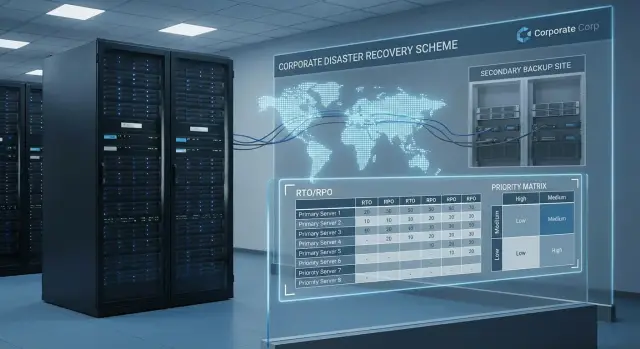
What Disaster Recovery (DR) solves and why it costs money
Disaster Recovery (DR) is not just about keeping copies of files. Its goal is to bring the business back online after an incident: when the data center is unavailable, ransomware corrupted data, power failed, storage died, or an update broke a key system.
Backups answer the question: "Can I restore the data?" DR answers a different question: "How quickly can I return the service to operation and how much data will I lose on the way?" You can have copies, but if recovery takes a day, the business may still be down.
That's why RTO and RPO should be calculated, not guessed. RTO is how long you can be without a system. RPO is how much data you are willing to lose (for example, the last 15 minutes of orders or payments). These numbers directly determine the architecture: whether you need replication, a second site, automation for failover, how often to take copies and how often to test recovery.
The main reason for overspending is applying the same requirements to all systems. If you set RTO 15 minutes and RPO 5 minutes for everything, including archives, test environments and internal portals, you'll buy unnecessary servers, links, licenses and support. It's much cheaper to group services by criticality and assign protection levels accordingly.
DR touches not only "rack servers" but entire chains: applications, databases and files, accounts and access, network and security, and workstations for key teams (for example, cash desks or contact centers). A procurement portal may tolerate RTO 8 hours, while payments or patient registration need minutes. The conversation about choosing RTO/RPO without overspending should start from business impact, not hardware options.
RTO and RPO in plain terms: how to understand them
RTO and RPO answer two simple questions: how long can you be without the system and how much data can you lose. This is the basis for choosing recovery goals consciously and not paying for speed where it isn't needed.
RTO: how much downtime you can tolerate
RTO (Recovery Time Objective) is the maximum acceptable downtime. If RTO for accounting is 8 hours, the business accepts that accounting may be down for up to one working day after an incident.
RTO is not only about servers and virtual machines. It's also about process: who decides to fail over, who performs the steps, where the instructions are, and whether the access credentials exist.
RPO: how much data loss is acceptable
RPO (Recovery Point Objective) is the acceptable amount of data loss measured in time. If RPO is 15 minutes, after recovery you may roll back at most 15 minutes. If RPO is 24 hours, losing a day's worth of data is acceptable (for example, if it can be recovered from other sources or re-entered manually).
To feel the difference, think in terms of consequences:
- RTO 15 minutes, RPO 0–5 minutes — usually requires near-continuous backups/replication plus fast procedures.
- RTO 2 hours, RPO 30 minutes — often enough with scheduled replication and a ready failover plan.
- RTO 8 hours, RPO 4 hours — regular backups and clear recovery steps are usually sufficient.
- RTO 24–48 hours, RPO 24 hours — minimal cost, but expect long downtime and manual steps.
Four things affect real RTO/RPO: people (on-call, roles, training), processes (procedures, tests), infrastructure (single or dual site, network, storage, servers) and applications themselves (dependencies, databases, licenses). Even with reliable hardware, without practiced failover scenarios RTO targets will remain on paper.
How to assess the impact of downtime and data loss
Start with obligations, not technology. For some organizations, requirements are set by regulators and internal rules: public procurement, industry standards, data retention, reporting deadlines, and personal data rules. Even without formal laws, internal audits often identify which systems must be recovered first.
Next, calculate the cost of downtime: lost revenue, idle staff, disrupted deliveries, fines and penalties, manual remediation. Reputation is separate: a single incident in customer service can cost more than several hours of internal system downtime.
A practical approach is to estimate the "cost of 1 hour of downtime" and the "cost of losing 1 hour of data." With those figures, deciding on RTO/RPO without overspending becomes easier.
Don't forget dependencies. A "non-critical" system can stop ten others. Example: if the user directory is down, employees may not access email or other systems.
To make the assessment realistic, check:
- who consumes the system (customers, operators, accounting, doctors, cash desks)
- what breaks during downtime (processes, contracts, security)
- what dependencies exist (network, AD, databases, integrations)
- which hours are more critical (business hours, month-end)
- how long you can operate manually
Context matters. An hour of downtime at 11:00 on a weekday is very different from an hour at night. Reporting systems often have peaks at month or quarter close.
System criticality levels: a clear scale for the business
To avoid overspending on Disaster Recovery, agree on a simple criticality scale. This moves the discussion from "everything is important" to concrete targets: how much downtime is tolerable and how much data loss is acceptable.
Below is a practical 0–4 scale. It's useful as the basis for a system criticality matrix.
- Level 0–1 (non-critical): can live without for several days. Recovery on request, no 24/7 readiness. Example: internal news portal, test environment, some archives.
- Level 2 (important internal): downtime hinders work but doesn't "bring down" the business. Recovery within a working day is acceptable. Example: accounting, HR system, corporate email (if backup communication exists).
- Level 3 (customer-facing and production): downtime is visible to customers or disrupts operations. Recovery measured in hours; data loss should be small. Example: warehouse ERP and shipping, service portals, contact center intake.
- Level 4 (mission-critical): even short downtime is unacceptable; targets approach minutes and RPO is minimal. Example: cash desks and payments, transaction core, security and continuity systems.
If you immediately quantify losses in money, fines or reputation when a system stops, it's usually level 3–4. If the main impact is convenience or speed, it's typically level 1–2.
The same type of system can have different levels in different companies. Email may be level 2 for some teams but level 3 for a 24/7 support unit.
Step-by-step: how to choose RTO/RPO and build a priority matrix
To choose RTO/RPO without overspending, start with a list of what you actually must recover after a failure. This should be a joint document for IT and the business, not a checkbox exercise.
Five steps that work
Form a small working group: IT, security, finance, and owners of key processes.
- List systems and assign an owner to each (the person who accepts downtime and data loss).
- Describe dependencies and the "minimal run state": what is needed for the company to operate at a basic level (network, AD, email, ERP, payments, telephony).
- Set target RTO/RPO by criticality levels, not from scratch for every system.
- Record exceptions and temporary compromises: where backups are enough instead of replication, where manual operation is acceptable, where a workaround is needed.
- Approve the priority matrix and rules for review: who updates it, how often, and what changes require re-evaluation.
How to fill the matrix so it is useful
For each system 6–8 fields are usually enough: owner, criticality, RTO, RPO, dependencies, recovery method (backup/replication/reserve), location and test schedule.
For example, a bank's payment gateway may need RTO 1 hour and RPO 5 minutes (replication and pre-provisioned capacity). An internal training portal may be fine with RTO 3 days and RPO 24 hours (daily backups). For infrastructure, this means different resource classes: some services kept on pre-provisioned capacity, others recovered on demand.
If RTO/RPO look good on paper but you are not ready to test recovery regularly, it's a risk, not an objective.
Priority matrix: what it should include to work
A good priority matrix is a common language between business and IT. During an incident it helps avoid debates about what to restore first and clarifies what you're paying for.
Keep the fields short but mandatory: system name, owner (decision-maker), target RTO and RPO, restoration priority and dependencies.
Tie priority to concrete criteria:
- money (revenue, fines, production downtime)
- security and risk (personal and medical data, credentials)
- obligations (regulation, contracts, government services)
- customers and reputation (mass inquiries, critical services)
Also record common platforms that "pull" everything else. A frequent mistake is giving a business application priority 1 while AD/DNS, network and virtualization are priority 3. The app might be top priority, but there's nowhere to run it.
Phrase agreements simply so they are easy to verify during exercises:
- "Restore system access no later than 4 hours after the incident"
- "Data loss must not exceed 15 minutes"
- "If a dependency is unavailable, RTO increases to X"
- "System owner confirms priority and participates in tests twice a year"
Typical DR architectures by budget
DR usually comes down to a choice: you pay for recovery speed (RTO), minimal data loss (RPO), or both. Choose architecture after setting goals for different systems.
Common options from simple to faster:
- Backup on the same site — cheap and quick to implement, but vulnerable to fire, flood and often useless against ransomware if the attacker reached storage.
- Backup + separate storage or tape — reduces risk of copy destruction and provides long retention, but RTO is usually hours or days.
- Replication to a second site — faster recovery but more expensive due to links, second infrastructure and support.
- Warm standby — a prepared site where some capacity is powered up on failover. Often a reasonable compromise for important systems.
- Hot standby — everything runs in parallel and failover is nearly instantaneous. Overspend happens when business only needs 1–2 hour recovery but pays for minute-level availability.
Another question is how you switch. Manual failover is cheaper but requires people, instructions and time.
Automation is usually justified when RTO is measured in minutes, there is no one to run procedures at night/weekends, human error is too costly, or regulation requires predictable recovery.
How requirements differ by system type
Applying the same RTO/RPO to all systems almost always leads to overspending. Look at workload type and how it recovers. A useful question for a process owner: what happens if the service comes back but data is "yesterday's"?
Files and email: it's not just about where the copy is
For file stores and email systems, it's critical to quickly find the needed message or document and restore access rights. A common mistake is having a copy without a clear catalog, restoration checks, or version handling. RPO can often be larger than for transactional systems, and RTO depends on volume and search speed.
Databases and ERP: consistency and recovery order
For ERP and databases the main risk is corrupted data after recovery. You need consistent recovery points (transaction logs, app coordination) and a startup order: database, then application services, then integrations and only after that reports. Otherwise the system may come up but behave incorrectly.
For virtualization it's not enough to have snapshots; regular test runs in isolated environments are essential. A snapshot without verification often gives a false sense of readiness, especially after driver, network or license changes.
VDI and user workstations rarely require full virtual PCs. Profiles, image templates and access to key applications are usually enough. This reduces storage and bandwidth needs.
For 24/7 services the goal is simple — remove manual steps, because people make mistakes at night and under stress. Minimum practices: automatic start of critical components and availability checks, documented dependencies (DNS, AD, certificates, networks), one decision-maker for failover, short instructions for on-call staff and regular rehearsals in a test environment.
Common mistakes that make DR fail or become too expensive
The most common reason DR fails is RTO/RPO chosen "from the ceiling." If the business doesn't understand what "2 hours downtime" or "15 minutes data loss" means, requirements are either too low (and recovery fails) or too high (and you overspend).
The second mistake is confusing RTO and RPO. RTO is recovery time for service, RPO is data loss. If you mix them up, you might buy expensive replication but still take a day to recover because manual steps are needed.
Third problem — same goals for all systems.
Fourth mistake — ignoring dependencies. "We will restore ERP" sounds simple until you realize it needs AD, DNS, network policies, certificates, storage, licenses, encryption keys and admin accounts.
Finally, DR often exists only on paper because recovery is not tested. A backup without regular restore checks is hope, not a plan.
A short checklist that usually saves both money and nerves:
- RTO/RPO are confirmed by process owners and understood in terms of money and risk.
- Different levels exist for different systems, not one standard for all.
- Dependencies and shared infrastructure layers are listed and prioritized.
- Recovery tests are scheduled and actual results recorded.
- Access, keys, contacts, steps and responsibilities are documented (who does what during an incident).
Quick checks: is the company ready for DR?
To quickly assess if the Disaster Recovery plan has a chance to work, start with simple questions, not diagrams and hardware. Problems often come from nobody knowing what to recover and in what order.
30-minute checklist
If any two of these do not have answers, DR will be either too expensive or useless:
- An up-to-date list of systems with owners and key dependencies (DB, AD, network, integrations).
- For each system a defined criticality and RTO/RPO that business understands.
- A recorded recovery order and the "minimal working set": what must be up in the first hours.
- A separate cyber incident scenario: what to do in case of ransomware and how backups are protected (isolation, immutability, separate credentials).
- Tests are planned and responsible people assigned: who triggers DR, who confirms recovery and who liaises with leadership.
Quick realism test
Take one scenario: "primary data hall is down" or "files encrypted and some VMs lost." Ask the team three questions: which system is restored first, where is the last clean copy, and who authorizes failover.
If answers are vague, start with the priority matrix and the minimal service set, then choose the architecture (backup, replication, hot or cold reserve). Often this is cheaper than building the fastest possible DR for everything.
Practical example and next steps for implementation
On a Friday at 10:15 the main office lost power. UPS systems held for 12 minutes, then virtualization and part of the network collapsed. Formally the data center "failed," but the business impact was: cash desks and online payments failed, contact center couldn't see requests, and the warehouse couldn't ship.
Because the team had an approved criticality matrix, recovery followed a clear order: connectivity and access (VPN, AD/DNS), payments and sales frontend, order database and warehouse integrations, then email and internal portals, with analytics and data marts last.
The matrix is useful because it records compromises. For payments they chose RTO 1 hour and RPO 15 minutes; for analytics RTO 24 hours and RPO 8 hours. During the incident no one wasted time arguing to restore reports first.
Budget decisions followed. "Backups only" was cheaper for infrastructure but costlier in downtime: restoring databases from copies would take 6–10 hours plus risk of losing data between backups. The chosen approach replicated only critical systems (payments, orders, catalog, AD) and kept backups for the rest. This added cost for the second site, links and support, but critical services were up in 30–60 minutes with RPO up to 15 minutes.
After the test it's important to record actual RTO/RPO for each service, what impeded recovery (people, access, bandwidth, procedure order) and what to change. Usually a short 1–2 page report and an updated runbook are enough.
Typical next steps:
- short dependency and data audit
- choose target DR architecture based on the matrix and budget
- select site and hardware, pilot 1–2 critical systems
- regular tests and on-call training
If you build a DR environment on-premises, it's useful to involve an integrator that covers design, implementation and support. For example, GSE.kz as a manufacturer and systems integrator in Kazakhstan helps assemble solutions on its own hardware (including S200 rack servers) and provides 24/7 support so RTO/RPO goals are validated in drills, not just on paper.
Frequently asked questions
How does RTO differ from RPO?
RTO shows how quickly a service must be restored after an outage. RPO defines how much data loss is acceptable, for example no more than 15 minutes of changes.
How do you choose RTO and RPO for a system?
Start with the cost of downtime and data loss. Consider revenue, penalties, employee productivity, customer commitments, and whether work can temporarily continue manually.
Do all systems need the same RTO and RPO?
No. Payments, point-of-sale systems, and patient intake usually require recovery within minutes or hours, while archives, test environments, and internal portals can often wait longer.
What system criticality levels are used in DR?
Non-critical systems often need only daily backups. Important internal services are usually restored within the business day, while customer-facing and transactional systems have targets measured in hours or minutes.
What should be restored first after an outage?
Restore the core infrastructure first: network, DNS, AD, storage, and virtualization. Then restore the services required for sales, payments, warehousing, or customer support to operate.
Are backups enough for Disaster Recovery?
A backup helps restore data from a copy. DR covers procedures, people, access, infrastructure, and how to restart services quickly after a major failure.
When is replication needed, and when is a backup enough?
Replication sends changes to a backup site or environment and reduces RPO and RTO. It is needed where prolonged downtime or data loss costs more than maintaining it.
What should be included in a DR priority matrix?
Include the system owner, criticality level, RTO, RPO, dependencies, recovery order, protection method, and testing rules. This document helps the business and IT make consistent decisions during an incident.
How can you verify that a DR plan actually works?
Run a recovery test in an isolated environment and measure the actual time. Check access, licenses, data integrity, the network, and the startup order of dependent services.
What should you do if ransomware corrupts data?
Prepare a separate scenario: isolate infected systems, find the latest clean copy, and restore in a secure environment. Protect copies with separate credentials and immutable storage.
