8 min read
Contact center software licensing: shifts, hot desk and call recording
How to account for shifts, hot desks, dynamic seats and call recording in a contact center software licensing and cost model.
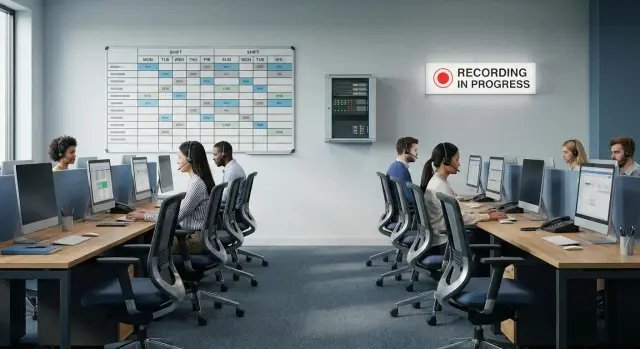
What exactly needs licensing in a contact center
Licensing contact center software rarely boils down to a single “per agent” number. Licenses are usually split across several layers, and unexpected costs often appear at the interfaces between them.
Four areas typically drive the budget: telephony (contact center or IP PBX), the agent workstation (access to the interface), communication channels (voice, chat, messengers, email) and add-ons like analytics and quality control. Even if a solution is sold as a single product, it may contain separate modules with different accounting rules.
Vendors use similar terms that are counted differently. Common units are:
- User: an account assigned access and roles.
- Workstation: the right to log into the client and handle queues, sometimes tied to a set of features.
- Device: a phone, softphone, headset or terminal that may require separate registration.
- Channel: a simultaneous call or session (line, chat) — i.e., capacity.
- Feature: recording, speech analytics, agent evaluation, CRM integration.
Because of this, headcount does not equal licenses. Simple example: the staff is 40 agents, but at most 18 are on calls at the same time due to shifts and training. In that case concurrent-use licenses will be closer to 18, while CRM user licenses may be needed for nearly all 40 if everyone needs access to customer records.
To avoid guessing, collect basic data first. Minimum useful items:
- shift schedules and actual hourly concurrency (peaks and quiet hours);
- share of contacts by channel (voice, chat, messengers, email);
- recording requirements and retention periods;
- how many people need access to reports and analytics (supervisors, QA, security).
These figures help separate “people licenses” from “capacity licenses” and show where costs rise due to peaks, recording and additional roles.
Common licensing models
Contact center licensing usually has two parts: who can log into the system and which functions they can use. Because of shifts, remote work and hot desks, the same team can cost very differently depending on the model.
Named User
A license is tied to a specific person (account). This is convenient for permanent staff, supervisors and roles needing personal settings.
The downside shows where there are many shifts. With 2–3 shifts you pay for all staff even if only part are working simultaneously. For example, 60 listed agents across three shifts might mean 20–25 active at once, but Named User charges apply for all 60.
Concurrent
You pay for the number of simultaneous sessions, not the total staff. This is often cheaper for shift work, seasonal agents and part-time employment.
The key question is what counts as “concurrent.” Different vendors may count being logged in, status Ready, connection to a queue, an open browser tab, or lingering sessions after a shift. These details directly change real license needs.
Per device or per workstation
Here a specific PC, thin client or “workstation” in the system is licensed. For offices with fixed desks that’s straightforward. But with hot desk, the model becomes expensive if licenses are tightly tied to hardware: you pay per station even when different people use it in turn.
“Per workstation” is often confused with “concurrent.” In practice the difference is how easy it is to reassign an account and how the system counts activity on login, logout and handover.
Separate module licenses
Beyond the base agent license there are often extra fees for roles and features: supervisors, monitoring, queue management, quality control, WFM, analytics, reporting, integrations. This is where the budget often jumps: you might have 60 agents and 6 supervisors, but quality modules or speech analytics may be priced by channels, agents or volume.
It’s useful to split requirements into three groups: access (who logs in and how concurrency is counted), functionality (which roles and modules are needed), and scaling (what will grow: agents, channels, storage, integrations).
“Access license” vs “function license”
Simple test: if an employee can log in but cannot start recording or open a report, access is paid for but the function is not. When comparing offers, ask vendors to break down pricing by layers. This makes it easier to understand what you buy now and what will be an extra cost after launch.
Shifts and dynamic workstations: how to count concurrency
When agents work in shifts and sit at any free desk, counting licenses by staff is almost always expensive. In such cases it’s better to count concurrency: how many people are actually in the system at peak hours. This is central to contact center software licensing.
Start with a simple shift table. It should include not only start and end times but breaks, training, scheduled meetings and overlap between shifts when handover occurs.
Keep it simple: for each shift note planned staffing, how many are actually “on calls,” and when they overlap. For example, shift 1: 08:00–16:00 (lunch 12:00–13:00), shift 2: 14:00–22:00 (lunch 18:00–19:00). The 14:00–16:00 overlap often creates the concurrency peak.
Peaks occur not only due to overlaps. There is often a spike in the first 15–30 minutes after shift start (everyone logs in), during lunch windows (some leave, some return), and seasonally (promotions, reporting dates, mass notifications).
If you have logs, it’s more practical to look at actual hourly load and take the 95th percentile of concurrency rather than the absolute maximum for one day. That gives a figure closer to reality and reduces the risk of overpaying.
To quickly estimate capacity, follow these steps:
- gather shift schedules with breaks and overlaps;
- mark hours with usually higher contact flows;
- compare planned concurrency with actuals (if logs exist);
- use the 95th percentile as a guideline and add a small buffer;
- separately check login spikes at shift start.
A buffer covers training, substitutions, sick leave and sudden surges. Often 5–10% above the calculated concurrency is enough. Add more if you run frequent campaigns or have a high share of temporary staff.
Separate licenses for agents and shift managers. Managers often work longer, connect from different places and use extended functions. Practically: agents are counted by concurrency, shift leaders and admins are often counted as named users, and temporary staff may use a small separate pool.
Hot desks and remote agents: accounting for workstations
With hot desk a “workstation” is not always equal to an “agent.” In reality it’s a set: the device (PC, thin client or terminal), the connection point (network, phone port or softphone) and the contact center account. For budget clarity separate hardware from licenses: you buy and maintain the device, while the license is usually tied to a user, concurrent session or channel.
If agents change seats during the day, costs can differ dramatically. With named users seat changes don’t help much: you need licenses for every person on staff (plus temps). Concurrent models let you pay for activity peaks: as many licenses as people actually in the system at once. So start with measuring concurrency rather than counting desks.
Remote agents add another cost layer often confused with licenses: VPN, VDI, corporate accounts, endpoint protection. This is infrastructure and security, not contact center licensing, but budgets are often combined. If an agent uses a personal laptop, confirm whether the license and security policies allow it: sometimes only corporate devices are permitted, sometimes the key is whether the session is concurrent.
Guest access and temporary staff are a separate risk. Sharing one login across shifts often violates terms. For seasonal loads agree in advance: separate temporary accounts, a pool of concurrent licenses, or short subscriptions.
Before buying, clarify: what the license is tied to (person, device, session), how concurrency is counted with VDI/terminal access, and whether softphone or physical phones need extra licenses. Headsets and phones are usually not licensed as software but affect total cost of ownership. In-office they are one per desk; with hot desk you need spares and cleaning. If upgrading workstations, standardize device types (e.g., PCs or all-in-ones) and connection methods to avoid extra support costs.
Call recording: licenses, channels and storage
Call recording is almost always separate from general telephony. Distinguish two cost layers: the right to record (recording license) and where recordings are stored (storage and archive). When these are lumped together the budget often spikes after launch.
Recording licenses are usually tied not to agent count but to concurrent recording channels or a recording module. Storage is calculated by volume (GB or TB), retention time and access speed: fast storage for recent recordings and cheaper archive for older files.
All calls or selective recording
“Record everything” sounds simple but increases the number of concurrent recording channels and data volume. Selective recording (e.g., disputed cases, new agents, certain queues) helps control costs but requires clear rules: who enables recording, how reasons are logged and how checks are performed.
To estimate costs without surprises, clarify: maximum concurrent calls that must be recorded (peak, not average), share of recorded calls, retention period required by business and regulators, and recording format/quality (they affect file sizes). Also decide whether you need fast search/playback or archival access only.
Access, logs and personal data
Recordings almost always contain personal data. So you need more than licenses: role-based access (agent, supervisor, QA, security), restrictions on listening and exporting, and audit logs showing who and when accessed a recording.
Infrastructure choices are usually on-premise, data center or hybrid (fast recent recordings, cheaper archive). For example, local storage often needs a separate server and disk capacity for peaks plus backups. When building such projects it’s best to plan servers in advance, including rack servers like the GSE S200 Series if storage is kept inside the organization.
When discussing licensing, ask vendors to separate concurrent recording channel calculations from storage. That makes offers comparable and shows which factor will drive the bill as load grows.
Steps to estimate the budget: from requirements to cost model
A licensing budget converges when you base it on how agents actually work, not just headcount. Start with a short process description: which channels are used, shifts, roles (agent, supervisor, admin), whether all calls or only some are recorded, retention and access rules.
Then collect metrics. It’s important to have not only averages but peaks: morning, lunch, end of day, paydays, seasonal spikes.
A working checklist that prevents omissions:
- document processes and rules (shifts, hot desk, remote agents, access rights, recording and reporting);
- capture numbers (peak concurrency for agents and supervisors, averages, forecasted growth for 6–12 months);
- split licenses by layers (telephony and queues, CRM or agent workstation, recording and quality, analytics and reports);
- assess infrastructure (servers, disks for recordings, backup, failover, hosting requirements).
Include support and updates in the model from the start. These are recurring costs: renewals, technical support, updates and capacity expansion.
Finally agree on pilot assumptions and success criteria. For example: “pilot with 30 agents, peak 18 concurrent, 50% of calls recorded, 180 days retention, queue reports available to shift leader.” These conditions become the verification that the estimate was honest.
If infrastructure is deployed on-premise, budget hardware and storage up front. In Kazakhstan this often ties to delivery lead times and local support availability so the pilot doesn’t stall due to logistics. Local providers and integrators like GSE.kz can help with predictable delivery and ongoing support.
Example scenario: 60 agents, 3 shifts and partial recording
A typical case: 60 agents across 3 shifts of 20 people each. Load is uneven: roughly 40% of working time sees peaks with noticeably higher simultaneous activity.
Hot desk is used with 35 physical stations (PCs, headsets, thin clients or VDI). There are handovers and short overlaps between shifts. For concurrent licensing the relevant number is the maximum agents actually in the system at once, not the total staff.
Concurrent licenses: estimating
Suppose up to 30 agents work simultaneously at peak (some on breaks, some in training, some on tasks other than calls). Add 4 supervisors who listen, join calls and monitor dashboards. Add a contingency for shift changes, unexpected connections and spikes (say 10% rounded up).
Total concurrent: 30 (peak agents) + 4 (supervisors) + 4 (buffer) = 38 concurrent licenses. Separately check quality roles, analytics and admins — they are often licensed differently than agents.
Recording and 90-day retention
Recording requirement: 100% of inbound and 20% of outbound calls. It’s easiest to estimate storage by minutes recorded per day.
Assume average talk time per agent is 4 hours per shift. Then per day: 60 agents × 4 hours = 240 hours of talk time, or 14,400 minutes. Suppose 60% of minutes are inbound and 40% outbound. Recorded minutes = 14,400 × 0.6 + 14,400 × 0.4 × 0.2 = 9,792 minutes per day.
At 0.5 MB per minute (a typical estimate for mono recording without heavy codecs) that’s about 4.9 GB per day. Over 90 days that’s roughly 441 GB. Add 15–30% for service data (metadata, indexes, file tails, duplicates) — about 0.5–0.6 TB total.
Below is an example cost table structure (without prices) that’s useful for agreement with IT and procurement:
| Item | Unit | How to calculate in the example |
|---|---|---|
| Agent licenses (concurrent) | concurrent user | 30 at peak + buffer |
| Supervisor licenses | user/role | 4 |
| Recording licenses (channels) | concurrent channel/port | by peak concurrent recordings (inbound + share of outbound) |
| Recording storage | GB/TB | ~4.9 GB/day × 90 + margin |
| Reporting/analytics/quality | module/user | by actual number of users who use them |
| Implementation and support | service | setup, integrations, training, SLA |
Common mistakes that make the budget diverge from reality
Budget gaps usually come from incorrect calculation logic rather than the “pricey license.” Contact centers live with peaks, shifts and different roles, and any small rule in usage quickly turns into extra costs or compliance risks.
License and role mistakes
Frequent pitfalls:
- buying licenses by headcount without accounting for peak concurrency and actual queue load;
- forgetting roles beyond agents: supervisors, QA, trainers, admins, analysts;
- mixing user licenses with resource licenses (channels, ports, lines, recording module), ending up paying for one thing and hitting limits on another;
- not defining hot desk rules. Without clear login/logout rules you can end up in a gray zone: more users than licenses or idle licenses;
- planning only for current state and ignoring growth: seasonal campaigns, new queues, added messengers, new branches, increased reporting needs.
Simple example: staff 60 but peak concurrency 38. Buying by headcount overpays. Buying by average (say 30) causes login denials at peak and forces emergency purchases at higher cost.
Recording and storage mistakes
Recording is often treated as a checkbox and then teams are surprised by infrastructure costs. Typical failures: not separating recording licenses from channel limits, underestimating retention time, not budgeting for backup and QA access.
If long retention and fast search are required, calculate volumes and choose hosting accordingly. That often means separate servers and disk subsystems. In Kazakhstan many keep data locally, so early infrastructure assessment and reliance on a local integrator like GSE.kz helps.
The most reliable way to avoid overspend is to lock down rules: who counts as a user, what counts as concurrency, how hot desk works, which channels are recorded and how long recordings are kept.
Quick checks before purchase: a short checklist
A short review takes an hour or two but often saves weeks of vendor negotiations and nasty budget surprises.
The point: you buy a combination of concurrency, roles, recording and storage, not just a number of staff. If any block is undefined the final price will shift after launch.
Check that you have:
- a shift matrix with overlaps, breaks and substitution plans showing how many are "on calls" each hour;
- calculated peaks by channel and target concurrency, and a clear definition of what counts as "concurrent" (login, Ready, active call/dialog);
- separated roles and licenses (agents, managers, QA, admins) with clarity on who needs reports, monitoring, listening and queue control;
- a recording policy (percentage, exclusions, pause for sensitive data), retention time and access rules;
- clarity on where recordings will be stored physically, who handles backup and recovery, and confirmed capacity and bandwidth.
Add a growth plan for 12–24 months: new channels, seasonal peaks, new agent groups. A modest agreed buffer for licenses and storage is usually cheaper than emergency top-ups.
Next steps: pilot, infrastructure and procurement plan
Before buying licenses and signing contracts run a short pilot. Pick one queue or unit (for example, inbound support), connect real agents and run a typical day: peaks, handovers, breaks, substitutions. The goal is to validate concurrency assumptions and find which limits are hit first.
Agree on pilot metrics in advance: peak concurrent agents by shift, active recording channels, average call length, share of recorded contacts. Those numbers feed directly into the cost model.
Hot desk rules and accounts
Hot desks save space but break license accounting if there are no rules. Define in the policy how accounts are issued (personal or shared), who manages access, how an agent “occupies” and frees a desk, procedures for substitutions and overtime, and how remote agents are counted.
A practical pilot test: run a “stress day” with handovers and substitutions to see whether concurrency increases due to forgotten sessions.
Recording and storage: margin, backup and control
Recording often fails because storage, bandwidth or backup are exhausted before licenses. Budget storage margin (plan for worst month), design backup and integrity checks, and set up monitoring to alert before recordings or reports are lost.
Split procurement into three parts: licenses (agents, supervisors, recording, analytics), infrastructure (servers, storage, network) and support (monitoring, updates, incident response). That makes it easier to defend the budget and avoid mixing one-off purchases with recurring payments.
Decide in advance what will be local and what will be cloud-hosted. For on-premise infrastructure and integration in Kazakhstan rely on local providers like GSE.kz: L200 workstations, M200 all-in-ones for operator seats and S200 servers for recording and services, plus integration and local support. This is helpful when you need predictable delivery and single responsibility for after-launch service.
Frequently asked questions
Why is the "number of operators" almost never equal to the number of licenses?
First, separate “licenses for people” from “licenses for capacity.” Access to the UI often requires user or workstation licenses, while telephony, queues and recording are limited by concurrent sessions or channels. If you merge these layers into a single “per operator” number, the budget almost always drifts after the pilot.
How do I find out what the vendor means by "concurrent"?
Ask the vendor for an exact definition of what counts as an active concurrent session: simply being logged in, status Ready, connection to a queue, or only an active call/dialog. Check whether there is a session “tail” after shift end and how VDI/terminal connections are counted. These details can increase license needs by 10–30% without changing headcount.
Which is better: Named User or Concurrent?
If you have shifts, part-time or seasonal staff, or hot desk, start with concurrent: you pay for the actual simultaneous peak. Named User is usually better for permanent roles with extended rights (supervisors, admins) where personal settings and predictable access matter. A mixed approach is common: operators on concurrent, leaders and admins as named users.
How to count licenses if we use hot desk and people constantly change seats?
Don’t equate licenses to the number of physical desks until you know what the license is tied to: device, account, or session. For hot desk, the important metric is usually the peak number of simultaneous logins, not the number of PCs. Also verify whether the softphone or telephony part requires additional licenses or registrations.
What extra costs come with remote operators and how to avoid mixing them with licenses?
Clarify three things: whether personal devices are allowed under the license terms, how sessions are counted over VPN/VDI, and who is responsible for endpoint security. Often remote-work costs are hidden in infrastructure and security (VPN, VDI, accounts, endpoint protection), not in contact-center licenses. If you don't separate these, it will feel like "licenses suddenly became more expensive."
How to count recordings: by operators or by channels?
Usually the right to record is tied to concurrent recording channels or a separate recording module, while storage is charged by volume and retention time. The same recording percentage can produce very different bills depending on peak call volumes and retention policies. To avoid mistakes, calculate from peaks: how many simultaneous calls are recorded in the busiest hour.
How to roughly estimate storage for recordings without complex calculations?
Start with a simple estimate: minutes of recording per day multiplied by retention period, then add room for metadata, indexing and system files. The size per minute depends on format and codec, so confirm that with the provider rather than using a blind average. If fast search and frequent playback are needed, plan for faster storage for recent recordings and a separate archive for older ones.
What to do if the schedule shows one thing but in reality the system denies logins at peak?
Create an hourly matrix: planned operators, actual "on-line" operators, shift overlaps and lunch windows. If logs exist, base calculations on the 95th percentile of concurrency instead of a one-off maximum, and add a small buffer for replacements and training. Also check login spikes in the first minutes of shift start—limits often hit there first.
Which errors most often cause overspending on licenses?
Common mistakes are forgetting roles beyond operators (QA, supervisors, admins), confusing access licenses with function licenses, and underestimating recording and storage. Another frequent error is planning by average load and not fixing what counts as activity, so real concurrency is higher than expected. The cure is simple: record rules and assumptions before procurement and validate them in a pilot using the real schedule.
What data should be collected during a pilot to avoid overpaying?
Define pilot conditions to produce measurable numbers: peak concurrent operators by shift, recording channel limits, share of recorded interactions and actual daily recording volume. At the same time, check session hygiene: logouts after shifts, handovers, substitutions and remote connections—these reveal surplus concurrent sessions. The pilot will show which limits hit first: access, channels, functions or storage.
