7 min read
Calibration Certificate Storage System: Order Without Chaos
Storage system for calibration certificates: how to bring order to files, search by serial number and expiry date, and control completeness of document packages.
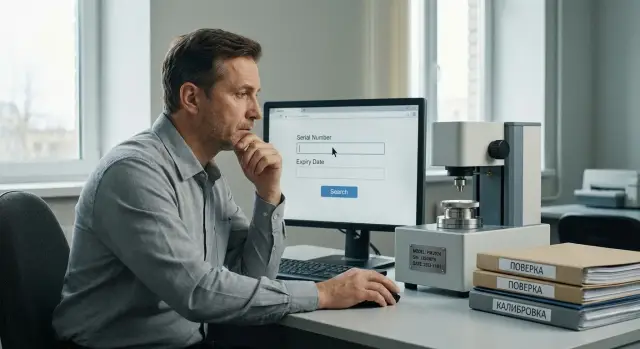
The problem: documents exist, but they're hard to find
Calibration certificates and technical passports are often saved "wherever": today in a shop folder, tomorrow by year, the day after by instrument type. After a few months the structure is only clear to its author. A year later folders multiply, duplicates appear and filenames like Scan_new(2).pdf show up — the folder structure loses meaning.
People almost always look for the same things:
- serial number (to confirm the document belongs to this unit)
- instrument type (to quickly gather documents for the same model)
- expiry date (to know what's overdue and what needs to be sent for verification or recalibration)
The paradox is these data are inside the documents but not in the filename or a clear registry. So searching becomes manually opening dozens of PDFs.
Before an audit this is a real risk. Time is short and the questions are simple: "Show the valid certificate for the device with this serial number" or "How many devices have expiries in the next 30 days?" If answers must be assembled from chats, phone photos and several network drives, expiries can be missed or the wrong document shown.
The main cause of chaos is mixing storage and search. Store documents in a calm, simple structure (so they don't get lost) and search by metadata: serial number, type, calibration date, expiry date.
Without a clear system, common problems appear:
- identical documents are stored in different places and diverge by version
- the correct file isn’t found by Explorer search because of its name
- expiries "appear" only when the device is already unusable
- a device's document set is incomplete: there’s a certificate but no passport or attachment
Real example: the lab technician remembers the certificate is "somewhere in the 2024 folder," while the engineer searches by the serial on the nameplate. Both are right, but the document is still found last — because the system doesn’t help.
What data you need for fast search
To find documents in seconds, agree first on which fields are the "source of truth." Keep them consistent everywhere: in the filename, in the registry, and, where possible, in the document itself (stamp, title page, note).
The foundation is the instrument card. Minimum: serial number (as on the nameplate), model/type (as in the passport), inventory number (as in accounting). Treat the serial number as the primary key: it doesn’t change when items are moved or re-inventoried.
Add operational context: department and installation location (shop, room, line, section) speed up search when the serial is unknown and you need the device "by location." Fixing the process owner — the department that actually uses the device — is also helpful.
For dates record two values: calibration date and expiry date. Even if a document lists an "interval," still record the final expiry date so you can sort and filter what's about to lapse.
Status avoids mixing active devices with those that are only historical. Simple values are enough: in service, under repair, decommissioned.
One more required element is the responsible person. This isn’t only for reporting but for speed: who fetches the original, who orders calibration, who updates documents.
Practical minimum search fields:
- Serial number
- Model/type and manufacturer
- Inventory number
- Department and location
- Calibration date and expiry date
- Status
- Responsible person
If these fields are filled consistently you can build any storage system for calibration certificates without folder chaos.
Storage structure: fewer folders, more order
Start with a single root folder for all devices. The main goal is to avoid duplicates: a certificate should live in one place, not simultaneously in Laboratory/Certificates and Shop/Devices. If people need access from different locations, handle it with permissions and search, not file copies.
Choose one main grouping principle: either by instrument type or by department. Both work — the important thing is not to mix them in one repository.
Group by type if a single service manages calibrations and devices frequently move between sections. Group by department if responsibility and checks are tightly tied to specific owners.
Keep no more than three folder levels. Deep nesting breaks search and encourages temporary desktop copies.
Example simple structure (3 levels):
- Devices/Manometers/MANO-00123
- Devices/Scales/BAL-04567
- Devices/Thermometers/THERM-77801
Create a separate zone for incoming scans and drafts. This staging area is where documents are checked and standardized before being moved to the device’s main folder. That way the device card contains only final versions.
Keep archived or obsolete versions nearby but clearly separated, for example an "Archive" subfolder inside the device folder. Put expired certificates, canceled passports and old revisions there. The current documents should be visible immediately; the archive shouldn’t hinder daily work.
File naming rules: a template that works
If the filename is clear, search takes seconds even without advanced tools. In a good system a filename answers four questions: what device, which unit, what document and what period.
Build the name from required parts in a fixed order: device type - serial number - document type - date. Put the date at the end in YYYY-MM-DD format so files sort correctly and you avoid formats like 01.02.24.
Basic naming template
One value — one field; fields separated by an underscore.
- DeviceType_SerialNumber_DocumentType_Date
- If you need a version: ..._v01 (v02, v03)
- If you need language: ..._EN or ..._RU (add at the end)
- If the certificate number exists: ..._CertNo12345 (after document type)
- Use consistent letter case and format across the company
Examples you can copy
- Manometer_SN123456_CalibrationCertificate_2025-01-15_RU.pdf
- Scales_SN987654_Passport_2022-06-01.pdf
- Thermometer_SN555222_CalibrationReport_2025-01-15_v02.pdf
Write device types as they appear in your records (e.g., "Manometer", "Scales", "Multimeter") without uncommon abbreviations. Record the serial exactly as on the nameplate, including leading zeros.
What breaks order fastest: spaces, multiple variants of the same word, and ad-hoc names like "new", "scan1", "last_final". They help once but then hinder everyone. To mark a repeat scan or correction use only v01, v02 and a clear date.
Registry: quick control and transparency
Even with perfect filenames, a blind spot appears quickly: what exists, what’s missing, what expires soon, what’s in the wrong version. A registry makes the system auditable: a single glance shows status for each device.
Keep the minimal field set short so people actually fill it. Typically this is enough:
- Serial number (exactly as on the nameplate)
- Device type/model (one standard notation)
- Expiry date (next calibration or end date)
- File (exact filename and location to open without guessing)
- Status (e.g., Active, Expires in 30 days, Expired, In service)
To avoid disputes add two service fields: "Updated by" and "Update date." That’s enough to trace changes: certificate replaced, expiry corrected, file moved. If many people are involved, agree a simple rule: update the registry immediately after uploading the file, not "when there’s time."
If a device has multiple calibrations, don’t overwrite the row. Keep history either as separate rows per calibration (with calibration date and expiry) or as a single row with a "Previous certificate" field. The first option is usually simpler for audits.
No single software? Start with a spreadsheet (Excel or Google Sheets) and a shared folder. The key is a single template, one person responsible for structure, and a visible status that doesn’t require opening files.
How to organize search by serial, type and expiry — step by step
To avoid dependence on one person’s memory, rely on two things: consistent filenames and a simple registry. Then serial number, type and expiry are found quickly even if files are in different folders.
Procedure:
-
Gather a full list of devices and assign responsibility. Use the inventory list, add what’s actually used in shops and labs. Assign the registry owner and a backup.
-
Normalize files and remove duplicates. Collect all certificates and passports, keep the current version of each document and move old versions to the archive.
-
Fill the registry with the minimal fields: serial number, type/model, location, calibration date, expiry date (or next calibration), status, filename.
-
Enable search in two places: the registry and the folder. Search the registry by serial and type; search the folder by filename. If the filename includes serial and date, you’ll find the file without opening the spreadsheet.
-
Set reminders for expiries and introduce a monthly check. Once a month filter the registry for devices expiring in the next 30–60 days and verify files.
Example: an auditor requests a manometer. Enter the serial in the registry, immediately see status and expiry, then open the matching PDF by filename without browsing folders.
Completeness control: what should be on each device
Control completeness by rule: one device = one control row in the registry. Even if a device has 3–7 files (certificate, passport, procedure, attachment with results) you check the set as a whole.
Minimum set depends on industry and procedures, but often includes:
- Passport (or form) with serial and device identification
- Calibration certificate (or certificate) with date and expiry
- Attachment with results (if issued separately): points, errors, conditions
- Method or reference to the applied procedure (internal or standard)
- Repair/adjustment document (if calibration followed an intervention)
In the registry keep simple flags: "exists/does not exist" and "valid/expired." Two columns can be enough: "Documents: complete (yes/no)" and "Calibration: status (valid/expired/not required)".
Also record scan quality. An unreadable file is formally present but effectively absent. Before marking "complete: yes" check:
- signatures, stamps and document number are visible
- all pages are present and in order
- serial, model and date are readable
- attachments and result tables are visible if important
If a document is missing, don’t leave a blank. Add status "requested" and two fields: "when requested" and "expected by." Example: Thermometer TRM-01, S/N 54821. Passport exists, certificate expired, new certificate requested 2025-01-12, expected by 2025-01-20. At audit it’s clear the situation is under control.
Update rules and responsibilities
Order relies on roles, not folders. If no one is responsible for uploading a new certificate, in six months any system becomes a collection of "seems to exist but can’t be found."
Assign an owner and a backup. Often this is the metrologist (or instrumentation engineer) and the backup is the quality administrator or lab secretary. One person should be the final "publisher": they check completeness, filename and folder, not just save the file as it arrived.
Update immediately after receiving documents. Simple rule: received document — within 24 hours upload to storage and update the registry.
For non-standard cases define scenarios in advance:
- Device under repair — mark status "under repair", record removal date and planned return, do not delete old documents
- Device replacement — create a new card for the new serial number and mark the old one "decommissioned"
- Serial number or nameplate change — keep an act/note and a photo of the nameplate, register "old SN" and reason
- Lost document — create a task for a duplicate, set a deadline and responsible
Do a short monthly review: 15–30 minutes for a spot-check of new arrivals and devices with upcoming expiries. A second review before an audit is useful: reconcile registry with files and close completeness gaps.
Typical mistakes that turn a system into chaos
The most common cause of disorder: storage logic doesn’t match how people search. Today you need a certificate for a specific device; tomorrow a list of devices with upcoming expiries — but folders are organized as if everyone always searches by year.
A trap is storing by "calibration year" (2023, 2024, etc.). It’s convenient once when filing a fresh copy. Later you ask: where’s last year’s certificate for the same device, where’s the passport, what about an unplanned calibration? It’s faster when the device (type + serial) is central and the year is an attribute in the filename or registry.
Second problem: inconsistent names. Some dates look like 01.02.24, others 2024-02-01, and somewhere "February" — sorting and filters stop helping. Also random abbreviations ("Cert", "Crit", "cal") and multiple variants of the same device type cause trouble.
System degrades when scans lack serial numbers in filenames. Names like Certificate.pdf or calibration_manometer.pdf force opening files to see what they are. For 20 devices it’s tolerable, for 150 it’s not.
Another chaos accelerator is duplication: the same document sits in two or three folders "just in case." Later one copy is updated and the other remains old, and audits reveal mismatches. If a document should be in one place, let it be in one place.
The most dangerous mistake is no process owner. Minimum fixes: one responsible person, a clear schedule for expiry checks and the rule "a document is accepted only after filename, scan readability and registry entry are verified."
Short pre-audit checklist
Before an inspection, eliminate blind spots: when a device is active but not in the registry, or a certificate is expired and no one noticed. If time is tight, start with the registry and expiry dates, then clean up other issues.
Five quick checks:
- All active devices are in the registry with a clear status
- Each device has a passport and a valid certificate (where required)
- Expiry dates are visible in the registry and a list of upcoming expiries is prepared
- Files open, scans are readable, all pages present
- Duplicates removed, archive separated from active documents
To avoid missing expiries, keep a separate "expiring soon" list with horizons of 30/60/90 days. Practical approach: before an audit export only those entries and verify they have valid certificates.
A quick quality check: open 10–20 files from different groups. If several scans are crooked, unreadable or missing key pages, treat the problem as systemic and fix it before the inspector arrives.
Practical example: 150 devices in a shop and a lab
Imagine a production site using about 150 measuring devices: manometers, multimeters, scales, thermometers, calibrators. Documents are handled by two roles: the metrologist maintains calibration and the registry, while shop foremen sometimes request certificates before checks or work starts. Calibration frequency varies: some devices every 6 months, most annually, a few critical ones every 3 months.
To avoid dozens of folders, the storage is kept simple and predictable: one grouping principle, search based on filenames and the registry.
How it looks in storage
Instead of Folder_new(7) they use clear names. For example, for the current year:
2026/Manometers/2026/Multimeters/2026/Scales/2026/Thermometers/
And standard filenames (one template for all types):
MANO_WIKA_232145_CALIB_2026-01-18_UNTIL_2027-01-18_Cert#5412.pdfDMM_FLUKE_908776_CALIB_2026-03-02_UNTIL_2027-03-02.pdfSCALE_METTLER_BA01933_CHECK_2026-02-10_UNTIL_2027-02-10.pdfTEMP_TESTO_771020_CALIB_2026-04-05_UNTIL_2026-10-05_Report.pdf
Key fields are always in the same place: type (short code), brand or model (optional), serial number, date, and "UNTIL" expiry.
Registry and quick search
The registry is one table: serial number, type, location, calibration date, expiry date, exact filename, status (ok/expiring/expired). The metrologist updates it the day laboratory sends documents; the foreman requests missing items if needed.
How to find a document in 30 seconds: search the storage for the serial number (e.g., 232145). Because it’s in the filename, the correct PDF appears immediately.
How to catch expiries within 30 days: the registry has a "Days to expiry" column (calculated from today). Filter for values ≤ 30. Weekly the metrologist reviews the list and plans sending devices out in advance.
Next steps: lock the process and automate when needed
If you have up to 50–100 devices and a small team, a folder structure plus a registry with required fields usually suffices. It works if there’s discipline: uniform filenames, one responsible person, and a clear update process.
When devices grow, multiple departments maintain them, and checks become frequent, folders start to spread. Then consider document workflow software or at least a database with instrument cards and attached documents. Signs it’s time to change: you spend more time searching and reconciling than doing actual work.
Before choosing a tool clarify requirements that are hard to change later:
- who can view, upload, edit, delete (roles and permissions)
- backup strategy and recovery speed
- archive retention rules and handling for decommissioned devices
- where originals are stored (scans, PDFs, photos) and how versions are tracked
- what you need to show at audit in 5 minutes
Then prepare a short specification. It saves weeks of debate and rework. Include:
- instrument card fields: type, serial number, location, owner, calibration date, expiry date, status
- roles: metrologist, shop manager, engineer, auditor
- scenarios: upload new certificate, replacement, archiving, decommissioning
- reports: "expiring in 30 days", "missing passport", "missing report"
- reminders: who gets them, how many days in advance, and for which events
For reliable storage and quick access you often need basic but well-assembled infrastructure: a server or rack, backup storage, workstations for scanning and registry maintenance. If you’re building this from scratch or updating equipment, GSE.kz (gse.kz) can help with selecting and supplying servers and workstations, as well as system integration and 24/7 support.
Frequently asked questions
С чего начать, если документы уже разбросаны по разным папкам?
Start simple: one shared root folder for all instruments and a single grouping principle — either by instrument type or by department. This removes duplicates and stops people from "remembering" where they saved things.
Что выбрать главным идентификатором: серийный номер или инвентарный?
Make the serial number the main key because it ties to the specific physical unit and doesn’t change when the item moves or is re-inventoried. Inventory numbers are useful for accounting but are often changed and are less reliable to prove a document belongs to a device.
Какие поля обязательно держать в реестре, чтобы поиск был быстрым?
At minimum: serial number, model/type, location of use, calibration date and expiry date, status, responsible person, plus the exact file name. That gives quick search, deadline control, and clarity about who to contact if something’s missing.
Какой шаблон имени файла лучше всего работает на практике?
A practical template: instrument type, serial number, document type, and date in YYYY-MM-DD format. Add version and language at the end if needed so sorting stays predictable and you avoid names like "last_final".
Почему важно хранить дату окончания действия, а не только «межкалибровочный интервал»?
Record the actual end date of validity even if the document states an interval. The expiry date lets you sort and filter devices that are about to lapse without recalculating intervals each time.
Куда девать черновики, сканы и старые версии сертификатов?
Create a staging area for incoming scans where you check readability, page completeness, and rename files to the standard before moving them into the device folder. Keep only final versions in the "active" device folder and move older versions to an "Archive" subfolder so history doesn’t interfere with daily work.
Как предотвратить дубли и расхождение версий одного документа?
Prohibit storing the same document in multiple locations. Provide access via permissions and search rather than duplicated copies. Otherwise different versions will appear and audits will reveal inconsistencies.
Как вести историю, если один прибор калибруют несколько раз?
Keep history instead of overwriting. The simplest approach is to create a separate record for each calibration with its date and validity period — auditors will see the chain of events without disputes.
Как организовать поиск, если серийный номер под рукой не всегда есть?
Search the registry (by serial number) to see status and expiry, then open the file by its exact name. If the serial number isn’t available, location and instrument type can help — provided those fields are filled consistently.
Кто должен отвечать за обновление документов и как часто это проверять?
Require document upload and registry update within 24 hours of receipt. Assign one "publisher" and a backup person. Without a clear owner and regular checks, even a good folder structure will turn into chaos in a few months.
