8 min read
Calculating Bitrate and Video Archive for Access Control and Networks
Bitrate and video archive calculation: how to assess the network, storage size, access segmentation, cyber risks and resilience for video surveillance and access control.
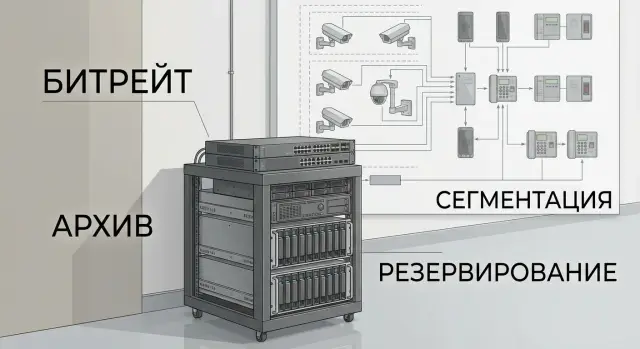
Why treat video surveillance and ACS as infrastructure
Video surveillance and access control systems often start with the idea: "we'll install cameras and a turnstile." In practice, within the first weeks the project bumps into network, storage and access issues. Cameras create a continuous data stream, the ACS logs events, and users want to watch video on their phones, quickly find archive and at the same time not have excessive rights.
If you view the system as infrastructure, you calculate load in advance and understand where the bottlenecks will be. Usually the first things to "fail" are not the cameras but the link to the switch, disk capacity, identical passwords on accounts and chaotic access rights (for example, when security can see more than they should).
A real example: a clinic installs cameras in corridors and at entrances, the archive is required for 30 days. While there are few cameras everything works. After expansion viewing slows down, and after a couple of months it turns out storage fills faster than planned because quality was increased and 24/7 recording enabled. The result — urgent purchases and downtime.
Before any calculations it is useful to agree on goals and risks: what exactly we record, who and from where will view, how many days to keep, what to do in case of power or network failure, and what budget is acceptable for growth.
At the start collect inputs: floor plans and installation points, quality and retention requirements, network diagram (or at least a list of switches and links), user roles and access rules, requirements for resilience and support. Then the project becomes manageable and calculated numbers match real operation.
Input data without which calculations will miss the mark
To make bitrate and archive calculations close to reality, first gather a system "passport." Otherwise everything looks good on paper, but after launch the network or storage can't cope.
For cameras it's important to know not only the quantity. Resolution and FPS set the base load, but codec (H.264 or H.265), bitrate mode (VBR or CBR) and the scene itself change the result significantly. The same camera in an empty corridor and at a busy entrance produces different average bitrate. At night, in rain or snow the bitrate also grows due to sensor "noise."
For ACS you need passage points and logic: how many doors, which controllers, will they work online or keep offline access during connection loss. Estimate the event flow (passes, alarms, access attempts) and who and from where will manage this.
For the archive decide in advance the retention depth and the quality actually needed for investigations. A common mistake is requesting "maximum" everywhere, while for some zones lower FPS or stronger compression is sufficient.
The minimum to fix before procurement: typical scenes and schedule (day/night, outdoor), requirements for face and plate legibility, links between sites and their limits, and installation conditions (power, UPS, rack or cabinet space, temperature).
A simple guideline: if there's only 50 Mbps between a branch and the central server, 20 cameras at 4 Mbps each will already saturate the link. ACS and management traffic will start "jumping." It's better to discover this at the input stage than after installation.
How to calculate bitrate: clear method and adjustments
The basic logic is simple: take the average bitrate of one camera, multiply by the number of cameras and add margin. From that number follow network, server and storage requirements.
Rough formula:
System bitrate = camera bitrate (average) x number of cameras x safety factor.
Actual flow is most affected by FPS, resolution, codec (H.264/H.265) and scene "complexity": leaves in the wind, snow, a stream of people, headlights at night. So two identical cameras in different places can produce noticeably different average and peak bitrates.
Don't trust datasheet numbers blindly. Better perform a test: set the required settings (resolution, FPS, day/night mode, VBR/CBR), record 10–20 minutes in typical time and separately in a "heavy" period (rush hour, night, snow), then check average and peak bitrate.
Another frequent mistake is forgetting overhead. Video is accompanied by audio (if any), analytics metadata, management traffic and spikes during motion, especially with VBR.
For margin common rules apply. For calm scenes 10–15% for management traffic and deviations is often enough. If scenes are many and dynamic, 20–30% is more reasonable. More than 30% makes sense only with unknown conditions or strict requirements; otherwise it quickly becomes overspending.
Example: 48 cameras, average bitrate per test 4 Mbps. Base: 48 x 4 = 192 Mbps. Add 25% for dynamics and peaks: about 240 Mbps. This number can already be compared with network throughput and recording capabilities.
How to calculate archive size for retention days
Archive size is calculated from the total recording bitrate. A convenient chain: Mbps -> GB/day -> TB for N days. A practical rule: 1 Mbps gives roughly 10.5–11 GB per day.
Formula for one camera:
ГБ/сутки = (битрейт, Мбит/с * 86400) / 8 / 1024
ТБ на N дней = (ГБ/сутки * N) / 1024
Example: 30 cameras at 4 Mbps each, continuous recording, retention 14 days. Total bitrate 120 Mbps. Per day that's about 120 * 10.55 = 1266 GB (≈1.24 TB). For 14 days that's about 17.4 TB of usable archive.
Motion-based recording seems economical, but savings are not guaranteed. If a camera looks at a busy corridor, courtyard or road, motion will be almost continuous. At night sensor "noise" and headlights also trigger recordings. For calculations use an activity coefficient (for example 30–60%) and verify it on a test area.
Add overhead to usable capacity, otherwise actual capacity won't match calculation: filesystem and VMS metadata overhead (usually 10–20%), capacity lost to redundancy (RAID, hot spare). If replication to a second site is required, archive volume essentially doubles.
Plan for growth from the start. Adding cameras, increasing resolution or FPS often raises bitrate more than expected. It's common to keep 20–30% free capacity and leave a clear expansion path.
Architecturally one of three approaches is typically chosen: local archive at sites (fast and autonomous), central archive (simpler administration, higher channel requirements) or hybrid (local short buffer, important/long-term to center). These decisions must align with network and server parts so archive doesn't become a weak link.
Network for video and ACS: what to check before procurement
Even accurate bitrate and archive calculations won't help if the network can't handle the load. Before buying cameras, controllers and servers check not only the "port speed" but the entire traffic path: from PoE switch in the cabinet to the core and to the archive location.
Minimum checks
Start with a network map and mark where video and ACS event flows converge. Then walk typical bottlenecks: uplink and backbone throughput, aggregation points (where to collect traffic and which topology is needed), PoE budget with margin for IR illumination and "cold start", power for nodes (UPS for cabinets, core, NVR/VMS), and the quality of the "last mile" (old cables, lengths, interference, lightning protection for outdoor).
How to avoid network overload from viewing
Cameras produce a constant stream, but the network often "dies" from people. A typical case: security opens 16 HD cameras on a video wall and total traffic exceeds recording several times.
It is important to know where unicast is used and where multicast is needed. If dozens of clients view the same stream via unicast, switches and uplinks receive multiplied load.
To prevent video from crowding out business traffic, set QoS rules and limits in advance: priority for critical services, limits on simultaneous views, separate VLANs for video surveillance and ACS, and clear viewing access policies.
If an integrator handles the project, ask for a diagram with calculations for each segment (ports, uplinks, core) and an explanation of what happens if a switch or link fails.
Access segmentation and rights management
Video surveillance and ACS systems most often fail not because of hardware but because of access. One password "for everyone" and a shared network with office PCs turn any user mistake into a risk for the whole site. Therefore permissions and segmentation must be part of the project just like archive calculations.
Roles and least privilege
Start with a simple question: who does what every day and what do they definitely not need. Usually a few roles are enough, but they should be described in advance. For example: security (live view and event search without rights to change settings), reception/visitor desk (ACS management and reporting), IT/security admin (updates, accounts, network rules, backups), department heads (only their zones and read-only), contractors (temporary access for tasks).
Least privilege here is literal: access only to needed cameras, doors and reports. If a warehouse manager needs to monitor entry to their zone, they don't need the parking lot archive.
Auditing is mandatory. It must be possible to see who and when viewed archive, exported fragments, changed camera parameters, adjusted schedules and added users. These logs help not to hunt for culprits but to quickly restore the chain of actions.
Network and remote access
Network segmentation reduces cyber risks and "accidental" failures. A minimal isolation set is usually: cameras separate, ACS separate, storage and management servers separate, operator workstations separate. Allow only required traffic directions between them by rules.
Remote access is better built as a controlled service, not as "opened a port and forgot." Practical measures that work: access via VPN and multi-factor auth for admins, role- and time-limited access (e.g., 2 hours for an incident), prohibition of direct camera access from user networks, and a separate admin channel for service engineers.
Example: security sees 40 cameras, but archive export is allowed only to the senior shift officer, and every export is logged. The IT admin updates VMS and controllers but cannot silently change ACS access zones without a trace in logs.
Cyber risks for video surveillance and ACS and how to reduce them
Cameras, ACS controllers and video servers are network devices like laptops and printers. If compromised, consequences go beyond video: an attacker can disable access points, falsify events, obtain site plans and a foothold in your network. So load calculations should be complemented by simple security requirements.
Where the holes usually are
Problems are often mundane: default passwords and identical passwords across dozens of devices, outdated firmware on cameras/NVR/VMS/controllers, services exposed externally (web interface, RTSP, ONVIF) without need, and "temporary" contractor access that remains forever.
Integrations increase risk. ONVIF simplifies connection but expands the attack surface. Mobile clients and remote viewing often lead to port forwarding. External contractors frequently receive overly broad rights.
Minimal protection set that works
Start with discipline. Usually enough: password policies and unique accounts (MFA for admins where possible), closing unnecessary ports and disabling unused services, clear roles and time-limited contractor rights, scheduled updates (tested on 1–2 devices and with a maintenance window), and backups of configurations (VMS/NVR settings, card and rights lists, network device configs).
A good rule is to be able to recover quickly. If a server fails or must be isolated, configs should be saved and there should be a clear recovery plan to bring the system up on clean hardware and restore access in hours, not days.
Resilience: requirements and trade-offs
Resilience starts with a simple question: what do you consider a "failure"? For security it's "I don't see the picture from critical cameras," for IT — "archive isn't being written," for safety — "ACS won't let people through by cards." So define requirements by layers: camera and its power, switch, link, VMS/NVR server, disks, ACS database.
Storage is almost always the main trade-off between cost and risk. RAID protects from a disk failure but not from data deletion, ransomware or a fire. A hot spare server speeds recovery. Replication and distributed archive help survive a major incident but require more space and operational complexity.
To make decisions easier for the customer translate requirements to clear parameters: RPO (how much data can be lost, e.g. "no more than 5 minutes of archive"), RTO (time to restore, e.g. "up to 30 minutes for critical posts"), priorities (which cameras and doors are "red" and which can tolerate downtime), and scenarios (what to do on link, server or ACS DB failure).
Power is often underestimated. N+1 is appropriate where downtime is costly: redundant PSU in servers, two power inputs, UPS for switches and server room, separate protection for cabinets on floors. But a UPS without runtime calculation is just a checkbox, not real resilience.
Monitoring is also needed. Operators must see what exactly failed: a camera, switch port, disk capacity, RAID state, recording delays, ACS DB availability. If disks are degrading and archive nearly full the system may be "working" but data is already at risk; without alerts this is noticed too late.
Such requirements are convenient to fix in the specification and check during acceptance.
Choosing servers and storage based on calculations
When load and retention are calculated, selecting equipment is easier: you translate numbers into requirements for recording, viewing and analytics. The main mistake is buying a server "by number of cameras" while forgetting total write speed, concurrent viewers and growth margin.
For a VMS server look beyond CPU. Important are network (usually 2x1GbE as a minimum, and with dozens of cameras it's often better to have 10GbE), RAM and disk subsystem. Allocate 20–30% load margin: cameras may be set to higher quality, analytics modules added, and users increase the number of concurrent viewers.
Choose storage by three things: capacity, write speed, and number of parallel streams. HDDs are usually suitable for archive, but having SSDs for OS, VMS DB and cache is helpful (speeds up rewind and search). RAID is needed not "for speed" but to survive a disk failure without stopping recording. Check whether the array can handle continuous 24/7 writing and simultaneous reads when security watches the archive.
ACS is usually lighter in resources but may hit the database with many passage points, events and integrations (for example with AD accounts). Plan a separate server or VM, clear DB backup and space for logs.
Before procurement check VMS/ACS license limits: channels, number of servers, maximum bitrate per server, analytics and user access. Sometimes hardware has margin but expansion is blocked by licenses.
Don't forget placement: racks, cooling, power, noise level, physical access, sealing. If equipment is placed in a server room, rack-mounted form-factor is preferable.
Example calculation scenario for a real site
Site: 2 buildings, total 60 IP cameras (36 indoor, 24 outdoor) and 8 ACS doors. One link between buildings. Archive requirement: 30 days.
Assumptions for a rough estimate (confirm with tests in a real scene before the specification): indoor 4 MP, H.265, 15 fps; outdoor 8 MP, H.265, 20 fps, more detail and motion.
-
Bitrate by camera type. Indoor: 36 x 3 Mbps = 108 Mbps. Outdoor: 24 x 6 Mbps = 144 Mbps. Total peak 252 Mbps.
-
Traffic by network segments. Add margin for management traffic, VBR spikes and concurrent viewing (often +20–30%). That yields about 300–330 Mbps total. Then decide what crosses the building link: if archive is written locally in each building the interbuilding link is mainly for viewing and administration. If you record centrally, the link must carry nearly the full flow from the second building.
-
Archive for 30 days. For storage use average flow, not peak. Suppose average is 70% of peak: 252 x 0.7 = 176 Mbps. That's roughly 1.9 TB per day and about 57 TB for 30 days. Add margin for growth, management data and array degradation: another 20–30%. In the end it's reasonable to plan for about 70–75 TB raw capacity. For disk failure tolerance RAID 6 is commonly chosen.
-
Access and resilience. Segment cameras and ACS by VLAN, and grant access by zones: security sees everything, managers only their floors, contractors only selected cameras and time-limited. All actions (view, export, changes) are logged. If the building link fails local recording continues in each building and the central post sees only available streams until the link is restored.
Common mistakes that make the project more expensive
The most expensive mistake is treating video surveillance "approximately" and then purchasing network, disks and licenses after the fact. Even careful calculations can drift if you forget details that become large numbers in operation.
First trap — confusion between Mbps and MB/s and ignoring overhead. To the "clean" stream add spikes from complex scenes (crowds, snow, trees), management traffic and sometimes a second stream for viewing. A 1 Gbps link may suddenly become saturated.
Second — relying on motion recording as guaranteed savings. It looks good in the spec, but after incidents security often asks to enable continuous recording or increase FPS/quality. If storage and network were sized tightly the project costs skyrocket.
Third — leaving cameras and ACS controllers in the office network without segmentation and proper rights. One infected workstation can lead to downtime, emergency contractor visits and equipment replacement.
Fourth — choosing disks only by terabytes. Recording endurance, speed and number of parallel streams matter. Typical scenario: large disks are installed but with 40–60 cameras frames are dropped and archive degrades.
Fifth — no update plan and no backups of configurations. After a failure or server replacement you may have to recreate users, schedules, rights and access cards from scratch.
In short: before procurement fix recording modes and who can change them, include margin for network peaks, isolate video and ACS into separate segments with access control, select disks by write load (not just capacity), set up config backups and an update plan.
Short checklist before specification and procurement
Before writing a specification and requesting commercial offers, summarize requirements on one page. This saves weeks of approvals and protects against surprises when the network can't handle load or the archive doesn't fit.
Fix numbers and rules:
- Cameras and modes: resolution, FPS, codec, typical scene (day/night), where audio and analytics are needed. Separately — retention days and access roles.
- Network and power: uplink speeds in cabinets, inter-site links, PoE budget, spare ports, what is on UPS and for how many minutes.
- Calculations with margin: total incoming traffic, peaks, archive size per day and for the period, plus reserve (often 20–30%). Decide immediately whether RAID is needed and what level of disk failure is acceptable.
- Security: separate VLANs/segments for cameras, VMS/NVR and ACS, unique accounts, password policy, firmware updates, enabled logs and their retention.
- Resilience and recovery: what must work on server/disk/link failure, acceptable downtime, where backups of configs are stored and who is responsible for recovery.
If the project is turnkey, ask the contractor to include these points in the project before delivery.
Next steps: how to move from calculations to implementation
When formulas give numbers, turn them into a clear plan. Otherwise calculations stay in a spreadsheet and onsite you get an overloaded network, full disks and disputed access rights.
Put results into a document readable by IT, security and operations. Besides numbers it should include assumptions (codec, FPS, scenes, retention days, peak loads) and resilience requirements.
A practical next step is a short pilot. Choose 1–2 typical zones (e.g., entrance group and warehouse) and measure real bitrate, recording and viewing load. Often you discover that at night the image "noises", stream grows and disks fill faster.
Before procurement and installation agree on operational rules: who administers cameras, ACS, VMS/NVR and network settings; who issues accesses and how logging is done; how updates are applied and who accepts downtime; what is considered an incident and response time; how archive and backups are checked.
Then select equipment and an implementation plan tailored to the site, not "by average." Verify servers, storage and network withstand peak views, concurrent exports and future growth.
If you need a contractor, it's convenient when one team is responsible for network, servers, storage and commissioning. In Kazakhstan GSE.kz covers these tasks as a system integrator and also manufactures computers and servers in Kazakhstan, which can be useful for support and planned infrastructure expansion.
Frequently asked questions
What data should be collected before sizing a video surveillance and access control system?
First, document the number of cameras, resolution, FPS, codec, recording mode, retention period, and typical scenes. Then check network links, the PoE budget, power supply, and user roles. Without this information, archive and server sizing will be too approximate.
How can I quickly calculate the total camera bitrate?
Take the average bitrate of one camera, multiply it by the number of cameras, and add a margin. For low-activity scenes, 10-15% is often enough, while outdoor areas, entry zones, and VBR typically require 20-30%.
Why might a camera's datasheet bitrate differ from the actual bitrate?
Do not rely solely on the camera's datasheet bitrate. Configure the resolution, FPS, and codec, then record video for 10-20 minutes during normal conditions and in a demanding scene, such as at night or during peak hours. Use the results to determine the average and peak bitrate.
How do I calculate archive storage for 30 days?
One Mbit/s of recording requires approximately 10.5-11 GB per day. Multiply the total bitrate by this figure and the number of retention days, then add 10-20% for system data and free space. RAID and a backup disk also reduce the available capacity.
Does motion-triggered recording save disk space?
Motion recording only helps where the scene is genuinely quiet. In a corridor, at an entrance, in a courtyard, or on a road, there is often movement almost constantly, while at night noise and headlights can trigger recordings. Check the activity rate on a test camera.
What should I check in the network before installing cameras?
Check the entire path from the PoE switch to the recording server: ports, uplinks, backbone links, and inter-site connections. Account for continuous recording, peak VBR, operator viewing, and access control system traffic.
Why can camera viewing overload the network?
If many operators view the same stream via unicast, the load grows with every connection. Limit the number of simultaneous views, use separate streams for video walls, and configure multicast where both the system and network support it.
Should cameras and access control be separated from the office network?
Separate cameras, access control, servers, and operator workstations into dedicated VLANs or segments. Allow only the required traffic between them. This reduces the risk that an office network issue will stop video or access control.
How should I configure access rights for video and access control?
Grant access by role and area: security staff view the required cameras, access control staff manage credentials, and IT manages settings and updates. Use unique accounts and keep logs of viewing, exports, and changes.
What is needed for a fault-tolerant video surveillance and access control system?
RAID helps withstand a disk failure, but it does not replace backups and a recovery plan. For critical areas, define how much archive data can be lost and how quickly the system must return to service. Add a UPS and monitor disks, links, and free space.
