7 min read
Buying Computers and Servers from Manufacturer GSE: 7 Reasons
Buying computers and servers from manufacturer GSE shortens lead times, provides NBD and on-site service across Kazakhstan, spare parts from local stock and a high level of localization.
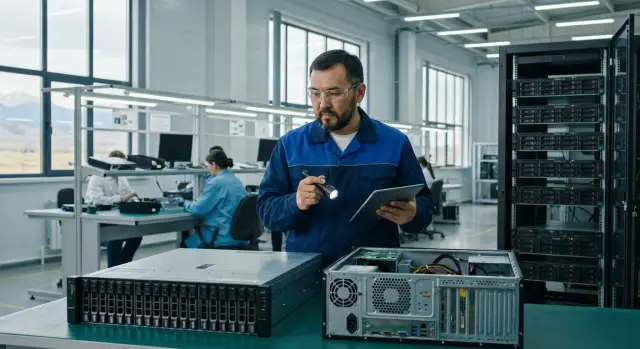
Common challenges when purchasing equipment
Buying computers and servers rarely comes down to choosing the "cheapest" or "fastest" option. Problems often appear after the contract is signed: delivery dates shift, some items are replaced with an “equivalent”, and downtime at workstations turns into direct losses.
One of the main difficulties is unpredictable deliveries. If equipment moves through several countries, a delay at any stage disrupts the deployment, migration and user training plan. This is especially painful for organizations with many branches: there’s one IT team but many locations.
The second pain point is service. When a seller is only a supplier, they can’t always quickly resolve warranty, component compatibility and firmware issues. As a result, you deal with a chain of intermediaries and repair times grow.
Before choosing a brand and model, clarify the basics: realistic delivery times (and what counts as a delay), where repairs will be done (on-site or sent away), availability of spare parts in the country and typical repair duration, who is responsible for compatibility, drivers and updates, and whether delivery strictly “as specified” without substitutions is possible.
For example, when replacing servers at a regional office it’s critical that a failure does not stop public services for a day or two. So at the start it’s useful to understand the difference between buying from a manufacturer and buying through a random supplier: who keeps deadlines, provides support and takes responsibility for the full cycle.
Why buying from a Kazakh manufacturer reduces risks
When equipment passes through a chain of intermediaries, it’s harder to know who is responsible for quality, timing and warranty. Working directly with the manufacturer makes it easier to fix requirements and get clear responsibility for the result.
The status of a domestic manufacturer matters not only “on paper”. For many organizations it means fewer questions in procurement procedures, simpler proof of origin and easier compliance with local-content requirements. GSE has that status since 2015, and production is located in Kazakhstan.
Risks drop significantly when the supplier covers the full cycle: from design and assembly to delivery and support. There are fewer points where the process can fail, and disputed situations are resolved faster. If something doesn’t work, you don’t spend weeks finding who is at fault: the manufacturer sees the configuration and batch history and can propose a clear replacement or repair scenario.
In practice this means less dependence on foreign supplies and sudden component substitutions, a single point of responsibility for warranty and service, more stable build quality and more predictable availability of identical models.
Example: if a bank or akimat has dozens of branches, buying from the manufacturer helps standardize configurations in advance and reduce the risk of mismatched batches that usually complicate deployment and support.
Delivery times and predictable planning
Delivery time is rarely just “shipment.” It consists of configuration approval, manufacturing, internal transport, acceptance and commissioning. Buying from the manufacturer makes it easier to break these stages down on a calendar and eliminate surprises.
To make the plan accurate, agree details before signing the schedule. Even small items like keyboard type or marking requirements can delay acceptance if raised at the last minute.
Fix in advance: exact configurations and options (memory, drives, network cards), peripherals and compatibility (monitors, keyboards, mice), labeling and serial number requirements for your records, completeness per workstation or rack, and an acceptance plan (who inspects, by which acts, on which days).
For organizations with branches it’s convenient to plan deliveries in batches. For example, update some workstations at the head office first, then roll out to branches, keeping a reserve for replacements. This way departments don’t stop working and IT has time to deploy images, migrate data and train users.
In peak periods (year-end, mass refresh) follow a simple rule: fix configurations early and allocate time for acceptance. Also set aside a buffer for unforeseen tasks—urgent add-ons, replacements, or moves between departments.
Service across Kazakhstan: NBD and on-site without extra bureaucracy
Even good equipment loses meaning if a failure requires weeks of waiting for a response or a part from abroad. So in procurement you should understand not only price but how support will actually operate nationwide.
NBD (Next Business Day) usually means response and recovery on the next business day. On-site support means an engineer visits your site without sending equipment to another city. It’s important to define service boundaries in advance: which cities are covered, what hours count as working, which components are replaced on site and which are sent for repair.
When the manufacturer has a service network across Kazakhstan and 24/7 support, downtime becomes shorter and more predictable. Practical example: a bank branch in Kyzylorda has a server power supply failure. Instead of being down for days, the issue is resolved by replacing the unit and checking on site according to the agreed procedure.
To make service start without delays, prepare a minimal dataset: primary and backup contacts, site addresses and access rules, a list of equipment with serial numbers, and a short description of criticality (what can be stopped and what cannot).
If you work with GSE, these conditions can be attached to the contract: NBD, on-site, escalation procedures and city coverage. This reduces the risk of disputes and helps restore systems faster.
Spare-part warehouses and quick repairs instead of waiting for shipments
In real incidents, what matters is not contractual deadlines but whether the needed part is nearby. When parts must be brought from abroad, downtime easily stretches to weeks: approvals, logistics, customs, replacement.
Most failures involve common components: power supplies, drives (HDD/SSD), memory modules, fans and cooling systems, and in server tasks—network and RAID components. Replacing them takes minutes if the part is immediately available.
For truly fast repairs, agree on a minimal spare-parts stock: some parts are held by the service team and some on the customer site for critical units. Immediately fix responsibilities: who tracks inventory, who has access, how replacements are documented and how stock is replenished.
Simple example: a server in a district branch stops due to a power supply. If the unit is in the local stock and an engineer arrives under NBD or on-site, recovery often fits in one working day. If the part needs to be ordered, a routine incident turns into a long pause for accounting, registration or training.
Localization and support for Kazakhstan content requirements
When procurement mentions “localization,” it usually means more than the country of assembly. Review the whole cycle: where the configuration is developed, where equipment is produced and tested, who is responsible for warranty, and how feasible it is to support repairs and spare parts domestically.
Kazakhstan content matters not just in words but as clear proofs. The closer the manufacturer is to the site of operation, the easier it is to close reporting, approvals and inspections. For GSE this relies on the domestic manufacturer status and production in Kazakhstan, not on a chain of intermediaries.
Before signing, clarify which documents and formulations you will receive. Typical questions to resolve: is there confirmation of domestic manufacturer status, how is origin and place of assembly recorded, which models and configurations meet the declared content level, who performs warranty repairs and where the service network is located, and how availability of spare parts and delivery times are confirmed.
Example: an organization buys PCs for the head office and several district units. If procurement documents tie Kazakhstan content requirements to specific models and configurations and to domestic service and spare parts, inspections go smoother and delivery does not turn into a separate “clarification project” after shipment.
Compliance and the GSE trusted boot
In the public sector and critical industries they often require clear equipment origin, a proven production chain, managed updates and protections at the boot level. Practically, it means it’s important not only to buy hardware but also to be able to prove how it was assembled, who services it and how changes are controlled.
Trusted boot protects the very first stage of a computer or server boot—before the OS starts. If boot components are tampered with, the problem can be invisible even to good antivirus. So discuss the GSE trusted boot scenario in procurement: who enables it, who administers it, how updates are applied and how this is reflected in security documentation.
Implementation usually looks like this: choose typical roles (workstations, terminal zones, servers), agree policies (what counts as “trusted”), run a pilot on a small group and then scale to the full fleet.
To avoid months of approvals, request from the supplier: a description of the solution and boundaries of responsibility (what IT does, what InfoSec does, what the manufacturer does), update and rollback procedures (including emergency scenarios), administrator instructions and InfoSec regulations, a list of compatibility with your software and OS images, and reporting formats for internal control.
How to choose suitable models for tasks: L200, M200, S200
GSE has three clear lines, and choice usually starts from where and how equipment will be used. For typical workstations, desktop PCs from the L200 Series are usually suitable. If saving desk space and simplifying connections matters, consider touchscreen all-in-ones from the M200 Series. For servers, virtualization and shared services, organizations use high-performance rack servers from the S200 Series.
To avoid overpaying, first group tasks: accounting and document flow, computer labs, video conferencing and meeting rooms, engineering applications, servers for 1C and file storage. For the first two, balanced L200 configurations are usually enough. For VKS and graphics-heavy workstations, a fast drive and extra RAM are often more important than the highest-end CPU.
Before finalizing specs, fix basic parameters: CPU and workload class, RAM with headroom for 2–3 years, disk type and capacity (SSD for speed, HDD where volume matters), network and ports (1G or 10G, Wi‑Fi, number of video outputs), warranty and service format (for example, NBD and on-site).
Small example: for a school with a computer lab and a teacher’s workstation it’s often better to buy identical L200s in the same configuration, while the rack in a district center should get an S200 with extra disks and memory for user growth. When in doubt, practice shows that speed often improves most with SSD and sufficient RAM, not the most powerful CPU.
Step-by-step: how to organize procurement and rollout without failures
To keep procurement smooth, agree on rules in advance: exactly what is bought, who decides, how acceptance works and what support follows commissioning.
Start with a short requirements gathering. IT looks at performance and compatibility, InfoSec at policies and settings, procurement at documents and timelines, and departments at how the equipment behaves in real tasks. Collecting this in a 1–2 page document reduces re-approvals.
Then move from general statements to typical profiles: office PC, analytics workstation, virtualization server. Break profiles down by site and quantity to see volume and priorities at once.
Separately fix service and operation: required support level (NBD, on-site), who holds spare parts, which regulatory and Kazakhstan content requirements are critical. This reduces the risk that acceptance is delayed by minor issues.
Typical workflow: gather requirements and constraints, approve 2–4 standard configurations and volumes per branch, agree SLA, spare parts and InfoSec requirements, run a pilot on a small group and confirm the reference, then schedule delivery, commissioning and training.
Example: for an organization with 10 branches, start with a pilot in one, refine the system image, setting templates and acceptance procedure, then roll out according to the schedule so departments don’t stop working.
Common mistakes when buying computers and servers
The most frequent mistake is selecting a winner only by price. If the contract doesn’t fix reaction times, recovery times and support format, savings quickly turn into downtime for workstations or services.
Another painful issue is spare parts and compatibility. Often equipment is bought without checking whether critical components are in stock, whether the hardware fits your network and standard OS images, and how it will be serviced regionally.
A separate risk area is information security. Security requirements must be agreed before procurement: how boot processes and updates happen, who signs and checks images, which policies apply. If this is handled after delivery, deployment drags on due to re-approvals.
Usually timelines and budgets are broken by such errors: SLA (NBD and on-site) remain verbal, spare-part availability and repair scenarios go unchecked, InfoSec requirements (including boot and updates) are not agreed in advance, dozens of different configurations are purchased without standardization, and commissioning (migration, data transfer, disposal of old equipment) is not planned.
Simple example: an organization bought PCs and servers in different lots with different drives and network cards. One OS image did not fit all, drivers had to be assembled manually, and the needed regional part was missing. Working with a manufacturer makes it easier to close these risks in advance: agree on unified configurations (e.g., L200 PCs and S200 servers), fix NBD/on-site support across Kazakhstan and clarify spare-part availability and update procedures, including the trusted boot.
Short checklist before signing the contract
Before signing, run through a few key points. This saves time on approvals and reduces the risk of surprises after delivery, when you urgently need to “bring workstations or the server room back to life”.
Make sure both parties understand exactly what is supplied and how it will be supported. Specifically fix responsibility: who accepts equipment, who does initial setup, who signs acceptance acts and who handles support requests.
Put in writing: approved configurations (models, specs, peripherals, and list of required software and licenses), service levels (NBD, on-site, maintenance windows, contacts and escalation procedure), regulatory requirements (including trusted boot, security and closing documents), spare parts and repairs (warehouse, replacement times, need for minimal on-site stock), delivery and commissioning plan (dates, addresses, who unpacks, who connects, who performs acceptance and tests).
If your organization has branches, add unified marking, accounting and transfer rules. This small detail noticeably simplifies support and inventory management.
Example scenario: refreshing equipment for a branch network
Imagine a network with a head office and 8 branches: you need to update 200 workstations and 6 servers. The main risk is not purchasing but downtime and manual chaos in accounting when equipment arrives in parts and the IT team is stretched between deployments and user support.
To avoid stoppages, deliver in waves. Start with a pilot (for example, 20 PCs and 1 server) in one branch, then 2–3 regional waves, and finish with the head office. This verifies compatibility, procedures and service speed on a small scale and then repeats the template across the network.
Before the first wave prepare a “readiness package” so local teams only need to connect and accept equipment: reference OS image and application set, accounts and security policies, labeling and inventory numbers (mapped to rooms and custodians), registration and acceptance forms, security requirements including GSE trusted boot if required by regulations.
Typical NBD and on-site behavior in regions: if a user’s power supply or drive fails, a ticket is created and an engineer arrives the next working day with the required part, replaces the component and documents the change. The branch is not left waiting for a weekly import and does not need to cannibalize other equipment.
After each wave measure three indicators: recovery time (MTTR), actual IT workload (hours per branch) and inventory transparency (how many devices are registered without discrepancies). This quickly shows where the process weakens—in logistics, image preparation or field support.
Next steps: how to quickly move to a clear procurement plan
Start with a short one-page document: user and server roles, InfoSec requirements, timelines, service, spare parts, localization and reporting for procurement procedures. When requirements are recorded in advance, comparing proposals and agreeing specifications becomes much easier.
Then fix measurable goals: acceptable downtime for workstations and servers, NBD repair, on-site visits, phased delivery schedule. To avoid surprises when scaling, plan a pilot on a small group (a branch or department) and approve reference configurations.
If you prefer a single contractor for hardware and deployment, it’s more convenient to work with a manufacturer and system integrator in one. This ties hardware, software, commissioning and 24/7 support together. For initial work on configurations and service levels you can contact GSE.kz (gse.kz) to discuss delivery across Kazakhstan, NBD/on-site and localization and InfoSec requirements.
Short starter plan: describe requirements and constraints, agree KPIs for downtime, repair and delivery, choose 2–3 reference configurations per role, run a pilot and fix results, request GSE configuration options and service levels for your sites.
Frequently asked questions
What problems most often occur when purchasing computers and servers?
Most issues start after the contract is signed: delivery dates shift, some items are replaced with “equivalents”, and commissioning is delayed due to uncoordinated minor details. Another frequent pain is support via a chain of middlemen, when it’s unclear who is actually responsible for warranty and repairs.
Why does buying directly from a Kazakh manufacturer reduce risks?
If the manufacturer is located in the country and responsible for the full cycle, it’s usually easier to fix configurations, deadlines and replacement rules without “equivalents”. Warranty issues are resolved faster because there are fewer intermediaries and higher predictability for spare parts and repairs.
What really affects delivery times besides logistics?
Delivery time is not only logistics but also configuration approval, manufacturing, internal transport, acceptance and preparation for operation. To make the plan accurate, fix configurations, completeness, labeling requirements and a clear acceptance scenario in advance; otherwise delays arise from small details.
What are NBD and on-site support, and how do I know if they suit me?
NBD (Next Business Day) usually implies recovery or key actions on the next working day, while on-site means an engineer visits your location without sending equipment to another city. It’s important to agree in writing which cities are covered, what hours are counted as working time, and what is replaced on site so expectations match reality.
Why discuss spare-part warehouses and service kits in advance?
If the required parts are not available in the country, even a simple incident can stretch for weeks due to approvals and import. Having a local stock and clear replacement rules usually shortens downtime to predictable terms, especially for common components like drives, power supplies and memory modules.
How to verify localization and Kazakhstan content requirements in documents?
Usually they look not only at the place of assembly but also at who handles warranty, where repairs are performed and how realistic it is to supply spare parts within the country. Before signing, clarify which documents you will receive about origin, how models and configurations are recorded, and who will be the service provider.
Why discuss the trusted boot before procurement, not after delivery?
Trusted boot protects the very first stage of a computer or server boot—before the operating system starts. If boot components are compromised at this stage, the issue may remain undetected by conventional antivirus. To avoid delays, agree in advance who enables and administers the mechanism, how updates and rollbacks are handled, and how this is documented for information security needs.
How to choose between L200, M200 and S200 for your needs?
Choose by role: typical workstations are usually solved with one standardized configuration, while servers need headroom for memory, disks and network. In GSE lines the practical logic is: L200 — desktop PCs, M200 — all-in-ones and compact workplaces, S200 — rack servers and infrastructure tasks.
How to organize procurement and deployment across branches without failures?
Start with a short requirements document, then approve several standard profiles and run a pilot on a small group to verify image compatibility, drivers and acceptance processes. After the pilot, fix the “reference” and scale deliveries in waves so the IT team can deploy without stopping departments.
Which mistakes most often break timelines and budgets in procurement?
The main mistake is selecting solely by price and not locking service obligations, reaction times and recovery formats in the contract. Also often overlooked are spare-part availability, compatibility with standard OS images and security requirements, which turns acceptance and commissioning into a protracted emergency.
