7 min read
Brocade vs Cisco MDS for SAN: buffers, licenses, ISL and diagnostics
Brocade vs Cisco MDS for SAN: compare buffers, licenses, ISLs and diagnostics to choose a switch for your workload and budget without surprises.
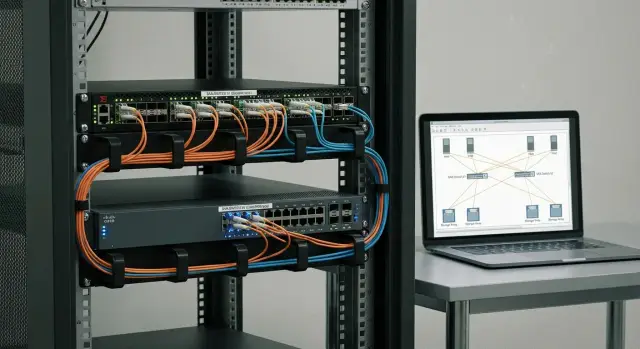
Where to start when comparing Brocade and Cisco MDS for SAN
Comparing SAN switches almost always begins not with the brand but with pain: unexplained latency, sporadic frame errors, backups that “stall” during peaks, or the need to grow the fabric reliably and predictably. So the question “Brocade vs Cisco MDS for SAN” is better reframed as: what exactly must become more stable and predictable after an expansion or replacement?
Don’t reduce the choice to port speed. 16G/32G and even 64G alone don’t guarantee that queues, credit starvation or overloaded inter-switch links won’t appear under real workloads. Stability in a SAN is more often influenced by details that look boring on a spec sheet but make or break the system in production.
For a fair comparison, start with simple inputs. Where do problems appear (backup, VM migrations, replication, host growth)? What topology and growth plan do you have (how many switches, how many ISLs, a single fabric or segmented)? Which services are critical (storage arrays, virtualization, databases, VDI, medical or payment systems)? And what constraints matter immediately (licenses, support, delivery times, local content requirements, vendor policies).
Without this data, “who’s better” becomes guessing. Only then does it make sense to dig into specifications and validate them in practice.
Clarify basics: workload, growth and resiliency
Start the Brocade vs Cisco MDS comparison with your SAN profile, not models and licenses. The same switch can handle VDI easily yet struggle in other scenarios, for example nightly backups to a remote site.
Prepare a short profile of your current SAN. It’s important to know not just how many ports you have, but who is using them and how — what speeds are needed today and what will be added tomorrow.
Put the following on one page:
- how many hosts and how many HBA ports are actually in use (and at which speeds: 16G/32G/64G);
- how many storage arrays, and whether there are dedicated ports for replication, snapshots, backups;
- which flows dominate (steady database I/O, VDI peaks, nightly backups, large migrations);
- how resiliency is arranged (one fabric or two, distribution across racks or sites);
- growth plan for 1–3 years (new drawers, clusters, moving to higher speeds).
Also list constraints. Sometimes the decision is driven not by “better specs” but by delivery schedules, procurement rules and support budgets.
Example: you’re fine with 16G now, but plan to move to 32G and enable replication to a second site next year. In that case determine in advance whether you need a second fabric, how many ISLs will be required, and which ports should be kept as spare. This makes it easier to compare buffers, ISL behavior and licensing across platforms.
Buffers: how to read specs and why it matters
Buffers in a SAN switch are small frame queues for Fibre Channel traffic. With even traffic they’re barely noticeable, but during short spikes (microbursts) buffers often determine whether flows remain steady or suffer frame losses and retransmits.
A port overload doesn’t always mean the disks are the problem. A slow segment (for example a 16G link inside an otherwise 32G environment) creates a queue and neighboring flows suffer. Adequate buffers help the fabric survive short spikes without visible degradation.
In datasheets look not just at total buffer capacity but at how it’s allocated. Brocade and Cisco MDS use different phrasing in their datasheets, and that’s where mistakes are easy.
Useful checks in docs and configs:
- per-port buffer: is it fixed or allocated dynamically from a shared pool;
- is there a global buffer pool and how is it divided between ports;
- does the buffer allocation differ for E-ports (ISL) and F-ports (hosts/storage);
- are buffers reduced when certain features are enabled (QoS, encryption, analytics);
- how is overload behavior described: drops or credit-based backpressure.
In the field buffer issues often look like floating latency and rare but painful drops: a backup runs fine then suddenly slows; a database hits timeouts even though the array looks healthy. This can be mistaken for storage problems.
Don’t mix up symptoms. Bad SFPs/cables or negotiation errors produce similar effects. If you see CRC/encoding errors, an unstable link or flapping, fix the physical layer and speed settings first before concluding it’s a buffer problem.
Credits and “starvation”: common causes of performance drops
Fibre Channel uses strict rules: before sending a frame a port must have buffer-to-buffer credit from the remote side. If there aren’t enough credits, the port waits and throughput falls — this is credit starvation.
How it appears: there’s no constant overload, but latency increases, backups slip, and some hosts report latency spikes. Often the issue is localized to one ISL or one “unlucky” port serving several noisy flows.
Typical root causes are practical:
- long links or WAN distance (higher delay requires more credits to keep the link busy);
- a slow device at the far end (tape, old disk shelf, overloaded array) that returns credits slowly;
- speed mismatches (a 32G segment feeding into 16G further down the chain) creating a bottleneck;
- overloaded ISL with heavy east–west transit traffic between switches;
- design mistakes where too much traffic flows through a single layer of the fabric.
ISL and buffers are directly connected: as the fabric grows the share of transit traffic increases and ISL ports consume credits faster. So compare Brocade and Cisco MDS not only by “total buffer” but by how ports behave under realistic latency and mixed loads.
For a fair comparison capture the same metrics over the same time windows:
- time spent waiting for credits (credit wait);
- utilization and p95/p99 latency on paths;
- ISL counters: congestion, discards, timeouts;
- error counters: CRC, encoding, link resets;
- queue statistics and oversubscription on key ports.
If the problem is episodic, tuning can help: speeds, flow placement, ISL balancing and correct trunking. If credit starvation repeats under load, the fix is often architectural: more or faster ISLs, alternative traffic paths, moving heavy flows to different links or rethinking topology.
ISL and trunking: how to compare the fabric in practice
ISLs (inter-switch links) often become a hidden bottleneck: hosts and storage look fast, yet frames accumulate between switches. Compare Brocade and Cisco MDS by how the fabric behaves under load — backups, replication and end-of-day peaks — rather than just by port count.
ISL as a bottleneck: one faster link or several links?
A single faster ISL can be better than two slower ones: fewer chances of imbalance, simpler management and fewer surprises when a line fails. But multiple links provide redundancy and help absorb peaks if trunking truly distributes traffic predictably.
Before comparing, set a criterion: what happens if one ISL drops during a backup? If latency and errors spike noticeably, the fabric was designed too close to the limit.
Trunking and load distribution: what to check
Check not whether trunking is “supported” but how it behaves and under which conditions:
- identical speeds and optics across links in the group;
- matching port settings and compatible trunking modes on both ends;
- how evenly flows are distributed (no scenario where one link is full while another is idle);
- what happens when you add or remove an ISL: are there short-term drops?
Mixing speeds and optics without clear rules often yields a trunk that exists in configuration but behaves unpredictably.
Plan ISLs with headroom for growth and peaks (typically backup and replication). A practical approach is to design for the 95th percentile load and include growth for 12–18 months.
Licenses: how to avoid mistakes in composition and TCO
In the Brocade vs Cisco MDS debate licenses affect not only price but what architecture you can actually build. A common mistake is buying switches with enough ports but discovering the needed ISL, visibility or aggregation features are optional.
Look at licenses in two dimensions. Architectural licenses change fabric capabilities (trunking, port expansion, segmentation/virtualization, additional protocols). Operational licenses don’t increase raw capacity but save hours on diagnostics (telemetry, advanced analytics, reporting, easier log collection).
The worst TCO model is “base plus options”: the base covers a minimal scenario, while network growth triggers a cascade of add-on purchases. Today you have 24 ports and one ISL; next year you add a second switch and more hosts and suddenly you must buy port, aggregation and visibility licenses.
To compare fairly, lock down requirements before asking for price:
- how many active ports are needed now and in 12–24 months;
- how many ISLs, at what speed, and whether trunking is required;
- whether segmentation and traffic isolation are needed;
- whether you need extended analytics and long log retention;
- whether you want a unified licensing approach across the fabric.
Ask vendors bluntly what’s in the base package, which licenses are perpetual, which are subscription, whether licenses transfer on hardware replacement, and what’s required for speed upgrades or adding ISLs.
Diagnostics usability: what to look for in tools and logs
Diagnostics are often remembered last when choosing Brocade vs Cisco MDS — and later determine how many hours are spent finding a cause when “everything is slow” or a port suddenly fails.
In day-to-day work you need quick answers to simple questions: where is the error, which port, is it SFP/cable/ISL or a device? It’s a good sign when basic info is equally easy to get in CLI and GUI: port status, speed, counters, credits and congestion, flap history, and clear next steps.
What should be visible in 1–2 minutes
Check how quickly you can see and correlate:
- port errors (CRC, loss of sync, enc out) and their time series;
- ISL and trunk status, load and link imbalance;
- optics health (Rx/Tx power, DOM warnings, threshold events);
- drop/overflow counters and symptoms of credit/buffer starvation;
- a fabric map showing connections and recent changes.
Logs and alerts: what not to miss
The system should raise noise only for events that affect service: port flap, optics degradation, ISL down, mass errors, zoning changes, resource exhaustion, reboot or role change. Alerts should be concise, state a likely cause and point to the affected port/module.
A small pre-purchase test: ask for access to a demo and try to complete the chain “find problem → explain cause → confirm with metrics” in 15–20 minutes. For example: locate a problematic port from logs, open counters, check SFP DOM, assess ISL health and balance, and reconstruct what changed in the last hour. If an experienced engineer struggles in that time, real incidents will be worse.
Step-by-step method to compare for your infrastructure
Compare Brocade vs Cisco MDS using your own data rather than marketing tables. That shows where buffers and credits matter, where ISLs are the limit, and where diagnostics and license costs decide.
A five-step scheme usually gives the most honest result:
- Collect facts about your current SAN: used ports and needs for 12–24 months, speeds, topology, ISL count, whether trunking is used.
- Describe workloads and peaks: when backups run, replication, large VM migrations, and the hours when latency complaints are most common.
- Translate symptoms into requirements: long-distance drops and growing queues → buffers, credits and overload behavior; saturated ISLs → aggregation, predictable balancing and headroom.
- Build a one-page comparison matrix: features (trunking, zoning, VSAN/fabric virtualization, encryption, telemetry), required licenses, compatibility with your stack, and 3–5 year TCO.
- Run a pilot for 2–3 representative operations: backup, mass migration/clone, and replication. Measure not only throughput but latency stability, errors and log quality.
If you don’t have a lab, request a pilot plan with clear metrics and thresholds. That makes results comparable and actionable with operations teams.
Common mistakes when choosing a SAN switch
The most common mistake is comparing Brocade and Cisco MDS only by port count on a price list. In SANs what matters is how ports are interconnected and how the fabric handles peaks. Underestimate ISLs and you can end up with hosts and storage that are connected in name only, while traffic chokes between switches.
Second mistake — not planning for growth. You may have 24 ports today, but next year add another array, more ESXi hosts or extra databases. Suddenly expansion is blocked by licenses, supported speeds, trunking limits or the need to buy not just SFPs but functionality.
Third — mixing speeds and optics without considering degradation. Partly 32G and partly 16G, different SFP types and link lengths: the fabric may “work” but CRCs and retransmits will grow and short drops appear. Small inconsistencies in SAN quickly turn into floating problems.
Another frequent error is judging diagnostics by a pretty dashboard instead of how fast you find root causes by counters, credits, queues and events.
Before a pilot, fix acceptance criteria: target ISL scheme (count, speed, trunking), set of counters and thresholds to check, load scenario (e.g., backup plus I/O peak), expansion plan and owners for result validation.
Quick checklist before purchase and pilot
The clearer your inputs, the lower the chance of buying a switch that “fits on paper” but fails under real load.
Check the basics:
- do you have an up-to-date fabric map and peak ISL utilization;
- have you collected port error counters and confirmed optics and patchcord quality on problematic links;
- do you know which licenses are needed now and which will be required as you grow;
- is there an expansion plan: how many ISLs to add, how to group them into trunks, and how that affects redundancy.
Agree how you will measure “diagnostic usability”; otherwise a pilot will boil down to impressions. Usually 3–4 tests are enough: mixed load with ISL overload and comparing latency, simulated line degradation and time to find the root cause, buffer/credit checks during peak, and a safe rollback (for example trunk/ISL config changes).
If you have two data centers and long ISLs, pilot that link: credit issues, optics and how clearly the switch explains what’s happening usually surface there.
Example scenario: SAN expansion in a mid-size organization
Mid-size case: two fabrics (Fabric A and Fabric B), about 250–300 VMs, separate arrays for production and test, and a tight nightly backup window. Over a year new hosts and disk shelves were added and east–west traffic (vMotion, replication, backup) grew.
Symptoms didn’t appear immediately. During peaks some backup tasks started missing the window and a few VMs showed higher disk latency. Switch metrics revealed ISLs between core and edge regularly hitting the ceiling, and certain long-line ports experiencing drops due to credit shortages.
To compare Brocade and Cisco MDS they built a requirements matrix: current and 2-year speeds, number of ISLs, need for trunking, monitoring features and mandatory licenses. Then they ran pilots on backup, mass vMotion and parallel LUN copies.
During the pilot they collected counters showing the real picture: ISL load and microbursts, discards and drops, credit starvation signs, queue lengths and latency on ports, and time to find root cause in logs.
The final decision was based on measurements and TCO: where it was easier to accommodate ISL growth, where needed features didn’t convert the base configuration into an expensive set of options.
Next steps: an action plan and who should own verification
Start with a short 1–2 page document: what you have now, what hurts, and what should improve. This translates the Brocade vs Cisco MDS choice into verifiable criteria.
Fix inputs and acceptance criteria so both platforms are compared equally: ports and speeds, ISLs today and in a year, risks around buffers and credits, licenses (included vs add-ons), diagnostics requirements (which counters and alerts are needed), and operational considerations (updates, SFP replacement, backup of configs).
Next you need a pilot — it’s more informative than datasheets because it reveals behavior in your environment. Predefine metrics and success thresholds: stable latency, no growth in errors, predictable recovery from an ISL failure.
If you hand the pilot and audit to a third party, choose a team that tests SANs by counters and scenarios, not by impressions. In Kazakhstan these tasks can be entrusted to GSE.kz: as a systems integrator they can build the comparison matrix, run the pilot and provide 24/7 support.
Frequently asked questions
Where should I start when comparing Brocade and Cisco MDS for SAN?
Start from symptoms and use cases: where exactly are delays and dropouts happening — backup, replication, vMotion, VDI peaks or database load? Then document current topology, number of hosts/storage arrays, speeds, number of ISLs and growth plans for 1–3 years. After that, comparing models and licenses becomes specific instead of guesswork.
Why shouldn’t I choose a SAN switch only by port speeds (16G/32G/64G)?
Because a high port speed won’t help if the fabric develops queues, ISL imbalance or credit starvation. In practice SANs are limited by buffers, behavior during microbursts, ISL design and quality of diagnostics — not just the catalog number 32G/64G. Speed matters, but only as part of the whole picture.
What are buffers in a SAN switch and how do they affect latency?
Buffers are small frame queues inside a Fibre Channel switch that help absorb short traffic bursts without losses and retransmits. In specs pay attention not only to total buffer size but to how it’s allocated: per-port fixed or from a shared pool, whether ISL ports and host/storage ports share it, and whether certain features reduce available buffer. In practice buffer shortage often looks like floating latency and sudden slowdowns.
How do I tell buffer issues apart from optics or cabling problems?
Check port error counters and link stability: CRC/encoding errors, loss of sync, frequent resets and flapping. If you see physical errors or unstable link behavior, fix optics, cables and speed negotiation first — these symptoms are easily mistaken for buffer problems. Once the physical layer is clean, investigate queues, discards and overload signs.
What is credit starvation and why does it reduce performance?
Credit starvation happens when a port has to wait for buffer-to-buffer credits and can’t send frames even though the link appears not fully utilized. Typical causes: long links with significant latency, a slow device at the far end, mismatched speeds in the path, or overloaded ISLs carrying transit traffic. It presents as rising latency and backups slipping outside their windows, without a constant obvious overload.
How can I tell that ISLs — not hosts or storage — are limiting the SAN?
ISLs are a common hidden bottleneck because transit traffic between parts of a fabric goes through them. Check peak utilization on ISLs, imbalance between links, rising latency, and counters for congestion/discards/timeouts on inter-switch ports. A practical test: drop one ISL during a backup window — if service degrades noticeably, the design is running close to its limits.
Is trunking in SAN always beneficial or are there pitfalls?
Trunking is useful when all links in the group are the same speed, optics and settings, and the platform spreads flows predictably. Problems arise when speeds or optics are mixed — the trunk may exist in configuration, but traffic distributes unevenly or causes brief drops when lines are added/removed. Decide up front whether you prioritize raw bandwidth, resilience to a single link failure, or predictable behavior under peaks.
How do I avoid license and TCO mistakes with Brocade and Cisco MDS?
First list architectural needs: how many active ports now and in 12–24 months, how many ISLs and at what speeds, whether you need segmentation/virtualization and which monitoring features are mandatory. Ask vendors directly: what’s included in the base package, which licenses are perpetual or subscription, can licenses be transferred on hardware replacement, and what’s required for speed upgrades or extra ISLs. This avoids buying hardware only to discover essential functions are sold as options.
What should I look for in diagnostics and logs when choosing a SAN switch?
Evaluate how quickly an engineer can find a root cause using counters and events, not just a pretty dashboard. You should be able to access port status, flap history, key error counters, signs of credit wait and optics data (DOM) within a couple of minutes. If the sequence “find port → identify cause → confirm with metrics” takes too long in tests, real incidents will cost far more than any purchase savings.
How do I run a meaningful Brocade vs Cisco MDS pilot to decide by facts?
A practical minimum pilot covers three scenarios: a backup window under noisy load, a mass VM migration/clone operation, and replication between sites (if relevant or planned). Measure not only average throughput but latency stability (p95/p99), error counters, signs of credit wait and ISL behavior under peaks and when one link fails. If you need a third party, GSE.kz can help build the requirement matrix, run the pilot and provide 24/7 support across the country.
