8 min read
Branch Access Segmentation: Roles and Data Contours
Branch-level access segregation helps separate data by legal entities and departments: role schemes, data contours, checks and common mistakes.
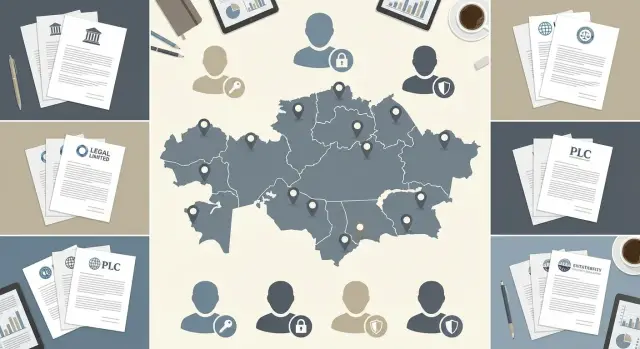
The problem: data mixing between units
When a company has branches and multiple legal entities, data almost always starts to “flow” between units. This usually happens not out of malice but out of convenience: shared access "for all employees", unified folders, identical permission templates and groups like “Office”.
It’s not abstract files that overlap, but concrete working sets: client and vendor databases, contracts and invoices, HR documents, purchase requests, sales and inventory reports, project correspondence. Even when branches operate in the same industry, they often have different prices, terms, salaries and partners. Leaks of this kind of data usually hit finances and reputation.
The idea of “just put things in separate folders” sounds logical but typically doesn’t work. Folders only solve storage location, not access rules. Documents are forwarded in messengers and email, exported to Excel, attached to tasks, sent to contractors, and permissions are later forgotten. If an employee’s system access is broader than necessary, folders won’t save you.
The most common cause of cross-unit access is shared accounts and vague groups. Shared logins kill personal accountability: you can’t tell who opened, downloaded or changed a document. Broad access makes leaks the default: new people are automatically granted excess rights, and departing employees retain theirs.
Order is usually restored from three directions. InfoSec and security teams demand the principle of least privilege and clear action tracing (who, when and what viewed). Legal insists on separation by legal entity to avoid unlawful data exchange and conflicts with contracts and regulators. Branch managers want their own requests, clients and finances hidden from “neighbors” while the central office retains control and reporting.
If you don’t set this up from the start as a clear role scheme and data contours, the system quickly becomes a set of exceptions: “this one can, but only sometimes.” Those exceptions are most often the cause of leaks between units.
Clear terms: branches, legal entities and “contours”
When talking about branch-level access segregation, three different things are often mixed up: where people work (branch), who bears legal responsibility (legal entity) and which data can be shown (data contour). If you don’t separate them in your head and in settings, blind spots appear through which information leaks.
A branch is a place and an operational unit: an office in another city, a warehouse, a bank branch, a regional directorate. A branch can have its own staff, processes and budgets, but legally it may be part of a single legal entity.
A legal entity is a boundary of responsibility and contracts: separate bank accounts, taxes, contracts with counterparties and auditable reporting. Therefore, separation by legal entity is often stricter: staff of one legal entity should not see primary documents of another, even if they sit in the same building.
It’s important to choose the “access unit” in advance — what exactly you are separating. For some tasks it’s the branch, for others it may be a department, project or team. Simple test: if two groups have different managers, KPIs, counterparties or reporting, they almost certainly need different access rules for at least some data.
What a “data contour” is, in plain words
A data contour is a boundary within which data is considered “own” and available to a group of people under clear rules. Outside the contour, data is considered “foreign” and closed by default.
Imagine a network of clinics: each clinic has its own contour with patient records and doctors’ schedules. The central office sees aggregated reports for all clinics but doesn’t need full access to every patient card. That is the contour idea: access is built by zones rather than “everyone to everything”.
Access objects: what to protect
Segregation works only when you list access objects, not when you limit yourself to the abstract “system access.” Typically, the perimeter includes documents (contracts, invoices, orders, primary records), requests and tickets (procurement, repairs, IT, HR requests), reports and analytics (including exports and dashboards), databases and directories (counterparties, employees, catalog), as well as mail and files (attachments, shared folders, archives).
Then terms turn into rules: who can view, create, modify, approve and export. At that level it becomes clear where branch boundaries do not match legal-entity boundaries and where data contours need to be defined separately.
Access models and how to choose
An access model answers a simple question: by which rule does a person see data and can they change it. A common mistake is to choose only “roles” while describing branch and legal-entity boundaries with manual exceptions. That’s usually how leaks between units appear.
RBAC: role-based access
RBAC works well when rights depend on function: accountant, call-center operator, admin, manager. You describe allowed actions for a role and assign the role to a user.
But RBAC doesn’t enforce boundaries (branch, legal entity, project) well. If you have 12 branches and 8 legal entities, the role “Accountant” quickly becomes dozens of variants (“Accountant-Almaty-Entity-1” and so on). The permission matrix balloons and errors become inevitable.
ABAC: attribute-based access
ABAC is built on attributes of users and data. A user can have attributes like “branch”, “legal entity”, “position”, “project”. A record also contains such fields. A rule might say: “read allowed if branch matches” or “approve payments if legal entity matches and position = accountant”.
ABAC is especially useful when there are many people who move between units and data is constantly created. You change an employee’s attribute or a rule, and access is recalculated without creating new roles.
Data contours: boundaries for data access
A contour is better understood not as a folder or menu section but as an access rule. For example, contour “Branch A” means: records labeled “Branch A” are available only to those with the same attribute. This can apply to requests, documents, clients, incidents and even reports.
In practice a hybrid usually works best: roles define “what can be done,” while attributes and data contours define “what can be worked on.” For branch-level segregation this is generally more reliable than pure RBAC.
To choose a model, check:
- whether there are strict, non-negotiable boundaries by branch and legal entity;
- how often employees change units or projects;
- how many data types need isolation (clients, finances, personal data);
- how many exceptions you’re willing to maintain without errors.
Example: in a clinic network a doctor should see records only for their branch, while the central finance department needs aggregated reports for all. Roles define actions (view, edit, approve), and contours and attributes set boundaries (branch, legal entity, project).
Role scheme: how to design it without it growing out of control
A good role scheme starts not with an Excel table but with the question: what tasks do people actually do every day? If you build roles for specific employees or rare one-off cases, the model quickly becomes a tangle of exceptions and branch-level segregation stops enforcing boundaries.
List recurring functions: accounting, HR, sales, warehouse, IT, managers. Then describe 5–10 typical actions in the system for each function: view, create, approve, export reports. Roles become task-oriented rather than person-specific.
Global and local roles
To keep roles from multiplying, split them into two layers.
Global roles (platform admin, security team, audit, support) operate everywhere but with a careful set of rights. Local roles (branch accountant, legal-entity HR, sales manager of a specific unit) operate only within their branch or legal entity. Managers’ roles often don’t grant “super access” but allow viewing aggregated reports and approving requests within their contour. Technical roles (integrations and service accounts) are best kept separate from human accounts.
Key trick: the same role should behave the same everywhere. If a “Sales Manager” in one branch can delete deals and in another cannot, those are already two different roles. Name them differently to avoid confusion.
Exceptions: set rules in advance
Exceptions are inevitable: audits, investigations, temporary cover during leave. But they must be described as a process, not handled as “we’ll grant access and deal with it later.” A working scheme looks like this: access is granted by request, for a set period, with a fixed purpose and mandatory logging.
To avoid drowning in approvals, define responsibilities up front: who owns the role (usually the function head: chief accountant, HR director), who approves granting (employee’s manager or data owner), who technically issues and revokes access (IT or admin), how temporary access is formatted (term, reason, automatic revocation) and who reviews rights quarterly (role owner plus security).
Example: in a holding with two legal entities and three branches, a branch accountant needs to work with documents of their legal entity only but sometimes covers a colleague. Instead of creating “Accountant-substitute,” give a temporary expansion to the existing role for two weeks, record the reason and set automatic rollback. The model stays compact.
Data contours: how to separate “own” from “foreign” data
A data contour is a rule: a user sees and can modify only records that belong to their legal entity and branch (and sometimes to their department or project). If a contour isn’t explicitly set, data begins to leak through reports, shared directories and the habit of storing documents in one place.
Labeling as the foundation
Start with data labeling, not roles. Each entity (document, request, contract, employee card) should have fields the system can use to separate “own” from “foreign”.
Usually 4–5 labels are enough: legal entity (data owner), branch (place of origin or service), department or cost center, project/contract (if project work exists), sensitivity level (e.g., normal, personal, commercial secret).
It’s important that labels are applied automatically where possible. If a user selects the legal entity manually, errors are inevitable.
Storage and directories: where shared is acceptable and where it isn’t
A common repository is acceptable for templates, instructions and anonymized materials. Primary documents, invoices, HR data and internal correspondence are better kept in separate storages or logical partitions with strict access rules. Even if physically in one database, “visibility” should differ.
A frequent leak source is directories. Divide them into shared and local. The product catalog can be shared (if procurement is centralized), while employees are almost always local. Counterparties often need a hybrid approach: a shared directory tied to legal entities with rules about who can see foreign cards.
For cross-cutting processes (central accounting, InfoSec, procurement) apply the least-necessary-access principle. Grant not “all of a legal entity” but rights to required operations and only to fields needed for work. This is crucial when implementing branch-level segregation in ERP, document management or service desk systems.
Don’t forget archives and history. Old documents are often left “visible to everyone” because it’s easier. Set separate rules: who can view the archive, whether downloads are allowed, and what to do when structure changes (mergers, transfers). A practical measure is to store historical anchoring (legal entity/branch at creation time) instead of rewriting it retroactively.
Step-by-step: how to implement access segregation
It’s better to implement branch-level segregation as a small project with clear steps and checks rather than “everywhere at once.” That reduces the chance that employees suddenly lose access to their work or, conversely, can see foreign data.
Preparation: first understand where data actually crosses boundaries
Start by describing processes where information crosses branches and legal entities. Typically this includes finance (invoices, acts), HR, procurement, service-desk requests and shared directories (counterparties, catalog).
Example: a manager in the Almaty branch creates a contract and central accounting performs payment. If this transition isn’t defined, you may either block the payment or open all branches’ contracts to accounting.
Configuration: the access matrix and rules are not just “on computers”
Create an access matrix in the format “role x contour x action.” Contour is a clear data boundary: a specific branch, legal entity, project or a combination. Keep actions basic: read, create, modify, delete, approve, export.
Then proceed with configuration:
- separate accounts and groups by branch and legal entity (e.g., “Sales-Almaty”, “Accounting-Entity-1”) so rights are assigned to groups rather than manually;
- enable controls where data lives: applications, databases, file stores and mail (PC-only restrictions are easily bypassed by copying and forwarding);
- set default rules: a new user sees only their contour, and access expansion requires approval;
- define data owners: who can allow access to a contour (usually the division head or process owner);
- document exceptions: temporary access, substitutions, auditor or contractor access.
After that, create a clear access-request process: request, approver, term, and how access is revoked. It’s important that revoking is as easy and mandatory as granting.
Before going live, run scenarios. Ask 2–3 people from different branches to perform typical tasks (create a document, approve, find, export a report) and verify two results: “own data is available” and “foreign data is not visible even by accident.” If any scenario fails, return to the matrix instead of granting rights “just in case.”
Checks and control: how to spot a leak before it’s too late
Branch-level segregation is only “done” when you can quickly prove that a person from Branch A cannot see Branch B’s data. Control is not about “catching the guilty” but about noticing configuration errors, new bypasses or accidentally granted rights in time.
Simple “see/not see” tests
Start with short repeatable checks after every role change, new branch or new report:
- test user from Branch A sees only their cards, contracts, invoices and reports;
- test user from Branch B likewise in their contour;
- central office user sees aggregated views where allowed by policy;
- searching for a foreign object by number/Name/ID returns nothing;
- exporting a report “for all branches” is unavailable unless the role allows it.
Check not only screens but also bypass paths: Excel/CSV exports, print forms, shared directories and data marts. Often leak happens not in the record but in a report built without a branch filter.
Logs: what to record and why
If an incident occurs, you must answer four questions: who, when, what and how. Logs should capture logins and login attempts (including failed ones), accesses to sensitive data (openings of cards, registry views), exports and downloads (which report, size, format), and access changes (who granted/revoked, on whose request, for what term).
A practical minimum: identify sensitive objects (payroll, personal data, financial reports, medical data) and log access to them more deeply than to ordinary directories. This prevents drowning in events and helps you find suspicious activity faster.
Regular reviews and temporary access
Rights rarely stay correct by themselves: people move between branches, cover for colleagues, or join projects temporarily. You need a review rhythm: quarterly or at least semi-annually a division head confirms that the access list is up to date.
Treat temporary access as “term + purpose.” Good practice: grant access for 7–30 days and close it automatically if not renewed.
Incident analysis: quickly reconstruct the picture
When a leak is suspected, the action plan should be simple: restrict access, preserve logs, identify the affected contour, then reconstruct the user’s activity chain. If logs record logins, views and exports, you can determine in hours whether there was real access to foreign data or a false alarm (e.g., the user only saw an anonymized list).
The earlier you introduce such checks, the cheaper it is to fix model and contour mistakes. This is critical when you have many branches and legal entities and frequent structural changes.
Common mistakes and traps that lead to leaks
The worst leaks happen not because of hacks but because of convenience, haste and forgotten settings. Branch-level segregation often breaks over small things: one extra access, one shared folder, one transfer without rights review.
Frequently encountered errors
Problems usually start with one of these situations:
- a “superuser” without restrictions by legal entity and branch. Such accounts become a habitual solution for support, accounting or admins, and people end up seeing foreign contours’ data;
- copying data to shared folders and chats “for convenience.” Even if the source system is configured correctly, a file dropped in a shared channel nullifies rules;
- inherited permissions in folders, projects and teams that nobody checks. Rights get inherited over years, owners change, and no one remembers why someone has access;
- identical object names without clear labeling (e.g., “Branch1”, “Branch2”). People select the wrong object, attach the wrong file and send it to the wrong place, and the mistake looks like normal operation;
- terminations and transfers without timely rights review. The person is already in another unit, but their permissions remain, especially if accesses were granted directly rather than via roles.
A special trap is contractor access. It’s often granted “temporarily” but not scoped by contour or term and later forgotten. In integration projects and support this is one of the most common causes of silent access.
A real-world scenario: a contractor helps Branch A with a report and asks for an export. A manager posts the file in a shared chat “to be quicker.” Branch B sees the file, and the file name is only “Report_January.xlsx”. No one technically “broke in,” but data contours are mixed.
To avoid post-factum cleanups, follow a basic rule: grant access through roles tied to branch/legal entity, label exports clearly, and ensure any temporary access has a term and an owner responsible for revocation.
Short pre-launch checklist
Before enabling branch-level segregation, check not only roles but also how data is physically and logically separated. One missed item often becomes a silent leak: an employee sees foreign contracts, invoices or personal data and doesn’t even realize they’re doing something wrong.
Verify you have a clear map of data contours. A contour is a data set that should be accessible only to a specific unit or legal entity. Each contour should have an owner (usually a function head or data steward) who can confirm: “yes, these are our data” and “here’s who can see them.”
Next ensure roles haven’t grown or duplicated. If two roles grant almost the same rights, people will get both “just in case” and the meaning of RBAC is lost. A permission matrix helps: roles by rows, resources and actions by columns.
Quick checks before launch:
- a list of data contours compiled and owner assigned for each contour;
- an access matrix prepared, roles clearly named and duplicates removed;
- access is granted only via requests and approvals (no “add urgently, we’ll formalize later”);
- a test user set prepared (one or two per branch and legal entity) to verify restrictions;
- logging of key actions enabled (login, view, export, permission changes).
After technical setup, run a “neighbor test.” Simple scenario: a user from Branch A tries to find a client from Branch B by ID or contract number. If the search returns anything, even without edit rights, it’s a signal that contours aren’t fully separated.
Finally: access is not set once and forever. Plan a rights review at least quarterly with a clear owner and a checklist of what to verify (terminated, transferred, temporary accesses, expanded roles). This is especially important during business growth, new branches or legal-entity changes.
Practical example and next steps
Imagine a company with central accounting and two branches. Branch A and Branch B operate as different legal entities. HR, accountants and managers want to work in one system without risking that documents of one legal entity “leak” into another.
To avoid hundreds of exceptions, split the model into two layers: “who you are” (role) and “what you can see” (data contour).
How to separate documents by data contours
Invoices, contracts and primary documents are easiest to tie to mandatory attributes: “Legal Entity”, “Branch”, sometimes “Project” or “Cost Center”. Then the rule is simple: an employee sees records of their legal entity (and, if needed, their branch), while shared directories (e.g., product catalog) remain common.
HR documents usually need stricter contours. For example, a branch HR specialist sees personal files only for Branch A, while central HR sees aggregated metrics across branches but access to personal fields is limited to what’s needed for reporting.
Management reporting can be raised to a higher level without exposing primary data. Executives get dashboards and aggregated reports: revenue, expenses, receivables, headcount. But they cannot drill into another legal entity’s contract or payment. This is achieved by building reports from aggregates and enforcing the same contour checks when drilling down to primary documents.
Temporary access without a permanent hole
Substitutions are a common source of leaks. A good pattern is a temporary role or a temporary contour expansion with clear boundaries:
- access term fixed (start and end date);
- access granted only for a specific process (e.g., “execute payments”) rather than “everything”;
- all actions are logged and reviewed.
Then proceed stepwise: inventory data and roles, identify critical documents, who uses them and where summaries are needed. Pilot a single process (e.g., contract approvals or invoice handling). After the pilot, expand to other processes and branches with unified role and contour templates.
If the pilot shows insufficient infrastructure capacity or reliability, involve a systems integrator. For example, GSE.kz as a local provider and integrator in Kazakhstan can help select servers, workstations and deploy infrastructure so access control works stably and is supported 24/7.
Frequently asked questions
How can I tell if data is already mixing between branches?
The main sign is that an employee can find or open an object belonging to another branch via search, reports, a shared directory or export, even if everything in their “own folders” looks tidy. This often shows up after a new report appears or when an employee is transferred and their permissions aren’t reviewed.
Why doesn't “putting things in separate folders” usually prevent leaks?
Folders only solve storage location, not all ways data can spread. Documents are sent to email and messengers, attached to tasks, exported to Excel, printed — and file or chat permissions are rarely removed afterward. If a user already has overly broad system access, folders won’t fix the problem.
What is the difference between a branch and a legal entity from an access perspective?
A branch is an operational unit and the place where people work, while a legal entity defines responsibility, contracts and reporting. Two branches can belong to the same legal entity, or employees from different legal entities can sit in the same office. Access often needs stricter separation by legal entity than by branch, so don’t mix these concepts in a single access group.
What is a “data contour” in simple terms?
A data contour is a rule that determines which data is considered “own” for one group and “foreign” for others. By default, “foreign” data is closed, and access is granted only to those who belong to the contour by clear attributes like legal entity and branch. A contour is not a folder or a menu item, but a visibility logic for records in the system.
Which to choose: RBAC or ABAC for branch-level segregation?
RBAC answers “what can be done” (read, edit, approve) well, but it doesn’t scale for “where it can be done” (which branch or legal entity). ABAC adds rules about “which data can be worked with” via attributes of users and records, so it reduces manual exceptions and the risk of someone seeing too much as the number of branches grows.
How to design a role scheme so it doesn't explode into hundreds of variants?
Start with data labeling: each document, request, client or employee record should have fields like “legal entity-owner” and “branch”, preferably set automatically. Roles then define actions, and attribute rules limit visibility of records by those labels. This approach is usually more stable than creating separate roles for every branch and legal entity.
Where does access usually “leak” even when roles are configured?
The most common leak sources are directories and reports: they’re often made “shared for convenience” and forget to filter by branch or legal entity. The second-most common is exports and print forms, where someone gets a file and then forwards it without restrictions. Check not only record cards but also search, reports, exports and directory viewing rights.
How to grant temporary access for leave or substitution without creating a permanent hole?
Treat temporary access as a formal procedure: an application, a purpose, a time limit and automatic revocation. Prefer expanding the contour for specific operations and a limited period rather than giving broad access “just in case.” Make sure actions under temporary rights are well logged; otherwise a temporary substitution easily becomes a permanent hole.
Which logs and events must be recorded to investigate leaks?
At minimum, log logins and login attempts, views of sensitive objects, exports and downloads, and all changes to access rights with the initiator and justification. Practically, log more deeply for sensitive data (personal, financial, commercial) so you don’t drown in events; then, in an incident, you can quickly answer who did what and when without long investigations.
What must be checked before rolling out access segregation to production?
Test common scenarios: a test user from each branch should complete typical tasks and must not find foreign objects by ID, name, taxpayer number or contract number. Verify that reports and data marts do not provide cross-branch visibility, and that access is granted through groups and roles rather than manual assignments. If you need reliable logging and infrastructure, consider a systems integrator and appropriate server and workstation hardware — for example, solutions and support from GSE.kz in Kazakhstan.
