6 min read
BMC/IPMI Access Control: Bastion, MFA and JIT for Admins
BMC/IPMI access control: management network segmentation, bastion and MFA, just-in-time access, and admin activity logging.
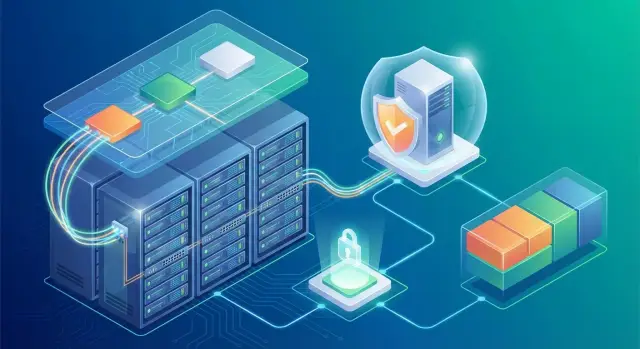
Why BMC/IPMI access needs separate protection
BMC (Baseboard Management Controller) and IPMI provide an independent management channel to a server. They work even when the operating system hasn’t booted. Through them an administrator can open a remote console, view sensors, power-cycle a server and change basic hardware settings. Most rack platforms include such an interface by default, including rack platforms like GSE S200.
The problem is that BMC gives control over the server at a deeper level than an OS account. If an attacker gains access to a BMC, they can bypass some of the protections you set in Windows or Linux. That’s why BMC should not be treated as just another “admin login.”
The most critical BMC actions usually are:
- power on/off and forced reboot
- access to KVM/virtual console and virtual media (you can boot another image)
- changing boot settings and hardware parameters
- firmware updates (BMC, BIOS/UEFI) that change the trust base
Access to BMC is typically needed by a limited group: operations engineers, on-call staff, the data-center team, and sometimes contractors for specific work. In practice access is often granted “just in case,” credentials start circulating and control is lost.
Separate protection is required because the management network, accounts and access path for BMC should follow their own rules: minimal exposure to user networks, strong authentication, access only via a controlled entry point and mandatory logging. This reduces the risk that a single leaked password or an infected laptop grants full control over physical servers.
Management network segmentation: the basic scheme
The main rule for controlling BMC/IPMI access: management interfaces must not be reachable from user subnets (office, Wi‑Fi, VDI, application VLANs). If this rule is broken, one compromised workstation becomes an entry to the physical infrastructure.
Two common approaches are distinguished:
- Out-of-band (OOB) — a separate physical or logical network for BMC, independent from server traffic.
- In-band — management via the OS and normal interfaces.
OOB is chosen where recovery, remote console and power control, and auditability are important. In-band can be useful as an additional channel, but not as the only one.
Basic segmentation (4 zones)
To start, divide the network into clear zones and strictly limit routing between them:
- admin network (administrators’ workstations or their protected VPN pool)
- bastion (jump host) as the single entry point to management
- BMC segment (separate VLAN/VRF for IPMI/iDRAC/iLO)
- SIEM/logging (where events and records are sent)
The idea is simple: the admin connects to the bastion, and the bastion alone has access to the BMC segment by explicitly allowed addresses and ports. Direct connections “admin network -> BMC” are blocked.
Minimum network policies
A few basic restrictions provide a quick security win:
- no internet or user-network egress from the BMC segment; routing out is denied by default
- only really required services are allowed (for example NTP/DNS if they’re necessary) and log forwarding to SIEM/log server
- BMC access is allowed only from the bastion (and sometimes from a limited list of service subnets)
- group BMCs by risk: separate VLANs/VRFs for critical racks or zones so compromise of one group doesn’t expose the whole fleet
This reduces attack surface and prepares for MFA, just-in-time access and proper admin auditing.
Bastion (jump host): organizing a single entry point
A bastion (jump host) is a dedicated server through which administrators enter the isolated management segment (BMC/IPMI). It solves a simple problem: instead of dozens of direct controller logins there is one controlled entry where you can enforce MFA, record sessions and quickly disable access.
A practical rule for BMC: no direct connections to BMC from user VLANs, the office network or the public internet. Access only via the bastion.
How the access path should look
The administrator first connects to the admin plane (or an admin VPN), then logs into the bastion, and only from there opens the BMC web UI, SSH or KVM over IP to the needed devices. On firewalls this is explicit: the BMC segment accepts traffic only from the bastion’s IP (and, if required, from trusted monitoring segments).
To prevent the bastion becoming a new attack vector, keep it minimal and predictable: minimal software, regular updates, corporate EDR/antivirus, block unnecessary outbound connections, personal accounts only and login only via MFA.
Splitting admins into groups
It’s convenient to grant bastion access by groups. For example, “DC operators” see only rack BMCs for their data center, while the “server team” sees only BMCs for their zone. Technically this is done with allowlists and firewall rules. Then compromise of one account doesn’t hand over keys to the whole fleet.
MFA and basic login hygiene for administrators
Enable MFA where you actually control the entry: on VPN, on the bastion and in PAM (if present). Most BMC/IPMI implementations either lack MFA or implement it poorly, so trying to add MFA directly to BMC often gives a false sense of security. It’s more reliable to require that the BMC web UI be reachable only through a controlled entry point.
A typical path looks like: VPN with MFA -> bastion -> BMC in an isolated management network. MFA thus protects the whole path, not individual devices.
Minimal login policy usually includes:
- MFA for all privileged accounts (VPN, bastion, PAM)
- login only from trusted devices (corporate laptops under management or VDI), no personal PCs
- long unique passwords (typically 14–16 characters) with no reuse
- account lockout limits and alerts on lockouts
- session idle timeouts and overall session duration limits
Emergency (break-glass) access is necessary, otherwise you may lock yourself out in a critical moment. But it must be rare and auditable: store break-glass credentials in a secured vault, issue them only on request, enforce heightened logging, require password rotation after use and review the incident afterwards.
Just-in-time access: rights only for the work window
Just-in-time (JIT) for BMC/IPMI means administrators do not hold permanent privileges. They receive them only by request and only for the duration of the work. This reduces the chance that a leaked password, forgotten account or human error will cause unintended reboots, configuration changes or firmware updates.
JIT starts from a trigger: an incident, a service desk ticket or a scheduled maintenance window. Each temporary access should have a requester (who asks), an approver (who permits) and a clear purpose (what needs to be done in the BMC). For auditing, a ticket number, device list, time window and privilege level are usually enough.
Instead of permanent roles, use temporary groups. For example:
- BMC-Operator — view, power control, console for diagnostics
- BMC-Admin — user management, BMC network, certificates, firmware
A minimal implementation without complex PAM typically looks like: request -> approval -> add to a temporary group or open a temporary rule on the bastion/firewall -> automatic revoke by timer -> record issuance and revocation in logs.
If BMC supports LDAP/AD, a temporary group can control access directly. If not, implement JIT through the bastion and network rules: open management network access only for the maintenance window and close it automatically.
Minimal access policies to BMC/IPMI (least privilege)
BMC/IPMI grants access below the OS level: power, console, virtual media, firmware. Mistakes in permissions here often become full control over the server, so rules must be short and enforceable.
-
Personal accounts only. Shared logins like admin or ops are unacceptable: accountability and revocation are lost. Disable or rename vendor default accounts and forbid factory passwords by policy and checks.
-
Role-based access. Not everyone needs firmware or BMC network rights. Keep roles simple: view, operator, administrator.
-
Access by allowlist only. Permit management only from the management network and only from a limited set of sources (usually the bastion and monitoring). Everything else is closed by default.
-
Minimal protocols. Disable unused services, forbid insecure protocol versions and ciphers, keep only what is needed for real procedures.
Contractors should have separate accounts, expiry and tightly limited rights. Often operator role and device-specific access for 1–2 hours is sufficient.
Logging and auditing admin actions
Without logs, BMC/IPMI protection becomes guesswork: who logged in, what changed, why the server rebooted. Logs are needed for investigations and for finding issues before they cause outages.
Collect events at three levels: the BMC/IPMI itself, the entry point (VPN) and the bastion. That way you can see the chain: admin connected via VPN, logged into bastion, and from there opened a specific BMC.
Important events include:
- successful and failed logins, password changes, creation and deletion of accounts
- changes to BMC network settings, user rights, service enablement
- power on/off, reset, power-cycle, boot order changes
- KVM/console sessions and virtual media attachments
- firmware updates and rollbacks
Centralize logs in a SIEM or at least a central syslog. Synchronize time via NTP across all segments, including the management network, otherwise timelines will be inconsistent.
Consider recording admin sessions on the bastion: commands (for SSH), screen recording (for RDP or web consoles) and metadata — who, when, to which host, under what ticket they worked. Access to these recordings should be tightly controlled.
Regular review matters more than perfect settings. A practical minimum:
- weekly: failed logins, logins outside work windows, new accounts
- monthly: role and privilege changes, firmware updates, frequent power-cycles and KVM sessions
- quarterly: spot checks of records against tickets and the admin list
Step-by-step implementation plan (without major infrastructure overhaul)
Start with inventory: a list of servers, storage and network gear with BMC/IPMI, their addresses and subnets, where web UI is enabled and where only KVM or Redfish is available. Surprises are often in temporary IPs and forgotten test racks.
Proceed in steps, each usually doable in 1–3 workdays and reversible if needed:
- Create a management segment: a dedicated VLAN/subnet for BMC. Allow routing only from the bastion and (if needed) monitoring. Apply ACLs on the border with deny-by-default.
- Deploy a bastion as the single entry point. Close direct BMC access from the office network and user VPNs. Leave only bastion -> BMC on required ports.
- Enable MFA for bastion logins and create admin groups by role. Disable interactive login for service accounts.
- Add a JIT process: request, purpose, time window, approver and automated rights revocation.
- Enable logging: bastion logins, commands/sessions, BMC changes, MFA events. Test the flow: “admin got access for 30 minutes, rebooted a server, access was revoked, logs show who did what and when.”
Minimum readiness criterion: no BMC is directly reachable, all privileged actions go through a bastion with MFA, rights are time-limited and audits are available within minutes. For new racks (including those with GSE S200 servers) include these requirements in the commissioning standard from the start.
Common mistakes and pitfalls in protecting BMC/IPMI
BMC/IPMI often survives by the logic “it works anyway.” Access control breaks not because of sophisticated attacks but due to small temporary exceptions that become permanent.
The most common mistake is leaving management interfaces in the same network as server OSs and workstations. Then compromise of the regular network gives a chance to reach BMC, and an attacker can reboot nodes, change boot order and persist below the OS.
Other frequent failures:
- one shared admin login and password across all BMCs
- access open from many subnets “just in case,” no perimeter
- logs record logins but not actions
- emergency access poorly designed: either MFA is trivially bypassed or you can’t recover if the IdP/MFA fails
- BMC firmware updates postponed, leaving accumulated vulnerabilities in web interfaces and firmware
Mini-scenario: an admin connects to BMC from the office network because “it’s faster.” Later their PC is infected and malware obtains saved passwords. If the BMC is in the same network without strict source controls, the attacker gains hardware control even if the server OS is well protected.
Quick checklist before go-live
Before opening admin access, check these basics:
- BMC/IPMI is not visible from user VLANs and server networks. Entry to the management plane is only via the bastion (and if needed via VPN to the bastion).
- MFA is enabled where the privileged path begins (typically VPN and/or bastion), with no convenience exceptions.
- no shared accounts or universal passwords; roles are separated and default rights are minimal
- JIT works: access is granted for a specific window and revoked automatically
- logs are collected centrally (VPN, bastion, BMC) and time is synchronized
Then run a short test. Have one admin perform a routine task (e.g., a reboot via BMC or attach virtual media) and have another person confirm from the logs who accessed what, from where, when and when access was revoked.
If any question can’t be answered confidently, fix settings before going to production.
Example: how it looks in a real organisation
Imagine a rack of servers in a data center. On-call staff must be able to reboot servers and view consoles; engineers occasionally update BMC firmware and change settings.
The management network is separate: BMC/IPMI interfaces are in a dedicated segment not routed to the office network and not visible from user VLANs. You can only enter via a protected path: VPN with MFA -> bastion -> specific BMCs. Direct workstation connections are blocked at the network level.
Rights are issued via JIT. For example, an engineer plans a firmware update for two servers. They create a change ticket with a maintenance window and device list. For that window they receive a role that allows only the required actions. Access is removed automatically after the window.
Logs are collected in one place: who connected to the bastion, which BMCs were accessed, when and what was done (ideally with session recording). You can verify activity by ticket number and server name without searching scattered logs.
Emergency scenarios fit the scheme too: the OS is unresponsive and a remote KVM and forced reboot are needed. The on‑call gets JIT access for a short time, the action is tied to the incident and the session is recorded.
Next steps: pilot and scale-up
Start with a small pilot: 5–10 servers (preferably across different racks or sites). This is enough to test bastion, MFA, JIT and log collection without risking the on‑call team’s operations.
To avoid later disputes on process, document a few artifacts up front: role matrix, management network rules, JIT ticket template, logging requirements and readiness criteria.
After the pilot, scale in waves: first critical systems, then typical racks, then remote sites. Keep standards consistent: one approach to bastion, one JIT format, unified roles and clear firewall rules.
If you are building or upgrading server infrastructure with a systems integrator, bake these requirements into the project rather than chasing them after deployment. In projects by GSE.kz (gse.kz) the management contour is usually designed separately from the start so bastion, segmentation and audit work the same across the fleet.
Frequently asked questions
Why can't BMC/IPMI be protected the same way as a normal Windows or Linux login?
BMC/IPMI operates independently of the operating system and provides access to power controls, remote console and booting from virtual media. If an attacker gains control of the BMC, they can bypass some OS protections and gain control of the server below Windows/Linux. Therefore BMC should be isolated and protected as a separate privileged management plane.
What is the simplest segmentation scheme for a BMC management network?
A practical minimum is a separate management segment for BMC (VLAN/VRF) with no route from office and server subnets. Access should be allowed only from a single controlled point (the bastion) and, if needed, from a dedicated monitoring segment. All direct user connections to BMC should be blocked at the network level.
Why is it dangerous when BMC is reachable from the office network or application VLANs?
Because a single infected laptop or leaked password in the office network immediately opens a path to physical server management. If BMC is reachable from user VLANs, compromise of an ordinary workstation can lead to reboots, changed boot order or booting a foreign image via virtual media. Isolation breaks that attack path.
Why do we need a bastion if each BMC already has its own web interface?
A bastion (jump host) provides a single controlled entry to the management plane: the administrator authenticates to the bastion and from there opens the BMC web UI or KVM. This makes it easier to enable MFA, restrict target lists, record sessions and quickly revoke access for one person without touching dozens of controllers.
Where is it better to enable MFA: on BMC or on bastion/VPN?
In practice, it is more reliable to enable MFA on the VPN/VDI and on the bastion — places where you actually control the entry. Many BMCs lack MFA or implement it poorly, and exceptions multiply. If the BMC is reachable only via the bastion, MFA protects the whole path rather than individual devices.
What minimal least-privilege rules should be applied to BMC?
Start with personal accounts and disable/rename factory accounts so responsibility is clear and access can be revoked. Then separate roles by task: some users only need power and console, while network and firmware rights should be tightly limited. Also restrict source of access: only bastion and specific addresses.
What does just-in-time (JIT) access for BMC provide and when is it really needed?
JIT reduces the risk of permanent privileges: access is granted for a specific task and limited time, then automatically revoked. This helps if credentials leak, forgotten accounts remain, or an admin performs work on the wrong server. For a start, tying access to a ticket/incident, a maintenance window and a device list is sufficient.
How to safely grant BMC access to contractors or temporary on-call staff?
Give contractors separate accounts, minimal rights and short time limits, and ideally restrict access to specific devices. Prefer access only via the bastion, with a ticket number recorded and session recording enabled. After work is done the access is closed and credentials do not keep circulating.
What BMC logs should be collected to enable incident investigation?
Collect events on three levels: the VPN (or other entry), the bastion and the BMC itself. That way you can trace who entered the management plane, which server they connected to and what actions they performed, including power/reset, KVM and virtual media. Synchronize time and store logs centrally; otherwise investigations become guesswork.
What should be checked before enabling BMC access in production (short checklist)?
First, ensure no BMC is directly reachable from user networks and that entry to the management plane goes only through the bastion with MFA. Check there are no shared logins, roles are separated, privileges are time-limited (JIT) and revoked automatically. A final test: perform a typical BMC operation and verify logs can clearly show who, from where, when and why it was done.
