8 min read
Barcoding in accounting: codes, printers and processes
Barcoding in accounting helps you move away from “homemade” labels: how to choose codes and printers, set up processes and ensure traceability of write-offs.
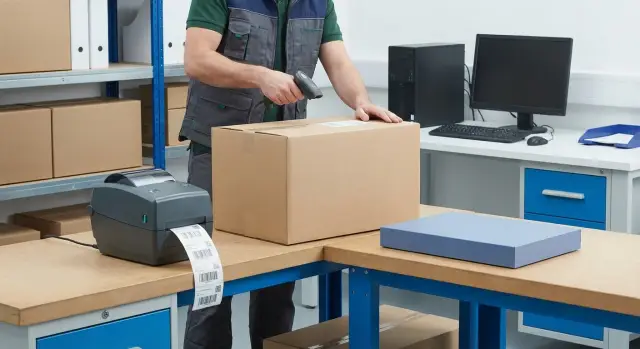
Why accounting needs barcodes and where chaos usually begins
Barcodes in accounting are not about “pretty stickers” but about making every movement of an item leave a clear trace in the system. When labeling is consistent, employees don’t rewrite names and serial numbers by hand or guess what’s inside a box. There are fewer mistakes, work is faster, and inventory results are more predictable.
Chaos usually starts with “homemade” labels: someone prints on an office printer, someone writes with a marker, someone tapes a sticker. As a result, the same cable is called different things, barcodes get duplicated, and labels rub off or fall off. The nastiest part is that errors appear late: when balances don’t match or the wrong item was written off.
Basic operations most often break: receiving (one thing arrived, another was logged), transfers (an item was moved to an office but still “sits” in the warehouse), write-offs (the wrong position was chosen) and issuance (no link to the person or place).
Traceability in practice answers simple questions: what is this unit (model, batch, serial number), where is it now, who and when received, moved or wrote it off, and on what basis. Disputes are then resolved by facts, not by messages.
Several roles are involved, each with its own pain. Accounting needs correct documents and matching balances. Warehouse wants fast receiving and issuing without re-sorting. IT wants equipment and supplies not to “get lost” between rooms. Custodians are responsible for safekeeping and want a clear process without notebooks and manual records.
If you start barcoding for accounting, agree on rules up front: who prints and issues codes, who may re-stick labels and what to do if a code won’t scan. This reduces the risk of chaos even before buying printers and scanners.
What to label: units of account and the right level of detail
Barcoding for accounting doesn’t start with a printer but with the question: what do you treat as a “unit”? Getting this wrong causes confusion during transfers and disputed write-offs.
Goods and materials often live on the warehouse as consumables. Fixed assets and tools are usually important as specific objects that move between people and rooms. Documents are rarely labeled themselves, though a document number may appear on a label as the basis (invoice, act, request).
In practice you label at a chosen level: storage unit (box, cartridge), a set (for example, “laptop + charger + bag”), batch, storage location (shelf, bin, cabinet) or a specific object (asset item, tool).
The minimally sufficient level is the one at which the decision to move or write off becomes unambiguous. If you receive and write off items individually, label units, not boxes. If you move boxes and open them only at the consumer, labeling the box and tracking contents in records may be enough.
Serial numbers are needed when you must distinguish identical items: fixed assets, expensive tools, equipment under warranty, and anything that goes to repair. If distinction isn’t needed (e.g., packs of paper or identical cables), an internal number and batch are usually sufficient.
A simple example: in an office, cartridges and paper are convenient to track by batch and storage location, while laptops, monitors and UPS units are tracked per item with unique numbers. Transfers between employees are then recorded by scan, and write-offs don’t raise the question “which exact item was issued?”.
To choose the level without unnecessary complexity, check how you receive items (individually or packaged), what moves more often (item or place), whether repair, warranty and personal responsibility exist, how painful an error is (cost, safety, audit), and whether you need per-item tracking or box-level is enough.
Choosing codes: which barcodes suit accounting
Good barcoding in accounting starts with a simple decision: whose code do you use — yours or the supplier’s. Supplier codes are convenient at receiving, but they may change between batches, collide for different suppliers, or be missing. An internal code gives stability: one object — one identifier, fewer surprises during inventories and write-offs.
Set the code format in advance and don’t change it. Think about length (allow growth), prefixes (to distinguish consumables from fixed assets), and a check digit if your system and hardware support it. Too-long codes are harder to read and cause manual-entry errors, so keep length exactly what you need.
1D or 2D
For accounting, 1D barcodes (for example, Code 128) are often enough: they print fast, are readable by almost any scanner and suit internal identifiers. 2D codes (QR, Data Matrix) are appropriate when you need more data on a small label or have specific marking requirements. Don’t try to “stuff” everything into a code: the more data, the higher the risk of scanner and format incompatibilities.
A simple rule of permanence: a code is tied to the object, not to its price, location or status. Repricing, transfer, issuance and write-off should change records in the system but not the identifier itself. Re-sticking a new code for every event breaks traceability.
How to avoid duplicates
To avoid “codes for the sake of codes,” define rules. Assign a single person responsible for issuing new codes and maintain a unified register; forbid creating a code “on the spot” if the object already exists; use clear ranges or prefixes by asset type; check uniqueness before printing; and follow the principle “new code only for a new object,” not for changing attributes.
Example: identical mice are in procurement and in the warehouse. Using supplier codes, two shipments may arrive with different codes and reports on “how many mice remain” will be wrong. An internal code solves this: the object is treated the same at receiving, transfer and write-off.
Label design: stick, scan and survive
A good label solves two problems: it’s easy to read with a scanner on the first try, and it stays attached for the life of the item. If either fails, people resort to marker signatures and mistakes follow.
What to print on the label
Less text is better for barcode readability, but you still need some human reference. Usually barcode (with its human-readable text), a short name, unit of account and one extra field if necessary (batch, date, serial number, custodian or department) are enough.
If a label goes on a box that contains many items, use a separate “box” label and separate labels for unit items. One universal sticker on everything often leads to confusion.
Size, material and durability
Choose material based on conditions, not price. Paper works in a dry office for short-lived labels. Polypropylene is better where there’s rubbing, wet cleaning or when the label must last months. For harsh conditions (cold, heat, frequent handling) use reinforced materials and appropriate adhesive.
Don’t stick on edges, seams, fabric, rubber or rough plastic. For metal, degrease and dry the surface, press the label down and don’t touch it for a few minutes. For items handled frequently (tools, cartridges), lamination or placing the label in a recessed area helps.
Before full production do a quick readability test: contrast (black on white), quiet zones around the code, size matched to your scanning distance, clean printing, and test on 10–20 real items after sticking.
This preparation is especially important where strict traceability matters, for example in healthcare, education or government: time lost to recounting quickly becomes more expensive than proper labeling.
Choosing a label printer for real load
Pick a label printer not by price but by how many and what type of labels you print. The main fork is simple: direct thermal or thermal transfer.
Direct thermal prints on thermal labels without a ribbon. It’s convenient and cheap for short-life labels: receiving, internal moves, temporary stickers. The downside is faster fading and poor resistance to heat, sun and abrasion.
Thermal transfer prints via a ribbon and lasts noticeably longer. It’s usually chosen for fixed assets, equipment, shelves, containers and anything that must remain legible for months or years. For example, when labeling workstations and servers you want codes to survive moves and multiple inventories.
When choosing a model check print width (fits your labels), resolution (203 dpi is sufficient in most cases; 300 dpi helps with small text), speed (important at receiving), class (office vs industrial) and interfaces (USB or network so you’re not forced to print “through one PC for the whole warehouse”).
Don’t forget consumables and compatibility: thermal transfer needs a ribbon of the correct width and core. Decide in advance on label material and adhesive for your surfaces (plastic, metal, rough materials, cold rooms). A cheap label often peels or wears out before you close the month.
Placement also affects choice. One printer in the warehouse is convenient for receiving, but accounting and departments may need a local printer to label new items on the spot. If you have one printer, plan a print queue and a person responsible.
Estimate load from practice: how many labels you print on a normal and peak day, how many new objects you create per month, how many workplaces print simultaneously, what spare capacity is needed for urgent inventories or failures, and how many consumables to keep given lead times.
Scanners and workstations: what you need besides a printer
A printer solves only half the problem. The other half is how to quickly and reliably read a code and immediately record the action in the inventory. If people must go “to one computer,” they’ll start copying numbers by hand and barcodes become a formality.
Where to print: a single place or near the operation
Stationary printing works if receiving and labeling always happen in one spot (for example, an incoming inspection area). But if you often label on site (shelves, rooms, service), printing near the operation saves time and reduces the risk of mixing up labels.
A simple guideline: print the label where the item first enters accounting or changes status. Then barcoding supports traceability instead of adding extra steps.
Scanners and workstations: avoid queues
Warehouses choose scanners by code types (1D or 2D), range, ergonomics and connectivity (wired or radio). 2D scanners are more universal: they read linear barcodes, QR codes and small print. Wireless is convenient for moves, but assess dead zones and charging schedules first.
To avoid queues and manual entry you need a basic set: at least one scanning station at receiving and one at issuing, a separate station for inventory, a reliable PC built for dusty, long work, a spare scanner or consumables (cable, battery), and clear system roles — who can move and write off what.
If printing occurs from multiple places into a shared inventory, a server-side component is often needed: a single database, print queue, access rights and an activity log. Then recovery from a single workstation failure is easier.
Processes step by step: receiving, transfer, write-off
For barcodes to work, the order of actions matters most. Barcoding in accounting starts with a reference register: what you track (product, batch, device, storage location) and the rules for assigning a code. If rules change “on the fly” duplicates and gray balances appear.
Make labeling simple for people. Stick labels by zones and responsibilities: warehouse, office, server room, repair. At the start check that labels adhere to the surface and don’t wear off in normal use.
A practical flow looks like this: create a card and assign a code by a single rule. At receiving verify quantity, inspect, and check that labeling exists and scans. Do transfers only by scanning with records of “from,” “to” and “who confirmed.” Issue and write-off are processed with a basis (request, act, reason) and confirmation. Perform inventory by scanning and resolve discrepancies immediately while the context is fresh.
At receiving, record not only arrival but label quality. If some units arrive unlabeled, give them a status like “to be labeled,” otherwise they may go into use and get lost.
Keep transfers “short”: one action — one fact. Example: cartridges moved from warehouse to an office. Scans: warehouse (bin), box (or cartridge), office (location), employee. Without “from/to” you get just a mark that doesn’t help find the item.
The main risk with write-offs and issuance is verbal decisions. If a cartridge is issued without basis, it will remain in warehouse records. If written off without confirmation, questions will arise on audit. Agree which documents or reasons are mandatory and don’t let exceptions become the norm.
Inventory with barcodes gives quick results, but mis-sorts still happen. Usually reasons are three: label applied incorrectly, item moved without a scan, or the object tracked at the wrong level (batch vs unit).
Common mistakes and traps of “homemade” labeling
Barcode problems rarely start with the printer. They start with the habit of doing “what’s convenient today” without common rules. Barcoding becomes a set of different labels that only one employee understands.
The most common mistake is having no owner for the registers and coding rules. When everyone is partly responsible, the same numbers appear for different items, one position has multiple names, and units of account get mixed up. Manual fixes follow, and those break history.
The second trap is printing labels “however it comes out.” One area uses tiny font, another cuts quiet zones, a third sticks on a dusty surface. In a month some labels are unreadable and people revert to manual entry.
Another issue is duplicates and retroactive changes. When a code is changed after an item is already in the warehouse, traceability of movements and write-offs is lost. You can’t honestly answer where a specific unit was and why it was written off.
One more trap is skipping scans. An employee says “we’ll enter it later” because the scanner is busy, inconvenient or the system is slow. If facts are recorded weekly instead of at the moment, accounting becomes mere reporting.
A short set of rules helps: one owner for registers, label templates and code issuance; don’t change codes retroactively, make corrections through a clear procedure; labels must read and last; record transfers and write-offs immediately; give new shifts a brief one-page instruction and 10 minutes of practice.
Example: consumables were first marked with blue tape and marker. After a couple of weeks the same cartridge had different names and write-offs were done “by feel.” After a unified template and the rule “scan immediately” balances started to match at the next inventory.
Short pre-launch checklist
Spend an hour on checks before launch rather than a week fixing gray labels and disputed write-offs.
First check the basics: codes must be unique, assignment rules simple, and the right to create new codes assigned to a specific role. It must be clear what you code (item, batch, unit) and when to create a new code. If the same product can get two different codes in different departments, transfer errors are inevitable.
Then check hardware and process: label templates must be approved and available to printers, and label material chosen for real conditions (cold, dust, humidity, wiping). Before launch print a test batch, stick them on typical objects (box, folder, container, equipment) and test scanning at real points: receiving, issuing and storage.
Quick pre-launch checks:
- Codes are unique, assignment rules are short and avoid “manual” exceptions.
- Label templates are approved and accessible to all printers.
- Label material matches storage conditions and life expectancy.
- Quality control exists: test print and scanner check on site.
- Roles are assigned: who prints, who sticks, who confirms the operation in the system.
Also record the inventory procedure: frequency, who is responsible for recounts, how discrepancies are resolved and within what time. If you find an extra item, it should be clear in advance what to do: check recent movements, look for duplicate codes, post an adjustment or write a memo.
Example scenario: office and consumables warehouse
A company tracks consumables: paper, cartridges, cables, mice, batteries for UPS. There’s a central warehouse and two storage points: an accounting storeroom and an IT cabinet. Supplies are constantly issued to departments, some go to repairs, and write-offs happen almost daily. Previously everything was kept in a signed notebook and manually entered in the accounting system, causing regular shortages, “extra” stock and disputes over who took what.
Transition is easier in stages. Start with a pilot: one category and one zone, for example cartridges in the central warehouse. It’s easier to set rules: storage by bin, issuance by request, regular moves to printer areas.
A typical day after implementation: the supplier delivers a box of cartridges, the storekeeper receives it, prints labels and sticks one on each unit. The system records arrival and storage location. If some cartridges go to the IT cabinet, a transfer is made, scanning the code and new location. When a department requests a replacement, issuance is done by scanning: who received it, on what basis (request or memo) and which room is the final point. Write-offs follow the same flow with a reason: “used,” “defect,” “return to supplier.”
In the inventory system record minimally: item code (or serial if critical), storage location or room, operation (receive, transfer, issue, write-off), basis and responsible person, date and quantity.
To see if barcoding works, track simple metrics: share of manual entry, time for receiving and issuing, inventory discrepancies, and number of write-offs without basis. If manual entry hasn’t noticeably decreased in 2–3 weeks, labels are inconvenient to stick, the scanner is in the wrong place or processes are overloaded.
Next steps: implement without overload and with support
To avoid endless rework, first map flows: what you receive, where you store, how you transfer, who and how writes off. Then pick 20–30% of the most frequent operations and item types that deliver the main benefit (for example, consumables, tools, finished goods). This helps choose the right level of detail and removes the temptation to use temporary labels.
Next assemble a minimal kit and test it in one area: a single object register and naming rules, one code format and one label template, one printer and one scanner in the pilot zone, a one-page instruction and shift training, plus a control report (what was received, moved and written off).
Choose equipment so the approach scales without changing logic: the same label template should print reliably on your class of printers, and scanners must read codes under your lighting and distance. If you include spare capacity for load and consumables, the warehouse won’t “stop” during peak deliveries.
Use a systems integrator when complexity—not just volume—appears: multiple sites, 24/7 shifts, strict reporting, integration with accounting and role enforcement, plus responsibility for support and recovery times.
Also check infrastructure. Weak workstations and overloaded servers quickly turn scanning into waiting at the screen.
If you prefer to source some infrastructure from a single vendor, GSE.kz (gse.kz) as a manufacturer and systems integrator in Kazakhstan can supply work PCs, all-in-ones and servers for warehouse and accounting workstations, and help with integration and support.
Frequently asked questions
Why use barcodes in accounting if you can keep a list in the system?
Barcodes make every action with an item unambiguous: received, moved, issued, written off. That reduces manual entry, lowers mis-sorting, and turns inventory into checking facts rather than hunting for “who called it what” or “where it went.”
Where does chaos usually begin with barcoding?
Chaos starts when there’s no single rule: different people print and stick labels however is convenient, names diverge, codes duplicate, and labels wear off or fall off. The worst part is that errors show up late, when balances don’t match or the wrong item was written off.
What exactly should be labeled: item, box, batch or storage location?
Start by defining the “unit of account”: what you treat and move as a single object. For consumables, a batch or box is often enough; for equipment, tools and warranty items you usually need per-item labeling with a unique number.
Is it better to use an internal code or the supplier’s barcode?
An internal code is usually more reliable for inventory: it doesn’t depend on the supplier or change between deliveries. Supplier codes can be useful at receiving, but keep your internal identifier stable as the primary key.
Which is better for inventory: 1D or 2D barcodes?
For internal inventory, 1D (for example, Code 128) is usually enough: it prints quickly and is read by most scanners. 2D (QR or Data Matrix) is useful when you need to fit more data on a small label or have specific marking requirements, but in accounting it’s usually better to store extra data in the system and keep the code as a short identifier.
How to avoid barcode duplicates in the database?
Define the format once: length, prefixes by asset type, and issuance rules. Assign one responsible person and a single reference register so “on-the-spot” codes don’t appear unchecked, and the system prevents printing an already used number.
What must be printed on the label besides the barcode?
Keep labels simple: barcode and its human-readable text, plus a short name for quick visual check. Add only one or two extra fields if needed; otherwise text becomes tiny, codes are harder to read, and people return to manual entry.
When is a thermal printer enough and when do you need thermal transfer?
Thermal direct printing works for short-lived labels in a dry office—cheaper and convenient. For assets, shelving and anything that must survive months or years, thermal transfer with a ribbon and more durable material is usually required.
What to do if a label peeled off or the barcode is unreadable?
Stick labels on a clean, flat surface, not on edges or seams, and let the adhesive set. If a code becomes unreadable, don’t invent a new number without procedure: locate the item by its attributes, print a duplicate of the same label and record the replacement so the movement history isn’t broken.
How to launch barcoding without overload and rework?
Start with a pilot in one zone and one clear category where there’s a lot of movement, like consumables. A successful pilot is when actions are scanned at the moment of operation, manual entry drops and inventory discrepancies fall; then scale to other zones and roles.
