8 min read
Choosing a Backup System: RTO/RPO and Practical Scenarios
How to choose a backup system for virtualization, databases and office PCs: taking RTO/RPO into account and proving recovery with tests.
Where the problem starts: what exactly needs protection
Talk about backups often begins with product names. The right starting point is to understand which data you can actually lose and why it happens. More often than not the cause is not "hackers" but everyday issues: the wrong file was deleted, an update broke something, disk space ran out, the virtualization platform failed, or ransomware reached a network share.
It's more practical to plan protection not by "servers and PCs" but by workload types. Virtual environments usually have many similar machines, so fast bulk recovery matters. For databases, consistency and correct transaction recovery come first. For office PCs, coverage across devices, ease for users and recovery of individual files are most important.
One product is not always equally good for all tasks: different tasks have different "pains." A solution may be excellent at fast VM copies but poor for mailbox-level recovery or for laptops that rarely connect to the office. Or the opposite: great for endpoints but with backup windows that are too long for critical servers.
To choose an approach, build a minimal map of what you need to protect. Answer a few questions: which systems are critical (VMs, databases, file shares, PCs), where the data is physically located (DC, branches, cloud, offline laptops), who owns the data and who will perform recovery (IT or the business unit), what incidents have already happened (deletions, failures, malware, admin errors), and what matters more in a typical incident — quickly restore the whole service or recover a single document.
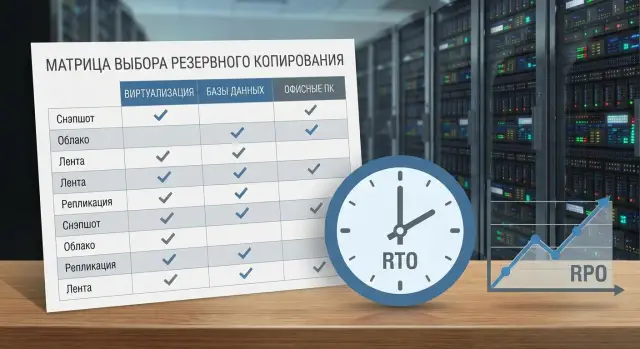
Only after that discuss RTO and RPO as recovery targets, not as brand "features." This order makes picking a backup system simpler: you compare tools against your scenarios, not marketing claims. In practice integrators like GSE.kz often start with this inventory so you don't buy a solution that's "generally good" but awkward for daily operations.
RTO and RPO without confusion: how to agree on numbers
RTO and RPO are frequently mixed up, which leads to mismatched expectations: IT made a backup, but the business expected something else. Fix these two numbers in writing and separately for each service type.
RTO (Recovery Time Objective) is the time by which the service must be up again after a failure. Simply: how many minutes or hours are you willing to wait.
RPO (Recovery Point Objective) is the acceptable amount of data loss measured in time. Simply: how far back in time you are ready to roll the data. If RPO = 1 hour, an incident means you restore to the state one hour prior.
Typical guides (not promises, just a discussion starting point):
- Critical systems (payments, order intake): RTO 15–60 minutes, RPO 5–30 minutes.
- General virtual servers (AD, file shares, standard apps): RTO 2–8 hours, RPO 1–4 hours.
- Actively written databases: RTO 1–4 hours, RPO 5–60 minutes (considering consistency).
- Mail and collaboration: RTO 4–24 hours, RPO 1–8 hours.
- Office PCs and laptops: RTO 1–3 days, RPO 1 day.
The same RTO/RPO does not suit all departments. Accounting values integrity and history of documents, a contact center needs fast workstation recovery, and InfoSec focuses on access control and immutability. If you assign the strictest targets to everyone, the budget will be eaten by storage, bandwidth, licenses and operations.
To agree on numbers without arguments, ask four questions:
- What is considered downtime: system unavailability only, or halted business processes as well?
- How much does an hour of downtime cost for this service?
- Which data cannot be lost under any circumstance?
- How often are you willing to test recovery and who signs off the results?
Scenario 1: virtualization (VMware, Hyper-V and similar)
In virtualization people usually want two things: quickly bring a VM up after failure and be able to retrieve a single lost file without restoring the whole server. If the main risk is host failure or VM disk corruption, full recovery matters most. If users often "lose" documents, frequent file-level restores are more valuable.
The main approach is hypervisor-level backup: it captures a VM as an object and usually provides the fastest bulk restores. But sometimes an in-guest agent is necessary. You need it when OS- or application-level quiescence is important, or when you require finer policies for specific volumes and data.
Before choosing a system for virtual environments decide practical things: what matters in an outage — "bring the VM up in 15 minutes" or "return a file in 2 minutes"; do you need guarantees of in-guest consistency (for services with active transactions); where will backups be stored and will space be sufficient considering deduplication and multiple points; which recovery scenario will be most frequent (full restore, incremental, instant boot from backup); and how you will verify recovery without impacting production.
Typical bottlenecks are recovery speed (limited by storage and network) and data volume. Deduplication and compression help, but results depend on VM homogeneity and change rate.
Treat critical services separately: domain controllers, file servers, license and management servers. They usually get more frequent recovery points, separate retention rules and mandatory scheduled tests. This is cheaper than trying to "gold-plate" every VM the same way.
Scenario 2: databases and consistency requirements
For databases not only files matter but also the correct data state at the restore point. "Database" in your environment can be many things: Microsoft SQL Server, PostgreSQL, Oracle, MySQL, 1C on SQL, and embedded DBs inside business systems (CRM, document management, billing). Each has its own transaction and recovery requirements.
The key question when choosing a backup system is how to get a consistent copy. There are two common approaches and they are often combined.
Logical backups and storage snapshots
A logical backup (dump/export) is portable and understandable, but restoring can be slow on large datasets. It also doesn't help you quickly return to the "last minute" if exports are infrequent.
Storage or VM snapshots provide fast rollback, but risk producing a "nice" copy of files that doesn't line up with transaction logs. For critical systems that may lead to manual recovery work or lost transactions.
Decide the trade-off in advance: for each database what matters more — faster service return (RTO) or minimal data loss (RPO) — and which DB mechanisms you are willing to use.
Recovery points: full, incremental and logs
For most production DBs a single full backup is insufficient. You generally need a mix: full backups, incremental copies and transaction log backups to roll forward to the desired time. This is crucial for user errors (dropped tables, bad updates) and failed updates.
Before implementation agree on basic rules:
- how often full backups run and how long they are retained;
- how often transaction logs are shipped;
- where success of tasks and storage usage are monitored;
- who confirms a successful recovery.
Consistency checks must be mandatory, not "on demand." A practical approach is regular restores into a sandbox: a separate stand or isolated environment where you can mount a copy, run DB checks and ensure the application sees data. That way you know beforehand what you will actually get on the day of an incident.
Scenario 3: office PCs and laptops
A common mistake with office PCs is trying to back up the entire disk. In practice value is almost always different: document folders, Desktop, application profiles, local accounting files or sales data, mail archives and browser/VPN settings. Cache, temp files and Downloads usually only bloat storage and backup time.
If employees work from home or travel, centralized protection for laptops becomes critical. Backups must work not only "when the user is in the office" but over any network, with clear status reporting: device hasn't contacted the service for a long time, agent is disabled, storage is low, backups are failing. Different solutions handle endpoints and remote users differently, and that affects the choice.
Retention policies for PCs should be clear to the business. Commonly a few tiers suffice: short versions for accidental deletions and a longer tier for incident investigations.
What typically works for office devices
A typical set of policies is:
- 14–30 days of file versions to protect against accidental edits/deletes.
- 3–6 months for key departments (finance, HR, legal).
- More frequent points for executive laptops.
- Encryption and access control to prevent backups becoming an information leak.
- Self-service so users can restore files without an IT ticket.
To prevent backups from consuming bandwidth and disrupting work, look for traffic-saving features: block-level copying, deduplication, night schedules, bandwidth limits and pause-on-video-call. Smart catch-up logic helps: if a laptop has been offline for a day, the system gently catches up changes instead of hammering the network for hours.
A sign of a mature project is IT being able to show a list of devices with the real date of the last test file restore, not just "green ticks" for successful copies.
How to compare Veeam, Commvault, Rubrik, Acronis by scenario
Comparing feature tables often leads you astray. Start with three operational scenarios (virtualization, databases, office PCs) and tie each to simple metrics: recovery time (RTO), acceptable data loss (RPO) and test frequency.
Compare by tasks, not product names
Phrase tasks simply: "boot a VM within 30 minutes," "restore a DB to a point in time," "recover an employee's laptop after ransomware." Then ask the same questions to each vendor or integrator.
A quick question set that filters out poor fits:
- How many steps and how much time to perform a typical restore in each scenario (VM, DB, PC)?
- What isolated storage options exist (immutability, separate contour, offline copy) and how are they administered?
- How does the solution work on-prem, in hybrid setups and across distributed sites, and how do licenses change?
- What are the consistency requirements for DBs (agents, snapshots, logging, point-in-time) and how is that verified in tests?
- What integrations are required (directory services like AD, monitoring, SIEM, ticketing, audit reports)?
Strengths usually map to scenarios. For virtualization: recovery speed, snapshot handling and automated testing. For DBs: consistency and predictable point-in-time recovery. For workstations: easy deployment, low user impact, self-service restore and ransomware protection.
When infrastructure is mixed (some in DC, some in branches) clarify who is the source of truth for copies and who manages policies. In integrator-led projects like those of GSE.kz this is usually documented in requirements: who monitors, who receives SIEM incidents and how tickets reach 24/7 support.
Don't trust promises without a pilot. Ask to see recovery for your actual cases: one VM, one critical DB and one laptop, measure times and get a clear report.
Step-by-step algorithm for choosing a solution
To avoid turning backup selection into a brand argument, start from tasks and tests. Then requirements become clear to IT, the business and security.
5 steps that work for most organizations
-
List what needs protection and mark criticality. Divide at least into three groups: "downtime unacceptable," "recoverable within a day," "loss undesirable but tolerable." Record dependencies: which DB serves which service, where key files live.
-
Fix target RTO and RPO and the actual backup window. Be specific: not "we want it fast" but "no more than 2 hours downtime" and "no more than 15 minutes data loss." Verify network and storage can handle the required copy cadence.
-
Define storage architecture and ransomware protection. Decide where the primary repository will be (local or remote), whether replication is needed, and whether immutable storage is required for the retention period your policy mandates.
-
Run a pilot on 1–2 representative scenarios. For example: one VM, one database and 10 office PCs. Measure real recovery times and verify copy consistency.
-
Agree procedures and responsibilities. Who runs recovery at 3 a.m., who confirms a successful test, who stores passwords/keys, how often checks occur.
A helpful control case is to pick one critical system and go through the whole path from backup to recovery on separate hardware (a dedicated server or storage). That quickly reveals mismatched expectations on RTO/RPO and design gaps.
Recovery tests: how to prove a backup works
A backup is only valuable when you can recover to the required point and within an acceptable time. Make recovery tests a mandatory part of the process, not a rare "just in case" exercise.
A minimal set of checks by workload type usually suffices and should be repeatable with measurable results:
- Restore a single file (check permissions and version).
- Restore a VM into an isolated environment (verify OS boot and network settings).
- Restore a database and verify consistency (run validation queries).
- Bare-metal restore of a PC or laptop (to clean hardware or a test VM).
- Selective restore to an alternate location to avoid overwriting production.
To prevent tests from becoming debates about "works or not," assign owners of results in advance. Typically IT runs the test and the business owner or InfoSec confirms the restored service is fit for purpose.
A common schedule is: files and endpoints monthly, critical VMs and databases quarterly. After significant changes (hypervisor upgrade, storage migration, policy change) run an ad-hoc test.
Results matter more than pretty reports. Capture only what helps improve the process:
- what was restored and from which point (date/time);
- how long it took (actual vs target RTO);
- how much data was lost (actual vs target RPO);
- errors and warnings, root cause and responsible party;
- what the system owner confirmed (success criteria).
Safe testing is almost always possible without stopping production: restore to an isolated network, boot a VM with integrations disabled, restore a DB to a separate instance, or use a spare device for PC restores. For example, a bank might quarterly boot a copy of a payments VM in a test segment, check login, logging and key operations, then delete the environment.
Common mistakes and traps in backup projects
The most frequent problem is defining the goal as "make backups" instead of "recover in this form and within this time." The result: copies exist, but in a real incident no one knows what to bring up first, where the last clean point is, who has access, or how long recovery will take.
A second trap is concept substitution: snapshot ≠ backup. Snapshots are convenient for short rollbacks but live close to production and often depend on the same storage. If the storage system is compromised, or ransomware hits, snapshots may not save you.
Third mistake: "we test when needed." One-off manual restores don't show the real picture: actual RTO is not measured, application integrity is not verified, and concurrent recovery of multiple systems is rarely tested. For a correct backup choice, agree in advance what constitutes a successful test and how long it may take.
Another classic failure is not accounting for dependencies during disaster recovery. A backup might include a server, but you may miss:
- service accounts and permissions;
- encryption keys and storage passwords;
- license files and activation tokens;
- DNS, AD settings, network routes and VLANs;
- access to the virtualization console or configuration database.
Finally, storing copies "next to" production without isolation or immutability is risky. If backups are accessible via the same accounts and network, ransomware or a faulty script can destroy both production and backups.
Simple example: in a branch of a public agency in Kazakhstan, VMs were backed up but copies resided on the same NAS in the server room. When ransomware hit, everything including the backup repository was encrypted. The only remaining hope was an old snapshot that was also damaged. Such issues surface only through regular recovery tests and proper isolation of backup storage.
Short checklist before procurement and deployment
Before choosing a backup system, ensure you have clear rules, not just a vague desire for "backups." Otherwise you will buy a tool and later argue about what it should protect and in how much time.
Assign data owners first. This is not IT "in general" but specific business people: who confirms criticality, who accepts recovery, who signs test results.
Then fix numbers and constraints. RTO and RPO should be concrete values by system group, not "as fast as possible." Separately define the backup window: when you may load the network/storage and when you cannot (for example, during accounting hours).
Practical minimum before procurement:
- Criticality matrix: which systems are Tier-1/Tier-2, who owns them, and estimated downtime impact.
- RTO/RPO and backup window by class: virtualization, databases, office PCs.
- Storage scheme following 3-2-1 (or equivalent) with an isolated copy: for example, immutable storage or offline media.
- Recovery test plan: what to restore (VM, table/DB, user file), frequency, attendees and result recording.
- Security requirements: encryption in transit and at rest, role-based access, audit logs, separate backup accounts.
Agree success metrics in advance. For example: "restore 1C to T-15 minutes within 60 minutes" or "bring a critical VM up in 30 minutes with a health check." Without clear acceptance criteria tests become formalities.
Small example: if a branch network is weak and RPO for notebooks is 4 hours, decide up front whether you'll use agent-based backup, local caching, or move part of data to centralized storage.
When these points are agreed, selecting a backup system becomes a calm task of comparing features and cost, not a fight about "why it didn't recover."
Example scenario and next steps
Typical organization: 40–60 VMs (mail, file services, 1C), 1–2 databases (e.g., PostgreSQL and MS SQL), about 200 office PCs and laptops. To avoid arguing about "backup in general," split protection by classes and agree RTO and RPO for each.
A workable option: critical services on virtualization receive frequent recovery points and fast boot-on-failure. Databases are protected for consistency (snapshots plus logs, with test restores). Office PCs are on a separate contour: key folders and profiles, clear retention policy, and simple self-service for file recovery.
On presale ask questions that directly affect numbers and cost:
- How will you ensure consistency for our DBs and how often can logs be applied?
- What will actually be our recovery time: VM boot, bare-metal restore or network copy?
- Where will copies be stored (local, offsite, immutable) and how are backup accounts protected?
- How will you prove recovery works: which tests and how often?
- What is included in support and how long to fix an incident at night or on a weekend?
Plan the pilot to measure real RTO/RPO. Choose 2–3 typical VMs, one DB and 5–10 PCs. Run scenarios: file deletion, VM crash, DB corruption, restore to a new site. Record minutes and steps, not promises.
The path after that is usually: discovery, design, pilot, rollout, procedures (who is responsible, test cadence, storage, response). If you need help, GSE.kz can design an architecture for your RTO/RPO and cover infrastructure (servers and storage), integration and 24/7 support.
Frequently asked questions
Where should you start choosing a backup system so you don't pick the wrong product?
Start with an inventory: what data you actually cannot lose and what incidents happen most often (user errors, failed updates, ransomware, virtualization failures). Then group systems by workload type (VMs, databases, file services, PCs/laptops) and only after that fix RTO/RPO per group.
How to explain the difference between RTO and RPO quickly and without confusion?
RTO is the time by which the service must be back after a failure. RPO is how far back in time you are willing to roll back the data — i.e., acceptable data loss. Record both metrics separately per service and agree them with the business owner, otherwise IT and users will have different expectations.
How to agree RTO/RPO with the business so you don't "over-gold" everything?
Ask the service owner how much an hour of downtime costs and which data is absolutely irreplaceable. Then check whether the infrastructure supports those numbers: backup window, network, storage, recovery speed. If you set the strictest RTO/RPO for everything, costs for storage, bandwidth, licenses and support will skyrocket, while recovery might still be the bottleneck.
What matters most when backing up virtual infrastructure (VMware/Hyper-V)?
For virtualization, the most important is usually fast mass recovery of VMs and the ability to restore single files without restoring a whole server. Hypervisor-level backup typically gives the fastest bulk recovery; an in-guest agent is needed where OS- or application-level consistency is critical. Ask vendors to demo recovery on your VMs with timing, not just copy reports.
Why are snapshots or occasional full backups insufficient for databases?
Because a "nice" copy of database files does not guarantee transaction consistency after restore. Active databases usually require a full backup, incremental backups and transaction log backups to be able to roll forward to a specific point in time. The right criterion is successful recovery with integrity checks and application validation, not just the existence of a file copy.
How to be sure a database backup will actually restore correctly?
Pick recovery scenarios by frequency and criticality: point-in-time restores to minute/hour, restore to a separate instance for verification, and recovery after user error. Agree who confirms "correct recovery" — IT may bring up the DB, but the business must confirm data and operations match. Regular tests in an isolated environment reveal issues before a real incident.
Why not back up the entire disk for office PCs and laptops?
Because the value is usually in specific folders and profiles; imaging whole disks inflates storage and backup windows. Protect documents, Desktop, application profiles and key local data, excluding cache and temp files. This makes backups faster and likelier to complete even on unstable networks.
What is critical to consider when backing up remote laptops and branch offices?
You need an agent that works outside the office and in any network, with clear status controls: when the device last made a successful backup and whether the file can be restored. Configure traffic limits and offline behavior so backups don't disrupt calls or work. Also test recovery to a clean device; otherwise you'll face surprises at the incident moment.
How to compare Veeam, Commvault, Rubrik and Acronis without drowning in feature tables?
Compare by scenarios: restore a VM within the required time, return a DB to a point in time, recover a laptop after ransomware. Ask each vendor for an identical pilot with measured minutes, steps and infrastructure requirements. That quickly weeds out solutions that look fine on paper but are impractical day-to-day.
How to prove backups work and avoid losing copies to ransomware?
At minimum — regular recovery tests with measured times and recorded evidence of what was restored and from which point. Backups must be protected from deletion and encryption; otherwise ransomware or an admin error can wipe both production and repositories. In projects run by integrators like GSE.kz, responsibilities are defined up front: who runs recovery at night, who confirms results, and how issues escalate to 24/7 support.
