6 min read
Server for Backup Repository: CPU, RAM, Disks and Restore
Server for backup repository: how to choose CPU, RAM and disks for deduplication and compression and how to pre-check restore speed.
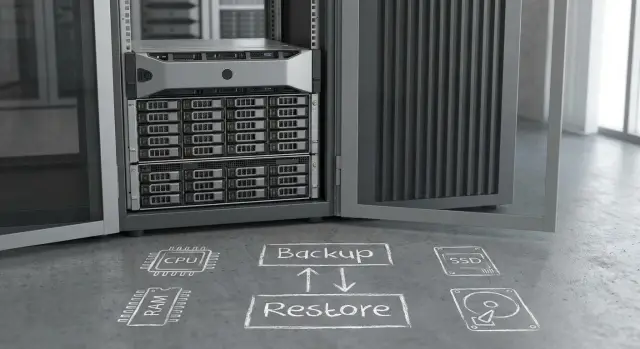
Why you should measure restore, not only backup
Backup speed and restore speed are different. Backup is like “collecting garbage into bags”: you can write data gradually, in queues, at night and with retries. Restore is “put everything back in place right now”, often under pressure: a system is down, users are waiting, business is stopped.
Space savings from deduplication and compression are nice, but they barely help if recovery is slow. In practice you’re buying not just storage for backups but the ability to bring services back online quickly after a failure.
To make planning concrete, discuss measurable goals rather than “terabytes” and “backup windows”:
- RTO: how many minutes or hours until the service must be running.
- Restore throughput for a single job (MB/s, GB/min) and in total.
- How many concurrent restores you need to support (e.g., 1, 5 or 20).
- How long recovery of the most critical node (DB, domain controller) takes.
In reality restore almost always slows down because of a combination of reasons: disks lack IOPS, CPU can’t decompress and assemble data fast enough, RAM doesn’t hold caches, the network becomes a bottleneck, and the storage format adds overhead (long incremental chains, encryption, integrity checks).
Typical scenario: nightly backup "fits", but daytime you must restore 5 VMs at once. If the server is optimized primarily for writing, restores stretch into hours. That’s no longer a convenience issue but downtime.
How deduplication and compression load the server
Deduplication and compression look like a simple way to “shrink backups”, but on the server they always mean computation, memory and extra disk activity.
Deduplication identifies identical blocks and stores one copy. Compression reduces data size with algorithms. In both cases the server reads, compares, computes hashes, maintains metadata and writes the result.
Where the processing happens
It’s important to understand up front where processing will occur and who pays the resource cost:
- On the source (agent/client). Load shifts to the protected server and less data travels over the network.
- On a proxy. Sources are lighter, but the proxy needs strong CPU and enough RAM.
- On the repository. Infrastructure is simpler, but the repository must handle ingest, processing and delivery during restores.
Why backup can get faster while restore slows down
Deduplication and compression often speed up backup because less is written to the network and disk. But restore can slow because data must be "assembled", decompressed and verified. If you hit CPU, RAM (metadata cache) or random reads on disks, recovery will proceed in bursts.
Example: an office of 200 PCs stores similar profiles and documents daily. Backups become compact. But in an incident where dozens of workstations must be recovered within an hour, the repository must concurrently decompress and assemble many streams. A weak CPU or slow array will throttle the restore specifically.
Data type matters. Databases and office files compress well. Virtual disks vary. Video and images are often already compressed: there’s little gain and the CPU load remains.
Choosing CPU for deduplication, compression and restore
The repository CPU does more than just "accept and write". It computes hashes for deduplication, compresses data, sometimes encrypts it, and during restore it performs the inverse: locates blocks, decompresses, reassembles the stream and sends it over the network. With a weak CPU you get an odd picture: disks and network appear underutilized while restores are still slow.
Per-core frequency matters more than it seems
Restore often depends on single-thread performance. Restoring a single large VM or database frequently relies on sequential operations (lookup, assembly, decompression). High core frequency and modern CPU architecture help more here than simply having many cores.
More cores pay off when many tasks run concurrently: multiple restores, simultaneous nightly backup, synthetic fulls, integrity checks. Then the load parallelizes and extra cores become real throughput.
Practical rule: if RTO implies mass recovery after an incident, build CPU headroom, not just a configuration sized for the nightly window. Otherwise, on the incident day the CPU will be the limiter even with decent disks.
Encryption and peak restore
Encryption significantly raises CPU requirements, especially combined with deduplication and compression. Check for hardware acceleration and real-world performance for decompression plus decryption.
On a normal day you might restore a single file quickly. On incident day you need to bring up 20 VMs, each requiring parallel read, decompression and assembly. If CPU sits at 90–100%, throughput becomes a sawtooth and RTO slips.
Before buying, run a short test: 3–5 concurrent restore jobs plus background activity. CPU graphs will quickly show where headroom ends.
How much RAM the repository needs and why it affects restore
Repository RAM is not "just nice to have." Memory holds filesystem caches, deduplication tables and indexes, and read buffers for parallel streams. During restore this determines whether the server serves data steadily or constantly triggers small reads.
If RAM is insufficient, restore becomes a series of jumps through storage: metadata and blocks don’t fit in cache, and the system repeatedly reads them from disk. In deduplicated repositories this is especially visible: a single virtual disk can be assembled from many fragments, and without cache each fragment is a separate I/O operation.
Assess memory based on active set and concurrency:
- Active set: which restore points you will commonly read (e.g., the last 7–14 days).
- Concurrency: how many simultaneous restore streams you need at peak.
- Deduplication granularity: the finer the dedupe (block level), the higher the RAM requirements.
- Headroom for OS and services: don’t plan memory to the brim, or cache will be continuously evicted.
An SSD cache helps with random reads but does not replace RAM. It speeds cache misses but won’t fix the issue if indexes and metadata don’t fit in memory. Often adding RAM yields a smoother restore than adding a couple of disks.
Signs you’re hitting memory limits: sudden drops in restore throughput, increased read latencies and active swapping even when CPU is not busy. For example, restoring two VMs shows variable speed, and adding a third drops throughput almost to zero.
Disks, RAID and controller: building a fast repository
The main mistake when choosing storage for backups is to consider only write speed. Backup often writes large sequential blocks and is fine on high-capacity HDDs. Restore typically hits latency and many small operations, especially with deduplication, many-file restores or concurrent VMs.
HDDs fit a cold layer where price per TB matters. But a fast tier is almost always required for metadata, indexes and hot restore points. If you skimp on this, you’ll get a sensation of "the server seems powerful but recovery crawls."
HDD vs SSD: where to save and where not to
Focus on latency and IOPS, not only GB/s. For sequential backups HDDs may be acceptable, but restores from a deduplicated repository become more random.
A practical compromise: SSD for metadata and the active set, HDD for capacity.
RAID, controller and predictable restore
Choose RAID for read performance and stable latency:
- RAID10 typically offers the most predictable restore performance but costs more in capacity.
- RAID6 is convenient for HDD capacity, but rebuilds and degradations can significantly reduce throughput.
Controller choice is about the right mode, not the priciest card. For software-defined storage an HBA (IT mode) with reliable disks is often preferable. If you use hardware RAID, a battery- or flash-protected controller cache helps writes, but restore is usually read-limited and constrained by latency.
Example: a repository on RAID6 HDDs suddenly needs to restore 10 VMs in parallel. Nightly backup was fast, but daytime restores stutter due to random reads and background array degradation. A small SSD tier for metadata and hot backups often improves restore more than adding another cabinet of HDDs.
What actually slows restores in practice
Restore is almost always trickier than backup. Writing is a long stream and aligns well to disks. Reading often becomes chaotic: the system pulls many small blocks and time is lost in latency.
A common culprit is chains of incremental backups. To reconstruct the latest state, software reads the base full plus many increments. Even with moderate volume, the number of storage accesses grows and restoration stretches.
Deduplication and compression also change the picture: data is split into unique chunks. On restore this results in many small reads and additional CPU for decompression and reassembly.
Parallel restores exacerbate the problem: multiple jobs share disks, cache and CPU cores. Time increases nonlinearly and in jumps, especially on arrays of slow drives.
If predictable RTO matters and restores happen often, separating roles can help: one node stores data, another performs heavy processing (deduplication, compression, assembly).
Network and restore speed: avoid hitting the link
Even if the repository is fast, restore often hits the network. For RTO the important metric is not the port’s nominal speed but the real throughput from repository to the place where services are brought up.
First, verify facts: how much throughput you can actually get between sites at the same time of day, accounting for encryption, firewalls and link load. Test both large-block transfers and multiple concurrent streams, because mass restores are almost always parallel.
Choose 10/25/40/100G by calculating how many TB you need to return and in what time. Example: restoring 8 TB in 4 hours requires roughly 4.4 Gbit/s of raw data. With overheads it’s safer to plan for 10G or 25G rather than relying on 1G.
If you bring up many VMs and databases in the incident window, a separate backup network and a separate production network often prevent mutual interference.
Step-by-step calculation: from RTO to CPU, RAM and disks
Start not from capacity but from how quickly you must restore services after a failure. A server can perform fast backup but fail the restore requirement.
First, define 2–3 real restore scenarios. Usually: one critical VM, a database restore, and a mass incident (e.g., many VMs after ransomware). For each scenario fix RTO and convert it to required throughput. For example, 2 TB in 4 hours is about 140 MB/s of useful data. Accounting for overhead, target closer to 200+ MB/s.
Then estimate concurrency. If 4 VMs must be restored simultaneously, throughput and IOPS requirements are cumulative, not per single task.
Next logic is simple: size CPU for deduplication, compression, encryption and decompression (with headroom so throughput doesn’t oscillate), choose disks for bandwidth and IOPS, and separately validate controller and array settings.
Final step is always a trial restore. Run a typical VM and a heavy file set restore, measure actual MB/s, CPU usage and disk queue. If CPU is pegged or disks are constantly queued, headroom is gone.
Example scenario: capacity vs fast restore
Suppose an organization has 60 VMs and 10 physical servers. Daily growth ~2 TB, weekly full backups, 10-hour nightly backup window. Goal: recover 2 critical systems (e.g., AD and accounting DB) within 2 hours, and bring everything else up within 24 hours.
If you only care about backup, you’ll often choose lots of HDDs and relax. But restore typically reads less conveniently than writes: small blocks, parallel, during business hours. Therefore choose the repository from read scenarios.
Compression saves space but adds CPU work on write and on restore. Encryption increases CPU demands further and can consume your 2-hour budget even with fast disks.
If capacity is the priority, organizations choose a large HDD array (often RAID6) and accept slow mass restore. If restore speed is the priority, a hybrid approach usually wins: HDD for bulk, SSD for metadata and active set, more RAM for cache and a stronger CPU for processing.
Deciding factor before purchase is a short test on real data: recover the two critical systems and measure sustained throughput (not peak), CPU load, disk read latencies and whether the network is the limiter.
Common mistakes when choosing a backup repository server
Most often servers are sized by capacity, not by restore speed. Backups get written at night, but any mass restore during the day can take hours.
Another trap: “more disks = faster.” A large HDD array without IOPS and latency calculations will almost certainly hit random read limits, especially with deduplication and parallel restores.
CPU is often underestimated. Deduplication, compression and encryption can consume CPU concurrently and drop restore speed even with a good disk subsystem.
Finally, many only test a single restore during quiet hours. A real stress test is peak: several concurrent restores, on the production network, with live workloads.
Short checklist before buying and testing restore
Before procurement, fix the most important items:
- RTO and priorities: what must come up first, what can wait.
- How many concurrent restore jobs are needed in the worst day.
- The required restore speed per job and in total.
Then validate bottlenecks in a pilot with production-like settings (including deduplication, compression and encryption): CPU, RAM (no constant swap), read latencies and disk queue depth, and real network throughput during working hours.
The most useful test is a trial restore under load when infrastructure conditions match production.
Next steps: pilot, measurements and vendor selection
Start from baseline data. The same server can show excellent backup performance but fail recovery requirements if RTO is undefined and restore is not measured.
Collect inputs on one page: protected data volume and growth, workload types (VMs, DBs, files), target RTO and list of critical services, backup window, site constraints and growth plan for 1–3 years. Then plan a pilot: test not only writes but different restore modes (one large VM, many small files, restore to another site).
If you select hardware and integration from a local vendor, ask for a configuration matched to your RTO and concurrency. For example, GSE.kz (gse.kz) as a manufacturer and systems integrator can assemble a server configuration for your restore scenarios and provide 24/7 support via their service network.
Record pilot results numerically (restore throughput, time to service readiness, resource utilization) and approve final configuration based on them: servers, disk subsystem, network and integration with your backup software.
Frequently asked questions
Why can't a backup system be judged only by backup speed?
Because **backup can be done “when convenient”**, while **restore needs to happen “right now”**. Writing usually runs at night and allows retries; recovery happens during downtime when time is measured in business impact. You should plan from recovery goals, not from how many terabytes fit into the repository.
How to quickly determine the restore speed I really need?
Start from RTO: how long it should take to get the service back. Convert that to required throughput: divide the amount of data to restore by the allowable time and add margin for overhead (verification, decompression, assembling incremental chains). Then check how many concurrent restores you need — that is usually the main multiplier.
What most often becomes the bottleneck during restore?
Most often the bottlenecks are not “terabytes” but latency and many small read operations. Restore can be limited by disk IOPS and latency, by CPU (decompression, hashing, encryption), by lack of RAM for metadata cache, or by the network. The most common surprise is disks and network appearing underused while CPU is already near 100%.
Why can deduplication and compression slow down restore?
They save space and often speed up backup because less data is written. But during restore the software must locate data via metadata, reassemble fragments and decompress — that adds many reads and CPU work. A compact repository can therefore become slow on the day of incident.
Which CPU characteristic matters more for a repository: cores or frequency?
If you care about restoring a single large VM or database quickly, single-core performance and a modern CPU architecture often matter more than raw core count. Many cores are useful when many restores run in parallel or when background tasks run concurrently. Practically, plan CPU headroom for the worst day rather than sizing strictly for the nightly backup window.
Why does a repository need a lot of RAM and how does it affect restore?
RAM is needed for filesystem caches, deduplication indexes and metadata, and read buffers for parallel streams. If memory is insufficient, the server will constantly hit the disks with many small reads and restore throughput will fluctuate and drop when concurrency increases. Adding RAM often smooths restores more effectively than adding extra HDDs.
Can I achieve fast restores with HDDs only?
HDDs are fine for capacity and cold points, but restores often hit latency and random reads — especially with deduplication and mass restores. A common practical solution is hybrid: SSD for metadata and the active working set, HDD for bulk capacity. This delivers predictable restores without the cost of an all-SSD system.
Which RAID is most often chosen for a repository when restore speed is important?
If you need predictable read performance and restore behavior, RAID10 is often the simplest to forecast though more expensive in raw capacity. RAID6 is convenient for large HDD pools, but rebuilds and degraded modes can noticeably reduce restore speed. Choose based on restore scenarios and acceptable performance drop during failures.
How to tell if restore is limited by the network rather than disks or CPU?
Look at the real throughput on the route from repository to the restore target, considering encryption, firewalls and link utilization. Test both a single large stream and multiple parallel streams — mass restore is almost always multi-threaded. If your RTO calculations show 1G cannot meet the requirement, that becomes obvious from the volume/time numbers.
What must be tested before buying a server for a backup repository?
Run a short pilot on real data and settings: enable the same deduplication, compression and encryption you plan to use in production and run several concurrent restores during working hours. Record sustained throughput, CPU load, swap usage, read latencies and disk queue depth. If you’re buying from a local vendor or integrator like GSE.kz, ask for a configuration tuned to your RTO and concurrency, not just capacity.
