7 min read
Backup Licenses: Choosing for Data Growth
We explain backup licensing: per workload, per socket and per TB — their pros and risks — and how to choose a scheme considering data growth.
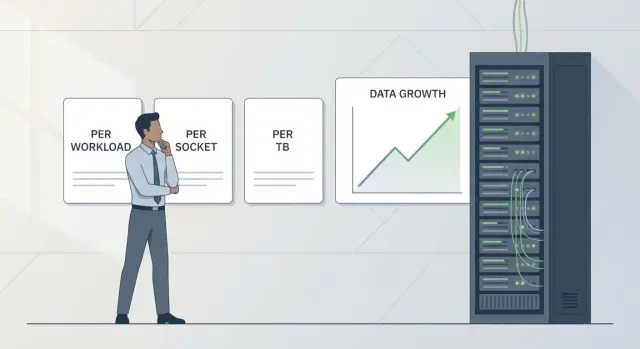
What’s the problem with licenses when data grows
Backup licenses often rise faster than the data itself. Working datasets might increase by 20%, while the backup bill doubles. The reason is usually not the “raw terabytes.” You also pay for how the infrastructure is organized, how many objects you protect and how long you keep copies.
Growth almost always happens on several fronts at once: you add virtual machines, connect a new server, extend retention from 30 to 180 days because of security or audit requirements. Each step can push you into a different pricing band, require add-on packs or a license recalculation.
When infrastructure expands, practical questions appear:
- What is billed: server, socket, virtual machine or data volume?
- What changes if you add another virtualization host or a second site?
- How much does increasing retention or backup frequency cost?
- How are test environments and temporary projects accounted for?
The riskiest situation is buying licenses “just enough” without a 1–3 year forecast. In months you end up buying at worse prices, managing a mixed set of licenses or hitting accounting limits. The budget becomes unpredictable and discussions with the vendor turn into constant recalculations.
Below are three licensing models and four criteria that make comparison practical: money (cost now and with growth), flexibility (how easy to add systems), accounting risks (what counts and how it’s verified), and manageability (how easy it is to explain and control licensing).
Three licensing models: short and practical
When choosing licenses people often confuse price with what is actually counted. The same server park can look “small” under one model and “large” under another because of counting rules.
Per workload — you pay for each protected unit: a VM, a physical server or an application (for example, a database). You pay for as many objects as you back up.
Per socket — you pay for processor sockets on hosts that run workloads. In virtualization this often means the host(s) are licensed by CPU sockets rather than each VM.
Per TB — you pay for data volume. The key question is which volume: source data, volume after deduplication/compression, or used space in the repository.
VMs, physical servers, databases and mail systems, file resources (including NAS) and sometimes container environments are most commonly counted.
A common trap is what’s included in the license and what is extra. Some vendors sell extended retention, cloud copy, encryption, support for specific hypervisors, tape, cross-site replication or 24/7 support as separate options.
Even the term “per TB” can mean different counting methods across vendors. Before choosing, request exact definitions once: what is an object, where and how volume is measured, which features are included by default and what edition limits exist.
Simple example: 20 VMs on two hosts. With per workload you pay for 20 objects, with per socket you effectively pay for 4 sockets, and with per TB it depends on data growth and retention.
Per workload model: strengths and where it fails
Per workload is usually the easiest to explain: you pay for each protected workload. Typically this is a VM, a physical server or an application/agent. This approach fits well when you have many small systems where each matters: file services, small databases, application servers.
The model’s strength is predictability at the unit level. If you have 80 small VMs and expect 90, it’s easier to budget than guessing by sockets or terabytes.
The downside is cost growth with the number of VMs and services. Data volume may barely change, but adding 20 small VMs for new tasks can make licensing a noticeable expense.
Before purchase clarify what counts as a separate workload. Common questions concern databases and applications (counted separately or inside the VM), containers and Kubernetes, file resources and NAS (by server, share or volume), and clones, templates and temporary environments.
Surprises most often come from three areas: test environments, clusters and DR. A test bench can grow quickly; if it’s included in default backup policies, the bill grows with no benefit. In clusters, check whether VM migration changes counting into a “new” unit. For DR, clarify whether a separate license is needed for the recovery site and how temporary failover is counted.
Example: you started with 40 VMs and after a year added a data mart, several services and a test environment — you now have 75 VMs. Data grew moderately, but per workload costs nearly doubled. This model favors teams that control the VM fleet and clearly separate production from test.
Per socket model: how it works in virtualization
Per socket means you pay for sockets (CPUs) on hypervisor hosts where protected VMs run. The number of VMs on these hosts usually matters less. For virtualization this can be economical: few physical servers hosting tens or hundreds of VMs.
Example: two cluster hosts with two sockets each. If licensing is by socket, you pay for 4 sockets, and adding new VMs doesn’t increase license cost.
The weakness is hardware upgrades and architectural changes. Two 2-socket hosts today may be replaced by more powerful servers or additional hosts tomorrow. Cost then grows due to topology, not data or VM counts.
There’s a hidden risk: you may need to cover all hosts where VMs can migrate (HA/DRS, live migration), including spare nodes. Even an idle host may be counted.
Before purchase fix rules:
- Do you need to license all cluster hosts or only those hosting protected VMs?
- Are spare and DR hosts, and a separate recovery site counted?
- Are there per-socket core limits or surcharges for high CPU densities?
- Can you transfer licenses when replacing servers and how often?
If you plan scale-up, account not only for more VMs but for future cluster configuration.
Per TB model: straightforward but sensitive to retention
Per TB is easiest to explain to procurement: you pay for volume, not sockets or workloads. For budgeting this feels transparent — if you agree what “TB” means.
Some vendors count source data on production, others count the repository volume after compression and deduplication. These are different numbers and the latter depends heavily on data types.
What inflates TB faster than expected
Growth comes not only from new files. Retention policy and backup frequency often cause expansion: the longer you keep restore points and the more often you run backups, the faster repository size grows. Poorly compressible data (video, archives) and additional copies — like a second site or isolated copy — make this worse.
Common dispute areas
Typical disagreements: whether increments count toward the limit, how replication is handled and whether you pay for a second copy (cloud or DR). A gray area is hybrid schemes when part sits in a local repository and part in object storage: logically one backup, physically stored in two places.
Practical example: an organization has 50 TB of production data. With 30-day retention and hourly increments, repository volume can grow to 120–180 TB if data changes actively and deduplication is weak. When choosing per TB, lock down the calculation method and separately assess retention and extra copies, especially if replication to another data center is planned.
How to estimate data growth without complex math
To avoid license mistakes, understand not only “how many terabytes now” but why and how fast volume changes.
Three dimensions are enough: current protected volume, average monthly growth and peak spikes. Peaks often matter more than average: quarter-end, year-end, big exports, new reports or adding cameras.
Separate “natural growth” from “new sources.” New systems usually add a big jump: a new branch, video surveillance, 1C deployment, PACS medical images, new file shares, mail, VDI.
Then estimate how retention multiplies volume. The longer you keep restore points, the more responsive per TB becomes to policy changes. Moving from 7 to 30 days increases stored history noticeably even without live data growth.
A quick practical scheme:
- Fix how much data actually goes into backup.
- Check average and worst-month growth.
- List major upcoming additions (projects, branches, new services).
- Verify retention: 7, 30, 180 days and any archival points.
- Note events that accelerate growth: migrations, mergers, regulatory requirements.
Example: 80 TB now, 2 TB/month growth, but in 3 months you add 40 cameras (~30 TB). If retention is raised from 14 to 90 days at the same time, the surprise will be the retention change rather than the 2 TB/month trend.
Step-by-step selection of a licensing model for real growth
Start not from price but from what will grow. Licensing usually breaks on accounting details: what counts as a protected object, where volume is measured and what happens when infrastructure expands.
Collect inputs: which systems you protect (VMs, physical servers, databases), where they are (single site or multiple) and the recovery types you use most (file-level, full VM, individual databases).
Then follow this sequence:
- Record today’s protection: number of VMs, physical hosts, critical databases, data volume and daily change rate.
- Choose a planning horizon: at least 12–24 months to avoid emergency top-ups.
- Describe 2–3 growth scenarios: baseline, moderate and stress (headcount surge, video launch, migration to new service).
- Map scenarios to license drivers:
- if the number of systems grows, per workload often wins;
- if hosts and virtualization sockets grow, consider per socket;
- if the forecast is simpler in terabytes and objects are few, compare per TB.
- Verify accounting rules and limits: what is a workload, how sockets are counted, which volume is used for per TB and how retention affects it.
Example: 40 VMs on two hosts today, rising to 80 VMs next year but only 20% total data growth. Per socket may look attractive as long as host/socket count stays unchanged, while per workload grows with VM numbers. If business requires longer retention, per TB can become more expensive because of retention.
If hardware or storage upgrades are planned, tie the forecast to procurement plans. Growth becomes concrete and predictable when linked to real projects.
Common mistakes when choosing backup licenses
The most costly mistake is assuming “things will stay the same.” Backup grows not only from new files but from retention policies, copies for testing and resilience requirements.
Mistake 1: counting only current volume and forgetting retention
Teams see “we have 60 TB” and build a budget from that. Six months later retention grows to 90 days from 30, monthly archival points are added — and the math no longer holds. Live data may be similar, but restore points multiplied.
Mistake 2: not accounting for test and DR sites
You license only the primary site, then remember DR, a sandbox for recovery testing or a staging bench. Depending on the vendor, you may need licenses for the replica, the secondary server or workloads that restore there.
Rule of thumb: if a site is involved in protection or recovery, check how it’s counted.
Mistake 3: confusing raw volume and effective volume after compression
Sometimes teams use deduplicated figures because they look better. But the license may be based on source volume, repository size or another metric. Fix the metric once: protected data, disk usage or other, and the trusted source: backup system report, SAN/NAS or hypervisor.
Mistake 4: budgeting only for data growth and ignoring system growth
If growth is horizontal (more VMs, databases, services, branches), per workload and per socket can become expensive even with modest TB growth. This is pronounced when new applications also require protection.
Mistake 5: not documenting how accounting is done
Without a simple procedure, departments will use different reports: procurement one, support another, vendor a third. The risk is overpayment or sudden under-licensing during an audit.
Minimum to document:
- which model and metric is used (workload, socket, TB);
- which report is the single source of truth;
- how test and DR sites and temporary restores are treated.
Short checklist before procurement
Agree internally what you count and who is responsible. Then the model can be not only correct on paper but practical to operate.
Assess what grows faster: TB or number of workloads. If VMs, databases and services are frequently added, object counts tend to explode. If few services produce rapidly growing volumes (logs, video, analytics), TB is the main driver.
Check infrastructure over a 12–24 month horizon. For per socket it’s critical to know how many physical hosts and sockets you’ll have. A common trap: “same number of hosts” but different hardware, triggering a license recalculation.
Fix retention requirements that cannot be changed: how long you must keep by internal rules or industry regs. Long-term retention, immutable copies or frequent restore points can make per TB cost climb faster than expected.
And don’t forget DR: a second site, cloud copy or geographically separate replica can double storage or add new licensed objects.
Control questions:
- What grows faster: TB or number of workloads?
- How many hosts and sockets will we have in 1–2 years?
- What retention is mandatory and who approves it?
- Will there be DR: a second site or an extra copy?
- Who monthly collects metrics and checks license limits?
If you’re buying backup servers or upgrading a site, tie this checklist to the hardware plan. When server park changes (including locally manufactured equipment like GSE.kz), it’s easier to foresee how socket and storage changes affect future payments.
Practical example: how the decision changes by growth scenario
Starting point: 60 TB protected, 3 TB/month growth average, 30-day retention. Backup runs in a virtual environment and stores copies on disk. The goal is a licensing model that prevents recurring top-ups.
Scenario 1: added 20 VMs and a new branch (per workload)
Under per workload costs rise with protected units. Data may grow moderately, but a quick increase in VM count and a new branch quickly push license counts up.
Scenario 2: cluster expanded and sockets added (per socket)
Per socket is suitable when many VMs live on few powerful hosts. It’s sensitive to upgrades: added sockets or more hosts to handle load will increase license costs even if backup volume barely changes.
Scenario 3: retention increased to 180 days (per TB)
Per TB seems obvious until retention changes. Moving from 30 to 180 days multiplies the storage window by six. Even with deduplication, stored points and increment chains can grow noticeably.
If you must decide without exact prices, look where overspend risk is highest:
- Per workload — risk from an increase in VMs, services and branches.
- Per socket — risk from hardware upgrades and cluster expansion.
- Per TB — risk from longer retention and history requirements.
Next steps: how to lock in the choice and avoid overpaying
After choosing a model, formalize clear rules. Otherwise growth, new sites or retention changes will quietly turn the purchase into ongoing top-ups and disputes.
State plainly what you back up (VMs, databases, file servers, workstations), required RPO/RTO, how long copies are kept and where (single site, two sites, cloud, long-term storage). These parameters directly affect final cost even when list prices look similar.
Ask the vendor for a short accounting description: what counts as an object, what counts as a TB, how growth is handled and what happens when you add nodes, sockets or repositories. A good vendor will give 2–3 example calculations for scenarios similar to yours.
To avoid buying “on faith,” run a pilot on real data. Measure what is often forgotten: actual post-deduplication growth, retention impact and repository behavior after database or file changes.
Minimum plan to formalize:
- Record assumptions: current volume, expected growth, retention, object counts.
- Test accounting rules on one test and one production scenario.
- Define triggers for a license review (e.g., +20% data or a new system launch).
- Assign owners for monthly monitoring and quarterly review.
For a comprehensive approach, discuss with GSE.kz not only software but overall architecture: server platform, storage, recovery sites and integration. When compute, disks and retention are aligned, licensing is less likely to break during scaling and easier to plan for the year ahead.
Frequently asked questions
Why can the backup license bill double when data only grew by 20%?
Most often you’re not paying only for terabytes, but for the metric the vendor chose: number of protected objects (VMs/servers/apps), CPU sockets on virtualization hosts, or data volume counted by specific rules. Growth in infrastructure, retention and additional copies can increase the bill faster than the live data volume.
How can I quickly determine which licensing model suits me: per workload, per socket or per TB?
First, identify what grows faster for you: the number of systems (VMs, databases, services) or the data volume and retention history. If you constantly add new VMs and services, per workload or per socket is often easier to forecast; if you have few objects but volumes grow rapidly, per TB is usually clearer. Then always ask the vendor how the metric is calculated and what the base license includes.
What exactly counts as a “workload” and where do surprises usually come from?
By default a workload is one protected unit: a VM, a physical server or an application/agent, but details vary by product. Common surprises are databases (counted separately or included inside the VM), NAS and file resources (by server, by share or by volume), and containers/kubernetes. Before buying, request the exact definition of “workload” for your sources.
With per socket do I need to license only active hosts or the entire cluster?
Typically you must license sockets on hosts where protected VMs can run, not only hosts that are active right now. If you use migration and high availability, the calculation may include all cluster nodes, including spares. Per socket works well when many VMs sit on few hosts, but it’s sensitive to cluster expansion and hardware upgrades.
Why can per socket become more expensive without data growth or new VMs?
Because cost in this model depends on topology: adding a host, adding CPU sockets, or replacing servers with configurations that have more CPUs will change the license count. This can happen even if data and VM counts stay stable. If you plan server upgrades, include the future cluster configuration in your budget, not just current hardware.
In per TB, which “terabyte” is counted and why does it matter?
You must agree in advance which “TB” is used: the original production data size, the actual repository volume after deduplication/compression, or the space occupied on storage. These figures can differ many times, especially for data that compresses poorly. Without this clarification, per TB often causes disputes and unexpected overspend.
What inflates per TB costs most besides data growth?
The biggest drivers are retention policy and additional copies, not just new files. Long retention, frequent recovery points and extra copies (for example, to a second site) increase the stored history and the number of increments. If retention is planned to change, check the price impact over a 12–24 month horizon, not just today’s numbers.
How to estimate growth for 1–2 years without complex calculations?
Keep three numbers separate: current protected volume, average monthly growth and the worst month (peaks). Add potential jumps from new sources: branches, new services, video, analytics, or migrations. Also mark retention and backup frequency changes — these often change economics more than raw data growth.
Which mistakes most often lead to overpaying or being underlicensed?
Common mistakes are forgetting test environments, DR sites and temporary restores, confusing raw volume with effective volume after compression, and buying licenses too tightly so you must top up later at worse terms. A simple rule helps: document what you count, which report is the source, and how often you review limits.
What should I lock down after choosing a model so the budget doesn’t shift in six months?
At minimum, fix the licensing metric and the data source for accounting, the rules for test and DR environments, and the retention parameters that must not be changed. Run a pilot on real data to measure actual growth after deduplication, retention impact and behavior during database or file changes. If you plan hardware or storage upgrades, align them with the licensing model to avoid sudden cost jumps, including purchases of locally manufactured servers and workstations.
