7 min read
Background jobs in a corporate app: retries and control
Background jobs in a corporate app: how to configure retries, deduplication, scheduling, priorities and monitoring for bulk operations.
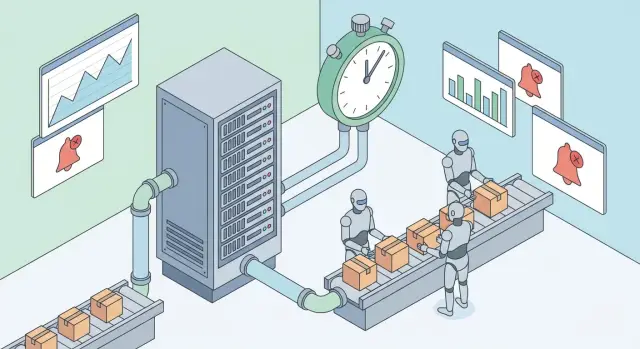
Why background jobs are needed and where they shine
Background jobs are useful wherever a user should not wait. If an action takes seconds or minutes, it’s better to push it to a queue and process it with dedicated workers. The UI stays responsive while heavy work runs in the background.
The most common pain is load spikes. During the day employees upload data, run reports and change many records; at night the system must send notifications. If everything runs synchronously, you get API timeouts, long database locks and a chain of errors that’s hard to untangle.
Background jobs are especially valuable for tasks that can safely run later but must run reliably. Typical cases are notifications (email, SMS, push, reminders), bulk updates (recalculating permissions, prices, statuses), imports/exports (CSV, integrations), report and document generation, and file processing (conversion, OCR, checks).
Imagine HR updating thousands of records and expecting notifications to be delivered. A synchronous approach can turn one button click into a minute-long wait and risk failure halfway. A background flow lets you show the user that the request was accepted and provide a clear execution status.
Decide up front what matters and how to measure it. Usually you balance four things: reliability (don’t lose jobs), speed (how fast the queue is processed), cost (how many workers to run) and observability (see what’s happening and where things are stuck).
If your app supports critical processes (government, healthcare, finance), background tasks help separate "accepting a request" from "guaranteed execution", preserving UX and protecting core services.
Basic pattern: queue, workers and safe enqueueing
Background jobs in a corporate app usually have three parts: a queue (where tasks land), workers (processes that execute them) and a message broker (delivers and stores tasks until processing). The application responds quickly and heavy work continues in the background.
Divide queues by responsibility. Bulk operations (recalculations, imports, thousands of updates) are long and resource-hungry. Notifications are short but must avoid duplicates. Separating by type prevents long-running jobs from blocking critical work.
Put minimal data in the message so it remains compact and stable. Typically you need an entity identifier (e.g. user_id or batch_id), a job type (ReindexUsers or SendNotification), a message format version, an attempt counter and a dedup_key.
Keep responsibilities clear: the API validates, records intent, enqueues the job and returns. Business logic, repeated DB reads and external calls live in the worker where there’s room for retries.
A common risk is losing a job due to a failure between DB write and queue publish. Transactionality is required when you cannot accept "data changed but job not sent". A pragmatic pattern: in the same transaction save a task record (outbox), and a separate reliable process publishes it to the queue. Then a service crash won’t drop the job and it will be delivered later.
Retries without chaos: backoff, limits and stop rules
Retries help background jobs survive transient failures: brief network glitches, an overloaded mail gateway, or a timeout from an external API. But retries are harmful if you repeat work that won’t succeed without changing data or code.
A simple rule: retry only transient errors and stop on logical ones. Transient errors look like timeouts, 429 (rate limit) or 5xx responses from a remote service. Logical errors are "user not found", "invalid phone format", "no permission", or "order already closed"—these should be marked failed with a clear reason and not spun in a loop.
To avoid a retry "storm" use backoff—the delay between attempts. Three practical schemes work well: fixed delay (simple integrations), exponential backoff (e.g. 10s, 30s, 2m, 10m) and exponential backoff with jitter (add randomness so thousands of jobs don’t wake up simultaneously).
Limits matter as much as backoff formulas. Set a max number of attempts and an overall deadline (for example, don’t retry after 2 hours), otherwise jobs can hang for days and clog queues. For bulk operations, separate quick retries in the main queue from long waits in a delay queue or a scheduled re-run.
Plan a final stop. When a job exhausts attempts, move it to quarantine or a dead-letter queue with error context. For example, some notification addresses may be invalid—those jobs go to quarantine and the system produces an operator report instead of infinite retries.
Deduplication and idempotency for repeatable operations
Retries are inevitable: the network blinks, a worker restarts, a user double-clicks, or an integration delivers the same event twice. Jobs must be safe to rerun (idempotent), and the system should filter duplicates (deduplication).
Idempotency means that no matter how many times a job runs, the final data state is the same. For example, "mark request as sent" is safer than "increment send counter". In bulk operations this is critical: one extra record or a double notification can quickly become an incident.
Deduplication typically uses a key that describes the operation. The formula depends on domain but usually includes subject (user, contract, document), operation (recalculate, send, sync), period or version (date, batch number, input hash), source (UI, integration, scheduler) and sometimes scope (branch, department, project) if it affects the outcome.
Store the key only for a deduplication window. The window’s purpose is simple: protect against repeats in a typical retry and delivery period. For notifications this might be minutes or hours; for nightly batch jobs it may be a day until the next run.
Concurrency matters: two workers might pick up the "same" work at once. Use a resource lock or a uniqueness constraint on the dedup key in storage so one wins and the other finishes quickly.
If a job can partially complete, split it into steps and record progress: store a checkpoint (stage and last processed item), perform atomic steps (small transactions rather than one big one), make each step safe to repeat (check whether it’s already done), and for external systems design explicit compensation where needed.
Scheduler: periodic, delayed jobs and duplicate protection
A scheduler is needed where work must run automatically: nightly reports, data reconciliation, regular integrations, scheduled notifications. In this context the scheduler usually just creates jobs in the queue; workers execute them.
Periodic tasks: intervals and calendar rules
The simplest option is intervals: "every 5 minutes", "hourly". This works for technical checks and syncs but is poor for business rhythms like "first business day of the month".
Calendar rules (cron-style) are more precise: you can target a specific time and day. They require care with timezones and daylight saving. For monthly reports across regions, run by the branch’s local time rather than server time.
Delayed jobs and duplicate protection
A delayed job means "do not run before a certain time." It’s useful for retrying after a pause, delivering a notification at a scheduled hour, or running heavy jobs at night.
A cluster pitfall is two scheduler instances creating the same job. Avoid this with simple rules: perform "single-run" scheduling using a distributed lock with TTL, keep a dedup key for the interval (e.g. report:2026-01-28) and prevent a second enqueue, write the job’s business date and period (not the current timestamp), store times in UTC and convert to local time only at boundaries (UI and schedule rules). For days with clock changes choose either "fixed local time" or "fixed UTC"—don’t mix both.
This keeps the scheduler predictable: jobs run on time, once, and don’t break reports or bulk operations due to duplicates.
Priorities and limits: make sure important work goes first
Not all jobs are equal. Password resets, outage alerts or payment confirmations must run immediately. Nightly exports or heavy recalculations can wait.
A practical approach is to separate queues by urgency and "weight": e.g. high for urgent notifications, default for regular ops, low for batch recalculations. Workers dedicated to high will not starve for resources because of a long low queue.
Resource limits
Often the system breaks not because of the queue itself but due to side effects: database load, memory, external APIs. Therefore set numeric limits for how many concurrent jobs of a type can run.
Apply basic rules: limit concurrency for heavy tasks (e.g. max 2–3 concurrent jobs per worker instance), separate pools for work that stresses the DB vs external APIs, set timeouts and batch size limits (update 500 records rather than 50,000). For external integrations use rate limits (how many SMS, emails or messages per minute) and dedicated queues. For memory-hungry tasks reduce concurrency even if CPU is underused.
Fairness: prevent one client from occupying everything
A large client can unintentionally consume the queue: they start a mass upload and everyone else waits. Solutions include per-client or per-department queues, or tenant-level concurrency quotas. This way one department’s bulk operation won’t block critical notifications for another.
Capacity planning starts from peaks: how many tasks per minute at load peaks and how long an average task takes. Keep a reserve of workers for high priority and scale low tasks for night windows. Important jobs go first and heavy work doesn’t break the system.
Monitoring and alerts: what to measure and how to act
Background jobs rarely fail nicely. Problems show up indirectly: the queue grows, notifications are delayed, retries consume resources. Monitoring helps answer: what is degrading and what to do next.
What to measure for a real picture
Start with system health metrics rather than single-worker stats. Minimum set: queue length and task status distribution (working, retrying, dead-letter), lag (time from enqueue to start and to successful completion), processing rate (tasks/min), worker utilization, error breakdown by type (network, validation, rate limits), and average/max retries per task.
Then set SLOs per task class. For example: "employee notifications should start within 2 minutes" and "at least 99.5% of tasks succeed within 24 hours." SLOs help differentiate incidents from normal monthly spikes.
For fast investigations, link a job to user actions: include request_id, initiator id, operation type and business key (e.g. request number) in the job. In logs and traces this creates the chain "UI button -> API -> job enqueue -> worker execution."
Alerts and dashboards: what constitutes a problem
Create separate dashboards for bulk operations and notifications—they have different delay expectations and failure modes.
Alert on user impact and accumulation risk. Typical signals: lag exceeds SLO for N consecutive minutes, queue grows faster than processing (trend persists), retry or error share for a single type exceeds a threshold, a bulk job shows no progress (no completed tasks), dead-letter count rises or fatal errors repeat.
For each alert have a short playbook: check dependencies (DB, an external service), inspect top errors, temporarily reduce concurrency or priorities, enable rate limiting, and only then restart workers or requeue jobs. This keeps the response predictable and avoids making issues worse with uncontrolled retries.
Step-by-step: how to roll out jobs for bulk operations and notifications
Start with one workflow rather than converting the whole app at once. Pick the most painful process: e.g. bulk status updates and notifying employees. You’ll quickly see where duplicates, stalls and load spikes occur.
Practical rollout plan
A sequence that usually yields predictable results without breaking production:
- Catalogue tasks. For each job list input parameters, priority, deadline, max execution time and retry policy.
- Decide idempotency. Define what constitutes the "same" job: e.g. key
user_id + template_id + date, ororder_id + operation. - Separate queues by load profile. Keep bulk operations separate from notifications.
- Configure delayed runs and periodic schedules. Protect periodic jobs from duplicates: single run per interval and a lock against parallel copies.
- Add observability and "test" incidents. Run scenarios: DB outage, external timeout, worker crash, queue overflow.
After initial runs you’ll see where stricter deadlines or separate parallelism limits are needed. For example, maintenance notifications should be sent in small batches to avoid overloading the mail gateway.
Minimum controls to enable from day one: queue length and age of the oldest job, retry share and dead-letter count, p95 execution time per task type, duplicate counts (by dedup key) and rejection reasons, and external integration errors separate from internal ones.
This framework lets you safely expand jobs to new bulk processes without turning the background into a black box.
Example scenario: bulk update and notifying employees
HR needs to update records for 8,000 employees: positions, departments and managers. After updates notifications must be sent and several internal reports recalculated. Doing this interactively would cause hangs and errors, so background jobs handle the load.
Break the process into a chain of jobs where each task does a small, verifiable piece: create a run with parameters and expected record count, prepare the employee list and split into batches of 200–500, apply changes per batch and emit events for notifications, then send one notification per employee and update delivery status, and finally recalc reports and aggregates after updates complete.
Prioritize correctly or the system will be busy with secondary work. Typically notifications are higher priority than recalculations: an employee should quickly see their updated data, while reports can refresh later. Protect against overload by limiting concurrency on message sending and using a separate queue for heavy recalculations.
To avoid duplicates use a dedup key like "employee + event version": for example employee_id=123 and event_version=2026-01-28T10:15 (or a run number). Re-enqueuing won’t create a second notification and retries will only reprocess undelivered items.
Users want to see progress, not guess. Show a run card with status (queued, running, completed, completed with errors), percent and counters (processed/total, sent/total), and an error list per employee with causes and an option to retry only those items.
This turns a bulk update into a controlled operation: HR triggers it, the system works in the background, and results are transparent and verifiable.
Common mistakes and pitfalls with background jobs
Even with a correct queue architecture, problems usually arise from small details. Background jobs often touch money, notifications and user data, so errors are costly.
First pitfall: aggressive retries. When a job fails due to a transient external error it’s tempting to retry fast. But frequent retries without pauses can become a mini-DDoS: you exhaust a partner API and then get more failures. This is especially harmful in bulk flows where one error multiplies across thousands of jobs.
Second: lack of idempotency. If a job can run twice you get double charges, duplicate emails or duplicate DB updates. Typical scenario: notification sent but response lost; the job retried and sends the message again. Without a dedup key and idempotency this is hard to catch.
Third: a single queue for everything. Heavy batch jobs clog workers and urgent notifications wait for hours. From the outside the system looks operational, but business sees delays where it matters.
Fourth: no timeouts or deadlines. A job stuck on a network call or DB lock can hold a worker indefinitely. Queues grow while the cause remains hidden.
Fifth: monitoring only by error counts. If you only watch failures you can miss silent degradation: few errors, but the queue can’t keep up and lag grows.
A minimal set to avoid these failures:
- Backoff and an upper retry limit, with separate handling for 429/503 and for logical errors.
- Idempotent handlers and deduplication by key (order, user, event type).
- Separate queues by urgency and task weight, plus worker quotas.
- Timeouts for external calls and overall job deadlines.
- Metrics on queue length and lag, not only error counters.
Short checklist and next steps
Before deploying background jobs to production run a short checklist. It prevents the most common issues: duplicates, infinite retries and "silent" growing queues.
Quick pre-release checklist
Each job should have clear responsibility boundaries and retry rules. Verify:
- The task has a dedup key (or other duplicate protection) and the handler is idempotent: re-running does not corrupt data.
- Retries are limited, backoff is configured, and stop conditions exist for unrecoverable errors.
- There is a clear dead-letter path: where failed jobs land and who inspects them.
- Queues are separated by load type: bulk ops separate from notifications. Critical tasks have assigned priorities.
- Metrics and alerts are configured: queue lag, error share, processing rate, execution time. Thresholds are agreed ahead of incidents.
When the checklist is done, run a small test on synthetic data and then on a limited slice of real traffic. For example, first send notifications to a single department and observe whether lag grows or duplicates appear.
Next steps
After that, the limits are usually organizational and resource-based rather than code:
-
Estimate how many workers you need for peaks: bulk updates, month-end reports, mailings.
-
Define operational roles: who watches monitoring, who handles dead-letter queues, who adjusts alert thresholds.
-
If infrastructure or experience is lacking, plan rollout with a system integrator. For organizations in Kazakhstan it makes sense to involve GSE.kz (gse.kz): they provide servers and systems integration and can cover infrastructure and support needs critical for queues and workers.
Frequently asked questions
When should work be moved to background jobs and when kept synchronous?
You should split work when an action may take more than a couple of seconds or depends on external services. The user gets a fast response, while workers perform the job in the background with retries and error handling.
What types of tasks are usually moved to a queue?
Common candidates are notifications (email/SMS/push), imports/exports, report and document generation, file processing, bulk recalculations and synchronizations. The simple rule: it can be done later, but must not be lost and should be completed reliably.
What should be included in a queue message to keep it reliable?
Put only stable identifiers and essential context: `job_type`, `entity_id` or `batch_id`, `attempt`, message format version and `dedup_key`. Sending large snapshots inflates messages, makes them stale and complicates debugging.
How to avoid losing a job during a failure between the database and the queue?
Use the outbox pattern: in the same transaction where you record a business change, save a task record; a separate reliable process publishes it to the queue. This avoids the "data changed but job wasn't sent" situation.
Which errors should be retried and which should not?
Retry only transient errors such as timeouts, `429` or `5xx` from external services. Logical errors like "user not found" or "insufficient permissions" should be marked as `failed` with a clear reason and not retried endlessly.
How to configure retries so they don't overload the system?
Use backoff between attempts and limit both the number of retries and the overall deadline. Without limits, retries can create a "storm", clog queues and overload external APIs more than the original issue did.
What is idempotency and how to make a job safe for retries?
Idempotency means repeated execution leaves the final state unchanged. Practically, prefer "set status" over "increment counter", and check current state before writing. This ensures safe replays.
How does deduplication work and how to choose a dedup key?
Deduplication filters identical jobs by a `dedup_key` that describes the operation, e.g. `employee_id + event_version` or `order_id + operation + period`. Store the key for a reasonable deduplication window to catch repeated deliveries and double clicks, but avoid retaining it forever.
How to schedule periodic and delayed tasks correctly and avoid duplicates?
The scheduler should only enqueue jobs; workers do the execution. To prevent duplicate scheduling in a cluster, use a distributed lock with TTL and a dedup key for the interval. Store times in UTC and convert to local time only at boundaries (UI and schedule rules).
Which metrics and alerts matter most for background jobs?
Monitor not only errors but also lag: time from enqueue to start and to completion, queue growth, retry rate and number of dead-lettered tasks. If lag exceeds your SLO for several minutes or queues grow faster than processing, treat it as an incident even if error counts are low.
