7 min read
Automating Counterparty Checks: Checklist and Reverification
Automating counterparty checks: which data to collect, how often to recheck, and how to record results in the partner card without chaos.
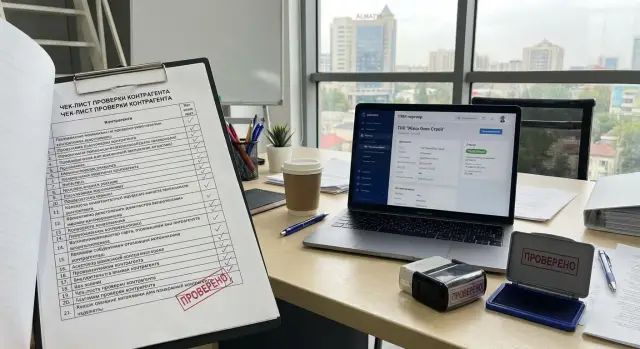
What’s wrong with manual counterparty checks
A counterparty check isn't a formality. It protects money, deadlines and reputation. With a manual approach the process often fragments: one person reviews the details, another the contract, a third the correspondence. The result stays in a chat or someone’s head, not in the system.
When a check depends on a single person, that becomes a bottleneck. They go on leave, get overloaded or leave the company — and everything stops. Even worse, no one can explain why a counterparty was approved: which documents were seen, what raised concerns, what was decisive.
Manual processes usually fail in three places: haste, lack of a unified data checklist, and inconsistent recording of results. As a result, two identical companies can get different decisions simply because different people checked them.
Typical problems look like this: data is collected partially (details are there, but the signatory wasn’t checked), sources conflict (someone relies on an email, someone on a contract), there’s no clear status or the status is unclear, no audit trail remains, and rechecks are remembered only after an incident.
A separate pain is applying identical rules to everyone. Without criteria it's easy to go to extremes: either be overly strict and slow deals, or let risk through because a partner "seems fine."
Reverification addresses real risks that can appear after the first transaction: a change of director, new bank details, account blocks, lawsuits, or a sudden drop in on-time performance. For example, a company buys equipment from a new supplier. At the start the documents are fine, but a few months later a message arrives about changed banking details. If there’s no habit of rechecking and recording confirmations, the risk of paying to the wrong account or delivery delays increases.
Automation usually begins not with complex tools but with discipline: unified rules, the same dataset for everyone, and a clear recorded result that can be quickly reviewed six months later.
When to run a check: typical triggers
A counterparty check should start not "by mood" but on clear events. Then the team won’t argue each time whether a check is needed, and the chance of missing a risk is lower. Fix these triggers in the procedure and configure the system so a task appears automatically.
Before starting a deal and before money moves
The first obvious moment is before the first transaction. Even if a partner came recommended, a basic check reduces the risk of a shell company, incorrect signing authority, or a "repackaged" corporate history.
The second moment is before a large payment, advance or credit. The higher the amount and the longer the term, the larger the cost of an error. Practically, set thresholds by amount and credit term: anything above an internal limit should automatically require an updated check, even if you’ve worked with the partner before.
On changes and suspicious signals
Third, when a partner’s data changes: bank details, director, legal address, or name. Sometimes a changed email domain is also a red flag. Changes may be legitimate, but they should be checked as strictly as new data.
Fourth, when participating in procurements and tenders. Requirements for documents and timing are higher there, and formal mismatches can stop a deal at the last moment.
Fifth, when troubling signals appear in day-to-day work: delayed deliveries, sudden customer complaints, messages asking to "pay to a new account urgently", or pressure to speed signing. These aren’t proof, but they’re a good reason to start an ad-hoc check.
If you need a short rule for the team, five lines are enough:
- New partner — check before the first payment or shipment.
- Deal conditions become riskier (amount, advance, credit) — check before approval.
- Key data changed — check before using the new data.
- Tender or procurement — check before submission and before contracting.
- Red flags appear — perform an immediate check the same day.
Example: a supplier asks to change the account and requests payment "today by 16:00" or a shipment will be missed. Even if the message looks plausible, this is a trigger: verify the change and confirm via an independent channel (for example, the official phone number) before paying.
Checklist of data: what to collect in the partner card
The partner card in CRM should not be a "file folder" but a set of clear fields: who the partner is, on what terms you work, and what has already been checked. Then automation delivers real value: fewer misses, faster approvals, and simpler control.
Start by recording identification: full legal name, BIN, legal and actual addresses, business contacts (phone, email) and the responsible manager. Keep a single source of truth: if BIN or address changes, it must update both the current fields and the change history.
Next — payment details: accounts, bank, transaction currency and confirmation date. It’s useful to have a separate field "payment details confirmed" and fill it only after receiving a supporting document or an official letter.
Minimal set of fields
To keep the card practical, include only what actually affects decisions:
- Identification: name, BIN, address, contacts.
- Payment details: account, bank, currency, confirmation date.
- Signing authority: head, power of attorney (number and expiry).
- Deal parameters: subject, amount, terms, credit period, penalties.
- Internal notes: requester, risk level, short comment.
The signing authority block is often forgotten. As a result, the company was checked but the signatory wasn’t. The card should contain the signatory’s full name and power-of-attorney data with expiry date so the system can remind before expiry, ahead of signing amendments.
Simple example
You onboard a new supplier and a month later they send new bank details and ask for urgent payment. If the card has a "payment details confirmed" field and an attached supporting document, accounting quickly understands whether payment is allowed. Without the field, people hunt for emails and the risk of error rises.
Internal notes also save time. Record who initiated the partner, the assigned risk (low/medium/high) and briefly why and what restrictions apply (for example, "prepayment only"). That way the decision is easy to review and explain.
How to set recheck frequency without unnecessary bureaucracy
Frequency works only if it’s simple. The easier the rule is to follow every day, the more likely checks will be done on time and consistently.
Divide data into two groups. Stable items change rarely (name, registration data, licenses). Frequently changing items update faster (bank details, shipping address, debt status, lawsuits). For the first group a scheduled review is enough; for the second group use a shorter cycle plus event triggers.
Then set risk levels with clear rules. Don’t overcomplicate with scoring formulas: at the start automation often fails because models are too heavy.
A practical grid that’s easy to explain:
- Low risk: small volume, no credit, non-critical timing. Recheck once every 12 months.
- Medium risk: regular supplies or services, some credit, noticeable process impact. Recheck every 6 months.
- High risk: large amounts, long contracts, high dependency, access to critical systems or data. Recheck every 1–3 months.
A scheduled plan is insufficient if one-off events are ignored. A new contract with a different legal entity in a group, or a change in bank details, should trigger an unscheduled check even if it’s "too early" by the calendar. In companies that buy equipment and integration services (for example, in the public sector or large enterprises), such events are frequent and carry direct financial risk.
To avoid excessive approvals, predefine rule governance: a rules owner (compliance or financial control) with a backup, single-leader approvals, review once a year and ad-hoc updates after incidents.
Recording the result: how to make an entry clear and verifiable
A check is only valuable if its result can be quickly understood and verified. A note like "all OK" a month later helps no one.
Start with simple statuses, the same for everyone. Usually four suffice:
- In progress
- Checked
- Needs review
- Stop
More important than phrasing are facts: who, when, on what basis, and what was decided. Minimum required fields:
- Date and time of the check (and date of the next recheck)
- Executor and approver (if required)
- Source: registry, incoming email, contract, invoice, questionnaire
- Confirmation identifier: letter number, request number, document number
- Outcome and brief rationale (1–2 sentences)
Store confirmations where they won’t be lost: attached file, scan, saved PDF, or a record with the document number and storage location in your system. It must be immediately clear what supports the conclusion, not just "attachment 1."
Example entry: "Payment details match contract No.12 dated 10.01.2026, address confirmed via questionnaire, no restrictions found. Status: Checked. Next check: 10.07.2026."
Record exceptions separately and strictly: what was allowed, who allowed it and for how long. For example: "Address mismatch between questionnaire and invoice. Allowed one-time payment by agreement with CFO, valid until 31.01.2026. After that: needs review."
Scenario for changed payment details: instead of "details updated" write: "Received letter No.45 dated 09.01.2026, BIN and name verified, payment details updated in card. Payment allowed to the new account only from 12.01.2026. Approved by: head of procurement."
Step by step: how to set up the automation process
The goal is simple: checks start by event, follow clear roles and leave an audit trail in the partner card. Then it stops being "someone’s task" and becomes a managed process.
Setup steps
-
Define roles and responsibilities. Usually three are enough: requester (creates the request), checker (collects facts and attaches confirmations), approver (makes the decision and removes blocks).
-
Set deadlines (SLA). For new counterparties this is often 1–2 business days; for reviews of existing partners — faster. Decide immediately what happens on overdue: suspend payments, block new orders or escalate to a manager.
-
Create a result template. Prefer short fields to free text: what was checked, how it was confirmed, final status, date of next recheck.
-
Configure notifications and reminders. Typically you need two types: check initiation (new partner, changed details) and scheduled rechecks. Notifications should go to a specific executor and their backup, not to a general chat.
-
Add quality control. Weekly or monthly select a few closed cases and check: are confirmations attached, do dates match, is the status correct. This quickly shows where the process is weak.
Example: procurement selects a new supplier for a project (e.g., equipment delivery to a government body). The requester creates a CRM request, the system assigns a checker and sets a deadline. The checker fills the checklist, attaches confirmations for payment details and company status, and notes risks. The approver sees the final status and conditions (for example, an initial order limit). The system then sets the next recheck date and creates a reminder.
Common mistakes and traps
Automation often fails not because of technology but due to organizational choices. The system shows everything "green," but in a dispute or audit there’s nothing to present.
A common mistake is using the same recheck frequency for everyone. A stationery supplier and a contractor for a large project should not run on the same timer. It’s better to tie rules to risk: amount, contract type, advance, access to data, participation in public procurement.
Second trap — status "Checked" without evidence. If you don’t record date, source and what was reviewed, the entry is useless.
Third — data issues. Duplicate cards appear in CRM, payment details diverge: accounting uses one version, procurement another, legal stores scans in email. Automatic checks then run on different cards and trust in the process quickly erodes.
There’s the opposite extreme too — too many statuses and fields. When mandatory items are dozens, people fill them mechanically or skip them. Automation shouldn’t turn checks into a scavenger hunt.
The most dangerous situation is having no process owner. Notifications go to everyone and no one, overdue items pile up, and when something goes wrong everyone looks for someone to blame. You need a single responsible person who sees the queue and can stop a deal on critical risk.
For a quick self-audit ask five questions: are there different rules for different deal types, does each result store date/executor/confirmation, are there duplicate partners, are the fields overloaded, and is someone responsible for overdue items and blocks?
Example: a contractor sent new bank details. If two cards for the same company exist, a manager may update one and payment will go to the old account. The process must protect against this: a single card, a clear change log and mandatory confirmation before payment.
Quick check: 5 things to do today
If your database already has hundreds of partners, start small: pick 10–20 most important by amount, deal frequency or data access and run them through one template. This quickly shows where data holes are and what to automate first.
1) The partner card is filled so it can be used
Check there is BIN, current payment details, legal address and contacts, and they match documents. Also ensure signing authority and its basis (power of attorney, order) are recorded.
2) It’s clear when the last check was and when the next one is
The card must have two dates: last check and next recheck. Without them you can’t rely on an old result.
3) There’s a risk level and a short reason
Risk should not be a manager’s feeling but a tag with a 1–2 sentence reason. Example: "medium risk: frequent changes of payment details over the last 6 months."
4) Results are supported by files or a note
Verify confirmations are attached: emails about changed bank details, powers of attorney, extracts, or internal memos. If no files exist, at least add a clear note of what was checked and what was found.
5) The partner status is not grey
The status should answer: can we sign a contract, pay an invoice, or is an extra step needed? Names can differ, but meaning must be clear without explanation.
Practical example: new supplier and changed bank details
A company adds a new supplier of consumables. The supplier requests 50% prepayment and sends an invoice, then two days later informs that banking details have changed and asks to pay to the new account. This is a typical situation where automation helps avoid relying on correspondence or intuition.
First the manager creates the partner card in CRM and fills basic fields: full name, BIN/IIN, legal address, phone, email, website (if any), and the contact person’s full name. Then a pre-payment verification scenario runs.
Step-by-step actions
The route should be short and repeatable: compare payment details with the invoice and contract (recipient, BIN, bank, account, payment purpose), confirm the change via an independent channel (call the main number from the card or get an official signed letter, not a messenger), verify signing authority, compare old and new data and record the result with any restrictions.
If confirmation is not obtained, the safe option is to leave status "In progress" or "Needs review" and block payment at the process level: don’t allow prepayment until supporting documents are attached and a final status is set.
One clear entry in the card
The main goal is that any colleague understands what was checked and on what basis the decision was made. Example entry:
"05.01.2026: request for 50% prepayment. 07.01.2026: notice of changed payment details. Confirmed by a call to the main number, attached signed letter and power of attorney No.12 dated 03.01.2026. BIN and name match — yes, only account/bank changed. Status: Checked with conditions. Restrictions: payment only to the new account, prepayment limited to 50%, next payment after act/delivery note."
Schedule the next recheck by event: before the first payment to the new details or 30 days after the first delivery (whichever comes first). The reminder goes to the person responsible for the counterparty and the employee who approves payments.
Next steps: how to lock the process in place and who should implement it
To keep checks from living in one person’s head, fix a minimal set of rules and make them mandatory. Start simple: a single checklist, clear statuses, dates for the next recheck and one person responsible for the admission decision.
Work plan for launch:
- Appoint a process owner (usually compliance, security or financial control) and a data owner for the partner card (procurement or sales).
- Keep 3–4 check statuses and define who may change them.
- Define timing: when to check before a contract and how often to recheck by risk.
- Agree mandatory partner card fields and what counts as evidence.
- Run a pilot in one unit for 2–4 weeks.
A pilot quickly reveals real pain: how many checks stall, which fields are frequently empty, and recurring refusal reasons.
What to ask your system (or CRM) for
The partner card should store last check date, next check date, status, a short comment with the reason and attachments (or a clear note where confirmations are stored). Also need reminders to responsible parties and access rights so results cannot be silently altered.
Who to assign implementation to
If the process is simple, the process owner (compliance/security) and the CRM administrator usually handle it. If integrations, file storage, access rights, backups and reliability requirements appear, involve IT and, if needed, a system integrator.
If you need CRM infrastructure and related processes (servers, workstations, support, integration), you can discuss it with GSE.kz (gse.kz) as a technology provider and system integrator working with public sector and large enterprise organizations.
Frequently asked questions
Where is the best place to start automating counterparty checks if everything is done manually now?
Start by fixing common rules: when a check is mandatory, which fields in the partner card must be filled, which statuses are allowed and who can change them. Then create a result template with date, executor, sources and a short conclusion so it can be easily retrieved later.
Which events should automatically trigger a counterparty check?
At minimum — before the first deal, before a large payment or advance, when banking or other key details change, when participating in a tender, and when worrying signals appear in daily work. Triggers ensure checks start on an event, not on a manager’s feeling.
Which verification statuses are best to use so everyone understands them?
Often four are enough: "In progress", "Checked", "Needs review", "Stop". The fewer ambiguous statuses, the easier it is to understand whether you can sign a contract or pay, and the fewer disputes between departments.
Which fields must be present in the partner card in CRM?
Store company identification (name, BIN, address, contacts), payment details with confirmation date, signing authority (manager or power of attorney), deal parameters (amount, terms, credit period) and an internal risk assessment with a short reason. Fields should be structured, not only files in attachments.
Why is verifying signing authority as important as checking payment details?
Because the company can be verified, but a document may be signed by someone without authority, making the deal legally vulnerable. The card should record the signatory's full name and proof of authority, including the power of attorney expiry, so you don't sign after it has expired.
What to do if a supplier urgently sends new bank details and asks for payment today?
The safe approach is not to pay to new details until the change is confirmed by an independent channel and recorded in the partner card. Even if the message looks convincing, confirmation should rely on a document or a verified communication channel, and the check result must show what was confirmed and who authorized the payment.
How to set recheck frequency without drowning in bureaucracy?
Base periodicity on risk: low risk — review annually, medium — every six months, high — every 1–3 months. Events like changed banking details or a new contract with another legal entity should trigger an out-of-cycle check even if the scheduled review is not due.
Why is it not enough to write "all OK" as a check result?
The note "all OK" doesn't explain what was checked or why the conclusion was made, so it can't be defended internally or in a dispute. A clear record includes date, executor, sources, confirmation identifier and a short rationale so any colleague can quickly follow the logic.
What does a simple, working CRM verification process look like step by step?
Define roles (requester, checker, approver), set clear deadlines and escalation rules for overdue items, create a result template and enable reminders for triggers and scheduled rechecks. Add periodic quality control on a small sample of closed cases to quickly see where the process fails.
What mistakes most often break the automation of counterparty checks?
Typical failures are duplicate partner cards, "Checked" without evidence, one-size-fits-all rules for all deals, and overly complex forms that people fill in perfunctorily. Another common problem is no process owner, so tasks pile up and it's unclear who should stop a payment or request confirmation.
