8 min read
Automate commercial proposals from CRM: no more email file exchanges
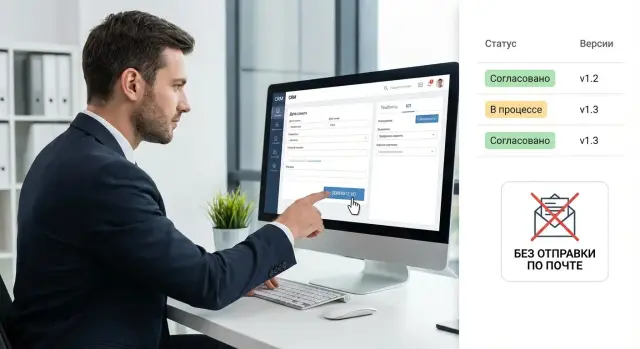
Automating commercial proposals from CRM lets you build template-based offers, track versions and approve terms without sending files by email.
What's wrong with manual commercial proposals
A manual commercial proposal often appears by inertia: a sales rep takes the previous file, copies text, edits prices, company details and dates, then sends it for approval. Each step takes 10–30 minutes, and if several variants are needed, the time quickly adds up. The worst part is that these minutes are not spent on selling but on rechecking and polishing the document.
Small mistakes usually hide in details and end up being costly. The price is updated in one place but forgotten elsewhere. The delivery date is changed in an email but not in the proposal. Old company details or the wrong legal entity are used. A discount is applied but the total or VAT is not recalculated. When a document is assembled from fragments, such issues are easy to miss.
Sending files by email adds version chaos. The client may have “the wrong” copy, the manager another, and finance a third. Comments get lost in threads, edits overlap, and at some point no one knows exactly which version was sent and what terms were agreed.
If you generate proposals directly from the CRM, most of these problems go away without complex development. Basic features are enough: unified templates, data substitution from the deal, price calculation rules, a clear version history, role-based approvals, and sending from a single place without manual file exchanges.
As a result, the proposal becomes a repeatable process rather than a set of ad hoc edits in documents and emails.
What to automate in a commercial proposal
The benefit appears when you remove repetitive manual actions: retyping data, copying prices, gathering attachments and endless clarifications about “which version is current.” Start with what already exists in the CRM and should flow into documents without the manager’s intervention.
First, pull the client and deal “passport” from CRM: company name, IIN/BIN (if you store it), address, contact person, phone and email, deal number and stage, responsible manager, deadlines and expected delivery date. These fields must be inserted consistently across all documents and not diverge from the record card.
Next, automate filling from the price list and catalog: items, SKUs, units, quantity, currency, VAT, payment and delivery terms. The manager then selects items in the deal and the proposal assembles itself, including subtotals and the final sum.
A separate layer is text blocks that depend on the client segment. Public-sector clients often need wording about procurement compliance and local origin, education requires emphasis on комплектация and warranty, and business clients focus on lead times and support. For PC and server supplies, it’s useful when different sections auto-insert for “public sector” and “commercial” without manual editing.
Accompanying documents usually go with the proposal. Generate and attach them automatically so they don’t have to be hunted in folders: specification, annex with terms and deadlines, warranty conditions and service levels, certificates and manufacturer info. Sometimes it’s useful to produce two configuration variants (base and extended) at once.
This turns the proposal from “a file everyone builds differently” into a predictable CRM-driven result.
Proposal templates: structure, variables and update rules
A good template makes issuing proposals predictable: the manager fills the deal and the document assembles itself, without manual layout and endless corrections.
You usually need several templates. Otherwise people will start tweaking the same file for different cases. In practice it’s easier to keep templates by product (servers, PCs, services), by industry (public sector, education, finance) and by language (EN/RU/KZ) if you work across audiences.
Variables: what’s substituted automatically
A template should include not only deal fields (client, IIN/BIN, delivery date) but also repeated blocks: items table, options, service terms. For the table define rules in advance: which columns to show, how to round prices, where to display VAT, how to calculate totals for each variant.
Reserve areas for notes, exceptions and legal formulations so managers don’t keep adding text at the bottom. Any deviation is then visible immediately and easier to approve.
Unified style and update rules
Lock style into the template: header, logo, signature, contacts and standard wording. Store templates centrally and restrict edit rights to responsible people.
When updating, avoid breaking old proposals. Simple rules work:
- each template has a version number and date
- every proposal records which template version it was built from
- new edits apply only to new proposals
- disputed changes go through a short approval (sales plus legal)
- old proposals remain available as snapshots even if the template changes
This preserves a consistent document appearance and prevents “knee-jerk” edits.
Prices, discounts and terms: how to stop manual changes
Manual edits most often start with price: the manager copies numbers from a price list, applies a discount, alters terms, and then “tweaks” wording. It becomes hard to trace why the client received a particular total and where an error occurred.
For stability, prices and rules must live in one place and the document must be assembled from them automatically. A practical approach is to store not a single price in CRM but a set of sources and rules used to calculate it:
- base price list by product and options (with effective date)
- discount matrix by client segment, volume and deal type
- promotions and special terms recorded with validity dates
- cost price or minimum acceptable margin for control
- directory of standard terms: warranty, service, delivery, payment
Next, set constraints that prevent “overplaying” the deal in the document. For example: discounts over 10% require approval, margin must not fall below a threshold, free delivery only for orders above X, 24/7 service only for specific packages. If a manager tries to exceed limits, CRM should block manual edits to the proposal and instead create an exception request with a reason.
Also pull delivery times, warranty and service from the product directory or product card rather than letting them be edited in free text. For equipment deals (PCs, all-in-ones, servers) this reduces the risk of sending an outdated warranty or incorrect lead time.
Assign owners to keep data current: a product manager maintains the price list, sales leadership controls discounts, and legal or service teams update standard terms. Before issuing a proposal, do short checks: price and promotion dates, discount within authority, delivery and warranty fields filled, and exceptions documented with approvals.
Version control: who changed what and which version was sent
When proposals live in files, it’s easy to mix them up: the manager edited “last_final2.xlsx”, the director added a discount in another copy, and the client received a third. Proper version control makes the process transparent: you can see who changed the document, when, and which version went to the client.
How to number and label versions
A version should be self-explanatory and answer “why is this v2?” A common standard is number + date/time + author + reason.
Example: v3 (2026-01-11 15:40) Ivan – "updated delivery dates".
What to record in the change log
A short summary by blocks is more useful than a long diff. For proposals, track:
- prices and discounts (what changed, who approved)
- composition (items added/removed, quantity changes)
- deadlines (delivery, payment, warranty)
- terms (validity, delivery incoterms or place of shipment, if applicable)
- company details and contact information
Keep a single live proposal entity in CRM: the document as a record with an attached PDF for sending and a separate change log. Then v4 is a new version of the same record, not a new folder “Proposal_final”.
Separate statuses: “Draft” (editable), “For approval” (frozen, edits only via comments), “Sent to client” (record which file and when). This avoids disputes like “we sent a different one.”
Use reports to see how many times a proposal was changed per deal, which reasons are most common (discounts, deadlines, composition) and where approvals slow down. That way you fix systemic issues, not just churn out new versions faster.
Approvals without sending files: statuses, roles and comments
When proposals circulate by email, you lose sight of who currently owns the decision, which version is active and why terms changed. In CRM approval is simpler: the document lives in the deal card and discussions stay next to figures, the client and the history.
A basic model starts with clear statuses. Keep them minimal so people actually use them:
- Draft (manager prepares, data pulled from the deal)
- For approval (document is fixed and sent along a route)
- Approved (ready to send to client)
- Rejected (needs edits, reason visible)
- Sent to client (the fact and version are recorded)
Define roles: typically sales (deal owner), finance (discounts, payment terms), legal (wording), and a manager (risk control). At each step approvers should either approve or return with comments, not silently edit the text.
Set routing rules. For example: if the amount exceeds a threshold, involve the director; if the client is public sector, add legal review; if payment deferral appears, include finance. This ensures mandatory checks aren’t missed and simple deals don’t get delayed.
Tie comments to the proposal version and, if possible, to a specific item: discount, delivery time, warranty, composition. Then the manager knows exactly what to change and doesn’t start an email thread.
Prevent proposals from stalling by setting SLAs and reminders: 24 hours for finance, 48 hours for legal, and escalation to management on timeout. This is crucial for equipment projects where terms change rapidly and you must meet procurement windows.
Access and security: keeping data and terms safe
When proposals are created and approved inside the CRM, leak risks are usually lower than with emailed files — but only if rights and the action log are configured correctly. Otherwise one wrong access can expose discounts, margins or company details to the wrong people.
The rule is simple: people should see exactly what they need for their job. A commercial proposal often mixes commercial data and client information.
Divide rights by roles and by fields. Allow sales to view the deal card and the ready proposal, but hide cost price and maximum discounts. Give management access to the change history and the right to approve terms. Give legal access to wording and text edits without access to pricing settings or internal comments.
Store company details and personal data as structured fields, not as free text inserts. The CRM can then substitute them only in the final build and mask them in drafts (e.g., show only the last 4 digits of an account). Strip internal notes and technical blocks from external versions automatically.
For audits, record not only the final file but the decision chain: who changed a price or term, who approved final parameters, what comments were left during approval, which version was sent and from which deal and template it was generated.
If you have branches or remote staff, scope access by organizational structure: a branch sees only its deals while HQ sees all. Use corporate accounts for remote work and limit source downloads.
On inspections they usually ask one thing: can you quickly show why a client got these exact terms and who approved them? Proper rights and an action log answer that without digging through emails and folders.
How to implement proposal generation from CRM: a step-by-step plan
To get real benefit, start with the process, not templates. Map how a proposal is created today: who collects data, where prices come from, who edits terms, who approves, and what is actually sent to the client. Errors usually occur at handoffs: an outdated price list, manual Word edits, lost versions.
Break proposals down by type. For example: standard proposal, two-variant proposal (economy and extended), tender, recurring client, public procurement. Each type should have mandatory blocks (description, composition, prices, deadlines, warranty, company details, legal terms) so the manager isn’t building the document from scratch.
A rollout plan can be:
- Document the current proposal flow and risk points: where errors happen most and what’s checked manually.
- Create a matrix of proposal types and required blocks, including rules on what can be changed.
- Prepare CRM directories: catalog, price list, discounts, company details, standard terms, delivery times.
- Configure templates and data substitution: variables, formatting, automatic tables and consistent naming.
- Enable approval and run a pilot: process 10–20 deals, collect feedback, finalize versioning and training rules.
Run the pilot in one sales direction. For example: a manager creates a proposal for server equipment by selecting catalog items; the system pulls prices and lead times, builds two configuration variants and sends the proposal to manager and legal for approval.
After the pilot, enforce a simple rule: any change in terms or price creates a new version in CRM and sending confirms which version was approved and by whom.
Example scenario: equipment proposal with two variants
Client request: “We need a proposal for 20 workstations today, within 2 hours. Provide two options: basic and extended warranty.” Previously the manager built an Excel, edited Word, emailed files and got lost in versions.
In CRM the manager opens the deal and starts proposal generation. They choose the equipment template that already contains structure, company details, payment terms and timing blocks.
They pick items from the catalog: model, configuration, warranty, service. For two variants they use the same basket and only change the service section: variant A has standard warranty, variant B has extended warranty and priority support. Prices come from the price list and discounts are calculated by rules (e.g., by volume and client segment). The manager does not manually change numbers but selects an allowed discount within limits.
If the discount exceeds the limit, the system automatically creates an approval request. Finance sees the margin calculation and confirms or suggests alternatives. Sales leadership approves the final variant. Everything stays in the deal card with comments, timestamps and clear statuses.
After approval the system generates the final document with two variant tables and a single version number. The client receives only the active revision, and the CRM retains history: who changed terms, what changed and which variant was sent.
Measure the effect with simple metrics: time from request to proposal sent, number of edits after approval, frequency of pricing errors, how often proposals were recreated due to lost versions, and conversion from proposal to payment for two-variant deals.
Common mistakes and pitfalls when automating proposals
The first trap is migrating old Word or Excel templates into the CRM “as is.” Old wording, incorrect company details, forgotten notes and sometimes last year’s prices travel with them. Automation then speeds up issuing those mistakes and they start repeating in every proposal.
The second problem is not having a single source of truth for prices and terms. When a manager edits a discount, delivery time or warranty in the document, you’re back to file exchanges and manual edits. The same proposal then exists in multiple variants and you can’t be sure which was sent.
Too complex approval flows also break the process. If a route involves five people and ten statuses, it will stall at the first vacation or if a manager is overloaded. A short, clear scheme with responsibilities and SLAs works better.
Another hidden pitfall is not recording the reason for changes. When a dispute arises months later, you may see only that a change occurred but not who made it and why. For example, a server configuration requested by the client ends up different in the final offer; without a comment you must reconstruct the history from messages.
Finally, roles and access rights matter. If “everyone with CRM access” can edit terms, you’ll get accidental edits and risk leaking sensitive data.
To avoid chaos after automation, check basics:
- templates cleaned of old errors and unnecessary text
- prices, discounts and terms pulled from a single directory
- short approval flows not dependent on one person
- every change requires a comment or reason selection
- roles and access configured so only authorized people change terms
Quick checklist: is your CRM ready to generate and approve proposals?
Having a CRM doesn’t automatically mean you’re ready. A quick test: can a manager assemble a proposal in minutes without copying text from old files or manually editing the final PDF?
Check five things before launch:
- Templates approved and owned. You know which proposal types exist (supply, service, project) and who updates wording, company details and design.
- Prices, discounts and terms come from one source. Price lists, VAT, discount rules, minimum margins and exceptions are transparent so the manager doesn’t guess numbers.
- Versions are auto-created and history is visible. The system records who changed the document and which version was sent to the client.
- Approvals happen inside CRM by statuses and roles. Who approves discounts, legal wording and deadlines is clear; comments stay attached to the deal, not in messengers.
- Final check before sending. One screen or a short control step: price and currency, delivery dates, company details, signature, attachments and chosen configuration variant.
Add a team rule: don’t edit the final file manually. If delivery time or wording must change, update the deal or template and let the CRM generate a new version.
Example: a manager assembles a proposal for servers or workstations, adds two configuration variants, sends the discount for approval, applies feedback in CRM and sends the approved version to the client without exchanging files.
Next steps: pilot, scaling and implementation support
Start with a pilot: pick 1–2 most common proposal types. Usually this is a basic product or service proposal and a two-variant offer (Standard and Premium). The pilot should deliver quick wins and highlight where manual work is concentrated.
Collect clean input data before configuration. The cleaner the input, the fewer manual edits after launch: current templates, price list and discount rules (limits and exceptions), mandatory terms (delivery, warranty, payment), approver roles and audit requirements.
Assess infrastructure: where documents, versions and comments are stored, how search, backups and access controls work. Check whether a legally binding format is required and what security standards apply.
An integrator is useful when pricing formulas are complex, multiple accounting systems are involved (CRM plus ERP or 1C), there are different price lists per branch, or strict access and audit requirements. In such cases the priority is correct rules and change control rather than a pretty template.
If you want to move faster, GSE.kz can assist with system integration for proposal generation and approval, and with supplying workstations and servers for CRM and document workflow. After the pilot, record metrics (prep time, number of edits, approval speed) and scale templates one by one, not all at once.
Frequently asked questions
Where should I begin automating proposals in CRM to get quick results?
Start with the items that are most often edited by hand and most prone to errors: company details, delivery dates, prices, discounts and configuration. Then create one template for the most common proposal type and enable data substitution from the deal card so the manager doesn’t have to retype the client and deal “passport.”
Which CRM fields must be automatically filled into the proposal?
Pull core client and deal fields automatically: company name, BIN/IIN (if you store them), address, contacts, responsible manager, deal number, deadlines and expected delivery date. These fields must be inserted the same way across all documents and stay consistent with the CRM card.
How to automate the items table and final total to avoid pricing errors?
When positions are selected from the catalog inside the deal, the CRM can insert SKUs, units, quantities, currency, VAT, payment and delivery terms, and calculate subtotals and the final sum. This removes manual copying from the price list and reduces the risk of mismatched prices.
How to set up discounts so managers don’t edit numbers in PDFs or Word files?
Keep pricing rules in one place: the base price list with effective dates, a discount matrix, active promotions with validity periods, and controls like minimum margin or maximum discount. If a manager needs an exception, create an approval request with a reason instead of allowing manual edits in the document.
How many proposal templates are needed and how not to drown in them?
Prepare a few templates for real scenarios: by product (e.g., PCs, servers, services), by segment (public sector, commercial) and by language, if needed. A single “universal” template often becomes a permanently edited file and brings back errors and inconsistent wording.
How to organize version control so we always know what was sent to the client?
Each version should have a clear number and a reason for the change, and the CRM must keep a history showing who changed prices, contents, deadlines or terms and who approved them. When sending to the client, record which version was sent and when to avoid disputes later.
What does a normal approval process look like without sending files by email?
A practical workflow uses statuses and roles: the manager prepares a draft, the document is frozen “For approval”, then it becomes “Approved” or is returned with comments. Approvers should not silently edit the text; they must leave comments and decisions inside the CRM.
What to do with attachments so they aren’t assembled manually every time?
Keep standard attachments or blocks that the CRM picks based on the proposal type: specification, terms and deadlines, warranty and service conditions, manufacturer information and certificates. This way the manager doesn’t hunt for files, and the client always receives a consistent set in the correct version.
How to set access rights so discounts, margins and company details don’t leak?
Assign access by roles and by fields: sales see what they need to work, while cost price, discount limits and internal notes are shown only to those who require them. Store client details and company data in structured fields so they can be masked in drafts and removed from external versions automatically.
How to run a pilot for CRM proposal generation and know it’s ready to scale?
Pick one clear case, for example a proposal for equipment supply with two variants (basic and extended service). In the pilot check three things: generation from catalog and price list, discount approval flow, and version fixation when sending. If these work, scale the solution gradually.
