8 min read
Automatic Bank Statement Parsing: Reconciling Payments without the Chaos
Automatic bank statement parsing helps reconcile payments faster, account for fees and exceptions, and reduces manual work and errors.
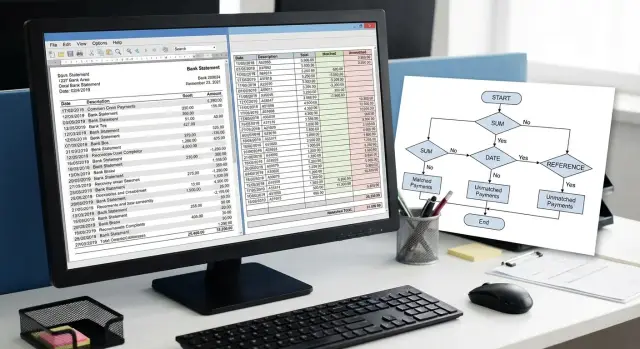
Why manual payment reconciliation doesn't scale
Manual reconciliation seems manageable while there are tens of payments. When they grow to hundreds or thousands, time is spent not on control but on searching: where in the statement is the needed line, which invoice does it relate to, why the amount didn't match, who already checked this payment. The result is growing queues, missed period close deadlines, and a finance team constantly in "urgent" mode.
The issue is not only time. Manual work handles repetition poorly: identical amounts, similar counterparty names, and different formats of payment purposes. This causes mistakes and omissions: a payment tied to the wrong invoice, a duplicate treated as a separate payment, a refund counted as a payment, or a bank fee treated as a separate debit. The higher the flow, the more frequent these small but costly failures.
Most mismatches occur where there is no simple matching key. Typical examples: partial payments against a single invoice, one payment covering several invoices, abbreviated payment purposes, statements from different banks with different fields, and cases with commissions, withholdings and currency revaluation. Manual reconciliation spends the most time on these cases because it requires pulling source documents and correspondence.
It is important to distinguish incoming and outgoing payments. Incoming payments are usually matched quickly to invoices or orders to close receivables. Outgoing payments are checked for correct recipient, contract, limits and approval status. An error in incoming payments affects revenue and reporting; in outgoing payments it affects risk, budget and supplier relations.
Before launching automatic statement parsing, record basic metrics. That way you will know what actually improved: how many payments per day require manual review, how long one payment takes and how long per day, what the SLA for day or week close looks like and where real delays occur. Count error rates (wrong match, duplicates, misses, corrections after close) and the share of "complex" operations (partial, batch, with fees or currency). Without these numbers automation quickly becomes a debate of "did it actually improve or just feel like it did".
What data you need and how to prepare it
Automated statement processing starts not with rules, but with the quality of input data. If the statement misses key fields or they come in different formats, even a good algorithm will often route payments to the manual queue.
The minimal set without which matching will be weak:
- operation date and time (and settlement date separately if the bank provides it)
- amount and currency (including sign, rounding and cents)
- unique bank operation identifier (reference, doc id, trace)
- payer or payee details (IIN/BIN, name, account)
- full payment purpose text
From the accounting system you need the expected items: issued invoices, their status (issued, partially paid, closed), counterparty, expected amount, currency, payment terms, invoice or contract number. The more precise these attributes are, the easier it is to build confident matches without guessing.
Counterparties are a separate pain. Create a single directory so the same client is not stored in three different spellings. It’s best to have a reliable key (IIN/BIN) and linked bank accounts, with names used only as auxiliary identifiers.
Normalize the payment purpose text: convert to a single case, remove extra spaces, and either ignore or replace common words like "payment", "invoice", "under contract" with neutral markers. This increases the chance of correctly extracting an invoice or contract number even with varying wording.
Also keep the raw data. Store the original statement line and file, plus the parsing result and rule version. When a disputed payment or audit appears, you can quickly show what came from the bank and why the system made a given decision.
Basic matching rules: from exact keys to probabilities
Good matching (often called "matching") starts not with "smart algorithms" but with discipline in data. If a payment contains a unique identifier or reliable key, automatic statement parsing yields precise matches and manual work is left for rare exceptions.
The most reliable keys are often in the payment purpose: invoice number, order ID, contract number. They work best because they should be unique and understandable to both parties. It’s important to agree on a format in advance (for example "INV-123456" or "Contract 18/24"). Without a single format even a good key becomes noise.
Matching by IIN/BIN and account number is useful when payments come from the same counterparty and there are few over- or underpayments. But this breaks down if a counterparty pays for multiple branches or contracts, if a third party pays (agent scheme), or if a corporate group uses the same payer for different contracts.
Rule priorities
To keep system behavior predictable, set an order of rules and do not mix exact and probabilistic checks in one step. A practical order looks like:
- unique keys (invoice, order, contract) with exact match
- exact pairs "counterparty + account/contract"
- constrained rules (e.g., counterparty + amount within a tight tolerance)
- scoring across multiple features
If keys are missing, apply scoring: amount, date, payer, bank, payment purpose text, and pattern repeatability. For example, a payment of 150,000 marked "service payment" can be linked to the nearest unpaid invoice for that counterparty, but only if differences in amount and dates fit the configured tolerances.
How to describe rules
Document each rule so accounting and IT understand it the same way:
- which fields are taken from the statement and from accounting
- how we check a match (exact, by mask, with tolerance)
- the rule priority
- what we consider the result (which invoice we close and what status to set)
- how to handle conflicts (when two documents match) and who confirms
Matching by amount and date: windows, tolerances, partial payments
The most common working scenario for automatic statement parsing is matching based on amount and date. It’s quick to implement, but this is where most disputed cases arise: money arriving on a different day, amounts differing by a few tenge, one payment covering several invoices.
Date window: narrow first, widen on signal
Start with a short window, for example 0–3 banking days from the invoice date (or from shipment date if that’s the process). A narrow window reduces false matches, especially when many identical amounts exist.
Expand the window only for clear reasons: interbank delays, month-end payments, weekends and holidays, or specific customer groups with regular delays. It’s often useful to maintain different windows by payment type (bank transfers, acquiring, marketplaces) and revisit them if the share of manual processing increases because of dates.
Amount tolerances: rounding, fees, withholdings
Zero tolerance gives clean matches but fails on cents and withholdings. Define clear tolerance logic in advance:
- 0 — for payments that always exactly equal the invoice (e.g., B2B under contract)
- a small fixed tolerance — for rounding
- a separate scenario when a fee is withheld from the amount rather than recorded as a separate line
- prohibit or tighten tolerances for "popular" repeated amounts
Tolerances should be explainable. If the system can’t explain a difference (fee, discount, withholding), that match should go to review.
Handle partial payments by accumulation: an invoice can be closed by multiple payments until the sum reaches the invoice total (within tolerance). Predefine closing order: oldest invoices first (FIFO) or invoices with the nearest due date.
Treat overpayments as advances: close the invoice and place the remainder on the customer’s balance to be applied to the next invoice under the same rules.
Batch payments (one transfer for multiple invoices) are usually detected when the amount equals the sum of several open invoices for one counterparty within the date window. Such a set can be closed automatically only if the combination is unique. If multiple combinations are possible, send it to manual review.
Exceptions: fees, refunds, currency transactions and disputes
Even with tuned automatic processing, the long tail of manual work typically comes from exceptions. Don’t try to fit exceptions into general rules; treat them as separate operation types with their own logic and routing.
Bank fees and withholdings are better accounted for in expense logic, not in the "payment closes invoice" logic. A common mistake is attaching a fee to the nearest invoice because of a similar amount. Fee indicators are usually straightforward: keywords in the purpose (commission, fee), debit without a counterparty, or regularity by date.
Refunds and reversals can be mistaken for payments if you look only at amounts. Main signals are the direction of funds and words in the purpose ("refund", "reversal", "сторно"). It’s useful to keep a link from a refund to the original payment so you don’t close an invoice twice and you correctly restore receivables.
Card disputes (chargebacks) should be handled in a separate flow. These are not "customer payments" but events that change the status of an already accepted payment and start a process with deadlines and documents.
Currency payments usually fail because of exchange rates and revaluation dates. The same payment can differ in tenge because the bank converted at the debit date rate while accounting used the credit date rate. A practical approach is to match by original currency and amount, and record the discrepancy as an exchange difference per accounting rules.
To prevent exceptions from clogging the main queue, define explicit routes:
- fees — to expenses, without closing invoices, with a separate operation code
- refunds and reversals — linked to the original payment and invoice status recalculation
- chargebacks — separate "dispute" status with deadlines and an owner
- currency — match in currency, revalue by a fixed date rule
- third parties and wrong details — queue for review marked as risky
This reduces false matches and leaves humans only those cases that truly need decisions.
How to reduce manual processing: scoring and an intelligent queue
The idea is simple: don’t try to achieve 100% automated matches without humans. Give every candidate a clear score (confidence) and send to manual work only what is truly disputed.
Compute scoring from several signals: amount match, date proximity, similar counterparty, recipient account match, key phrases in the purpose (invoice or contract number). Each signal adds points. An exact hit on amount and identifier can give near‑maximum; match only by amount and date gives a low score.
Set thresholds: high — auto‑close; medium — intelligent queue; low — reject (better not to create false matches). Start conservatively and increase automation as you gather statistics.
Make operator decisions take 10 seconds: the queue should show the proposed document and why the system chose it; amount, date, currency and applied tolerances; counterparty and key phrases from the purpose; 2–3 alternatives; and one‑click actions (confirm, pick another, reject, mark as exception).
Operator actions should turn into improvements: new rules, synonym dictionaries, exceptions for fees and refunds, and weight adjustments in scoring.
Control quality with metrics: share of auto‑matches, share of manual queue and average decision time, false matches (the most costly error), top rejection reasons and share of payments routed to exceptions.
Step-by-step: how to implement automatic parsing and reconciliation
Start with a "money map": what payment types exist, where statements come from, and which formats you receive (different banks, different fields in the purpose, separate acquiring files). This reveals where automation will have the biggest impact and where manual checks will remain.
Create a short dictionary for purposes: common words and abbreviations, invoice and contract number variants, and refund or fee indicators. Record which phrases almost always mean the same thing and which are ambiguous (for example, "payment on invoice" without a number).
Then proceed in steps so rules don’t proliferate and conflict:
- describe payment types and statement sources, normalize input data formats
- create templates to extract invoice, contract, IIN/BIN, full name, order number
- set rule priorities: from exact matches to weaker ones
- configure date windows and amount tolerances per scenario
- separate exceptions so they don't spoil the main matching
Run a pilot on historical data (at least 1–3 months) and compare results with accounting. Look not only at match percentages but at errors: false matches are usually more expensive than misses.
When quality is acceptable, introduce daily control: manual queue only for doubtful cases, a short SLA (who resolves, in how many hours, how to tag the reason), and regular updates of new purpose templates to expand the dictionary.
Common mistakes and pitfalls in matching rules
The main danger is that an error looks like success: the system "finds a match", closes an invoice, and only later you discover the money came from another client. So monitor not only the auto‑match rate but also the false match rate.
A frequent trap is overly wide date or amount tolerances. If you allow several days and a significant percentage tolerance, you get "nice" matches where many similar payments exist. This is especially risky in peak periods (month‑end, mass payments).
Another typical cause of mismatches is fees and withholdings. A client pays 100,000 but the statement shows 99,500; if fees are not handled separately, operators start editing amounts manually, statistics degrade, and disputed handling becomes harder.
Conflicting rules are another problem. Without priorities two rules may propose different "payment‑invoice" pairs. If the system picks the "first found", results become random. You need a clear order: exact identifiers first, then amount, date and counterparty.
Do not lose source data. If you don't save which fields were used and which rule fired, you won't be able to explain to accounting or a client why a payment was closed that way.
A quick checklist that prevents half the problems:
- limit tolerances and block auto‑matching if too many candidates exist
- treat fees, withholdings and rounding as separate scenarios
- set priorities and avoid letting conflicting rules decide without confirmation
- log: rule, fields, candidates, final score
- split flows: payments, refunds and internal transfers should not live in one universal rule
And one more thing: rules age. New banks appear, purpose templates change, marketplace and aggregator payments grow. Without a review process at least once a month, quality noticeably drops within 1–2 months.
Quick checklist before going to production
Before switching on automatic statement parsing in production, check not only matching logic but also how the team will live with errors and exceptions. Failures usually stem from mismatched directories, unclear statuses and lack of controls for manual edits.
First, ensure the database doesn’t fragment into different versions. If the same counterparty has multiple names, IIN/BIN is recorded inconsistently or details are stored in three places, the system will keep sending payments to manual review.
Then fix matching parameters by payment types. Payroll, vendor invoices and retail payments often need different date windows and amount tolerances.
A compact set of checks before launch:
- unified counterparty and details directory: who updates it and how quickly duplicates are fixed
- documented date windows and amount tolerances for each scenario
- exceptions separated into distinct rules: bank fees, refunds, currency operations, disputed withholdings
- clear statuses for people: "matched", "needs review", "not found", "disputed" — and a defined action for each
- a report for manual processing showing why a payment failed to match (no invoice, no counterparty, tolerances violated, rule conflict)
Who owns the process after launch
Appoint a process owner and a schedule for rule reviews. For example, every two weeks review top reasons for "needs review" and change rules only after measuring: share of manual processing, number of false matches, average invoice close time.
A short pre‑prod test: take one day of statements that includes fees and refunds and check they don’t "stick" to normal payments. If that case passes, the rest is usually tuning rather than reengineering the whole logic.
Case study: payment flow in a company with mixed channels
The company accepts payments from legal entities and individuals via bank client, online acquiring and account transfers. On average about 500 payments arrive daily from three banks. The typical problem: some payers didn’t specify invoice or contract numbers and accounting spent hours finding out who paid.
First, they agreed on a simple rule for new invoices: instruct customers to include a short key in the payment purpose (for example INV123456) and ask them not to change it. For regular clients they added recognition templates: if a branded abbreviation, IIN or part of the name appears in the purpose, the system links it to a counterparty and a set of open invoices. This helps when a client writes "for services for January" without specifics.
Then they configured matching by amount and date. To reduce false "not found" cases they introduced tolerances: a small deviation for fees and rounding and a date window because posting can appear the next day. For disputed cases the system didn’t auto‑close invoices but sent them to the review queue.
They separated streams: regular payments, refunds, and partial closes. Refunds were not matched to open invoices but linked to the original payment via the bank’s reference or by counterparty + amount + close date. Partial payments closed invoices in stages so tails weren’t lost and duplicates weren’t created.
They measured results by numbers: auto‑match share, average time from receipt to close, error share (incorrectly closed invoices), manual queue volume, and rejection reasons (no key, multiple candidates, refund). In two weeks auto‑matching rose from 35% to 82% and the manual queue shrank threefold. The most effective measures were simple: discipline in keys, reasonable tolerances and separate rules for refunds and partial payments.
Next steps: scaling and choosing reliable infrastructure
When base rules provide stable reconciliation, the next bottleneck is growth. New banks, changing statement formats and rising operation counts make any parsing detail costly. To keep automatic parsing resilient, plan an expansion process in advance: test examples for each bank, versioning of rules and quick rollback.
As volume grows it’s often worth moving statement processing and matching to a separate service. This makes rule updates easier without stopping the accounting system and simplifies root cause analysis. The key is clear logging: what came in, how amount and date were normalized, which rule fired, why a match was rejected, and who confirmed manually.
Infrastructure should cover not only speed but data trust: backup and recovery plans, history storage (raw statements, normalized records, matching results and manual decisions), access control and audit of changes, queue and delay monitoring, and regression tests on "problem" cases (fees, refunds, partial payments).
24/7 support becomes relevant when payments arrive constantly: nights, weekends and peak dates. Incident procedures help: who takes the alert, how to degrade the service (for example temporarily allow only exact matches), how to record root cause and prevent recurrence.
If the bottleneck is reliability and scale rather than rules, consider a team that handles both integration and infrastructure. For example, GSE.kz as a provider and system integrator in Kazakhstan can help assemble server infrastructure for the load (including on the S200 line) and set up support so growth doesn’t force you back to manual reconciliation.
Frequently asked questions
How to tell that manual payment reconciliation no longer scales?
Start by measuring: how many payments per day, how much time is spent on one payment, and how often corrections happen after period close. Manual reconciliation usually stops scaling when the share of complex cases grows: partial payments, one payment for multiple invoices, fees, refunds and different statement formats. These cases consume disproportionately more time than their volume suggests.
Which fields are mandatory for automatic matching to work properly?
At minimum you need operation date and time, amount and currency, a unique bank operation identifier, payer/receiver details (IIN/BIN, account, name) and the full payment purpose text. From the accounting side you need issued invoices and their statuses, counterparty, expected amount and currency, payment terms, invoice or contract numbers. Without these fields the system will send more operations to the manual queue.
How to clean up counterparties before automation?
Create a single directory using a reliable key — usually IIN/BIN — and link bank accounts to it. Keep names as a supporting attribute because spellings often differ. Decide who owns the directory and how quickly duplicates are resolved; otherwise matching quality will continually degrade.
What to do with payment purpose when it is written inconsistently?
Normalize the text to a single case, remove extra spaces, and keep the original purpose alongside the normalized version. Treat common words like “payment” or “under contract” as non‑significant so they don’t interfere with extracting invoice or contract numbers. If you enforce a single key format in the payment purpose, matching quality improves much faster.
In what order should matching rules be applied?
Apply exact keys first: invoice, order or contract number and other unique identifiers. Then use precise pairs like “counterparty + contract/invoice”, and only after that use limits on amount and date. Don’t mix probabilistic checks with exact ones in the same step — that makes behavior unpredictable and increases false matches.
How to choose a date window without creating errors?
Start with a narrow window — for example 0–3 banking days — to reduce false matches when identical amounts repeat. Expand the window only for clear reasons: interbank delays, weekends and holidays, month‑end, or specific customer groups. It’s useful to keep different windows for different payment types so you don’t weaken accuracy across the whole flow.
How to set amount tolerances and avoid false matches?
The tolerance must be explainable and limited: cents, rounding or known withholdings. If a difference can’t be explained by a commission, discount or withholding, route the match to verification. For frequently repeated amounts tighten tolerances; otherwise the system will start pairing payments with wrong documents.
How to treat partial payments and overpayments correctly?
Handle partial payments as accumulation: an invoice can be closed by multiple payments until the paid amount reaches the invoice total within tolerance. Fix the closing order in advance — for example oldest invoices first (FIFO) or invoices with nearest due date — to avoid disputes. Overpayments are usually recorded as advances so you don't break invoice-closing logic.
How not to confuse commissions, refunds and currency operations with regular payments?
Treat commissions, refunds, reversals, chargebacks and currency differences as separate operation types with their own logic, not as ordinary payments closing invoices. For refunds keep the link to the original payment so an invoice is not closed twice and receivables are restored correctly. For currency payments match by original currency and amount; treat exchange differences according to your accounting rules.
How to reduce manual checks without losing quality control?
Score each match for confidence and set thresholds: high — auto‑close, medium — manual queue, low — reject. The operator queue should show why the system chose the candidate, applied tolerances, and 2–3 alternatives so a decision takes seconds. Regularly review top reasons for manual processing and update dictionaries and rules. If reliability and scale are the bottlenecks, consider a separate processing service and stable infrastructure; in Kazakhstan, as a systems integrator, GSE.kz can help set up infrastructure and support.
