8 min read
Resilient pair of Aruba Mobility Controller 7000: design and tests
Aruba Mobility Controller 7000 HA pair: how to design HA, prepare the network and run failover tests without session loss.
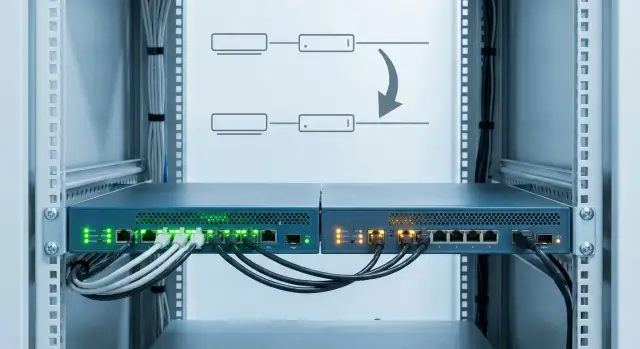
What “failover without session loss” means in practice
The phrase “failover without session loss” usually does not mean “absolutely zero packets lost,” but that the user does not notice the outage. A call in a messenger does not drop, VPN does not require re-login, a web form is not reset, and RDP or VDI might freeze for a second and then continue working.
In an Aruba Mobility Controller 7000 high-availability pair there are two important layers: how quickly controllers change roles and what exactly they manage to transfer to each other so clients don’t have to “start from scratch.” If the gateway IP changes, encryption keys are lost or policies diverge during failover, clients will almost always reconnect even if Wi‑Fi signal is excellent.
Most outages happen for quite mundane reasons: addressing or routing changes and traffic takes another path; security state is not preserved and re-authentication begins; state tables aren’t carried over (for example, guest access, NAT or firewall rules); application timers are shorter than recovery time; or some clients “panic” and aggressively rescan networks.
Measure success not by impressions but by simple metrics. Typically this set is enough: failover time (how many seconds until data transfer is restored), share of clients that reconnected (percentage), number of interruptions for critical flows (voice, video conferencing, terminals) and number of service-desk complaints after the test.
Agree in advance on a realistic “no loss” criterion. A short pause is acceptable for web sessions, while for voice a 2–3 second silence may be considered a failure. And this depends not only on controllers but on clients, drivers, VPN settings and the behavior of specific applications.
Choosing an HA scheme for the 7000 series
For Aruba 7000 controllers the active-standby scheme is most commonly chosen: one node serves clients while the other keeps current state and stands ready to take over. This is a straightforward option for a single site and a single pair when predictability of failover matters more than maximal utilization. In this model it’s easier to align with network, security and operations about what exactly counts as “no session loss.”
An N+1 scheme is needed when you have more than two controllers and want one spare for several primaries. It makes sense in large installations where load is distributed and the outage of one controller should not take the site down by capacity. The cost here is not only hardware but discipline: you must prove with calculations that remaining nodes will handle peaks and that critical SSIDs won’t become overloaded.
In a pair you should match everything that directly affects client behavior on failover: performance and interfaces, software version and patches, license set and enabled features, base configuration (VLANs, policies, roles, RADIUS/LDAP, certificates) and address management so clients and access points don’t “see” the node change.
Assess risks before procurement and certainly before tests. Ask service owners what is most sensitive to a short pause: voice and video, IoT (scanners, sensors), terminal sessions (VDI/RDP), or critical business systems (POS, medical systems, access control). For example, if in a hospital Wi‑Fi runs medication carts and voice calls at the same time, acceptance criteria will be stricter than “client reconnected within 30 seconds.” Active-standby is usually easier to make predictable in such cases, while N+1 requires careful capacity and priority planning.
What to check before designing: network, services and dependencies
Before drawing the HA scheme for an Aruba Mobility Controller 7000 pair, fix the scope of work. Agree the maintenance window, success criteria (what exactly counts as “no session loss”) and a clear rollback plan. The rollback must be realistic: who performs it, how long it takes and what exactly will be restored.
Then verify addressing and the segments that will be affected. A common cause of HA issues is when management, user VLANs, guest segments and service networks overlap, routing is missing or different rules sit in the path. Ensure controllers and APs have pre-defined addresses and gateways, and decide where a VIP will live if your scheme uses one.
Separately confirm basic services and dependencies. HA rarely “breaks Wi‑Fi as a whole”; it breaks specific functions tied to the infrastructure.
Minimum checks before design
- Time: NTP is available from required VLANs and clocks match on controllers, switches and services.
- Names and addresses: DNS resolves necessary records and there are no IP conflicts or overlapping DHCP scopes.
- IP allocation: DHCP for users and guests works reliably and options are understood (if used).
- Security: certificates and trust chains are in place (especially for 802.1X/portals) and not near expiry.
- Uplinks: LACP or static ports configured identically, STP won’t unexpectedly block a port, MTU is consistent, and QoS for voice is enabled where needed.
Finally, prepare a test kit: list of access points by model and firmware and a set of client devices that actually exist in the network (Windows, macOS, iOS/Android, terminals, Wi‑Fi phones). If the site uses Wi‑Fi telephony and VDI, include these scenarios in future checks. Otherwise you may produce a neat report but still receive real complaints after rollout.
Step-by-step pair design: addresses, roles and sync channels
HA design starts simple: who is active, who is standby, and how you will manage the pair. For Aruba Mobility Controller 7000 pairs active-standby is the usual choice: one controller carries traffic and sessions while the other is ready to take over.
Agree on the management model up front: separate addresses for each controller (for administration) and a single “entry point” for services that must not change address on failover.
Addresses and roles
Addressing must survive failover without reconfiguring APs or causing gateway jumps for clients. This is usually achieved with virtual IPs (VIPs) or shared service addresses that “move” to the standby controller during an outage.
Practical design order:
- Assign and document roles: active, standby, plus separate management IPs for each node.
- Define VIPs for key functions (for example, the address APs or authentication services point to) so nothing changes during failover.
- Allocate a dedicated channel for heartbeat and state sync (preferably isolated from user traffic) and specify requirements: stable latency, no packet loss and sufficient bandwidth.
- Verify routing and ACLs allow necessary flows to both controllers (RADIUS, DNS, DHCP, NTP, logs). Otherwise the standby may become active but be unable to serve.
Sync channels and spare capacity
If the sync channel is overloaded or unstable, “failover without session loss” turns into partial restoration: clients reconnect and applications fail. Before finalizing the design, gather a load profile: peak client count and concurrent sessions (with headroom), number of tunnels/SSIDs and encryption workload (CPU load), uplink throughput and state-sync bandwidth at peak, license availability and memory/CPU headroom so the standby can handle full load.
If, for example, doctors use Wi‑Fi for voice and telemetry in a hospital, plan VIPs for critical services, a separate stable sync channel and identical access rules to RADIUS/DNS. Then when the active controller fails, clients are more likely to continue working without noticeable interruption.
How to keep sessions alive: state, keys and policies
In Wi‑Fi, “failover without session loss” almost always means: after an active controller fails, clients should not have to repeat full connection and authentication cycles, and application connections should survive a short pause. For Aruba Mobility Controller 7000 pairs it’s important to agree in advance what must be preserved and ensure it is actually synchronized.
The first rule: have a single source of truth for configuration. If some settings are changed on the primary and others on the secondary you will get “almost identical” policies. After failover client behavior becomes unpredictable. Define who makes changes, how they are reviewed and how they propagate to both devices.
To keep sessions alive after failover, check three synchronization layers:
- client state and session tables (roaming, IP, policies, timers);
- authentication data (for example, 802.1X outcomes/roles) and where they are stored;
- encryption keys and SSID security parameters where applicable so the client does not see a “new network”.
Then compare SSIDs, roles, ACLs, QoS and radio profiles side by side on both controllers. Even small differences—VLAN, captive portal, idle timeout or NAT rules—can break VDI, voice or payment terminals.
Identify critical traffic separately. In a clinic this may be Wi‑Fi telephony and medical systems; in a bank it may be payment apps. Enable logs and metrics for these in advance so you can see success: failover time, number of re-authentications, reassociations, packet loss and latency increase. These metrics become the test passport and the basis for acceptance, especially when a system integrator performs the project.
Failover test plan: what and how to check
Plan HA tests like a small project: agree success criteria, prepare monitoring and collect a baseline. Then results for an Aruba Mobility Controller 7000 pair will be comparable and disputed points (was there an outage or only a brief dip?) won’t remain subjective.
Start with a scenario matrix. It should cover not only a “clean” switchover but the typical failures that actually occur:
- planned role change;
- full power-off of the active controller;
- loss of active controller uplink;
- switch or port failure where the controller is connected;
- break or degradation of the sync channel between controllers.
Then define checkpoints on client devices. Choose services where session loss is immediately noticeable: voice call, video call, terminal/VDI session, web form submission and simple connectivity checks (ping to gateway and application server).
Before running tests capture a baseline: latency, packet loss, jitter (for voice), controller CPU load, channel utilization and client count. This makes it easier to tell whether degradation is due to failover and not overload or interference.
Write down what is acceptable: a short jitter spike or a single retransmission might be tolerated, while a dropped call or VPN re-authentication is not.
Divide roles during the test. One person watches clients and applications, another checks controller logs and state, a third monitors switches and uplinks. This helps you not miss the moment of switchover and quickly locate where a session is breaking.
Step-by-step failover scenarios: from soft to catastrophic
Below is a set of scenarios that usually give an honest answer: can failover happen without a noticeable pause for users. Agree beforehand what “no session loss” means (for example: voice call does not drop, VPN does not fail, RDP does not kick users out, and web session does not require re-login).
Before each test record the initial state: client distribution between controllers, active SSIDs, time, current load and 2–3 control users with real applications (a call, a video conference, corporate portal).
Test set from soft to hard
- Controlled (graceful) switchover: initiate a planned switchover and observe control clients. Expect a brief pause but applications continue.
- Hard power-off of the active node: power off the controller to see if the scheme withstands a real outage. Time how long service recovery takes.
- Loss of active uplink without powering off: simulate loss of network connectivity (for example, disable the port). The standby should become active due to loss of reachability, not because of transient link flaps.
- Break of the pair sync channel: disconnect only HA/sync while keeping both controllers reachable on the network. Here the goal is to avoid split-brain and avoid mass re-associations for no reason.
- Reboot a subset of APs: restart 10–20% of APs and check they come up on the correct controller and do not cause a wave of re-authentications.
After each test: a quick check
Compare client tables before and after, look at counters of re-authentications and re-associations, and review logs for signs of split-brain, role flaps and sync errors. If control users’ applications survived and there was no mass re-authentication, you are close to the goal.
How to know the test succeeded: quick checks
The point of an HA test is that for the user almost nothing changed. Do quick checks right after failover while logs and counters are still fresh.
Start with network continuity. If IP and gateway should remain the same, verify 5–10 devices across SSIDs and VLANs: IP, netmask, gateway and DHCP lease time. Large issuance of new addresses usually indicates a change in path to DHCP or timing issues.
Then check authentication and behavior of existing clients. It’s important not only that new connections work, but that “old” ones didn’t go into endless 802.1X requests, unexpected reauths or stuck on captive portals.
Mini-check after switch (10–15 minutes)
- Clients: IP and gateway unchanged (if intended), ping to gateway stable.
- Authentication: 802.1X/PSK/guest work and there is no spike in reauth attempts or timeouts.
- Applications: test call, RDP/VDI session, and web form submission without page reloads.
- Access points: APs in expected state, no wave of re-associations and long recoveries.
- Network: no STP events, LACP flaps, noticeable DHCP delays or QoS queue failures.
If you have critical services, run a simple but telling scenario: one person holds an active call and simultaneously works in RDP while you perform the switch and record whether there was a drop, a re-login or noticeable quality degradation.
A short report that actually helps
Record start and end time of failover, how many clients and APs were affected, whether sessions dropped and where. Note expected effects (for example, 1–2 seconds packet loss) and unexpected ones (for example, mass reauth), so it’s clear what to fix before production.
Common mistakes that make “no session loss” impossible
The problem is usually not HA itself but the small things around it. A pair may switch roles quickly but clients still “break” if neighbouring systems and settings aren’t ready.
The first trap is different software versions and “almost identical” configs. One mismatched policy, VLAN or encryption parameter is enough that after failover some clients will re-authenticate or lose access.
The second common reason is weak synchronization between controllers. When the state/key channel runs over an overloaded uplink, unstable L2 segment or competes with normal traffic, controllers can’t exchange up-to-date information. Practically it looks like: “role switched fast, but sessions didn’t survive.”
Third mistake is addressing change on failover. If IPs, gateway or routes change so clients suddenly see another path, many devices treat that as a disconnect: VoWiFi calls drop, warehouse terminals re-establish connections and VPN clients reconnect.
Other frequent surprises: DHCP and DNS aren’t ready for a spike of repeated requests; QoS for voice is configured only on the controller but not mirrored on switches and uplinks; tests use only ping and a web page instead of real apps and device types.
A good sign of trouble: Wi‑Fi stays “connected” but a critical application freezes for 10–30 seconds and then prompts to log in again. That’s why tests need live scenarios: calls, RDP/VDI, ERP, terminals, messengers, medical or POS devices—not just ICMP.
Checklist before commissioning and before a switchover
Before launching HA everything may “look right,” but small issues later cause session breaks. This checklist helps lock the baseline and avoid wasting time troubleshooting during a test. For an Aruba Mobility Controller 7000 pair uniform configuration and predictable network dependencies matter most.
Before commissioning
Ensure both controllers run identical conditions: same software version, same licenses (if applicable), clearly assigned active/standby roles and clear rules about who can become active and when.
Document addressing: virtual addresses, gateways, management addresses and everything APs and clients will see. The document isn’t just “for the record” but to avoid guessing which IP should respond during an outage.
Check the sync channel not only for reachability but for stability: no packet loss, latency spikes, misrouting or filtering. Also verify NTP, DNS and DHCP resilience and capacity, because load and request rates usually increase during failover.
Before a switch (test or planned maintenance)
A day before the test prepare a “set of truth” with real clients and applications. For a clinic that might be phones for voice, doctors’ tablets, registration terminals and some IoT devices. Then walk through:
- pair roles and state confirmed, no background errors or desyncs;
- VIPs respond as expected and APs/clients don’t “jump” between networks;
- NTP/DNS/DHCP are available, monitoring and on-call contacts set;
- test accounts and scenarios prepared: voice, VPN, VDI, critical web services;
- rollback plan with exact steps and appointed responsible people.
If any item is doubtful, postpone the switch. That is almost always cheaper than untangling the consequences of a “quick test” during business hours.
Example: testing HA in an organization with critical services
Imagine a clinic: Wi‑Fi telephony (voice), doctors’ tablets, the registration system (MIS) and guest access in the waiting room. Here “failover without session loss” means not only keeping Wi‑Fi connected but avoiding RTP drops for calls and not breaking active sessions in the medical system when a controller fails.
Divide load by purpose rather than by chance. For an Aruba Mobility Controller 7000 pair it’s convenient to have several SSIDs with different expectations: staff (Enterprise, strict roles and access), equipment (predictable ACLs, minimal surprises), voice (priority and delay control if you use a separate profile) and guest (isolation and limits where short re-connections are acceptable).
Run tests at night if possible but make results obvious within 30 minutes. Prepare a short set of live checks: one active call, one MIS session, one RDP/VDI or registration terminal and one device on guest SSID.
30-minute night test
Record the baseline: signal level in the test area, which controller is active and that all clients are authenticated. Then run 2–3 scenarios: graceful switchover, reboot of the active controller and a hard scenario (for example, power off). Restore the system to the initial state between scenarios.
Where compromises are possible
A strict “no reconnection” requirement is justified for voice and registration workstations. For guest access and some IoT, a brief reconnection may be acceptable if it fits agreed limits (for example, 10–20 seconds) and doesn’t require manual user actions.
Success in the clinic means the call doesn’t drop, the MIS does not log users out, and the worst a guest notices is a short pause loading a page.
Next steps: cementing the result and organizing support
After successful tests document what actually enabled failover without session loss. Collect a short reference: final scheme (VLAN, IPs, roles, ports), software version, enabled features, switch and firewall rules, and parameters that must not be changed without retesting (addresses, sync channels, timers and policies).
Keep acceptance test results nearby: which scenarios were run, what counted as “success,” and which metrics were recorded. This saves hours when someone asks in six months: “Why is this configured like that?”
Regular readiness checks
Reliability relies on change control discipline. Minimum routine tasks: check HA and sync state, alerts for heartbeat loss, desync, reboots and resource exhaustion, and maintain a change log (who changed what and with what approval).
Re-run tests after events that often break seamlessness: ArubaOS updates, replacing switches/trunks, new security policies, migration to another RADIUS/PKI, or DHCP/DNS changes. After a software update, for example, failover may become faster but clients may start reconnecting due to changed timers or keys.
Support and responsibility
Assign an HA owner (who approves changes and signs off on tests) and a window for periodic checks. If you lack in-house expertise or time, acceptance testing and follow-up support are often best outsourced to an integrator experienced with WLAN.
If you are in Kazakhstan, GSE.kz (gse.kz) can help with system integration, preparing a test plan and 24/7 support so changes pass through clear control and don’t turn into unexpected downtime.
Frequently asked questions
What does “failover without session loss” mean in practice?
Usually it means the user does not notice the outage: a call doesn’t drop, VPN doesn’t ask to re-login, and RDP/VDI may freeze for a second and then continue. A short pause or a couple of lost packets is acceptable, but there should be no reconnection or manual actions required from the user.
Why do clients sometimes reconnect after failover even though Wi‑Fi signal is good?
Most often sessions break not because failover is slow, but because IP/gateway or routing changes, security state is not preserved and re-authentication starts, state tables for NAT/guest/rules aren’t synchronized, or application timers are too short. Also some clients aggressively rescan networks when they detect instability, which worsens the pause.
What to choose for Aruba 7000: active-standby or N+1?
For a single site and one pair, the most predictable option is active-standby: one node serves clients while the other keeps up-to-date state and stands ready to take over. N+1 makes sense when you have more than two controllers and want one spare for several primaries, but you must prove capacity and priorities in advance, otherwise the remaining controllers may be overloaded after a failure.
Why use VIPs/shared addresses and separate management IPs in HA?
You want clients and APs not to see a different gateway or a different set of policies when roles change. Virtual or shared service addresses are commonly used for key functions, while each controller keeps its own management IP. If addressing jumps, many devices react with session breaks.
How important is a separate state sync channel between controllers?
Heartbeat and state sync should ideally use a separate, stable channel because that link carries the state that enables seamlessness. If it drops packets or has high latency, role change may happen quickly but state won’t be fully synchronized, and clients will often re-authenticate or re-establish sessions.
What data must be synchronized so sessions survive?
Look at three things: client/session state and tables, authentication results/roles and where they are stored, and encryption keys/security parameters for SSIDs where applicable. If any of these layers is not transferred, user experience typically looks the same: Wi‑Fi shows as connected but apps hang or ask to log in again.
Which metrics best assess a successful failover test?
At minimum measure time to restore data transfer, share of clients that reconnected, number of outages on critical flows (voice, video, terminal sessions) and the number of service‑desk complaints after the test. These metrics are easier to agree on beforehand than arguing about impressions after maintenance.
What should be checked in the network and services before designing HA?
Check basic dependencies: NTP, DNS, DHCP, accessibility of RADIUS/LDAP and validity of certificates, and consistent uplink settings, MTU and QoS along the path. Often HA fails not because of the controller but because neighbouring infrastructure prevents the standby from reaching required services or receives different network rules.
Which failover test scenarios give the most honest result?
A test matrix is enough if it includes planned switchover, full power-off of active node, loss of active node uplink, failure of the switch or port the controller uses, and degradation or break of the sync channel. Important: test real scenarios, not just ping and web – voice calls, video, RDP/VDI, form submission and critical business apps on the device types actually used.
What typical mistakes prevent achieving “no session loss”?
The most common error is different software versions or ‘almost identical’ configs, so after failover policies, VLANs, timeouts or security parameters differ. Second common failure is weak synchronization or an overloaded state-sync channel. Third is addressing or routing changes that force clients to rebuild connections and make applications treat that as a disconnect.
