8 min read
Aruba CX 6400: calculating port growth and upgrades without downtime
Aruba CX 6400 as a modular aggregation switch: how to calculate port growth and throughput, and how to upgrade software without long downtime.
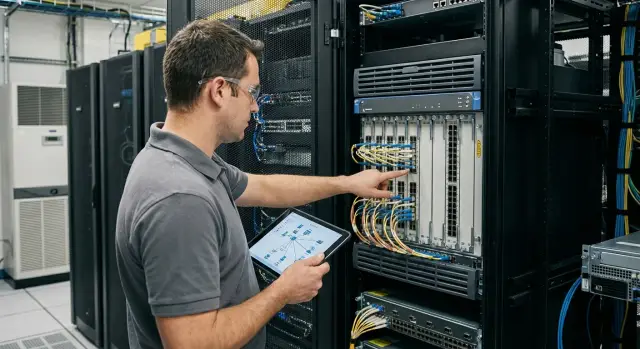
The aggregation challenge and why calculations matter more than buying fast
An aggregation switch is where access switches, servers, Wi‑Fi controllers, storage systems and often external links converge. While the network is small, mistakes are barely noticeable. But when new workstations, cameras, access points and virtual servers appear, aggregation is usually the first place to “run out of breath.”
Problems rarely come alone:
- ports run out (especially 10/25G for uplinks and servers)
- uplinks and inter-switch links bottleneck, latency rises
- table resources (MAC/ARP/routes) are exhausted, causing strange connectivity "disappearances"
- suddenly power or cooling is insufficient after installing new modules
Therefore calculations are more important than a quick purchase. Ordering “for now” often leads to buying again in 9–12 months, urgently and at higher cost: wrong modules, wrong speeds, inadequate uplink capacity. For aggregation it makes sense to plan at least 2–3 years ahead because growth comes in waves: a new video system, a new branch, or moving services to a private cloud can change requirements within a quarter.
A modular switch like the Aruba CX 6400 differs from a fixed box in that you “buy a chassis for years” and expand functionality with modules. This is convenient operationally: you can add ports of needed types, change speeds, reassign roles. But modularity requires discipline in calculations: you must know in advance how many slots will be used for line cards, how many for uplinks, and what spare capacity remains.
Downtimes during upgrades are usually caused not by the software itself but by architecture and preparation. Typical causes: aggregation built on a single switch without a pair, no redundant paths, version compatibility with modules not checked, an update requires rebooting line cards, and maintenance windows aren’t aligned. Simple example: a hospital added 40 new workplaces and IP telephony while keeping the same uplinks. An OS upgrade coincided with higher load and any reboot became visible to everyone. Proper growth calculation and reserving capacity in advance turn upgrades from a risk into routine.
What input data to collect before calculations
Before calculating, gather facts, not "feelings." Even for a modular aggregator like the Aruba CX 6400, the accuracy of input data often matters more than the exact module choice.
Start with an inventory of connections. Count which speeds are really used now (1G, 10G, 25G) and where copper or fiber is needed. Mark ports for servers, access points, inter-switch uplinks and external connections separately.
Then capture dynamics: how many ports are occupied today and how fast demand grows. It's useful to look not only at “average per month” but at quarterly spikes (for example, when a branch or cluster is launched).
Collect basic traffic data. Complex analytics aren’t required, but understand what predominates: north–south (users to services and internet) or east–west (between servers, virtualization, backups). Note peak hours when the network must “take the hit,” and applications sensitive to latency.
A separate block is redundancy requirements. Define what you consider fault tolerance: two uplinks to the core, two independent aggregation devices, separated cable routes, separate power supplies, or slot reserves.
To avoid hitting physical limits, clarify site conditions:
- how many rack units are realistically available for the chassis and cable management
- power limits and input types
- cooling capability and acceptable noise
- allowed maintenance windows and who approves outages
Small example: if a hospital adds 20–30 workplaces and several diagnostic systems per quarter, port growth will be bursty. In those moments you must know in advance whether you have enough fiber lines, spare power inputs and maintenance time — not just free ports “today.”
How to calculate port growth: a simple step-by-step approach
To avoid buying “just enough,” count not “ports in total” but groups of ports by purpose. For modular aggregation this is especially important: different connection types grow differently, and some ports are used for service functions.
Step 1. Split ports by type
Break down the current picture into clear buckets. Usually the following are enough:
- access (connections from access switches, floor aggregation)
- uplinks to core/routers/firewalls
- inter-switch links inside aggregation (node pairs, inter-node channels)
- service and “physical” ports (management, monitoring, temporary, test ports)
Inter-node and service links are often forgotten, and later it turns out that “free ports” are already used.
Step 2. Forecast growth in two modes
Create two forecasts:
- baseline (planned): what is already in the roadmap (new floors, branches, systems)
- stress (unplanned): sudden projects, migrations, temporary sites, IoT/video growth
It’s easier to express growth not in percentages but in clear units: "+4 access switches per quarter", "+2 new racks per year."
Step 3. Add spare capacity
Reserve is not ornamental but required for normal operations: failover, temporary contractor connections, cable moves. It’s often reasonable to keep 10–20% free ports in critical groups. For uplinks and inter-node links plan extra ports for channel growth.
Step 4. Consolidate into a table across 3 horizons
Example:
| Port type | Now | +12 months (plan) | +24–36 months (stress) |
|---|---|---|---|
| Access (from access) | 32 | 40 | 56 |
| Uplinks to security/core | 8 | 10 | 12 |
| Inter-node links | 4 | 4 | 8 |
| Service/temporary | 4 | 6 | 8 |
| Reserve (included above) | yes | yes | yes |
Then you can easily check: are there enough slots and modules, is physical cabling (inter-node and service links) consuming your planned capacity, and where will growth hit first?
Calculating throughput and oversubscription without complex math
For aggregation you must decide in advance: what speeds the uplinks should be (10/25/40/100G) and what level of oversubscription is acceptable. Aruba CX 6400 is convenient because you can start with a basic config and scale throughput as you grow, but calculation is still necessary.
The main mistake is summing all port speeds and assuming that much traffic will always be present. In reality simultaneity matters: how many users and systems actually transmit concurrently.
Quick way to estimate oversubscription
Oversubscription is the ratio of the summed downstream port capacity to the summed upstream uplink capacity. Do it in two steps:
-
Estimate the “peak concurrent traffic” at the access level (as a percentage of the port speed). For office workstations often 5–15%, for engineering workstations and classrooms — higher.
-
Compare that peak with your uplinks and include margin.
Example: 6 access switches with 48x1G each (288 Gbit/s “on paper”). If the peak concurrent usage is 15%, that's about 43 Gbit/s. If the aggregation to core uses 4x25G (100 Gbit/s), you are fine and have room to grow. But if backups and large image downloads run simultaneously, peak may rise to 30% or more.
Oversubscription is acceptable where traffic is bursty and users don’t constantly saturate links. But it’s dangerous for critical services:
- telephony and video conferencing
- VDI and remote desktops
- storage and replication
- medical systems and other transactional apps
- backups during a maintenance window
Also assess uplinks to core/DC and inter-aggregation links (if there are multiple aggregations): often the bottleneck is not the downstream ports but the link “between” sites or to the data center.
Finally, add headroom for growth: typically +30–50% to the peak. Closer to 30% for stable office use, closer to 50% if you expect staff expansion, new services (video, VDI, analytics) or migration to a DC.
How to choose modules and avoid running out of slots in a year
The modular aggregation pitfall is simple: ports are fine today, but in a year you must change the scheme because slots are filled with the “wrong” modules. With Aruba CX 6400, select line cards for growth, not only for the current plan.
Match port needs to real required speeds at access and uplinks. A frequent mistake is to install many 10G ports “just in case,” then discover that a move to 25G is blocked by slot count or optics type.
Practical approach:
- Split ports into groups: access (1G/10G/25G) and uplinks (40G/100G). Choose modules so each slot has a clear role.
- Check which transceivers and cables you already have and which you will buy. Optics incompatibility with chosen speed often surfaces at the last minute.
- Plan uplinks for growth: if 40G is enough now, keep a path to 100G without full redesign. Often it’s easier to go 25G on access and 100G upstream.
- Leave at least one free slot for expansion. A free slot is cheaper than an emergency migration when “everything is full.”
Also verify power and cooling. Different modules impose different loads; PSU and ventilation margin determine whether you can add cards later without shutdowns or emergency replacements.
Small example: an organization adds a new building and two floors. If you fill all slots with 10G modules now, a future 25G migration will require freeing slots and reconnecting trunks. If you leave one slot free and plan 100G uplinks, growth becomes a routine expansion. In integration projects and procurement, including support in Kazakhstan (for example via GSE.kz teams), such reserves are usually specified from the start.
Redundancy in aggregation: so upgrades don’t stop the network
If aggregation is built on a single switch, any update or failure almost always becomes downtime. So the main question is not how fast you upgrade, but whether the network can tolerate maintenance without stopping critical services.
For Aruba CX 6400 two common options are a single chassis (simpler and cheaper) or a pair of switches in a fault-tolerant design (more expensive but allows servicing the network sequentially). Practical rule: if you have services that can’t be stopped during working hours (telephony, medical systems, payment flows), a single aggregator is usually a compromise.
Redundancy starts with links. It’s important not just to add ports but to distribute connections correctly:
- dual uplinks from access switches to two different aggregation devices (or to two independent modules if the design allows)
- LACP where aggregated bandwidth and automatic failover are needed
- separate cable routes (different trays, risers, rack entries) so one incident doesn’t take both channels
- special attention to links to core, firewalls and servers — these are common single points of failure
Service planning follows this design. With a pair of switches you can update one at a time: move traffic to the second, update the first, then restore load and repeat. With a single device some work inevitably falls into a maintenance window even if the update itself seems quick.
To avoid debates before each update, fix downtime rules in advance:
- what constitutes an outage (loss of voice, medical system unavailability, VPN failure)
- how many minutes are acceptable during business hours and at night
- which segments must not be touched without a redundant path
- who authorizes switchover and rollback
Thus redundancy becomes a clear agreement between IT and the business, not a set of “just in case” measures.
Preparing the software upgrade: how to reduce the risk of prolonged downtime
Upgrading an aggregation switch is scary not because of the process but because of uncertainty: what will go wrong and how long rollback will take. Good preparation turns an Aruba CX 6400 upgrade from a “night lottery” into a predictable step-by-step job.
What to collect before starting
Record the current software version and choose the target. Don’t automatically pick the newest: check the release notes for your specific model and features (LACP, VSX, MACsec, EVPN or what you use). Risks often hide in details: changed commands, protocol behavior, memory requirements.
Make backups not only of configuration. You need images (to return quickly), license information, accounts, keys and passwords, and a snapshot of critical settings: VLANs, VRFs, ACLs, OSPF or BGP, route tables and neighbor lists. If device access depends on TACACS/RADIUS, plan local access in case centralized auth fails.
Before the update capture device “health”: CPU and memory usage, interface errors, drops, PSU and fan status, and recent logs. This provides a baseline after the upgrade and helps pinpoint regressions faster.
Upgrade strategy and rollback plan
Choose strategy based on redundancy level. With a pair of devices, upgrade sequentially while keeping traffic on the other. With a single device, schedule a maintenance window and agree which services can be degraded and for how long.
Prepare a short checklist you can keep handy:
- what checks to run before and after (neighbors, uplinks, key VLANs/VRFs)
- how long to wait for protocols to converge after reboot
- what is a critical failure (e.g., uplinks don’t come up or routing collapses)
- which image and command to use for rollback
- who decides mandatory rollback
Example: at night a hospital updates aggregation but must keep PACS and telephony reachable. They predefine “control” tests: pings to gateways, route checks to server segments, and a real call. If a test fails within the agreed time, rollback starts without debate.
If working with an integrator, agree in advance who holds console access and who records validation results to avoid losing time on approvals during the operation.
Short checklist before and immediately after the upgrade
Even if you plan to perform an ArubaOS-CX upgrade without long downtime, the most common source of problems is the network’s unexpected state. Spend 15–20 minutes on quick checks before work, and during the upgrade watch a few clear indicators.
Before start
Ensure the network is healthy now so you have something to compare after. On Aruba CX 6400 note basic metrics and statuses:
- aggregation port links and errors: speed, duplex, CRC/drops (for example,
show interface brief,show interface counters) - LACP on uplinks: are all members in the expected state, no "standby" or unexpected drops (for example,
show lacp interfaces) - routing neighbors: are OSPF/BGP up, no flaps (for example,
show ospf neighbor,show bgp summary) - availability of key services: a short list of control checks (DNS, AD, critical apps) from several network points
- rollback plan: current version, which image will be active after, where the backup config is stored (for example,
show versionand verify saved config)
During upgrade
Every 5–10 minutes focus on 3–4 signals: uplink statuses, LACP, routing neighbors and event logs (for example, show logging). If links start flapping en masse or neighbors drop, stop and go to rollback.
Immediately after
Compare “before” and “after” and record results:
- tables and neighbors: routes are present, neighbors are up, no unexpected changes (for example,
show ip route,show ospf neighbor,show bgp summary) - ports and errors: no increase in drops/CRC, speeds and aggregations are correct (for example,
show interface counters) - service checks: repeat the short availability and throughput tests
- change log: start/end time, version before/after, observations and actions on anomalies; save key command outputs
- quick recovery: on issues switch to the previous image (prepared in advance), reboot in a controlled window, restore config from backup and bring critical interfaces/aggregates up
Common planning and upgrade mistakes
The most frequent problem with modular aggregation is counting growth only by port count. After a year free ports may remain, but uplinks are saturated: not enough 25G/100G lines, no slots for new line cards, or inter-switch load has grown beyond expectations.
Second typical mistake — no margin in slots and power. Aruba CX 6400 can be expanded with modules, but if the chassis is filled “to the brim” and PSUs were chosen without power margin, expansion becomes a separate procurement project with delivery waits and forced maintenance windows.
Time is often lost due to compatibility. Mixing speeds and optics, wrong transceivers, different fiber types or distance limits appear as intermittent errors. In practice these are hours of troubleshooting when the root cause is port, cable or module specification.
For upgrades the downtime risk is almost always due to lack of preparation. Before work you need a rollback plan and clarity on what normal looks like. Without that it’s hard to distinguish a real problem from temporary routing or aggregation reconvergence.
Errors that often lead to long outages:
- planning growth only by access ports and ignoring uplinks and inter-switch links
- choosing a config with no margin in slots, power and cooling for future modules
- buying optics and cables “like last time” without matching speeds, types and supported models
- upgrading without saved configs, verified image backups and a clear rollback script
- making changes on multiple nodes at once and later guessing which change caused the outage
Example: a hospital adds storage and backup traffic doubles. Ports are still free but uplinks between aggregation and core become the bottleneck. If you had planned for 100G uplinks and spare slots for line cards, expansion and upgrades can be done in stages.
If you prepare procurement and work plans in advance, a systems integrator like GSE.kz usually helps cover these “edges”: optics compatibility, power margin, change sequencing and test checks before and after the upgrade.
Example: planning aggregation for a growing organization
Imagine a campus with 6 access cabinets (in different buildings). Each cabinet has access switches in two racks with 48 ports, and the uplink to aggregation is currently 2 x 10G (LACP). The 24-month plan: +2 access cabinets, partial migration of users to Wi‑Fi 6/6E, growth in video surveillance and reserve for new services.
Ports over 24 months: growth + reserve
Count only what lands on aggregation. Now: 6 cabinets x 2 uplinks = 12 x 10G ports. In 24 months there will be 8 cabinets, and the two busiest will add one more uplink each.
Calculation: 6 x 2 + 2 x 2 + 2 extra uplinks = 12 + 4 + 2 = 18 ports. Add 20% reserve for rearrangements and emergency activations: 18 x 1.2 = 22 ports. Round up to a convenient module capacity: target 24 ports of 10/25G so you don’t get limited by a couple of extra lines.
Throughput and acceptable oversubscription
Now check whether the “pipe” to core/DC will handle it. If each cabinet presents 2 x 10G physically, real peak load is usually less. Suppose monitored peak per cabinet is 6 Gbit/s with short spikes to 9 Gbit/s.
Current summed peak: 6 x 6 = 36 Gbit/s. In 24 months: 8 x 6 = 48 Gbit/s. If you accept 3:1 oversubscription between access and DC uplink, 2 x 40G (80G) uplinks give headroom. If heavy backups run during business hours, consider 2 x 100G from the start.
A practical Aruba CX 6400 plan: initially install a module with 10/25G ports for all cabinets and a separate module for 40/100G uplinks to the DC. After a year, add a second 10/25G module as new cabinets and 25G uplinks appear.
Upgrade planning without long downtime relies on redundancy: two aggregation switches in a pair so you can upgrade one at a time.
- One week before: choose version, check release notes, take config backup and record current metrics.
- One day before: check free space, upload image, run a short connectivity and LACP check.
- Maintenance window: upgrade first switch, wait for recovery, ensure traffic stays on the second.
- Then upgrade the second and restore balance.
- After: verify routing, MAC tables, port errors and peak load graphs.
Next steps: how to prepare a procurement and work plan without rushing
Once calculations are done, convert them into a simple plan understandable by both engineer and purchaser. With Aruba CX 6400 this is especially useful: modularity gives freedom but without a clear document it’s easy to buy the wrong items or at the wrong time.
Put everything into a short document
A 1–3 page file works best, showing what grows and when. Include only what helps decision-making:
- current and forecast port capacity by type (1G/10G/25G/40G/100G) and by node
- throughput calculation and target oversubscription with assumptions
- module plan and free slots by phases (with dates or growth triggers)
- risks and dependencies: optics, cables, power, rack space, maintenance windows
- calendar: procurement, delivery, installation, tests, software upgrades
Then split tasks into two horizons: what you do now and what can safely wait for the next procurement.
For example, if two cabinets will be added in the next 6 months, it makes sense to include modules and optics for them now. Uplink expansion to 100G can be postponed until measured load consistently exceeds the threshold.
Prepare procurement and works as separate packages
To avoid schedule slips, predefine procurement items: exact module SKUs, transceiver types, patch cord lengths, spare parts, support conditions and response times.
For works, plan a test run: in a lab or pilot site with a similar configuration. There test rollback, monitoring integration and failover behavior.
If you lack time or confidence, engage an integrator for assessment, design and support without vendor bias. For example, GSE.kz as a systems integrator in Kazakhstan can help collect requirements, validate calculations against real load, and run a pilot and work plan without rush.
Frequently asked questions
Where should I start when calculating ports for aggregation on an Aruba CX 6400?
Start by counting current connections by groups: uplinks from access switches, links to core/firewalls, inter-node links in aggregation, and service ports. Then add growth forecasts for 12 and 24–36 months and immediately include a reserve so you won't hit limits due to temporary connections or emergency failovers.
Why are calculations more important than quickly buying a switch?
Because “buying quickly for now” often results in a configuration with no spare slots, uplinks or power headroom, and in 9–12 months you end up urgently buying modules and optics. For aggregation a sensible horizon is 2–3 years, since growth usually comes in waves from new projects, branches, video surveillance or changes in service placement.
How do I estimate port growth if it happens in bursts rather than steadily each month?
Think in concrete units rather than percentages: how many access cabinets, racks, servers, Wi‑Fi points or cameras will be added per quarter/year. This approach matches business plans better and reflects bursty growth when demand increases unevenly.
What is oversubscription and how to estimate it without complex math?
Oversubscription compares the total downstream port capacity (to access/servers) with the total upstream capacity (to core/DC). Practically, first estimate the realistic peak simultaneous traffic (e.g., 5–15% for typical office ports), then check whether uplinks have enough headroom so peaks and new loads won't create queues and delays.
Where is oversubscription dangerous even if “on average things look fine”?
Oversubscription becomes problematic for critical and sustained flows, especially during concurrent copies and replication. At risk are voice/video, VDI, storage, medical and transactional systems where stable latency and predictable bandwidth matter most.
How to choose modules so you don't run out of slots in a year?
At minimum, separate roles: slots for downstream line cards and slots for uplinks, and leave at least one slot free for expansion. Also verify that chosen speeds (10/25/100G) match your optics and migration plan; otherwise you’ll hit a limit not in number of ports but in the inability to change speeds quickly without reworking the design.
Should I account for power and cooling now if I don't need the extra ports yet?
Yes. Plan power supplies and cooling with margin for future modules. A common mistake is to size power “just enough” for the initial configuration, then discover that adding a line card requires a PSU replacement or changes the thermal regime — turning expansion into a separate project with maintenance windows.
Why does a single aggregator switch often cause outages during upgrades?
If aggregation relies on a single device, nearly any upgrade or failure becomes downtime for users and services. A pair of devices in a redundant design lets you move traffic and upgrade devices one at a time, turning maintenance into routine work rather than a risk to telephony, medical systems or payment paths.
What must be prepared before upgrading ArubaOS-CX on a CX 6400?
Prepare a verified target version, backups of configuration and images, and a snapshot of the current state: versions, logs, resource loads, link statuses, LACP and routing neighbors. Also plan for access if centralized authentication fails so you don't lose control when you need it most.
How to organize an upgrade so you quickly know if everything is up and when to roll back?
Define a short set of control checks you repeat before and after the upgrade, and clear rollback criteria. If you work with an integrator, agree in advance who holds console access, records results and decides on rollback; in Kazakhstan such work is often supported by system integrators like GSE.kz to address compatibility, change sequencing and verification.
