7 min read
Artifact repository for builds: choosing for Maven and npm
Artifact repository for builds: how to choose Artifactory, GitLab Packages or Harbor for Maven, npm and containers so dependencies stay under control.
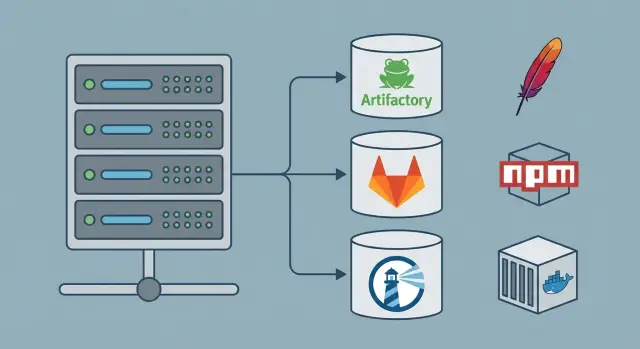
Why you need an artifact repository
An artifact repository exists for one result: today, in a month, or on another server you build the same release and get the same binary, package or container. That is reproducibility. Without it, automation quickly becomes a lottery.
A Git repository with source code is not enough. Source lives in Git, but builds almost always pull external dependencies: Maven libraries, npm packages, base Docker images, plugins and tools. Those components are updated, removed, or sometimes changed without a version bump. The code can be the same while the build output is different.
Reproducibility is usually broken by things that look small: a dependency pulled a different version (or the "same" version with different contents), a package became unavailable, someone swapped a file in the build environment "for a quick fix", or CI downloaded something directly from the internet and got an unexpected artifact.
Direct downloads from the internet on CI are especially risky. They are unstable (a registry becomes unavailable — the build fails) and bad for security: it’s hard to prove the provenance of a given artifact, and a compromised dependency can slip in unnoticed. For teams undergoing audits, working in the public sector, or needing to prove the supply chain, this quickly becomes an audit problem.
Controlled builds mean the team has a single source of truth: which sources are allowed, which versions may be used, which artifacts are immutable after publication, and who uploaded what. The repository stores internal packages, caches external ones, fixes versions and provides history. If you need to reproduce a release tomorrow or investigate an incident, you won’t have to guess "what was on the agent then."
What artifacts you store and what you need from a repository
Before choosing a tool, honestly answer: what exactly do you build and distribute? A repository is needed not "in general" but for specific formats and rules.
Most companies have several classes of artifacts at the same time: Java artifacts (JAR/WAR and plugins), internal npm packages, Docker/OCI container images, Helm charts, and other binaries (utilities, agents, release archives).
It’s important to know who consumes them. If it’s only CI, the requirements are different. If developers, testing and operations also use them, you need a truly single source: one address, consistent publishing rules, one way to search and download.
Typically a repository must deliver three things.
-
Proxying external sources. You pull dependencies from Maven Central, the npm registry or public container registries, but through your proxy. Builds become faster and, more importantly, you gain control and traceability.
-
Hosted storage for internal publishing. The team builds a library or image, puts it in the repository and then uses it as the "official" artifact in pipelines and manually.
-
Retention and cleanup policies so the repository doesn’t become a junkyard while still preserving old releases. Typical foundations: immutability of releases, separate rules for snapshots and test tags, retention (how long and what to keep), permissions and audit, plus security checks (signatures, vulnerability scans, blocking undesired dependencies).
Example: a service is built from Maven dependencies, an npm UI package and produces a Docker image. If dependencies are taken directly from the internet, a package could disappear tomorrow and the build will no longer match. With a corporate repository you record exactly what was used and can reproduce the release later or in another environment.
Basic principles: proxy, hosted, versions and immutability
To make a repository truly reproducible, not only files but also rules around them matter. These principles apply equally to Maven, npm and containers.
Why you need both proxy and hosted
There are usually two parts.
Proxy (remote) talks to the outside world and caches what you have already downloaded.
Hosted stores what you publish yourself: internal libraries, private npm packages, corporate Docker images.
The idea is simple: builds should pull dependencies only through your repository, not directly from the internet. Then you control what ends up in the cache and survive external outages.
Versions, snapshots and releases
Separate "temporary" versions from stable ones. Snapshot is convenient for frequent commits, but it isn’t a point you can confidently return to in six months: it can change with a new publish. A release should be fixed: publish it once and it does not change.
A common failure: a service was released with dependency 1.2-SNAPSHOT; a week later the snapshot was updated and tests started failing without any code changes. Clear separation and publishing rules prevent such surprises.
Immutability: forbid overwrites and floating tags
The key rule for reproducibility: a published artifact must not be overwritten. This applies to jars, tgz files and images.
For containers, tags like latest or stable are especially dangerous. Prefer versioned tags, forbid rewriting tags in production projects, and rely on digest for precise pinning.
Metadata matters too: hashes (to confirm a file didn’t change), signatures (who released it), SBOM (what the deliverable contains), and vulnerability scan results.
And don’t forget access controls. Three levels are usually enough: read, publish to snapshots, publish to releases. The fewer people who can "push to prod", the easier it is to keep order.
Artifactory, GitLab Packages and Harbor: how they differ
The choice is usually not "what’s universally best" but "what covers my artifact formats and control rules." Artifactory, GitLab Packages and Harbor solve a similar need with different focuses.
When to pick each
Artifactory is often chosen when you need to host and proxy many formats at once (Maven, npm, Docker and others) in one place with unified permissions, policies and audit. This is convenient when many teams exist and centralized management of dependency sources and release publishing is important.
GitLab Packages fits when GitLab is already the development and CI/CD center. Packages live next to code and pipelines, and access is easier to tie to GitLab groups and tokens. For small and medium teams this is often sufficient if the main scenario is internal libraries used in builds.
Harbor is primarily about containers. It’s chosen when a reliable container registry with container-focused security is needed: scanning, signing, and controlling what can run in the cluster. Harbor doesn’t replace a full Maven/npm repository, but it often covers the container part better and more clearly.
How they typically integrate into infrastructure
A common setup: use Artifactory or GitLab Packages for Maven and npm (both as hosted and as proxy), and Harbor for containers. CI builds and publishes artifacts with immutable versions, and production environments get read-only access from approved repositories.
Check typical limitations in advance: GitLab Packages may be inconvenient as a single company-wide repository, Harbor doesn’t solve Maven/npm needs, and Artifactory requires discipline (versions, permissions and cleanup) or it becomes a "dumping ground."
Practical rule of thumb:
- Need unified dependency control for multiple technologies — Artifactory often wins.
- Everything revolves around GitLab and scenarios are simple — GitLab Packages.
- Main risks are in containers — Harbor, sometimes together with another solution.
For Maven, npm and containers: what matters for each
Maven, npm and container images have different habits: versions matter in one place, a lockfile in another, and tags that are easy to overwrite in a third. If the goal is reproducibility, configuration must address these specifics.
Maven: releases, snapshots and mirrors
The main risk is mixing releases and snapshots. Make releases immutable: publish a version once and don’t change it. Keep snapshots as a temporary zone and clean them automatically.
Another key step is setting up a mirror so all builds pull dependencies only through your repository. Then you see what’s actually used and can cache, restrict or block undesirable artifacts.
Consider build plugins, BOMs and parent POMs as well: they should be stored with the same rigor as libraries. If a plugin is pulled in a different version tomorrow, the build result changes even with unchanged code.
npm: lockfile, scope and publishing rules
For npm, half of reproducibility relies on the lockfile (package-lock.json, npm-shrinkwrap.json or equivalent). Without it you will almost certainly get different dependency versions on different machines. The repository helps by fixing the source of packages and providing controlled publishing.
For internal packages, private scopes (for example @company/*) and clear publish rules are useful. A practice that prevents chaos: forbid republishing the same version and use deprecate instead of deleting. Deleting breaks old builds, while deprecating at least leaves the artifact available for reproduction.
Containers: tags, digest and base images
For containers the main trap is tags. Even 1.2.3 can be accidentally overwritten and a build starts using different layers. For reproducibility, pin by digest (sha256) at least for base images.
Practices that yield quick benefits:
- Maven: separate hosted repositories for releases and snapshots and forbid overwriting releases.
- npm: require a lockfile in the code repository and forbid republishing the same version.
- Containers: pin base images by digest and don’t rely on
latest. - For all: pull external dependencies only through a proxy repository.
The question of separate repositories per team or product is pragmatic. If teams can break each other’s builds — separate. If unified rules and less admin overhead are more important — keep a common repository and separate access and namespaces (groupId in Maven, scopes in npm, namespaces for images).
Step-by-step: how to introduce a repository and make builds reproducible
Start not with the product choice but with rules. A repository works only when the team understands: which dependencies are allowed, where to fetch them from and who can publish new versions.
Map external sources: Maven Central and vendor repositories, the main npm registry (and private scopes if needed), base container images and vendor images.
Then configure proxy repositories so all downloads go through them instead of directly to the internet. A key setting is cache TTL: too short and you remain dependent on the external world; too long and you may stick to a vulnerable version.
Next create hosted storage for internal artifacts: a place to publish libraries, npm packages and container images, and from which releases are then assembled.
Practical rollout order without unnecessary theory:
- Record the list of allowed external repositories and block the rest at repository and CI levels.
- Set up proxies for Maven, npm and containers, enable caching and logging of downloads.
- Create hosted storage for internal artifacts and separate snapshots and releases.
- Enable immutability: forbid overwriting published versions and forbid re-pushing tags in production repositories.
- Configure roles and tokens for CI so publications don’t happen "around" the system and no shared passwords are used.
Validation must be strict and verifiable. Run a build once with internet access (to populate the cache) and a second time completely offline. If the build succeeds, dependencies are truly under control.
A mini-checklist for final validation:
- CI pulls dependencies only from your repository.
- Re-building the same commit produces identical artifacts.
- Publishing versions and tags does not overwrite existing ones.
- Read and publish permissions are separated, tokens are scoped.
- A release can be built in an isolated network (common requirement in public and financial sectors).
Common mistakes and pitfalls when configuring
Artifact problems often don’t show up immediately. The first release passes, and a few months later you suddenly can’t reproduce a build, hashes don’t match, or the image in production is different.
Mixing snapshots and releases
When snapshots and releases sit together or lack different rules, you lose a reliable anchor: what exactly was considered the release on that day. For releases enable immutability and longer retention. For snapshots set a short lifetime and quotas.
Floating versions and unpinned tags
latest, 1.x, ^2.3.0 without pinning, missing lockfiles in npm, and unpinned Docker tags make builds unpredictable. Make lockfiles mandatory, pin versions where reproducibility matters, pin container base images by digest, and treat tags as labels.
CI pulling from public registries directly
If CI pulls from public registries directly you have no control over availability, speed, or the exact content downloaded. It’s better for CI to contact only your repository, which acts as proxy with cache and policies.
One account for everyone and overly broad permissions
A shared account for people and CI plus "admin for everyone" almost guarantees incidents: someone will delete a package, overwrite a tag or expose access. Use separate service accounts for CI, grant read widely but publish narrowly, and enable audit logs: who uploaded what and when.
Deleting artifacts without rules
Cleaning storage manually "because space ran out" is a sure way to lose an old release needed for support or investigation. Define retention policies: how long to keep releases and snapshots, what to do with old image tags and who can delete.
No naming and tagging conventions
If teams name packages and images arbitrarily, after six months no one knows what is prod, what is test, which tag is safe to roll back to, or which artifact corresponds to which commit. Conventions should answer: "what is this?" and "where did it come from?"
Quick checklist: how to tell control really works
The check is simple: can you tomorrow start a clean CI agent, build the project and get the same result without manual steps or searching for the "right" packages in chats?
Signs dependency control is enabled:
- Versions are pinned: Maven uses exact versions, npm has a lockfile that is updated intentionally.
- Builds do not depend on the public internet: all downloads go through a proxy repository.
- Internal packages are published only to hosted storage (separate for releases and snapshots).
- Releases are immutable: overwriting release artifacts and container images is forbidden.
- Permissions are separated: read, publish and administer roles are distinct, tokens are not shared.
A short practical test: take a service with Maven, npm and Docker. Clear the agent cache, disable internet access and leave only your repository. If the build passes and artifacts match by versions and hashes, your supply chain control works.
Practical example: Maven + npm + Docker in one delivery
A team builds an internal service: a Java backend (Spring), a shared library as a separate Maven module, a UI in Node.js (npm), and the delivery as a Docker image. The CI builds and the release must be reproducible today and in a month even if the internet is down.
One day the build fails with no code changes: npm can’t download a dependency because the package was removed from the public registry (or a version was republished). The same happens with Maven when an artifact disappears from an external repository or is changed under the same version.
A repository helps: external dependencies are mirrored through proxy, and internal packages are published to hosted storage. The build pulls everything from a controlled place and you can always check what was used.
Typical configuration set:
- Maven: set a mirror in settings.xml to point to the proxy, publish internal libraries to hosted; forbid republishing release versions.
- npm: use a lockfile and point .npmrc to your proxy/hosted; in CI block installs without a lockfile.
- Docker: pin base images by digest rather than by tag (for example, avoid relying on
:alpine).
To reproduce a release in a month you must freeze not only artifacts but also rules:
- Allow downloads from the internet only to the proxy repository, and give builders access only to it.
- Create hosted storage for your Maven and npm packages and enable immutability for release versions.
- Store Docker images in your registry and promote them across environments without rebuilding.
- For critical components introduce an allowlist and regular vulnerability checks.
Next steps: how to choose and run one for yourself
Describe what you want to control: which artifact types (Maven, npm, Docker), how many teams will publish, and what matters more — auditability, isolation, speed or strict security.
Formulate requirements so they can be tested. For example: "a build must succeed without internet access", "every package has an author and publication history", "images cannot be overwritten", "there is a retention and cleanup policy."
Questions to narrow the choice quickly:
- Do you need one combined repository for packages and images or can you split (e.g., a separate registry for images)?
- Do you need signing, vulnerability scanning and strict auditing?
- How many projects and artifacts do you expect in 6–12 months?
- What access levels are needed: read, publish, administer, environment-scoped access?
- How long do you keep releases and snapshots, and who is responsible for cleanup?
After choosing a tool prepare short rules (1–2 pages): versions and tags, forbid overwriting releases, who may publish, how tokens and keys are issued.
Then run a pilot on 1–2 projects. Define success criteria: a build is reproducible on a clean agent and produces identical results; dependencies come only from your repository; publications follow roles and leave an audit trail; there is a clear retention policy.
If you are constrained by infrastructure (servers, network, storage, HA, 24/7 support), plan that before the first outage. For these needs GSE.kz can help as a systems integrator and server vendor in Kazakhstan — they can select and deploy a platform that meets isolation, supply chain control and operational requirements.
Frequently asked questions
Why do I need an artifact repository if I already have the code in Git?
An artifact repository ensures that the same project version builds to the same result on any machine at any time. It records where dependencies come from and which binaries were published, so builds don't depend on accidents like a package updating or a public registry going offline.
Why are direct dependency downloads from the internet on CI a bad idea?
Direct downloads are risky because of instability and lack of provenance. A public registry can be unavailable, a package can be removed or changed, and you won’t be able to show auditors the origin of a specific file in a release. A proxy repository caches what you need and creates an audit trail: what was used, when and by whom.
What are proxy and hosted, and why do I usually need both?
Proxy caches external dependencies and gives you control over sources; hosted stores your internal packages and images. For reproducibility you usually need both: proxy so builds don’t hit the internet directly, and hosted so internal publications are official and immutable.
What’s the difference between snapshots and releases, and which should I use for production?
A snapshot is convenient for frequent changes and can be overwritten with each publish, so it’s not a reliable point-in-time. A release is fixed: publish it once and don’t overwrite. Separating snapshots and releases greatly reduces surprises when tests or releases break without code changes.
How do I ensure artifacts are immutable and avoid "overwriting a release"?
Basic rule: forbid overwriting already published versions and tags that are considered production. For containers, don’t rely on `latest`; pin by digest so the same image always points to the same layers. Keep hashes and audit logs so you can prove an artifact hasn’t changed.
Which to choose: Artifactory, GitLab Packages or Harbor?
Artifactory is convenient when you need many formats in one place and unified policies: Maven, npm, Docker and more. GitLab Packages is often chosen when GitLab is already the development center and you want packages close to repositories and pipelines. Harbor is selected primarily for containers where image scanning, signing and runtime control are important.
What settings matter most for Maven in an artifact repository?
For Maven it’s critical to configure a mirror so all builds pull only through your repository rather than different external sources. Separate hosted repositories for releases and snapshots and enable forbid-overwrite for releases. Also treat plugins, BOMs and parent POMs with the same rigor as libraries—they affect build results too.
What must be done for npm to make builds reproducible?
The most common cause of non-reproducible builds is missing or ignored lockfiles. Keep the lockfile in the repository and update it deliberately. For internal packages, use private scopes and forbid republishing the same version so the dependency history doesn’t "drift".
How to handle Docker images: tags, digests and base images?
Tags are the main trap because they can be overwritten even when they look like versions. Pin base images by digest so builds always use the same base image, and use tags only as convenient labels, not guarantees. Store images in your own registry so a release can be deployed without rebuilding or internet access.
How can I quickly check that dependency control actually works?
Disable internet access for a CI agent, leave access only to your repository, clean the local cache and build from scratch. If the build succeeds and resulting artifacts match by version and hashes, control works. If not, there are still direct downloads, floating versions or unpinned tags.
