8 min read
Arista 7050X Low-Latency Network Metrics and Pilot Plan
Arista 7050X low-latency metrics: what to measure (latency, microbursts, jitter), how to collect data and run a pilot to prove benefit for applications.
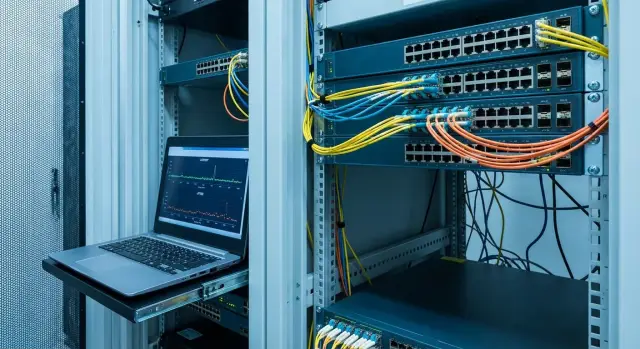
Goal: prove the benefit of a low-latency network in practice
A low-latency network only matters if you can show a measurable effect for specific applications. Not just “the switch is faster,” but “the response time for a key operation became more stable,” “fewer rare freezes,” or “short overloads at peak minutes disappeared.” For trading systems, VDI, voice/video and real-time analytics this is often more important than nominal throughput.
The main pitfall is looking only at the average delay. The average can look “good” even if once a minute or once an hour there is a short spike that breaks user experience or an SLA. Therefore the pilot's goal is to see the latency distribution and its tails: the 95th, 99th, 99.9th percentiles and the worst values. These usually explain complaints like “sometimes everything freezes for a second.”
In practice problems look like this: application response time spikes without an obvious reason, periodic jitter on sensitive flows, rare packet loss under load, and microbursts in Ethernet where a port queue spikes for a very short interval. Microbursts often don’t show up in averaged utilization graphs, but they are visible in queue depths, drops and sudden latency spikes.
A pilot is usually built as an honest comparison of “as-is” versus “what could be.” For example, compare the current ToR or aggregation in an existing rack with a pilot pair of switches (e.g., Arista 7050X) connected to the same types of servers and the same applications. Keep all other conditions as identical as possible: same port speeds, same MTU and LACP, comparable QoS policies.
To make this a test of benefit rather than a demo, define in advance what counts as success: a business metric or an application metric (percentile of response time, number of timeouts, voice quality), which “bad events” you want to catch (spikes, loss, short queues), what you compare against (current network vs pilot segment) and how long you need to observe to catch peaks, not just a "quiet" hour.
This will answer the main question: do the characteristics of a low-latency segment with Arista 7050X provide a real, repeatable difference for your workloads, not only in a lab "ideal" picture.
First define what matters for your applications
Before discussing low-latency metrics for Arista 7050X, fix a simple fact: different applications “suffer” in different ways. Some need predictability (p99 and p99.9), others need no micro-loss during microbursts, others require stable jitter throughout the day.
Start with a list of flows, not “the network in general.” Record who talks to whom, where clients and servers are, which L4 ports and protocols are used, and the path the traffic takes (access, leaf, spine, storage or DC services). If the pilot is in a corporate environment, separate production flows from background traffic (backups, updates, scans).
Then convert expectations into numbers. Not just “we need low latency,” but concrete targets: target p50, p95, p99 and p99.9 for RTT or one-way, acceptable jitter, acceptable loss, and what degradation windows you can tolerate (e.g., short drops at night).
Where latency is truly critical
Classic candidates: trading systems, VDI, high-load databases, storage access, voice/video and HPC. Criticality usually appears in a narrow spot. For example, VDI often suffers from rare p99.9 spikes during microbursts at peak hours rather than average latency.
What counts as pilot success
KPIs should be measurable, repeatable and linkable to symptoms.
At the application level look at response time (p95/p99), number of timeouts, errors, VDI freezes or voice artifacts. At the network level look at p99/p99.9 latency, jitter, loss, and signs of microbursts and port queues. Also record comparison conditions: identical load, routes, driver versions and settings.
Define a success threshold in advance. For example: p99 latency below X ms and timeouts reduced by Y% at the same load.
A simple example: support complains about voice glitches in a contact center. Pilot success is not “it got better,” but a reduction of jitter below a set threshold and the disappearance of losses during the busiest 30 minutes, confirmed by metrics and application logs.
Which metrics to collect: the minimum, without excess theory
To honestly evaluate the effect of a low-latency segment (including on Arista 7050X), don’t try to measure everything. Use a small set of indicators that directly reflect network behavior at idle and under real load.
Measure latency in two ways: one-way and RTT. RTT is easier to get almost everywhere, but one-way is more important if you have sensitive chains (e.g., client–service–DB). Record baseline latency while idle and separately under load, because a port queue can add milliseconds where you expect microseconds.
Jitter is the spread of latency. Average latency can look “nice,” but if latency jumps, real-time services and chains with strict timeouts fail: voice, trading systems, online control, some DB requests. Practically record not only the average but the range of variation and frequency of spikes.
Microbursts are short traffic spikes that create port queues for fractions of a millisecond. You won’t see them in average utilization. Symptoms are short queue growth, tail latency spikes and sometimes buffer drops.
Packet loss and retransmits often become delay at the application level: retransmission, timer wait, TCP window rebuild. So together with loss, monitor protocol behavior like increased retransmits under load.
The most important indicator for user experience is tail latency: p95/p99/p99.9. If p99 worsens, rare but critical tails break SLAs even when the average looks normal.
A minimal set for the pilot report:
- Latency: one-way and RTT, idle and under load
- Jitter: spread and frequency of spikes
- Microbursts: queue depth and short peaks
- Packet loss and retransmits: losses and retries
- Tail latency: p95/p99/p99.9
Metrics on the switch and ports
When collecting low-latency metrics (e.g., in a pilot on Arista 7050X), start with what’s visible on the switch: queues, buffers and port events. Causes of “everything seems fast but sometimes jerks” are usually hidden there.
Queues and buffers
For low-latency the focus is not averages but short spikes. A microburst can last milliseconds, but in that time the queue may grow and packets may be dropped or marked.
First check:
- queue depth by traffic class (how often and how high it rises)
- drops in queues (tail drop) and the overall discards counter
- ECN markings or RED/WRED triggers if enabled (early congestion signal)
- direction symmetry: egress-only queue growth often points to a downstream bottleneck
- the combination “queue grows + jitter grows”: a typical source of unstable latency
Short example: in a pilot for a latency-sensitive application you may see a port average utilization of only 30%, but once a minute the egress queue spikes for fractions of a second and single drops appear. For TCP that may be almost invisible, but for trading, voice or other real-time traffic it’s a problem.
Port statistics, control plane and time
On ports check errors (CRC/FCS), input/output drops, oversubscription and pause frames. Pauses can hide losses but add and make delay uneven. If LAG is used, look for imbalance: one member saturated while others idle.
Monitor CPU and control-plane events: load spikes, link flapping, convergence messages. Also synchronize time (NTP/PTP) and check offsets. Without accurate clocks, aligning queues, drops and latency graphs by time is error-prone and leads to wrong conclusions.
Measurement tools: where to get data and how to compare
The most common mistake in low-latency pilots is measuring only ping and drawing conclusions. Ping shows only part of the story: it doesn’t stress queues like real traffic and rarely catches rare spikes.
Collect data from three sources: hosts, network and application. Then you’ll see not only “how much,” but also “why it’s bad.”
Host measurements under load
On hosts use tests that create traffic close to production: correct packet sizes, PPS and directions. This is important for microbursts: a short 2–10 ms burst can fill a buffer and add delay, but an “easy” test won’t reveal it.
A traffic generator is useful even in a small pilot if you configure a profile matching your service. Test not only a single flow back-and-forth but fan-in/fan-out where many sources converge on one port. Mixed traffic (small control packets plus large data packets) often behaves differently than homogeneous traffic.
In each run record the same metrics: latency distribution (p50/p95/p99 and max), jitter as timing spread, losses and drops (even rare), queue lengths and overload signs on ports, and timeouts/retransmit counters on hosts.
Application metrics and event correlation
If the pilot’s goal is benefit for a specific application, add application metrics: response time, share of timed-out requests, retry counts, server/broker queue growth. Sometimes the network improved but the application hits a connection pool or DB limit. You must see that too to avoid wrong conclusions.
To compare fairly, set a common time everywhere. NTP is enough for many tasks, but if you need millisecond correlation between network events and service logs, PTP gives a more accurate picture. Without synchronization it’s easy to confuse cause and effect.
Another nuance is polling frequency. A one-minute interval can completely hide a microburst lasting seconds or fractions of a second. For a pilot, collect key counters more frequently and save raw logs so you can align by identical time windows and load profiles.
How to build a small pilot: step by step
A low-latency pilot is best small and clear. Choose a segment where traffic is predictable and the effect can be tied to a single application. Usually 2–4 racks or a part of one VLAN/leaf is enough to compare before and after without risking the whole site.
Start with a simple topology: one test path through Arista 7050X and one control path (current network). Decide in advance which metrics define success: p99.9 latency, microburst frequency on uplink, jitter for RTP or financial protocols.
Pilot steps
-
Define boundaries: which servers, which applications and which flows (east-west, north-south), normal and peak hours.
-
Place measurement points: at the segment entry and exit plus on key servers (client and server). Ideally you have “before” measurements at the same points.
-
Agree load scenarios: normal operation, peak hour, backup window, batch processing and one synthetic stress test.
-
Lock control conditions: identical software and firmware versions, MTU, QoS/DSCP, same routes and path length (number of hops).
-
Create a rollback plan: who decides, how long rollback takes, which settings to preserve and how to verify everything returned to baseline.
Keep conditions unchanged between runs. If you change MTU or QoS you are testing a different solution and the comparison becomes disputable.
Simple example: for a small two-rack cluster (application with frequent short DB requests) assign a test uplink and repeat the same load during three windows: normal day, peak and backup. This reveals not only average latency but the tails and spikes that typically cause issues.
Measurement plan: baseline, stress tests, repeatability
For an honest answer, agree rules first: which applications matter, which time windows are critical (e.g., morning peaks) and which metrics count as success. Otherwise you’ll get pretty numbers with no link to real problems.
1) Baseline on the current network
Collect telemetry for at least 1–2 weeks to catch not only average days but peaks. Focus on distributions and time behavior because complaints are usually connected to rare spikes.
Record where you measure: host-level, inter-switch links or segment boundary. This helps later to compare pilot metrics with the previous baseline.
2) Stress tests and repeatability
Then run tests in the pilot segment using the same measurement points and time windows. Increase load gradually to find when degradation begins.
Synthetic tests are useful if they reflect reality: different packet sizes, traffic profiles (steady vs bursty), and different contention (single vs many flows). Then run application-specific scenarios: transactions, VDI sessions, DB queries, video streams. Run tests in the same order and duration.
Keep reports as distributions: p50, p95, p99, p99.9 and time graphs to see jitter and rare microburst spikes.
Before each repeat ensure conditions are stable. Record at minimum:
- switch and port configurations (speeds, MTU, QoS, buffers, ECN/PFC if used)
- software and firmware versions, identical optics and cables
- load profile and background services (backups, scans, updates)
If results vary widely between repeats, it’s not a “bad switch” but a signal the environment is unstable or the measurement method differs between baseline and pilot.
Common mistakes in low-latency pilots
Pilots often fail not because hardware or settings are bad, but because teams measure the wrong thing, in the wrong way, or under the wrong conditions. As a result numbers look good but can’t be tied to real application behavior.
The most frequent trap is focusing on average latency. For trading, VDI, voice and some industrial scenarios the distribution tail (p99.9, max and rare spikes) matters more. These tails create freezes even when the average is fine.
Another mistake is testing “in a vacuum.” An unloaded test is almost always optimistic: queues don’t fill, microbursts don’t appear, jitter looks smooth. In production there will be backups, replications, scans, updates and noise.
What typically breaks pilots and conclusions for Arista 7050X low-latency segments:
- focusing on average instead of percentiles and max, ignoring rare spikes
- tests without realistic load (or synthetic load that doesn’t match packet/flow characteristics)
- comparing setups with different paths: different MTU, hop count, QoS/ECN policy
- collecting telemetry too infrequently: microbursts and short queues happen between polls
- disconnect between network and application: only measuring RTT/latency on test packets but not application response times, timeouts and retransmits
A common anti-pattern: ping between two servers shows 200–300 µs and teams wonder why applications still jitter. Problems appear every few minutes during short traffic spikes; what matters is API p99.9 and increased retransmits, not ping.
To avoid mistakes: fix identical paths and MTU, use a realistic load profile, collect metrics often enough for microbursts, and always link network metrics to application metrics.
Quick checklist before drawing conclusions
Before declaring the pilot a success (or a failure), check that you compared the same things and that the data really reflects problem moments. For low-latency measurements this is crucial: averages often look perfect while applications keep complaining.
First confirm baseline and pilot measurements were taken on identical traffic and conditions. If one run had small messages and the other large, p99/p99.9 comparison is meaningless.
Practical minimum before conclusions:
- are p50/p99/p99.9 latencies measured in the same directions and traffic types, and are tails visible, not only averages?
- do user complaints or app degradations align with queue growth on ports, microburst spikes and any drops?
- do jitter peaks correlate with symptoms: higher response times, UI freezes, SLA breaches, streaming pauses?
- transport and application level: do TCP retransmits, RTOs, timeouts and client retries increase?
- did you capture enough data during peak periods, not only during quiet windows?
If any point doesn’t match, don’t rush to change hardware or settings. It’s often incomplete telemetry, different load between runs, or measuring “the network in general” while the problem affects specific traffic classes or ports.
Example pilot scenario: latency-sensitive application
Imagine a contact center where operators report voice freezes during peak hours: phrases cut off, pauses appear, retries and complaints increase. Server logs look normal, but users feel the issue. This case is well suited to test low-latency metrics on Arista 7050X and determine whether replacing ToR or uplink helps.
Choose a narrow test segment to isolate the effect. Usually one site or floor is enough: 2–4 racks, several ToRs, one uplink to the core and a group of operators (e.g., 20–50 seats). Ensure the pilot path matches the production path without extra detours.
Record metrics that directly explain complaints, not everything. Minimum set:
- p99 latency and jitter for RTP streams (or for your media gateway flows)
- packet loss and reordering (if present)
- queue length and overload events on the uplink, especially during microbursts
- port errors (CRC, drops) and signs of speed/duplex mismatch
Show results as before/after under the same conditions: the same peak hour, the same sample of calls, identical QoS policies. Then summarize:
- change in p99 latency and jitter
- share of calls with degraded quality (MOS or internal metric)
- number of voice incidents and support tickets
Translate the effect into operational terms: reduced support calls and operator downtime. Even a rough estimate (e.g., 30 fewer tickets per week and 10 fewer hours of downtime) is often clearer than “20 microseconds saved.”
Next steps after the pilot and how to move to production
After the pilot the main question is: where does a low-latency network provide measurable benefit for your applications? If you collected repeatable metrics, the next step is to turn numbers into an actionable plan.
A short report both network and business understand
Create a 1–2 page document so anyone can reproduce the test and trust the conditions.
Describe the goal (which application and which effect: p99 latency, jitter, loss in microbursts), methodology (topology, node roles, load profile, run duration), conditions (firmware, QoS/ECN, link speeds, MTU, buffers, time of day) and results (percentiles and worst intervals, not only averages). State conclusions: where the gain is stable and where it disappears under real load.
Hold a short meeting with network, application owners and operations. Agreeing on metric interpretation early saves weeks later.
Turning metrics into an action plan
A pilot rarely yields a single answer; it yields a set of targeted actions.
ToR replacement makes sense where port delays and jitter were the bottleneck. QoS tuning can be more effective than new hardware if microbursts break priority traffic. Uplink upgrades are justified if queues grow due to uplinks rather than access. Design changes (L2/L3 boundaries, oversubscription ratios) are needed if benefits appear only in lab conditions.
Then choose a path: extended pilot (1–2 more racks, more real flows) or production rollout with checkpoints. Check procurement and support: delivery times, compatibility, maintenance windows, and who will handle 24/7 support.
In a corporate pilot it’s useful to involve an integrator who covers network, servers and operations. For example, GSE.kz (gse.kz) as a systems integrator can help plan and implement the pilot and tie network changes to infrastructure and on-site support.
Frequently asked questions
Which metrics matter most to prove the value of a low-latency segment?
Do not look at the “average latency” — look at the distribution tails: **p95/p99/p99.9** and the worst short intervals. Rare spikes are usually what causes freezes and SLA violations even when the average looks fine.
How to formulate pilot KPIs so they’re about the business, not the hardware?
Start simple: pick 1–2 critical application operations and set the success threshold in advance, for example **“p99 response time below X ms and timeouts reduced by Y% at the same load.”** That makes the pilot outcome clear to both the network team and the service owner.
Should I measure RTT or one-way latency, and in which modes?
Measure latency both at idle and **under real load**, because queues appear under peaks. Use both **RTT** and **one-way** latency when you have chains like client–service–DB or when direction asymmetry matters.
How to tell if issues are caused by microbursts rather than just load?
Microbursts are hardly visible in average utilization but show up as short queue growth and sometimes drops or tail-latency spikes. Practically: check queue depth and overload events on the ports at the same minutes the application experiences glitches.
Why is jitter sometimes more important than average latency?
For voice/video and other real-time flows, stability matters more than low average latency. If jitter increases, quality degrades due to buffering, reordering and retransmission delays, even with a normal average RTT.
How are packet loss and increased delays on the application level related?
Losses rarely remain “just losses”: TCP and applications compensate with retransmits and timers, which become added delay and response-time spikes. In a pilot, record not only loss but also increases in retransmits and timeouts on hosts.
How to make a fair comparison between the current network and Arista 7050X?
Keep everything identical when possible: port speeds, MTU, LACP, QoS/DSCP policies, driver versions and hop count. Changing several factors at once means you compare different designs, not specifically the low-latency segment.
Why is a single ping test insufficient for a low-latency pilot?
Ping shows only part of the picture: it doesn’t stress queues like real traffic and misses rare spikes. Rely on three layers of data: host measurements under load, switch counters/queues, and application metrics to understand both “how much” and “why” it’s bad.
Why think about time synchronization (NTP/PTP) in the pilot?
If you need millisecond correlation between network events and application logs, accurate time sync is important. NTP is often enough for a general view, but for precise correlation of short spikes and queue events, PTP gives a much more reliable alignment.
What to do after the pilot if improvements exist but aren’t universal?
Produce a short report with methodology, conditions and percentile results (not only averages). Then convert findings into a plan: where ToR/uplink replacement makes sense, where QoS tuning suffices, or where a design change is required. That gives a clear path from pilot to production.
