6 min read
Accepting Equipment in Stages: Warehouse, Installation, and Commissioning
Accepting equipment in stages helps catch defects at the warehouse, during installation, and before commissioning. We cover checks, inspection reports, and the step-by-step procedure.
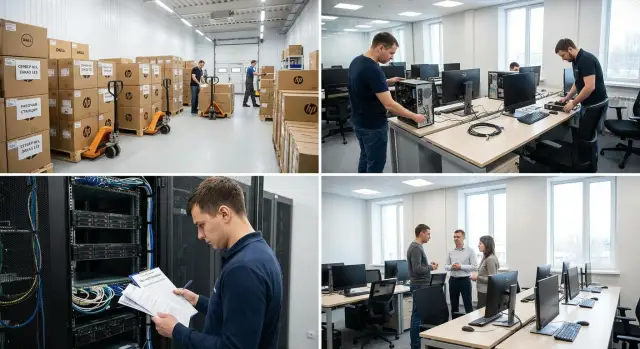
Where defects are most often missed
Hidden problems rarely appear out of nowhere. Usually they are simply not noticed in time. Boxes are accepted by waybill, installation is done on schedule, and the real check is postponed until the first power-on. As a result, a defect that could have been spotted in minutes at the warehouse is discovered when the equipment is already needed for work.
That's why acceptance is better done in stages. Each stage has its own risks, and if you skip even one, it becomes hard to determine later whether the problem occurred during delivery, installation, or just before commissioning.
At the warehouse people most often miss external damage, signs of rough transport, shortages, and labeling errors. During installation other issues appear: swapped cables, uneven mounting, blocked ventilation, and mistakes with power and placement. Before commissioning the most costly problems usually surface — unstable power, configuration errors, non-working ports, overheating, noise, and compatibility issues.
The three most expensive situations are: hidden damage from transport, installation errors that lead to disputes between supplier and contractor, and failures at first boot when users are already waiting for the equipment.
To prevent defects from being passed down the chain, responsibilities must be divided in advance. At the warehouse the person accepting the delivery and checking completeness is responsible. During installation the engineer or contractor who installs the equipment is responsible. Before commissioning a final check is required by an IT specialist or the person responsible for putting the equipment into operation. Without this division everyone assumes someone else checked it — and that’s how the worst defects are lost.
What to check at the warehouse
The warehouse is the first line where most issues are visible before installation. If you miss an error here, it’s later hard to prove whether the defect happened during transport, unloading, or at the site.
Start by reconciling the delivery with the documents. Look not only at the number of packages but also at specific models, revisions, and the contents of the kits. Discrepancies often hide in the details: the wrong power supply, a missing cable, different memory, an incorrect mounting type, or an incomplete set of accessories.
After that inspect the packaging of each unit. A box should not be crushed, opened, resealed with foreign tape, or show impact marks. If equipment arrived on a pallet, check the corners, bottom rows, and places with the highest load. For servers, workstations, and all-in-ones damaged packaging often means a risk of a hidden impact to the chassis.
Also verify serial numbers and factory labels. This simplifies installation, inventory, and future warranty service. If a batch of identical devices arrived, it’s better to record the numbers in a sheet immediately rather than search for them later across rooms and racks.
Don’t mix disputed units with the rest of the shipment. Mark them and move them to a separate storage area until the issue is resolved. Otherwise a damaged device can easily go into installation and the source of the problem becomes unclear.
Record any remark immediately — with photos and in an inspection report. A short entry is enough: what was received, the device serial number, the damage or discrepancy found, which photos show it, and the unit’s status — accepted, conditionally accepted, or sent for analysis.
A calm and accurate warehouse check does not slow the project. On the contrary, it prevents extra disputes, repeat visits, and urgent replacements.
What to look for during installation
At the installation stage some problems are already visible, but they are often missed due to haste. If they are noticed immediately, you won’t need to disassemble a rack, move a workstation, or look for the cause of a fault after commissioning.
First look not at the device itself, but at the installation location. Is there enough space for ventilation? Is power convenient to route? Do cables get in the way? Is there access for maintenance? If a server, workstation, or all-in-one is placed in an inconvenient spot, even a working device begins to operate with unnecessary risk.
Then check the actual mounting. Fastening must be complete, installed without tilt, and the chassis must not bear extra load. Uneven installation leads over time to vibration, play, and connector issues.
Pay special attention to cables and ports. A cable should not be taut, pinched, sharply bent, or hanging on a connector by its own weight. Inspect ports, connectors, plugs, and locks by hand and eye — not just visually. A small crack or looseness later turns into an unstable connection.
During installation it’s convenient to reconcile each item with the inventory sheet on the spot, rather than checking the whole shipment at the end. This makes it faster to notice a mix-up, a model substitution, missing components, or configuration mismatches.
Typically, at the installation location they check a few things:
- whether the model and serial number match the documents;
- whether the installation point is suitable for power, cooling, and access;
- whether the fastening is correct, without tilt and missing parts;
- whether ports, connectors, cables, and fasteners are intact.
Record remarks separately for each unit. Don’t write "there are issues with the batch", but "position 4 has a damaged port" or "position 7 is missing a power cable". Such records save time for installers, the acceptance manager, and the supplier.
What to check before the first boot
Before applying power, make sure the equipment is ready not only externally but also for operational conditions. Many problems are not caused by the device itself but by simple issues: swapped power lines, poor contact, missing grounding, or an incorrect startup mode.
First check the environment. Power must meet the equipment’s requirements, cables should be connected without strain or temporary adapters, and grounding must be physically connected, not just noted in documents. For servers, workstations, and all-in-ones this is especially important: a startup fault is easily mistaken for device failure when the root cause is infrastructure.
After powering up the device should be detected without errors. If the system doesn’t see a drive, network port, memory module, monitor, peripheral, or any mandatory component, stop and fix it immediately rather than leaving it "for later."
A basic pre-commissioning check typically includes:
- successful power-on without unusual signals or error messages;
- correct indication of power, network, and device status;
- detection of all key components;
- normal boot without spontaneous reboots.
After that verify settings. It’s important to check firmware, boot mode, required interfaces, network parameters, date and time, and other startup settings. If multiple identical devices are commissioned at once, it’s easier to compare them against a single template so deviations are immediately obvious.
Next, it makes sense to check basic working functions. For user devices that means the screen, keyboard, touch input, audio, and network. For server equipment — network interfaces, drives, fan status, and the hardware event log. This stage is not for deep testing, but it must confirm the main point: the device boots normally and is ready for further commissioning.
Record results immediately: model, serial number, installation location, date, who checked it, which parameters were verified, and the final outcome. That way you won’t have to argue later about what was checked and at which stage a problem appeared.
Acceptance procedure step by step
To prevent defects from entering service with the equipment, acceptance should be broken into short stages with a clear control point. For PCs, all-in-ones, servers, and other office equipment a simple rule works: do not move to the next step until the remarks from the previous step are closed.
A typical workflow looks like this:
- Appoint a responsible person and gather documents before unloading. It should be clear who accepts the equipment, who records remarks, and who signs reports.
- Perform an incoming inspection at the warehouse: number of packages, packaging, labeling, completeness, and visible damage.
- Conduct a short intermediate acceptance after relocation, installation, and connection. This helps identify at which stage a problem occurred.
- Do not proceed until remarks are resolved. The attempt to "deal with it later" usually only complicates the cause of the defect.
- Perform a final commissioning in a real-use scenario, not just a power-on.
For an office PC that scenario might be joining a domain, connecting peripherals, and printing. For a server — booting, visibility on the network, and normal operation of disks and network ports. Only after such a check does the final report truly confirm readiness.
Errors that cause late discovery of problems
The most costly acceptance errors are usually not complex failures but haste. On the surface everything looks fine, documents are signed, equipment is already in an office or server room, and the problem appears during operation.
One frequent mistake is checking only the boxes. Packaging can look intact while the device itself has cracked chassis, loose connectors, impact marks, the wrong cable, or a damaged screen.
It’s also risky to sign the report before actual inspection. This is sometimes done to avoid delaying unloading or installation, but after signing it’s much harder to prove that a shortage, mix-up, or damage was noticed immediately.
Another common problem is unreconciled serial numbers and contents. On paper there may be one model, but in reality a different revision, different memory, a different drive, or an incomplete shipment. An error missed at the warehouse usually carries through to installation and commissioning.
Verbal remarks are lost too. One person said a fan is noisy, another noticed a loose mount, but nothing was recorded. A few days later no one remembers when or where this was found. If a remark isn’t documented, it effectively doesn’t exist for the process.
Another trap is checking startup "by the lights" without a real working scenario. A device may power on but fail under load, with peripherals connected, in the network, or after 20–30 minutes of normal use.
A simple rule helps:
- don’t sign documents before inspection and reconciliation;
- record serial numbers, contents, and remarks immediately;
- take photos of disputed points on the day of acceptance;
- check not only power-on but also a normal work task.
A simple example: a school received a batch of all-in-ones for a classroom. Boxes looked fine and the report was signed immediately. Later it turned out two units had damaged connectors and some boxes were missing peripherals. If this had been recorded at acceptance, the issue would have been resolved much faster.
A short checklist for the person in charge
Even if acceptance procedures are documented internally, on site simple actions decide the outcome: who checked serial numbers, who noticed a scratch, who recorded a startup problem. So the responsible person should have a short working list.
It’s better not to keep everything in your head but to mark results immediately in one report, table, or log. If equipment arrives in batches, check each unit separately. This reduces the chance of mixing up numbers and missing shortages.
A minimal checklist:
- photograph the condition of the box, seals, chassis, connectors, and screen;
- verify model and serial number against documents;
- check completeness against the specification;
- ensure there are no errors on power-on;
- immediately write down remarks, a deadline for correction, and the person responsible.
This approach is especially useful for workstations, all-in-ones, and servers where some problems appear only after connection. If a remark is found, avoid the phrase "accepted with defect." You need three things: what exactly is wrong, when it was discovered, and who is responsible for fixing it.
A project example
A similar situation often arises when equipping a new office or school and you need to quickly accept and commission a large batch of computers.
On one project the client received several dozen PCs for classrooms and administrative offices. The first checkpoint was the warehouse. During unloading one unit immediately showed chassis damage: a corner of the case was dented and the packaging looked like the box had been dropped in transit. That machine was separated from the batch, its condition was documented, and it was not allowed to proceed. At that point it was already clear the problem was related to delivery, not installation.
The equipment then moved to installation in the rooms. During mounting one workstation wouldn’t start correctly: a cable was plugged into the wrong port and some wires were swapped between neighboring desks after unpacking. The computer itself was fine, and the error was found in minutes only because installation acceptance was done separately, not with the whole project at once.
Before the first boot a short check was performed. Several PCs powered on but didn’t appear on the network. The cause was the network connection on one line, not the devices. If this had been discovered after work began, it would have required dealing simultaneously with delivery, installation, and networking issues.
The point of staged acceptance is exactly this: each problem remains within its area. A damaged chassis belongs to delivery and warehouse acceptance. A swapped cable belongs to installation. A network fault before start belongs to infrastructure. This saves time and greatly reduces disputes.
What to do after acceptance
Work does not end after signing the report. Immediately establish procedures: which form is used for documents, who records remarks, and the deadline for closing them. Otherwise after a few days it becomes hard to know which defect was found at the warehouse and which appeared after installation.
It’s convenient to use a single report template for all stages. It should include serial numbers, shipment contents, equipment condition, remarks, and a note about what was checked. When the form is the same there are fewer disputes between warehouse, installers, and IT.
After acceptance collect materials in one place. Usually it is enough to keep photos of packaging and chassis, serial numbers, dated reports, a list of defects and their resolution status, and contacts of those responsible for commissioning and service. This package saves a lot of time if a disputed case arises later.
Also agree in advance who is responsible for commissioning and who is responsible for ongoing service. A common mistake is that one department accepted the delivery, another did the installation, and at the first failure no one knows who to contact. It’s better to name responsible people before commissioning.
If the project includes supply of PCs, all-in-ones, or servers, it’s useful to discuss with the supplier not only the shipment contents but also the acceptance and support procedure. For GSE.kz solutions this is especially important: for large deliveries and integration projects it’s more convenient to agree up front who checks equipment on site, how remarks are documented, and how service proceeds.
One more often-missed step: a short control inspection a few days after commissioning. Check that equipment powers on without errors, does not overheat, does not produce excessive noise, and works under normal load. This quick re-check helps catch minor problems before they turn into downtime or urgent service requests.
Frequently asked questions
Why divide equipment acceptance into several stages?
Because different risks are visible at each stage. At the warehouse you find damage and shortages, during installation — mounting and connection errors, and before commissioning — issues with power, settings, and compatibility.
What should be checked first in the warehouse?
Compare the number of packages, models, contents, serial numbers, and the condition of the packaging. If a box is dented, opened, or re-taped, inspect the unit itself immediately.
Can the acceptance report be signed before unpacking and inspection?
No — it’s risky. If you sign documents before inspection, it becomes much harder to prove later that a defect, mix-up, or shortage was noticed at delivery.
How should damage and discrepancies be recorded?
Take photos immediately, record the model and serial number, briefly describe the problem and note the device status. This is usually enough to avoid later disputes about when and what was discovered.
What errors are most often found during installation?
Most often the wrong installation location is missed, mounting is uneven, or cable mistakes occur. Also check that ventilation is not blocked and that connectors and ports are intact and not loose.
What to check before the first power-on?
Check power, grounding, cable connections, and basic startup parameters. After power-up the device should boot without errors, detect key components, and run without unexpected reboots.
Is it enough just to make sure the device powers on?
No — that’s not enough. A device can power on but fail under load, not see a drive, overheat, or behave unstably in normal operation.
Who should be responsible for each acceptance stage?
Best practice is to divide roles in advance. The warehouse handles incoming acceptance, the engineer or contractor handles installation, and an IT specialist or the person responsible for commissioning performs the final check.
What should be done with a disputed or damaged unit?
Do not mix it with the rest of the shipment or send it to installation. Mark the unit, move it to a separate area, and document the issue with photos and an inspection report.
Should equipment be checked again after commissioning?
Yes. A short follow-up check a few days after commissioning is very useful. It helps catch overheating, excess noise, unstable operation, and other small problems before they become failures.
