8 min read
24/7 Emergency Dispatch: Priorities, On-Call Shifts, and SLAs
24/7 emergency dispatch: how to set priorities, configure shifts and routing, define SLAs by incident type and avoid losing tickets.
What dispatching is and where it breaks in practice
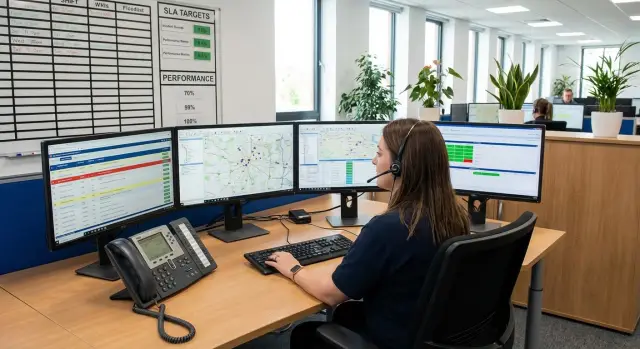
24/7 emergency dispatch is a single procedure that turns an alert into a clear task for a specific on-duty person, with defined reaction and recovery times. The goal is simple: remove the chaos when everyone calls everyone else and a critical issue gets lost among ordinary requests.
First, separate three types of work.
An emergency is a service or equipment failure that requires immediate action and can halt processes. A request is a user inquiry (for example, “the printer doesn’t print”) without signs of a widespread outage. Planned work is pre-scheduled changes with a maintenance window and notifications. If you mix these types, SLAs become meaningless: emergencies wait “like requests,” and requests get emergency noise.
At minimum, the team should include a dispatcher (accepts, classifies, starts the process), an on-duty engineer (diagnosis and recovery), and a shift leader or responsible manager (escalations, risk decisions, communications). In more mature setups add a service owner and a security representative if regulatory requirements exist.
Dispatch performance is measured by numbers, not feelings. Typical metrics:
- reaction time (time to first confirmed contact)
- recovery time (time to service restoration)
- recurrent incident rate (same root cause)
- classification accuracy (how often an incident was bounced between groups)
- SLA compliance by priority
The process most often breaks at the boundaries: there’s no clear “what’s included.” Dispatch should cover intake, registration, prioritization, routing and escalation. Root-cause investigation, procurement, project changes and “future improvements” should be handled separately, otherwise emergencies get buried in long-running tasks.
Types of emergencies and responsibility boundaries
To make dispatch work, first agree on what you call an emergency. A simple rule: an emergency is a service outage, a danger to people or property, or quickly growing damage if not acted on immediately. Everything else goes to planned requests.
It’s helpful to group emergencies by domain so there’s no argument at registration and you immediately know who to call.
Example emergency categories
Use a basic universal set and then refine for your sites:
- IT: network, server, workstation, or critical application unavailability
- Building engineering: power, heating, ventilation, air conditioning, water supply
- Communications: telephony, radio links, inter-site channels, internet provider
- Security: access control, CCTV, fire and intrusion alarms
- Business services: cash registers, payments, medical systems, learning platforms and other processes that must not stop
Predefine triggers that allow a dispatcher (without deep expertise) to recognize an emergency: monitoring alert fired, three identical reports within 10 minutes, floor power loss, turnstiles not opening, patient intake stopped.
Responsibility boundaries are best defined by who actually fixes the problem. Internal teams usually cover initial diagnostics and standard tasks; contractors handle narrow areas (elevators, fire systems, providers, vendors). Each domain needs an escalation ladder: primary performer, backup, and contractor contact with conditions for dispatch.
Minimum data for classification at registration
To select a category and apply the right SLA, the dispatcher usually needs:
- object and exact location (building, floor, room, rack)
- what stopped working and when, how many users are affected
- risk signs (smoke, smell, leakage, blocked access)
- signal source (person, monitoring, security) and on-site contact
- what’s already been tried (reboot, power switch, site round)
Example: “Turnstiles at the entrance won’t open, 20 people can’t enter, started at 08:10, security on site, manual mode won’t engage.” That goes straight to security with clear responsibility and a quick on-call dispatch.
Priorities: clear rules instead of arguments
Without fixed priorities, the dispatcher wastes time discussing instead of acting. A simple impact × urgency matrix works best for 24/7 emergency dispatch. It gives consistent answers across shifts.
Impact is how many people and processes are affected. Agree upfront what affects the level: number of users or workstations, site coverage, criticality of the service (mail, accounting, telephony, access to medical systems or learning platforms), production or customer service downtime (cash desks, terminals, call centers), security risks (leak, suspected breach).
Urgency is how quickly damage becomes irreversible. If a server outage blocks payments, urgency is high even with few users.
Levels P1–P4
Four levels are usually enough:
- P1: critical, business stopped or security risk
- P2: major impact on key groups; workaround exists but with loss
- P3: local issue; workaround exists, timelines are lenient
- P4: requests and minor defects without urgency
When priority can change
Change priority based on facts, not feelings. Increase it if impact expands (complaints from other sites) or a workaround disappears. Decrease it if a stable workaround is found or the service is confirmed non-critical.
The right to change priority is generally held by the on-duty dispatcher, shift leader, and service owner. Log every change in the card: who, when, reason and the evidence used (logs, monitoring, user confirmation).
Escalation must be tied to minutes. For example: P1 — notify on-call engineer and shift leader within 5 minutes; P2 — within 15 minutes; P3 — within 60 minutes; P4 — per maintenance schedule.
Example: in a hospital some workstations used by registration stop booting. If it’s one room — P3. If registration across the site can’t admit patients — that’s P1, even if some staff can work at a single backup station.
SLAs by emergency type: what to document in the procedure
SLA is needed so you don’t argue under stress about what to do first and when it’s “too late.” For 24/7 emergency dispatch, SLA usually breaks into three parts: reaction time, recovery time and status-update frequency.
Three timers instead of one
Document when the clock starts (e.g., registration time or dispatcher confirmation) and what counts as recovery (restored service, a workaround, or a failover).
Record at minimum:
- reaction: when the on-duty person must accept the incident and confirm it’s being handled
- recovery: when the service is available again (or a temporary solution is in place)
- updates: how often you publish status and to whom (even if “no news”)
- operating hours: 24/7 or working hours for some systems
- closure criteria: what exactly is checked and who confirms
Different SLAs for different emergency types
Identical numbers for all cases invite gaming and conflict. Separate at least by type and criticality, and give examples.
Simple example set (use your own numbers):
- network/comm for critical site: reaction 10 min, recovery 2 h, status every 30 min
- server/virtualization: reaction 15 min, recovery 4 h, status hourly
- workstation (single PC): reaction 1 h, recovery 1 business day, status once daily
- printing/peripherals: reaction 2 h, recovery 2 business days, status on request
- business system (mail, EDMS, MIS): reaction 15 min, recovery per impact level (partial/full outage)
Define maintenance windows and exceptions clearly: exact hours for planned work, notification rules and a closed list of force-majeure events (for example, external power cut). If you refer to force majeure, require confirmation.
Assign a communications owner: who writes to users, who informs leadership, and which channel is official. Record SLA breaches as facts in the card (timeline, cause, blockers, what will change) without blame. Then SLA improves the process instead of covering issues.
On-call shifts 24/7: roles, schedules and backup
To run 24/7 emergency dispatch without failures, map responsibilities to roles and make sure any call doesn’t rely on a single person but a clear chain.
A shift usually needs five roles, even if people combine functions:
- dispatcher: accepts the alert, logs data, starts routing and timers
- L1: initial diagnostics and simple checklist actions
- L2: deep diagnostics, complex changes, coordinating with contractors
- on-call specialist: narrow experts called only under conditions
- shift leader: decisions on risk and escalation if priorities are disputed
Choose schedules based on load and specialist wake-up times. For dispatchers 2/2 or week-on/week-off often works. For narrow specialists 1/3 on-call with a mandatory backup is convenient. In any model have a backup who knows they’re on reserve and under what conditions they will be called.
Keep a contact list in a single format: name, role, responsibilities, primary phone, backup phone, messenger, availability hours, vacation replacement. At least monthly run a quick availability check: a test call or message and a “available” mark.
Two-contact rule: for each domain (network, servers, workstations, business apps) always have primary and backup. If the primary is unresponsive, it’s not the dispatcher’s problem — it’s a predefined scenario. For example: 5 minutes — retry and message; 10 minutes — call backup; 15 minutes — escalate to shift leader; then follow the procedure and log the reason for unavailability for review.
Example: at night a server becomes inaccessible. The dispatcher raises L1 while setting a timer to call the server on-call; if the primary on-call doesn’t answer, the dispatcher calls the backup after 10 minutes. The incident doesn’t hang on one number and depends less on human factors.
Routing: how incidents reach the right person
Routing relies on the “single door” principle: an incident has one entry point then travels on clear rails. When there are many entry points (phone, mail, chat, portal, monitoring), people duplicate reports and dispatchers waste time clarifying. For 24/7 dispatch allow all channels, but registration must always be in one system and follow one rule.
Routing rules
Make the dispatcher follow a matrix, not guess. Four parameters often suffice: type, location, time, priority.
Type — network, workstation, server, application, engineering (if in scope). Location — site, floor, room, rack/cabinet, branch. Time — working/non-working, night shift, weekends/holidays. Priority — P1–P4 tied to impact.
After selecting the branch the matrix should produce a specific assignee (or group), a backup and a contact method. If undefined, assign to the “duty coordinator” and require clarification within 10 minutes.
Intake: a short question template
To avoid losing key data, give the dispatcher five mandatory questions:
- what exactly isn’t working and for whom (1 person, a team, the whole branch)
- where it happens (address/site, room, equipment)
- when it started and what changed before the failure
- is there a workaround and how urgent recovery is
- contact for feedback and who can confirm recovery
If an incident comes from monitoring, populate some fields automatically: source, node name, metric/alert, time, location, assumed service, initial priority, attachments (screenshot/log). Otherwise the dispatcher spends time “decoding” the alert.
For P1 predefine the notification list: on-call engineer, shift leader, service owner, security (if affected) and business representative. Set a status update rhythm (for example, every 15 minutes) until stabilization, even if there’s no progress: “diagnostics in progress, next update at 10:15.”
Step-by-step process: from alert to closure
The process must be the same for a call, email, monitoring alert and a message from security. Then the team won’t argue about “what counts as an emergency” and will act by checklist.
When a signal is received — first quickly confirm the problem is real and not a duplicate. Dispatcher asks: what’s not working, where, since when, how many users affected, is there a workaround. If there’s a safety risk or critical service impact, raise priority immediately.
Next, log the incident and assign type and priority. Record symptoms, not guesses: “patient appointment booking not opening” is better than “database crashed.” At this stage start SLA timers: reaction, recovery, and status updates.
Assign the executor per routing rules — by incident type, site and responsibility. The assignee receives a single clear task with a requirement to respond within the SLA. If no confirmation, activate backup and escalate.
During diagnostics the primary goal is to restore service, even temporarily. For instance, move service to a failover node, switch users to an alternate channel or limit functionality. If a vendor or third party is needed, call them per the predefined escalation ladder.
To keep the process from drifting, maintain a management rhythm: confirm receipt and priority, name the responsible person and ETA, provide scheduled updates, log actions and decisions in the card, and get recovery confirmation from the reporter or on-site representative.
After recovery perform a check and close with a short summary: what happened, what was done, what remains. For P1–P2 a post-incident review is mandatory with 1–2 concrete measures to reduce recurrence (adjust monitoring, replace a module, fix instructions, train staff).
Incident card template: fields and phrasing
An incident card is not for reporting; it’s so any shift can understand in 30 seconds: what’s broken, how urgent, who knows and what to do next. A good card answers: who reported it, where the problem is, what failed, when, and expected recovery time.
Mandatory fields (minimum)
Keep the set short but sufficient for work without extra calls:
- identifier and time: number, creation time, channel (monitoring, call, mail), who registered
- contact and location: reporter, phone, location (city, site, room/rack), affected users/team
- what’s not working: service/system, short symptom, exact start time (or “detected at 02:15”)
- classification: incident type (network/server/app/workstation), priority (P1–P4), service criticality
- SLA and time control: deadlines for reaction/updates/recovery, time of first response, time assignee was set
Add blocks that help finish without losing context: who was informed (on-call engineer, service owner, shift leader), which statuses were sent and when. Record technical details so another engineer can continue: diagnostics steps, results (errors, codes, log excerpts), changes made (restart, channel switch, replacement).
To avoid closing with “seems to work,” fill the ending: cause (if known), temporary fix (workaround), permanent fix (how to prevent recurrence) and 1–2 lessons (for example, “missing service owner contact” or “alert threshold too high”).
Sample status phrasings (short and unambiguous)
A unified style reduces clarifications and calls:
- “P1. No access to service X at site Y since 02:15. Assigned: Ivanov. Next update at 02:40.”
- “Cause under investigation. Done: service restart, no effect. Requested logs from site duty.”
- “Workaround: switched users to reserve channel. Service partially restored.”
- “ETA recovery: 40 minutes (estimate). Risk: possible reconnect drops.”
- “Incident closed at 04:05. Permanent fix: replace SFP, check the line. Prevention: add port error monitoring.”
Shift handover: rules, log and checkpoint questions
Handover must be predictable. Fixed times work best (for example, 08:00 and 20:00) with a 15-minute rule: the handing-off shift prepares a summary and stays available for 15 minutes after the receiving shift starts to close questions without rush.
Key principle: responsibility transfers only after clear acceptance. If the receiving shift does not say “accepted,” the incident remains with the handing-off shift.
For each open incident P1–P4 pass the same minimum:
- what happened and what’s affected (service, site, users)
- current status and next step with time
- who’s assigned and who’s already involved (internal, contractor, vendor)
- risks and workaround
- what the incoming shift must do immediately (call, escalate, monitor)
Keep the shift log in one place and update it as changes occur, not just at the end. The current shift’s dispatcher is responsible for accuracy; the receiving shift is responsible for confirming the entry is clear.
Agree on statuses and use them consistently. “In progress” — an assignee is active. “Waiting for contractor” — request sent, contact and promised response time noted. “Monitoring” — service restored but under metric observation with a defined observation period.
Checkpoint questions for the receiving shift help catch gaps: what is the most critical incident and why; what must change in the next 30–60 minutes; which incidents have strict SLA timers or maintenance windows; where is confirmation missing from a contractor or service owner; what’s plan B and who to call if things worsen.
Common mistakes and how to avoid them
The most frequent problem in 24/7 dispatch is inconsistent decision-making. Two similar incidents end up with different priorities, deadlines and assignees.
Priority by emotion
If priority is set by the loudest caller rather than rules, arguments start and time is wasted. Fix: document 3–4 priorities and criteria in one spot (impact, scope, risk, existence of workaround) and require a one-line reason in the card for the chosen priority.
No single entry point
When reports arrive in chat, mail and “someone called an engineer,” they get duplicated or lost. Designate one mandatory intake (dispatcher/single number/single inbox), and use other channels for notifications. Return unregistered contacts to the entry point.
Too many manual forwards
Manual handoffs in chats make incidents nobody’s responsibility. Use simple filters: by site, service type and time. Assign a primary group and backup for each incident type and trigger escalation by timer, not “when someone remembers.”
SLA on paper without timers and states
An SLA on paper doesn’t work without statuses and checkpoints. Use at least: “Registered”, “In progress”, “Waiting for customer/contractor”, “Restored”, “Closed”. Timers must measure reaction and recovery, with pauses accounted for separately.
Closing without confirmation or reason
If cases are closed just to clear the queue, repeats increase. Close only after confirmation (or after a predefined wait window) and record a short reason: what failed, what was done, how to prevent recurrence.
Unavailable on-call staff
Unavailable on-call is a normal risk, not force majeure. Ensure a backup for each role, escalation rules by fixed times, availability checks at shift start, up-to-date contacts and a short plan B for critical services.
Example: at night a hospital server falls. Dispatcher sets P1 by the “key service outage” rule, starts reaction timers, assigns the primary group, and if no response in 10 minutes escalates to backup and the shift leader. The incident doesn’t hang on one person.
Quick checks and next steps
Launching 24/7 emergency dispatch often fails on small things: wrong number, no backup, arguing about priority, forgetting to record handover. Start with quick checks you can do in 1–2 hours.
A starter checklist:
- communication channels: single phone, chat, mail, monitoring and clear rules which is the “official” intake
- roles: dispatcher, on-duty engineer, shift leader, service owner and backups for unavailability
- priorities: 3–4 levels (P1–P4) and 2–3 indicators per level
- SLA: reaction and recovery times by emergency type, plus what to do if the reporter lacks data
- shift log: where open incidents, risks, actions and handovers are recorded
Then weekly check 3–5 numbers: SLA breach share (separately for P1 and others), median reaction time and 90th percentile (to see the tail), repeat incidents by cause in 7 days, and how often escalation happened due to unavailable on-call staff.
Mini-scenario for shift drills: at 02:10 a P1 arrives (critical service down), and at 02:20 and 02:40 two P3s arrive (partial degradation for different users). Verify the dispatcher logs the P1, triggers notifications and escalation, assigns responsibility, sets control points, and parks the P3s with a clear first-response time. By shift end it should be clear what’s done, what remains, and why.
If you’re setting up the process, start with a pilot on one site or one service. In 2–4 weeks you’ll gather real load data, refine priorities, tune routing and handover rules. Then roll the model to other sites without changing the basics: roles, SLA, log and escalations.
Next steps often depend on 24/7 infrastructure: dispatcher workstation, reliable PCs and monitors, headsets, backup power and connectivity, plus servers and storage for monitoring and ticketing systems. If you need help designing and implementing the process and infrastructure together, it makes sense to work with a system integrator who covers equipment and support. For example, GSE.kz (gse.kz) operates as a computer hardware manufacturer in Kazakhstan and a system integrator, so they can help select workstations and servers for round-the-clock services and set up support and procedures for your network of sites.
Frequently asked questions
How do we quickly agree on what counts as an emergency versus a regular request?
Start with one rule: an emergency is a service outage, a risk to people or property, or quickly growing damage if not addressed immediately. Everything else should be handled as a request or planned work, otherwise staff will constantly be extinguishing issues that could wait.
How should we set P1–P4 priorities so shifts don’t argue?
Lock a simple "impact × urgency" matrix and use it consistently. Impact is how many people, locations and processes are affected; urgency is how fast the situation worsens without action. The matrix should yield P1–P4 without debate under stress.
What data does the dispatcher need when logging an emergency to avoid mistakes?
At minimum: location, what’s not working, since when, scope (how many users/units affected), any risk signs, and an on-site contact. If these are missing, the dispatcher must collect them immediately with a short question template; otherwise time is lost on guesses and wrong routing.
Why is a single entry point so important and how to implement it without pain?
One door: accept notifications from any channel (phone, mail, chat, monitoring), but registration and timers must go into a single system under one rule. Return any direct messages to engineers back into the single entry point so duplicates and “no-owner” incidents don’t appear.
Which three SLA metrics actually help manage 24/7 emergencies?
Track three timers: reaction, recovery and status-update cadence. Define when the clock starts (registration or confirmation) and what counts as ‘recovered’ (service restored, a workaround in place, or failover applied).
Which roles are needed on a 24/7 shift and why is having a backup mandatory?
Separate roles and require backups: the dispatcher starts the process and timers, L1 does initial diagnostics from a checklist, L2 handles complex fixes and coordination, on-call specialists are summoned as needed, and the shift lead handles disputes and risks. Maintain at least two contacts per domain and an escalation script by minutes.
Can we operate without permanent narrow specialists on shift and rely on on-call?
Yes—if you predefine call-out conditions: by priority, domain and time, with clear expected response times and a responsible person for escalation. Call narrow specialists only for P1/P2 or specific triggers to avoid burning them out with false alarms.
How should routing be set so incidents reach the right person first time?
Build a routing matrix using four parameters: incident type, location, time (working/non-working), and priority. If a branch is undefined, assign the incident to the on-duty coordinator with a deadline to confirm the owner so it doesn’t hang without responsibility.
What should an incident card contain so the next shift doesn’t need a phone briefing?
In 30 seconds the card must answer: what, where, when, how critical, who is working it and when the next update is due. Describe symptoms, not guesses; keep a timeline of actions and close the card with confirmation of recovery and a brief reason even if preliminary.
How to hand over shifts so incidents aren’t lost?
Handover at fixed times and only after a clear “acknowledged” from the receiving shift. For each open incident pass: what happened and who/what is affected; current status and next step with ETA; assigned people and external contacts; risks and workarounds; what the incoming shift must do now. This reduces rework and SLA misses.
