8 min read
12VHPWR connector: how to choose the cable and avoid overheating
The 12VHPWR connector needs careful installation. How to choose a cable, avoid overheating, route wiring, and what checks to run after mounting in a rack.
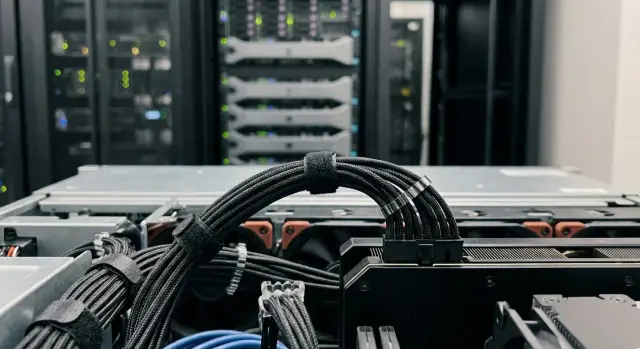
Why 12VHPWR connectors can overheat
The noise around 12VHPWR didn’t come from the connector being inherently “bad,” but from the fact that it carries high currents through compact contacts. A small error in seating or contact quality raises resistance, and heating accelerates in a chain reaction: the hotter it gets, the worse the contact, the more it heats.
Most often the problem isn’t the plastic housing but the places where the current actually flows: the contact pair inside the connector, the crimp (or solder) of the conductor into the terminal, and the area where the plug isn’t fully inserted or is cocked. Sometimes it starts with a small thing: dust, wear after repeated reconnects, a microcrack in a crimp, or geometry mismatch between cable and receptacle.
Typical causes of overheating:
- connector not fully snapped in and latched;
- cable sharply bent near the connector pulling it sideways;
- weak or uneven crimping of individual conductors;
- vibration and cable tension that gradually worsen seating;
- prolonged operation near the upper power limits.
In a desktop PC consequences range from smell and shutdowns to a melted connector. In a rack-mounted server the risk is higher: constant GPU load, dense cable routing, little room for safe bend radius, plus vibrations from fans and sliding rails. For GPU servers this means a single cable mistake can lead to downtime and expensive repairs.
Basic 12VHPWR layout: what to know before assembly
The 12VHPWR connector looks like "12+4." The first 12 pins are power: they deliver 12 V and carry the main current to the GPU. The additional 4 pins are signals. They don’t supply power to the GPU but participate in negotiating allowable power and confirming a proper connection. If the signal pins contact poorly (for example, due to incomplete seating), the GPU may operate with limits or unstable behavior. At the same time the power section can still heat from poor contact.
It’s important to distinguish a native cable from the PSU and an adapter. A native 12VHPWR (or a 12V-2x6 arrangement on some new PSUs) is usually designed as a single assembly: appropriate conductor gauge, proper crimping, and fewer joints. An adapter (for example, from two or three PCIe 8-pin to 12VHPWR) adds connections and points where higher resistance and heating can occur. In a tight chassis or rack this becomes especially noticeable.
With PCIe 8-pin setups it’s more familiar: current is distributed across multiple plugs and an obvious error (a missing cable) usually prevents startup. With 12VHPWR there’s one block, so overheating is more often related to incomplete insertion or cocking, which degrades contact.
Avoid multi-piece adapters when:
- the GPU is high-end and runs for long periods under load;
- the connector will inevitably be subject to a tight bend;
- the layout is dense and there are vibrations;
- the adapter itself has several transitions and a thick bundle of wires.
When building a rack GPU server, plan a PSU with native cables and the fewest possible joints. That minimizes the chance that the connector becomes the weak link.
How to choose a cable and connector: signs of proper build
Overheating on 12VHPWR usually starts not because the GPU is faulty but because of small issues in the cable and contact seating. So check what you can inspect by hand rather than trusting how something looks in a render.
First — conductors and cross-section. Higher current demands a margin in conductor gauge, especially at the connector. Too-thin wire heats more and long runs increase losses. If the seller doesn’t specify conductor gauge (e.g., AWG) or evades the question, treat that as a warning.
Second — quality of crimping and contact seating. A good connector inserts firmly, without cocking, and after latching should not wobble. A simple test: gently wiggle the cable at the connector base. There should be no play, crunching or a sense that the contact moves inside. The connector housing should be even, without burrs or signs of distorted plastic.
Third — cable length and routing allowance. The cable should not be routed under tension. A little slack is needed to make a gentle bend and secure the run so the connector is not pulled down or sideways.
Fourth — heat-resistant jacket and connector housing quality. A proper cable jacket is dense, without a sharp odor, not soft-looking, and doesn’t crack on light flex. The connector shell shouldn’t be overly soft: cheap housings deform faster from heat and mechanical stress.
Finally — compatibility with the PSU and the required rail power. Use a cable rated for your PSU and GPU configuration, not just one that "looks" the same. In racks and server builds don’t rely on dubious adapters or random spare cables: choose the PSU manufacturer’s cable or a trusted alternative with clear power specs.
Connector installation: step-by-step and without unnecessary risk
The goal when installing is simple: the contact inside the connector must be tight and stable over time. Most issues start from things that seem small: dust, cocking, incomplete insertion, or tension near the housing.
Before working with 12VHPWR completely cut power and let the system discharge. If the server is already assembled, make sure you have proper access to the GPU. Spend a few minutes removing the cover or sliding rails rather than inserting the connector "by feel."
Procedure:
- Disconnect power, wait a couple of minutes, ensure indicator LEDs are off.
- Inspect the GPU receptacle and the cable: dust, plastic shards, bent pins, cracks, signs of melting.
- Insert strictly along the axis, without rocking. Press until a clear click.
- Immediately check seating: the connector should sit evenly, without cocking and with equal gaps at the edges.
- Form a gentle bend and secure the cable so there is no tension at the connector.
A critical point is the bend at the connector body. Don’t make a sharp turn immediately after the cable exits the connector or press it with the cover. If the cable abuts, change the routing or cable length rather than forcing the connector.
After installation gently pull the cable in the direction it will take when the chassis is closed. If the connector shifts or shows play, the fixation is insufficient. In a rack this is especially important: vibrations and sliding the chassis over time will worsen the connection even if it looked fine initially.
Cable routing in the chassis: bends, fixation, airflow
Overheating often starts from mechanics rather than power: the cable pulls the connector, it gets cocked, the cover presses the connector, the contact worsens. For 12VHPWR this is critical: the connector is compact and does poorly under side loading.
Practical routing rules
The most important zone is the first centimeters from the connector. Don’t make a sharp bend right at the plug or try to "fold" the cable flat against a side. Instead bring the cable straight out for 3–4 cm, then make a smooth turn. If the cable hits the side panel, forcing it won’t help — change the route or use a different length.
Before closing the chassis check that the lid does not press on the connector and wiring. A simple test: close the lid without screws, gently shake the case and reopen. If you see pressure marks or the plug has shifted, the routing is wrong.
Secure the cable, but fix the cable, not the connector. Place ties so they take tension off the connector but don’t pinch conductors or create a single-point kink.
Quick indicators of safe routing:
- the cable does not pull the connector sideways and the plug sits straight;
- no sharp bend near the connector;
- the cover closes without force and without contacting the connector;
- the cable does not enter the GPU fan intake or block airflow;
- wiring does not lie directly on hot components (heatsink, backplate).
Example: in a 4U chassis it’s tempting to route the cable straight up to the lid. It’s safer to form a gentle loop to the side and secure it to the nearest mounting point than to make the connector act as a hinge. That reduces the risk of contact cocking and local heating.
Rack-specific issues: what increases overheating risk
On the bench a connector is usually plugged in once and left. In a rack it’s different: servers move on rails, cables are dense nearby, and access often happens during service work. These details increase the chance that a 12VHPWR ends up slightly under-inserted or constantly bent.
Movement and vibration
Even small vibrations from fans and regular sliding of the server can gradually loosen seating or change the cable entry angle. Particularly risky are cases where the server is pulled out and the cable tugs on the connector. To reduce risk in a rack pay attention to mechanics:
- leave length slack so the server can be pulled out without jerking;
- make the service loop close to the server, not at the PDU, so strain isn’t applied at the connector;
- route cables to avoid rubbing on chassis edges, rails and other cables;
- avoid routes where the cable is pinched by the rack door or a cable manager.
PDU, neighboring servers and organizers
In a rack cables often cross and press against each other. A typical scenario: after swapping a drive a technician closes the door and the bundle shifts slightly, pressing on a GPU connector. From the outside everything looks OK, but the contact worsens, resistance rises and extra heating appears.
A practical rule: after any server movement (pulled out, pushed in, bundle repositioned) manually check that the cable does not pull the connector and enters evenly without lateral force.
Checks after installation in the rack: what to do immediately and later
After mounting in the rack risk increases due to vibrations, bundle tension and the possibility that the cover or cable management unknowingly presses the connector. So checks are needed not only during assembly but after rack installation.
Right after installation start with a simple visual check: view the 12VHPWR from both sides. It should be fully seated with no cocking. The cable should not pull the connector down or sideways. If a bundle abuts the lid or a neighboring cable, re-route it now rather than after symptoms appear.
What to do in the first 30–60 minutes:
- visually confirm seating: connector even, latch engaged, no gap;
- ensure there’s no pressure: cable not pinched by lid, rails or ties;
- run a short loaded test and check for GPU errors or sudden reboots;
- assess heat: carefully touch the connector area and the first centimeters of cable (only if it’s safe to do so);
- document the state: photos of the connector and cable routing before closing the chassis and after rack installation.
If you have a thermal camera or infrared thermometer that’s ideal. A local hot spot often appears before smell or plastic darkening.
Repeat the check later when the server has worked under real load. Problems sometimes appear after 3–7 days due to cable settling, vibration or a moved bundle. During the follow-up check:
- compare new photos with the originals: has the connector cocked or is there new tension;
- check whether the connector runs hotter at the same load;
- inspect plastic and contacts for darkening, gloss from burning, or melting signs.
This documentation is useful for internal procedures and when working with an integrator. In rack builds photos "before" and "after" often clarify what changed and why overheating started.
Early signs of trouble and safe actions
Power issues with 12VHPWR rarely start abruptly. Usually the signals appear first and are easy to miss, especially in a rack.
First class — physical signs: burnt smell, plastic darkening, matte finish, melting, or an oddly seated plug. Bad signs also include unusual sensations on light touch: crunching, play, or a feeling that the housing is deformed.
Second class — system behavior: intermittent GPU dropouts, power errors, unexpected reboots or failures under load. Often this shows only at power peaks while idle seems normal.
Third and most practical — temperature. If the connector and the cable segment near it are noticeably hotter than other power lines (and hotter than neighboring GPUs at the same load), that almost always indicates increased contact resistance.
Safe actions if you notice any signs
Do not try to "push" or tweak the connector under load. Instead:
- remove the load (stop tasks, tests, training, renders);
- shut down the server properly and fully remove power;
- wait for cool-down and only then inspect under good light;
- verify the plug is fully seated and the latch is engaged;
- if there are signs of melting or darkening, do not power up again.
When replacement is required
Replace the cable if you see darkening, deformation, melting, burnt smell or repeated failures under load after a correct reseating. If the GPU’s receptacle is melted, the GPU often needs replacement or service repair. In racks where predictability matters many integrators replace a suspicious kit entirely (cable plus adapter or connector) to avoid leaving a weak link.
Common mistakes that lead to overheating
The most common cause of 12VHPWR overheating is simple: the contact becomes worse than it should be. Current remains high but the effective contact area decreases. Resistance rises and heat appears right at the connection.
A typical mistake is not inserting the connector fully. It may look connected but have a micro-gap and unlatched catches. This happens when a stiff cable, tight chassis or awkward access prevents full insertion.
Another problem is a sharp bend immediately at the connector or cable tension when closing the lid. If the cable pulls the connector sideways, the contact can partially degrade over time, especially after vibration or transport. It’s safer to keep the segment at the connector straight and avoid any force on the housing.
Adapters with multiple connections are risky too, especially if they have weak latching or thin contacts. Every extra joint is another potential poor-contact and local heating point.
Also avoid mixing cables from different PSUs or using dubious spare kits. Visually similar cables can differ in pinout, conductor quality and connector fit, which can cause heating or worse.
Finally, don’t skip inspection after transport and rack mounting. The server might be placed, powered and left without a check. If a connector has been plugged and unplugged, at least do a quick check of seating, latch and signs of burning.
Short pre-start checklist:
- connector latched and sitting evenly;
- cable not pulling the connector or pressed by the lid;
- no unnecessary adapters or random cables;
- visual re-check after rack installation.
Short checklist before first power-up and after 24 hours
Before the first start with 12VHPWR the key is to ensure the contact is reliable and the cable won’t change position when closing the lid or mounting in the rack. Most problems start with incomplete seating, lateral load and too-early bends.
Before power-up:
- connector inserted evenly and fully: no gap, latch engaged;
- cable not under tension: light force does not tilt or dislodge the plug;
- the bend does not start at the connector body: the first centimeters are straight, without kinks or side pressure;
- cable does not touch sharp edges or get pinched by the chassis lid;
- when sliding the server out of the rack there is no tug — slack was left.
After installation and the first load (typically 15–30 minutes under normal work) do a quick visual check. The connector may be warm but should not be hot. There should be no plastic odor, darkening, melt marks or a glossy sheen from burning.
After 24 hours repeat the check with the server powered down and cooled. Remove the lid and see whether the connector has "crept" due to vibration or tension, or whether a new pressure point has appeared (for example after final bundle routing or closing the rack door). If in doubt, re-route the cable and reseat the connector until you hear the click.
Practical example: a rack GPU server and one problematic cable
A server with multiple GPUs was installed in a dense rack with little clearance to the top lid, so power cables were routed under the cover. At first run everything seemed fine, but after a couple of hours under load one card gave off a faint smell and its 12VHPWR plug was noticeably hotter than the others.
In these installs a sharp bend is usually the culprit: the cable immediately turned sideways and the connector had constant lateral load. Because of that the plug might not have been fully seated or over time it could "spring back" a bit. In the rack this is amplified: pulling the server on rails tugs the cable and then the lid presses it again.
Fixing it took about 15 minutes: power down and remove power, unplug and reseat the connector until it clicked, then re-route so the first few centimeters from the plug run straight. We added a small service loop and secured the cable so it didn’t hang on the connector or tension during service extraction.
We verified with a simple routine: visually compare connector seating and the feel of the latch, ensure the cable doesn’t press against the lid or pull the plug, run a load test and compare connector temperatures (an IR thermometer is enough), inspect plastic for darkening and check contacts for burning marks.
For the future a short rule helps: take photos of routing before closing the lid, recheck seating after rack installation, monitor temperature and smell after the first hour and after 24 hours, and follow the rule "no sharp bends at the connector." If an integrator assembles the servers this is easy to make part of acceptance tests.
Next steps: procedures, maintenance and integrator help
12VHPWR overheats not because the connector is inherently bad, but because conditions change over time: the server was moved in the rack, the lid was removed for service, the cable was tugged and seating became imperfect. So it’s important not only to assemble correctly once but to maintain the same careful state.
Simple inspection procedure
Check connectors after any movement or service work, even if only a drive or fan was changed. Usually a short visual check is enough: the plug is fully seated, not cocked, no signs of melting, no strong tension or sharp bends near the connector.
Record checks in a log: date, who performed it, what was observed. This catches problems early while they look like "slightly loose" rather than a full failure.
Spares, build standards and documentation
Keep a small stock of cables and connectors matched to your configurations. If you suspect a connector, swapping it out is faster and safer than "watching it." Downtime in racks is expensive.
Standardize builds and document routing: where cables run, where they are tied, allowed bend radius at the connector exit, which ties and anchor points to use. The same cable routed differently will withstand vibration and heat differently.
If you have many identical GPU nodes, create a template: a photo of correct routing, a list of cables, and connection order. That reduces errors during night windows and staff changes.
When to involve an integrator
Engage an integrator when you have many servers, tight layouts, costly downtime, or the team lacks experience with 12VHPWR in racks. An integrator can confirm PSU and cable compatibility, ensure proper connector seating, route cables with airflow in mind, and verify the system after rack installation.
If you need this work GSE.kz as a manufacturer and systems integrator can perform assembly and integration of GPU systems and servers, check installations in racks and provide ongoing support. This is convenient operationally because support and service can be provided 24/7 through a service network.
Frequently asked questions
Why can 12VHPWR overheat even if the GPU is fine?
12VHPWR carries high current through very compact contacts, so even a small deterioration in contact quality sharply raises resistance and heat. Most often the heat is in the contact pair, the crimp of the conductor, or the area where the plug isn’t fully seated or is cocked, not the plastic housing itself.
How can I tell that a 12VHPWR is fully inserted and not "half-in"?
Rely on mechanical cues: insert straight along the axis until you hear a firm click from the latch, then inspect the plug from the side and top — it should sit evenly with no visible gap. Finally, gently pull the cable toward its eventual routing; if the plug tries to come out or shows play, reseat it.
How dangerous is bending the cable near the connector and how should it be done correctly?
A sharp bend right after the connector is dangerous because it creates lateral force that degrades the contact over time. Leave a short straight run of a few centimeters, then make a smooth turn so the chassis lid or rack elements don’t press on the connector.
When should I avoid adapters to 12VHPWR and use a native cable?
If the GPU is high-end and runs for long periods, if the case is tight or there are vibrations, avoid multi-piece adapters — they add extra connections that are potential hot spots. The most reliable solution is usually a native cable from the PSU rated for the required power.
Why does 12VHPWR have "12+4" pins and do the signal pins affect problems?
The connector is "12+4": the 12 power pins deliver 12 V and the main current, the 4 signal pins are used to negotiate allowed power and confirm correct connection. Poor contact on the signal pins can cause power limits or instability even if the power pins appear connected.
What should I check when choosing a 12VHPWR cable if I only have the cable in hand?
Look for things you can check by hand: is the conductor cross-section specified, are crimps neat, is there play or cocking when inserted, and is the connector housing rigid and undamaged. If the seller can’t name cable specs or the connector looks easily deformable, don’t risk it in a server environment.
What are the first symptoms that indicate a 12VHPWR problem?
Early warning signs include the smell of heat, darkening or a matte look of the plastic, intermittent GPU dropouts, and a connector area noticeably hotter than other power lines. If the connector gets hot or the system shows failures, it usually means increased contact resistance and you should stop and inspect.
What should I do if the connector or the first centimeters of the cable become hot?
Do not try to "push" or adjust the connector while the system is under load. Reduce the load, shut down and power off properly, wait for cool-down, then inspect the plug and receptacle under good light. If there are signs of melting, discoloration or a burnt smell, do not power on until the cable and connector have been replaced and the GPU port inspected.
Why is the overheating risk higher in a rack and what checks are mandatory there?
In a rack there are extra risks: vibration, tension in cable bundles and movement on rails can gradually worsen seating. After installation and after any time the server is moved or pulled out, manually check that the cable is not pulling the plug sideways and that the chassis lid or cable organizers are not pressing on the connection.
When does it make sense to hand assembly and 12VHPWR checks to an integrator?
If you have many servers, tight layouts and expensive downtime, it’s worth bringing in a systems integrator to select PSUs, native cables, ensure correct seating and routing, and perform post-installation checks. For such services, GSE.kz can assemble and integrate GPU systems and provide ongoing support to reduce downtime caused by cable issues.
